
1. Introduction
This manual provides detailed instructions for the operation and maintenance of your Luoba Smart Watch. This device is designed to assist you in monitoring your fitness activities, managing calls and messages, and tracking various health metrics. Please read this manual thoroughly to ensure proper usage and to maximize the benefits of your smart watch.

Figure 1: Luoba Smart Watch Overview
2. What's in the Box
Upon opening the package, please verify that all components are present:
- Luoba Smart Watch (with Watch Band attached)
- Charging Cable
- User Manual (this document)
3. Setup
3.1 Initial Charging
Before first use, fully charge your smart watch. Connect the magnetic charging cable to the charging contacts on the back of the watch and plug the USB end into a standard USB power adapter (not included). A full charge typically takes approximately 2 hours.

Figure 2: Charging the Smart Watch
3.2 App Installation and Pairing
To unlock the full functionality of your Luoba Smart Watch, you must install the companion application, "Dafit", on your smartphone.
- Download the App: Search for "Dafit" in your smartphone's app store (compatible with iOS 10.0+ and Android 5.0+).
- Create Account: Open the Dafit app and follow the on-screen instructions to create a user account and set up your personal profile.
- Enable Bluetooth: Ensure Bluetooth is enabled on your smartphone.
- Pair Device: In the Dafit app, navigate to the "Device" section and select "Add Device". The app will search for your Luoba Smart Watch. Select your watch from the list to initiate pairing.
- Confirm Pairing: Follow any prompts on both your watch and smartphone to confirm the Bluetooth pairing.
Once paired, the watch will synchronize with your phone, and you can begin customizing settings and viewing data within the app.
4. Operating Instructions
4.1 Basic Navigation
- Touch Screen: Swipe left/right, up/down to navigate through menus and features. Tap to select.
- Side Button: Typically used to return to the home screen or activate/deactivate the display.
4.2 Call and Message Management
After successful Bluetooth connection, your smart watch can manage calls and display message notifications.
- Making Calls: Access the dial pad on your watch to dial numbers directly, or select contacts synchronized from your phone.
- Answering/Rejecting Calls: When an incoming call is received, the watch will display the caller ID. You can answer or reject the call directly from the watch.
- Message Notifications: Receive notifications for SMS and various app messages (e.g., WhatsApp, Facebook) directly on your watch. Note that only reading of some app messages is supported.

Figure 3: Bluetooth Call & Message Reminder Functionality
4.3 Health Monitoring
The Luoba Smart Watch features sensors for monitoring various health metrics. Data is synchronized with the Dafit app for detailed analysis.
- Heart Rate Monitor: Tracks your heart rate throughout the day.
- Sleep Monitor: Analyzes your sleep patterns, including deep sleep, light sleep, and wake times.
- Blood Oxygen (SpO2): Measures blood oxygen levels.
Note: The health data provided by the watch is for reference only and should not be used for medical diagnosis or treatment.

Figure 4: Health Monitoring Features
4.4 Activity Tracking and Sport Modes
The watch tracks your daily activity and supports multiple sport modes.
- Step Counter: Records your daily steps.
- Calorie Counter: Estimates calories burned based on activity.
- Distance Tracking: Measures distance covered.
- Sport Modes: Supports 7 types of fitness trackers including Walking, Running, Cycling, Skipping, Badminton, Basketball, and Football. Select the appropriate mode before starting an activity for accurate tracking.
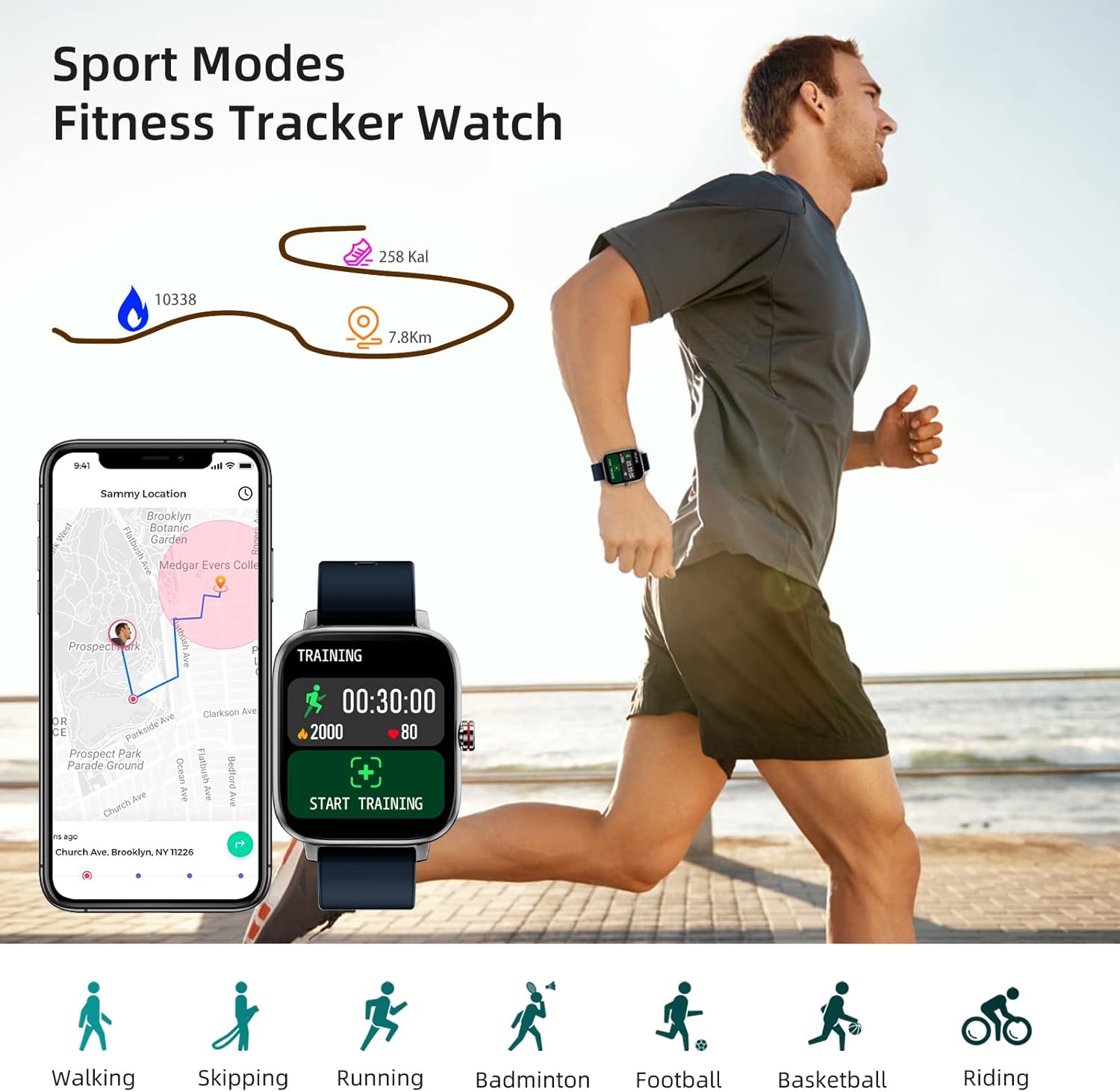
Figure 5: Sport Modes and Activity Tracking
4.5 Customization and Other Features
- Custom Dials: Choose from a variety of pre-installed watch faces or customize your own using the Dafit app.
- Music Control: Control music playback on your smartphone directly from the watch.
- Camera Control: Use your watch as a remote shutter for your smartphone camera.
- Weather Forecast: View current weather conditions and forecasts.
- Alarm Clock: Set alarms directly on the watch or through the app.
- Stopwatch & Countdown: Utilize built-in timing functions.
- Breathing Exercises: Guided breathing sessions for relaxation.
- Sedentary Reminder: Receive alerts to move after periods of inactivity.
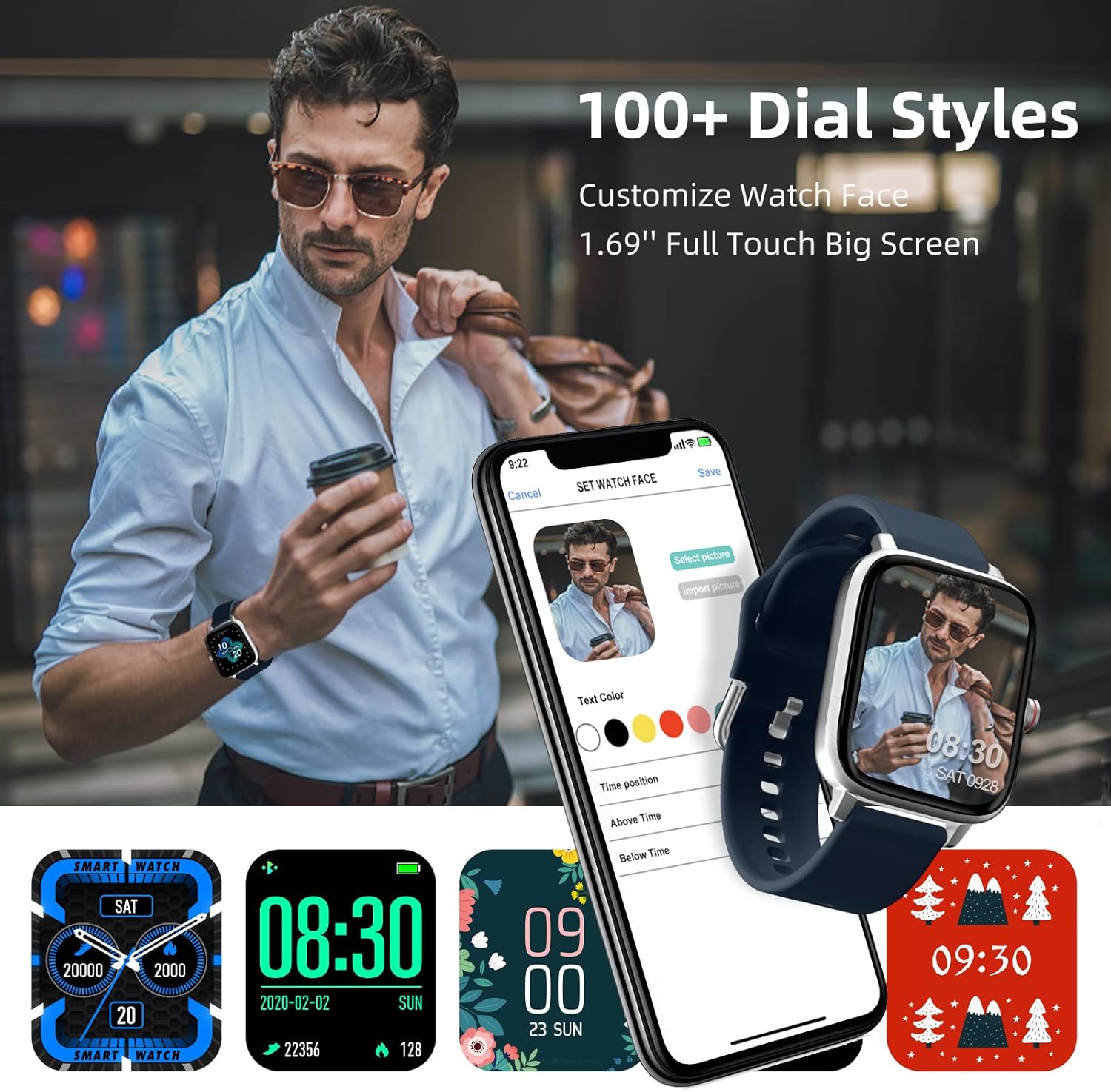
Figure 6: Watch Face Customization
5. Maintenance
5.1 Charging
To maintain optimal battery life, charge your watch regularly. A full charge provides approximately 2-3 days of typical usage and 5-7 days of standby time.
5.2 Cleaning
Wipe the watch screen and strap with a soft, dry cloth. For stubborn dirt, a slightly damp cloth can be used. Avoid using harsh chemicals or abrasive materials.
5.3 Water Resistance
The Luoba Smart Watch is designed for daily use and can withstand splashes and sweat. However, it is not suitable for swimming or soaking in water. Avoid exposing the watch to hot water, steam, or high-pressure water jets.
6. Troubleshooting
- Watch not turning on: Ensure the watch is fully charged. Connect it to the charger for at least 30 minutes.
- Cannot pair with phone:
- Ensure Bluetooth is enabled on your phone and the watch.
- Make sure the watch is within Bluetooth range of your phone.
- Restart both your phone and the watch.
- Try unpairing and re-pairing the device through the Dafit app.
- Notifications not received:
- Check notification settings in the Dafit app to ensure they are enabled for desired applications.
- Ensure the Dafit app is running in the background on your phone.
- Verify that your phone's notification settings allow the Dafit app to display alerts.
- Inaccurate health data: Ensure the watch is worn snugly on your wrist, not too tight or too loose. Clean the sensor on the back of the watch. Remember that data is for reference only.
- Short battery life: Reduce screen brightness, disable continuous heart rate monitoring, and limit frequent notifications to extend battery life.
7. Specifications
| Feature | Specification | |
|---|---|---|
| Model Number | 2e1f7251-d837-4124-b2ae-5136a9430385 | |
| Product Dimensions | 10.09 x 1.5 x 0.41 inches | |
| Item Weight | 1.28 ounces (0.08 Pounds) | |
| Screen Size | Operating System | Android Wear 1.4 (Compatible with iOS 10.0+ and Android 5.0+) |
| Connectivity Technology | Bluetooth | |
| Battery Type | Lithium Ion (1 included) | |
| Battery Capacity | 200 mAh (2E+2 Milliamp Hours) | |
| Special Features | Phone Call, Heart Rate Monitor, Sleep Monitor, Activity Tracker | |
| GPS | Via Smartphone |

Figure 7: Luoba Smart Watch Dimensions
8. Warranty and Support
For warranty information and customer support, please refer to the documentation included with your purchase or contact Luoba customer service through their official channels. Keep your purchase receipt as proof of purchase.