
1. Product Overview
The NeoCarbon Transcutaneous Electrical Nerve Stimulator, Model KTR-2492, is designed for the temporary relief of pain associated with sore and aching muscles. It is effective for discomfort in areas such as the shoulder, waist, back, neck, upper extremities (arm), and lower extremities (leg) resulting from exercise or typical household activities.
2. Important Safety Information
Read all instructions carefully before using this device. Failure to do so may result in injury or improper operation.
- Do not use if you have a pacemaker, implanted defibrillator, or other implanted metallic or electronic device.
- Do not use if you are pregnant.
- Do not use on open wounds or broken skin.
- Do not use near the heart, on the head, face, or throat.
- Consult a healthcare professional before use if you have any medical conditions.
- Keep out of reach of children.
- Ensure proper placement of electrodes as instructed to avoid adverse reactions.
- Discontinue use if you experience any discomfort or adverse reactions.
3. Package Contents

Image Description:
This image displays all components included with the NeoCarbon KTR-2492 TENS unit. It features the main red stimulator unit, a matching red remote control, multiple adhesive electrode pads (some hexagonal, some circular), a USB charging cable, and a grey zippered premium carry case for storage.
Your NeoCarbon KTR-2492 package should contain the following items:
- 1 x NeoCarbon KTR-2492 Main Stimulator Unit
- 1 x Wireless Remote Control
- 3 x NeoCarbon Ultra-Sticky Electrode Pads (various shapes)
- 1 x USB Charging Cable
- 1 x Premium Carry Case
- 1 x User Manual (this document)
4. Setup Guide
4.1 Charging the Device
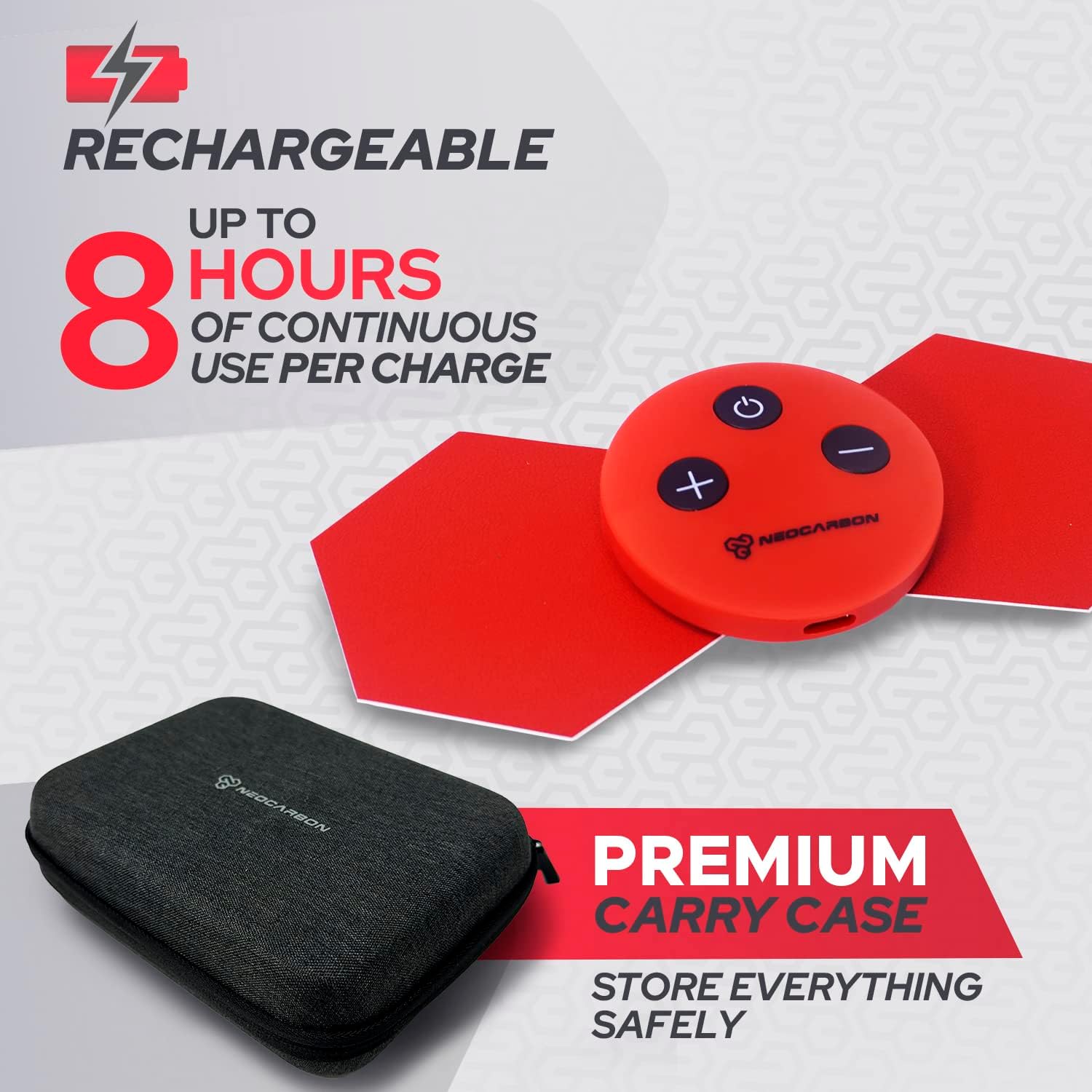
Image Description:
This image shows the red NeoCarbon TENS unit with a USB charging cable connected, indicating its rechargeable nature. A grey premium carry case is also visible, emphasizing the portability and safe storage of the device.
- Connect the USB charging cable to the charging port on the main stimulator unit.
- Plug the other end of the USB cable into a compatible USB power adapter (not included) or a computer USB port.
- Allow the device to charge fully before first use. A full charge provides up to 8 hours of continuous use.
4.2 Attaching Electrode Pads

Image Description:
A woman is shown sitting, with the compact, wireless NeoCarbon TENS unit applied to her shoulder. Red lines emanate from the device, visually representing the wireless signal and indicating its "no cables" feature for on-the-go pain relief.
- Ensure your skin is clean, dry, and free of lotions or oils where you intend to place the pads.
- Carefully remove the protective film from the adhesive side of the electrode pads.
- Attach the electrode pads firmly to the main stimulator unit's connectors.
- Apply the assembled unit with pads directly to the desired area of the body, ensuring good skin contact.
5. Operating Instructions
5.1 Powering On and Off

Image Description:
This image illustrates the ease of use of the NeoCarbon TENS unit, showing a woman holding the remote control while the main unit is attached to her shoulder. The text "EASY to USE" and "WITH or WITHOUT THE REMOTE" highlights the flexible control options.
- To power on the main unit, press and hold the power button on the unit itself until the indicator light illuminates.
- To power on the remote control, press any button on the remote.
- To power off, press and hold the power button on the main unit or the remote until the device shuts down.
5.2 Selecting Settings and Intensity

Image Description:
A close-up view of the NeoCarbon TENS unit and its remote control, highlighting key features. The image text indicates "15 Massage Presets," "16 Intensity Levels," and that the device "OFFERS UP TO 1 HOUR OF PAIN RELIEF TREATMENT SESSIONS." It also mentions "+X3 NEOCARBON ULTRA-STICKY PADS."
- The device offers 15 massage presets (modes) and 16 intensity levels.
- Use the 'M' button on the remote or the main unit to cycle through the different massage modes.
- Use the '+' and '-' buttons on the remote or the main unit to adjust the intensity level. Start with a low intensity and gradually increase to a comfortable level.
- Each treatment session can last up to 1 hour. The device may have a built-in timer for automatic shut-off.
5.3 Recommended Usage Areas

Image Description:
This graphic illustrates various body areas where the NeoCarbon TENS unit can provide drug-free pain relief. It highlights the knees, lower back, shoulders, butt, and elbow, with accompanying images of individuals experiencing discomfort in these regions. The text also states "IDEAL for PMS."
The NeoCarbon KTR-2492 is suitable for temporary pain relief in the following areas:
- Shoulder
- Waist
- Back (including lower back)
- Neck
- Upper Extremities (Arm, Elbow)
- Lower Extremities (Leg, Knees)
- Buttocks
Always ensure pads are placed on clean, healthy skin and avoid sensitive areas.
6. Maintenance and Care
6.1 Cleaning the Device and Pads
- Wipe the main unit and remote with a soft, damp cloth. Do not use abrasive cleaners or immerse in water.
- For electrode pads, gently wipe the adhesive surface with a damp cloth if they lose stickiness. Allow to air dry completely before re-applying the protective film.
- Replace electrode pads when they no longer adhere well to the skin, as this can affect conductivity and treatment effectiveness.
6.2 Storage
Image Description:
This image shows the red NeoCarbon TENS unit with a USB charging cable connected, indicating its rechargeable nature. A grey premium carry case is also visible, emphasizing the portability and safe storage of the device.
- After each use, re-apply the protective film to the adhesive side of the electrode pads.
- Store the main unit, remote, pads, and charging cable in the provided premium carry case.
- Store the device in a cool, dry place, away from direct sunlight and extreme temperatures.
7. Troubleshooting
| Problem | Possible Cause | Solution |
|---|---|---|
| Device does not turn on. | Battery is low or depleted. | Charge the device fully using the provided USB cable. |
| Weak or no sensation. | Pads are not adhering properly; Intensity level is too low; Pads are worn out. | Ensure pads have full contact with skin; Increase intensity gradually; Replace old pads with new ones. |
| Pads do not stick. | Skin is oily or dirty; Pads are dirty or worn out. | Clean and dry skin before application; Gently wipe pads with a damp cloth and air dry; Replace pads if severely worn. |
| Remote not responding. | Remote battery is low; Not paired correctly. | Ensure remote has power (if applicable, check battery); Re-pair the remote with the main unit (refer to specific pairing instructions if available, otherwise try turning both off and on). |
8. Product Specifications
- Model: KTR-2492
- Brand: NeoCarbon
- Dimensions: 25.4 cm (L) x 20.3 cm (W) x 5.1 cm (H)
- Weight: 60 Grams
- Material: Polycarbonate
- Color: Red
- Power Source: Rechargeable (via USB Corded Electric)
- Special Feature: Cordless operation
- Massage Presets: 15
- Intensity Levels: 16
- Continuous Use per Charge: Up to 8 hours
- Treatment Session Duration: Up to 1 hour
9. Warranty and Support
For information regarding warranty coverage, product registration, or technical support, please refer to the official NeoCarbon website or contact their customer service department. Contact details are typically available on the product packaging or the manufacturer's official online resources.
Please retain your proof of purchase for warranty claims.
