
Introduction
Thank you for choosing the MINISOISO 3-Digit Resettable Combination Padlock. This manual provides essential information for the proper setup, operation, and maintenance of your padlock. Please read these instructions carefully before use to ensure optimal security and longevity of your product.

Image: A set of four MINISOISO 3-Digit Combination Padlocks, each with a flexible steel cable, displayed in blue, pink, yellow, and black colors. The dials show the default '000' combination.
Product Features
- 3-Digit Resettable Combination: Offers 1000 unique combinations for enhanced security.
- Durable Construction: Zinc alloy lock body and steel wire cable for resistance against drops, corrosion, and cutting.
- Easy to Use: Spring-loaded buckle design for quick unlocking once the correct code is entered.
- Versatile Application: Suitable for bicycles, travel bags, lockers, backpacks, and various other items requiring security.
- Compact and Lightweight: Designed for portability and convenience.

Image: A close-up of a blue MINISOISO padlock highlighting its metallic finish, the internal mechanical structure of the dials, and the robust, thickened steel wire rope.
Setup: Setting Your Combination
Your padlock comes with a factory default combination of 0-0-0. Follow these steps to set your personal combination:
- Unlock the Padlock: Align the default combination (0-0-0) with the indicator line. Pull the lock shackle (cable) upwards to open the padlock.
- Locate the Reset Button: With the padlock open, find the small metal button or pin located in the bottom coding hole.
- Engage Reset Mode: Use a small pointed object (like a pen tip or a small stick) to press and hold this metal button. Do not release it during the next step.
- Set Your New Combination: While holding the button, rotate the number wheels to your desired 3-digit combination. Ensure the numbers are clearly aligned with the indicator line.
- Confirm New Combination: Release the metal button. Your new combination is now set.
- Test the Lock: Scramble the numbers and then enter your new combination to ensure it unlocks correctly.
Important: Remember your new combination. If you forget it, there is no master key or override, and you will have to try all 1000 combinations to unlock it.

Image: A visual guide demonstrating the four steps to reset the padlock's combination. It shows turning the lock to the front, using a tool to hold the bottom lock hole, setting the desired password, and releasing the button.
Operating Instructions
Locking the Padlock
- Ensure the shackle (cable) is fully inserted into the lock body.
- Scramble the combination dials to a random set of numbers. This secures the padlock.
Unlocking the Padlock
- Rotate the combination dials to your personal 3-digit code, aligning them with the indicator line.
- Press the button on the side of the padlock. The shackle (cable) will release, allowing you to open the lock.
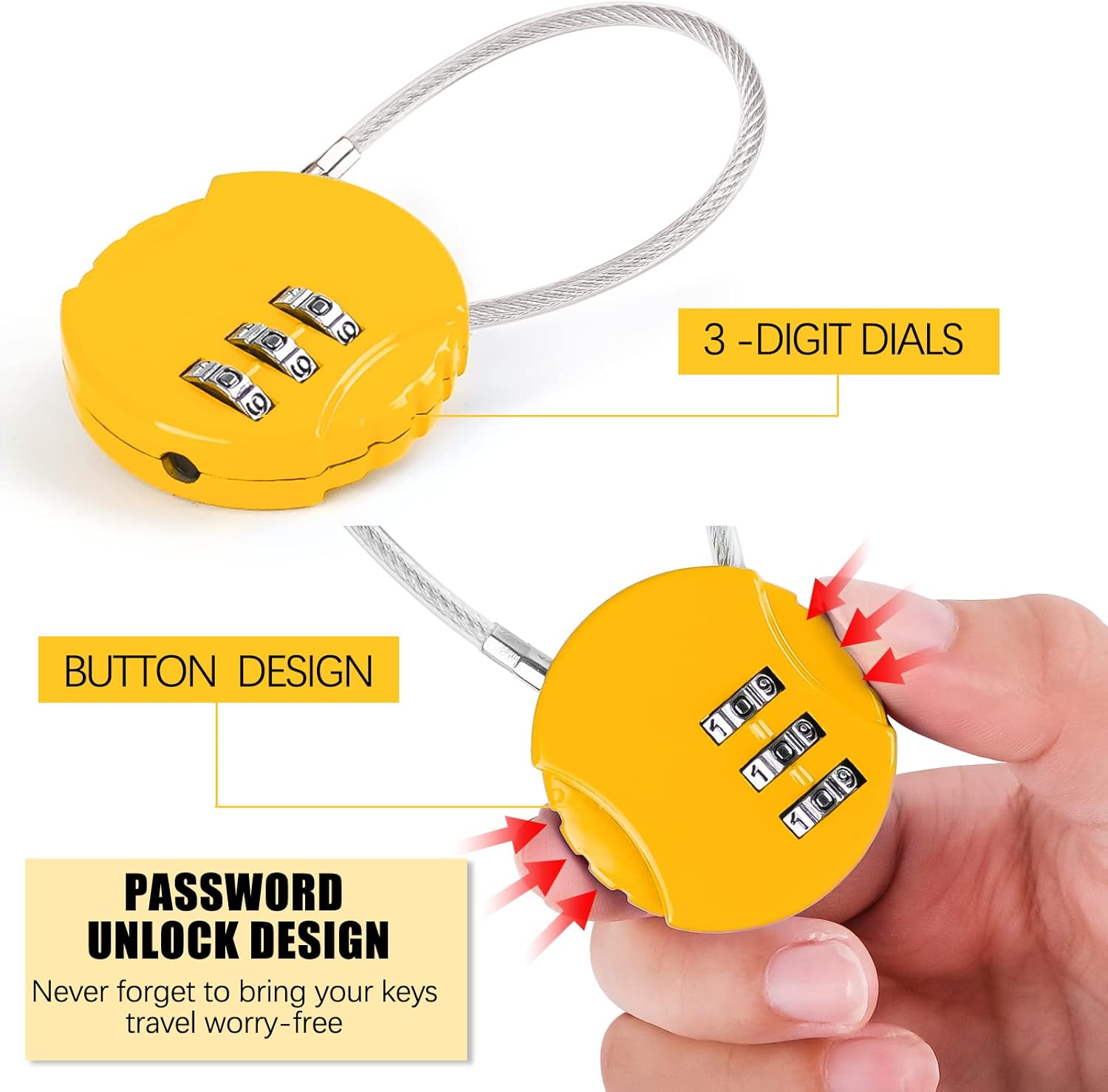
Image: A yellow MINISOISO padlock illustrating its button design for unlocking and the 3-digit dials for setting the combination. Arrows indicate the direction to press the button for release.
Application Scenarios
The flexible cable design allows for various applications:
- Securing luggage and suitcases.
- Locking gym lockers or school lockers.
- Protecting backpacks and handbags.
- Securing toolboxes, cabinets, or bicycle helmets.

Image: A collage showing different uses for the MINISOISO padlock. Examples include securing a zipper on a backpack, a lunch bag, a chain on a wooden door, and a metal cabinet latch.

Image: A black MINISOISO combination padlock with its cable shackle looped through a metal door latch, demonstrating its use for securing doors or cabinets.
Maintenance
To ensure the longevity and smooth operation of your MINISOISO padlock, consider the following maintenance tips:
- Cleaning: Wipe the padlock body and cable with a soft, damp cloth to remove dirt and grime. Avoid harsh chemicals or abrasive cleaners.
- Lubrication: Periodically, a small amount of silicone-based lubricant can be applied to the moving parts of the dials and the shackle mechanism to maintain smooth operation.
- Storage: Store the padlock in a dry environment when not in use to prevent moisture buildup and potential corrosion, especially if used outdoors.
- Avoid Force: Do not force the dials or the shackle. If resistance is met, recheck your combination or inspect for obstructions.
Troubleshooting
Padlock Will Not Open
- Incorrect Combination: Double-check that you have entered the correct 3-digit combination and that all numbers are perfectly aligned with the indicator line.
- Forgotten Combination: If you have forgotten your combination, there is no master key or reset tool to instantly unlock it. The only method is to systematically try all 1000 possible combinations (000 to 999) until the correct one is found. This process can be time-consuming.
- Stuck Dials/Shackle: Ensure no debris is obstructing the dials or the shackle mechanism. Apply a small amount of lubricant if the dials feel stiff.
Difficulty Setting New Combination
- Ensure the padlock is in the unlocked position (default 0-0-0 or current combination).
- Make sure the reset button at the bottom is fully pressed and held down while setting the new code. Releasing it prematurely will not save the new combination.
- Ensure the new numbers are precisely aligned with the indicator line before releasing the reset button.
Specifications
| Brand | MINISOISO |
| Model Number | AS-1852 |
| Material | Zinc Alloy (lock body), Steel Wire (cable) |
| Dimensions (L x W x H) | Approximately 5 x 3 x 0.5 cm (lock body); Cable length approximately 13.7 cm |
| Weight | Approximately 130 grams (for the set of 4) |
| Number of Dials | 3-digit combination |
| Special Feature | Anti-drill (as per manufacturer's specification) |
| Colors Available | Black, Blue, Pink, Yellow (as a set) |

Image: A detailed diagram illustrating the dimensions of the MINISOISO padlock, including the lock body diameter (38mm/1.5in), cable length (13.5cm/5.3in), and overall height (8.8cm/3.46in).
Warranty Information
Specific warranty information for the MINISOISO 3-Digit Resettable Combination Padlock is not provided in the available product data. For details regarding warranty coverage, please refer to the product packaging or contact the retailer/manufacturer directly.
Customer Support
If you have any questions or require further assistance with your MINISOISO padlock, please contact your point of purchase or refer to the official MINISOISO website for customer support options. Please have your model number (AS-1852) ready when contacting support.