
1. Introduction
This manual provides detailed instructions for the installation, operation, and maintenance of your Woibugee Single Din 10-Inch Detachable QLED Car Stereo. Please read this manual thoroughly before using the product to ensure proper functionality and safety. Keep this manual for future reference.
2. What's in the Box
- 1 x Single Din Apple CarPlay Head Unit
- 1 x Car Audio Power Cable
- 1 x GPS Antenna
- 1 x RCA Cable
- 1 x Video Input Cable
- 1 x Bracket Set
- 1 x Front Dashcam
- 1 x 4-pin USB Cable
- 1 x 6-pin USB Cable
- 1 x External Microphone
- 1 x Screw Set
- 1 x AHD Reverse Live View Camera

Image: Single Din Car Stereo Dimensions and Included Accessories.
3. Product Features
- Wireless Apple CarPlay and Wireless Android Auto: Seamless smartphone integration for navigation, calls, messages, and music.
- 10-Inch Detachable QLED Touchscreen: 1280*720 resolution with adjustable rotation and tilt for optimal viewing and glare reduction.
- Android Car Multimedia Player: Powered by an 8-core CPU with 2GB RAM and 32GB ROM for smooth operation. Supports app downloads from Google Play Store (Spotify, Pandora, YouTube).
- Integrated GPS Navigation: Built-in Wi-Fi and GPS support online and offline navigation apps (offline maps not included).
- Extensive Connectivity: AUX Audio/Video input, Front camera video input, Rear view camera input, 5RCA output (3.68V), Subwoofer output.
- Vehicle Fit: Universal single din size (Length: 150mm, Width: 180mm, Height: 50mm) designed to fit most standard single din openings.

Image: Key Performance Features of the Android Car Stereo.
4. Setup and Installation
4.1 General Installation Notes
The Woibugee 10-inch single din touchscreen car stereo is designed for universal single din openings. However, some vehicles may require additional wiring harnesses, frame dash kits, radio antenna adapters, or CANBUS decoders for proper fitment. These accessories are available from third-party manufacturers like Metra, PAC, or Scosche.
Important: Before installation, disconnect the battery's negative terminal to prevent short circuits. The unit operates at 12V; exceeding 14V (e.g., in large trucks) requires an extra DC24V to DC12V car voltage regulator.
4.2 Detaching the Screen Panel
The 10-inch QLED screen is detachable for easier installation and adjustment.
Video: Instruction on how to remove the screen for mounting purposes.

Image: Steps for detaching the screen panel from the head unit.
4.3 Connecting Cameras
The stereo supports both front dash cam and rear view camera inputs. Ensure correct wiring for proper functionality.

Image: Front Dash Cam and Backup Camera features.
5. Operating Instructions
5.1 Wireless Apple CarPlay & Android Auto
Connect your smartphone wirelessly via Bluetooth for seamless access to navigation, calls, messages, and music. Siri or Google Assistant can be used for voice commands.
Video: Demonstrates wireless Android Auto connection on the 10-inch car stereo.
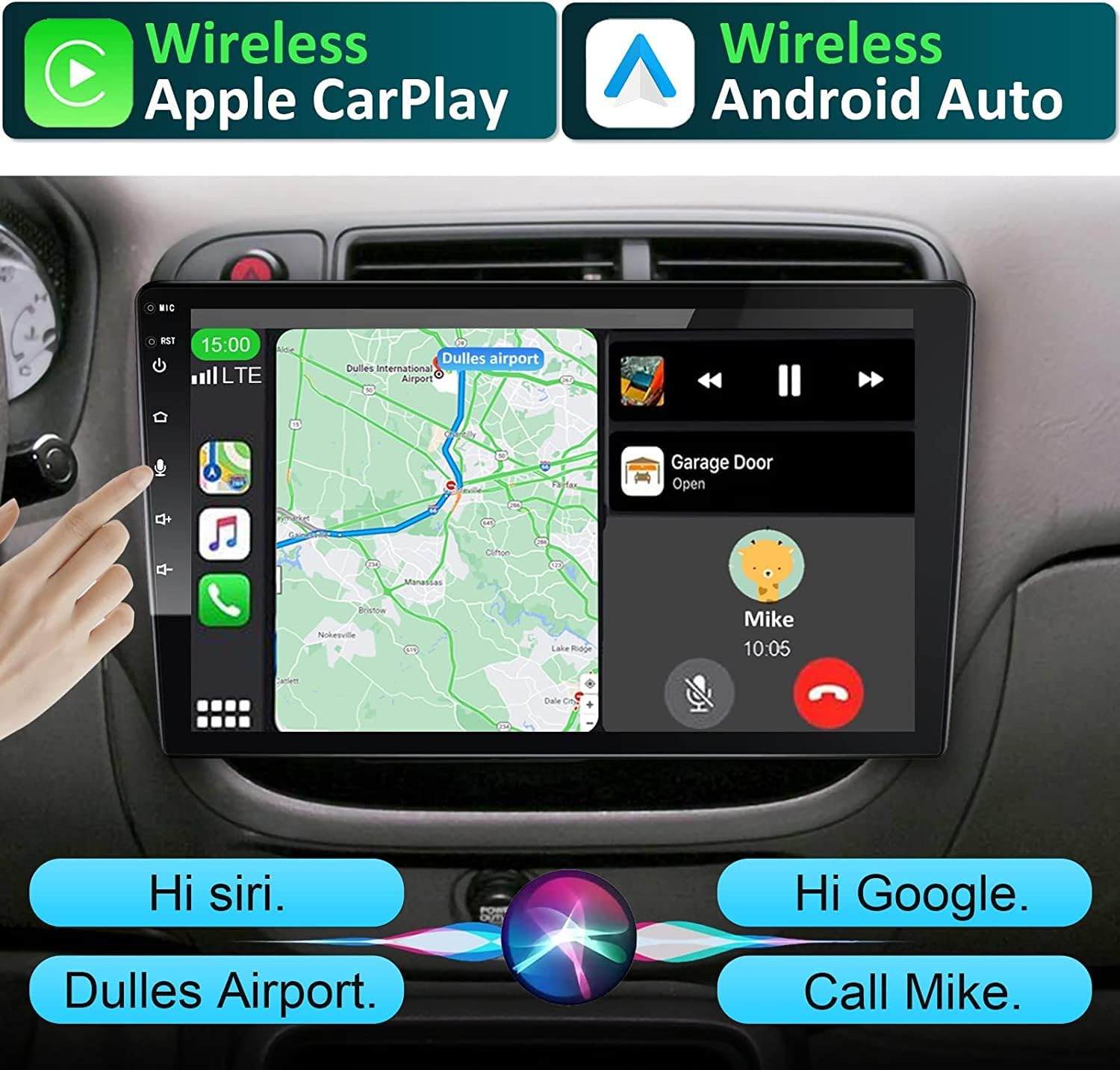
Image: Wireless Apple CarPlay and Android Auto in operation.
5.2 Bluetooth Earbuds Pairing
Pair your Bluetooth earbuds with the car stereo for private listening. Note that the OEM speaker will lose sound after Bluetooth earbuds pairing.
Video: Demonstrates Bluetooth earbuds pairing with the 8-core car stereo.
5.3 Navigation
Utilize the built-in GPS with online maps (Waze, Google Maps) or install offline maps. Voice commands through Siri or Google can assist with route planning and searching points of interest.
5.4 Multimedia Playback
The Android system allows you to download and use various multimedia apps like Spotify, Pandora, and YouTube. The QLED screen provides a clear viewing experience.

Image: QLED vs. IPS screen comparison for visual quality.
5.5 Audio Settings (DSP)
The stereo features a Digital Sound Processor (DSP) with 32-band EQ for customized audio output. Adjust field, surround, stereo sound enhancement, and bass enhancement settings.
Video: Demonstrates various operations of the 10-inch detachable car stereo, including DSP settings.

Image: Digital Sound Processor (DSP) settings interface.
5.6 AM/FM Radio
Access AM/FM radio stations with clear reception. The interface allows for easy station tuning and preset management.
Image: AM/FM Radio interface.
5.7 Steering Wheel Control (SWC)
If your vehicle supports it and is properly wired (requires CANBUS decoder or SWC adapter), you can program your steering wheel buttons to control the stereo functions.
Video: Instructions on how to change the home screen, apps, KM to MPH, and mute the stereo, including steering wheel control setup.

Image: Steering Wheel Control (SWC) setup interface.
5.8 Adjustable View Angle
The detachable screen can be adjusted for optimal viewing, with ±30° back/forward tilt, ±30° left/right tilt, and ±2.36" vertical movement.

Image: Adjustable View Angle of the Detachable Screen.
6. Maintenance
6.1 Screen Cleaning
Use a soft, lint-free cloth to clean the QLED touchscreen. Avoid abrasive cleaners or solvents that could damage the screen.
6.2 Software Updates
Periodically check for software updates to ensure optimal performance and access to new features. Updates can typically be found on the manufacturer's website or through the device's settings.
7. Troubleshooting
7.1 Wi-Fi Connection Issues
If the single din CarPlay unit does not connect to a Wi-Fi hotspot, check if wireless CarPlay is automatically connected. If so, turn off the automatic connection in the CARLINK settings.
7.2 Touchscreen Not Working
If the touchscreen does not work after installation, try the following solutions:
- Place five fingers together on the screen for approximately 5 seconds and lift up, then touch the red circle until touchscreen calibration is finished.
- Go to Setting > Factory > 3368 > Touchscreen calibration, then touch the red circle until touchscreen calibration is finished.
7.3 Front Camera Not Working
If the front camera does not work after installation with correct connections, go to Setting > Factory > 3368 > Open front view function.
7.4 Power Issues in Large Trucks
The Android car stereo operates at 12V. Connecting it to a larger truck (typically 24V) without a voltage regulator will cause a short circuit. Ensure an extra DC24V to DC12V car voltage regulator is installed before connecting to a truck.
8. Specifications
| Feature | Specification |
|---|---|
| Brand | Woibugee |
| Model Number | Single din 10inch 8core |
| Screen Type | 10-inch Detachable QLED Touchscreen |
| Screen Resolution | 1280*720 |
| Processor | 8-core CPU (8*A55) |
| Memory (RAM) | 2GB |
| Storage (ROM) | 32GB |
| Connectivity | Wi-Fi, USB, Bluetooth (4.1 & 5.0), Wireless CarPlay, Wireless Android Auto |
| Audio Output Mode | Stereo, 5.1 Surround Sound Channel Configuration |
| Output Power | 200 Watts (4 channels) |
| Special Features | DSP 32EQ, Voice Control, HD 720P/1080P Rear-view Camera Input, Front Dash Cam Support, RDS, Picture-in-Picture |
| Supported Internet Services | Pandora, Spotify, YouTube |
9. Warranty and Support
This product comes with a 1-year warranty. For technical support, troubleshooting assistance, or warranty claims, please contact Woibugee customer service through the retailer where the product was purchased or visit the official Woibugee store online.


