
Maozhren Universal TV Stand Screws Kit
Maozhren Universal TV Stand Screws Kit Instruction Manual
Model: Universal TV Stand Screws Kit
1. Introduction
This manual provides instructions for the Maozhren Universal TV Stand Screws Kit. This kit is designed to facilitate the attachment of stand legs to various television models from multiple brands. It includes a selection of screws and washers to ensure compatibility and secure installation.
2. Package Contents
The Maozhren Universal TV Stand Screws Kit includes a variety of screws and washers. Each component is separated for easy identification and use.
- Assorted TV stand screws (various sizes and types)
- Assorted washers
- User manual

Figure 1: Contents of the Maozhren Universal TV Stand Screws Kit, including various screws, washers, and the instruction manual.

Figure 2: A selection of the included screws and washers, demonstrating the variety of sizes and types provided in the kit.

Figure 3: Detailed view of various screw sizes and types, along with washers, available for selection.
3. Compatibility
This universal screw kit is compatible with a wide range of television brands and sizes. It is designed to work with most TV stand legs that require screws for attachment.
Compatible TV Brands and Sizes:
- TCL: 32, 40, 43, 49, 50, 55 inch models (e.g., 32S321, 32S3700, 40S325, 43S431, 49S305, 50S405).
- Hisense: 32, 40, 43, 49, 50, 55, 60, 65 inch models (e.g., 32H4030F3, 40H5500F, 43A6G, 50R6E3, 55H6570G, 58R6E, 60R6E, 65R6090G, 65H6570G).
- Samsung: 32, 40, 43, 49, 50, 55, 60, 65, 70 inch models.
- LG: 32, 40, 43, 49, 50, 55, 60, 65 inch models (e.g., 50UK6300, 55UK6090, 55UM7300, 49UK6090, 49LJ5500, 60UJ6050, 65UJ6300PUE).
- Vizio: 32, 40, 43, 49, 50, 55, 60, 65 inch models.
- Onn: 32, 40, 43, 49, 50, 55, 60, 65 inch models.
- Sony: 32, 40, 43, 49, 50, 55, 60, 65 inch models.
- Toshiba: 32, 40, 43, 49, 50, 55, 60, 65 inch models.
- Insignia: 32, 40, 43, 49, 50, 55, 60, 65 inch models.
- JVC: 32, 40, 43, 49, 50, 55, 60, 65, 70 inch models.
- Westinghouse, Philips, Sharp, Roku TVs: Various sizes.
Note: This list is not exhaustive. Many other TV models not explicitly listed may also be compatible.

Figure 4: Universal compatibility chart for various TV brands and sizes.
4. Features
- Durable Construction: All screws and washers are manufactured from alloy steel with an anti-rust powder finish, ensuring reliability and longevity.
- Strip-Resistant Design: Components are designed to be durable and resistant to stripping, maintaining a secure fit for TV stand legs.
- Organized Packaging: Each screw and washer type is neatly separated within the package, allowing for easy identification and selection of the correct parts for installation.

Figure 5: Illustration of the screws providing solid support for a TV on its stand.
5. Setup and Installation
Follow these steps to securely attach your TV stand legs using the Maozhren Universal TV Stand Screws Kit.
- Identify Correct Screws: Refer to your TV's original instruction manual or the TV stand leg's specifications to determine the required screw size and type. The kit provides various sizes (e.g., #6, #8, #10 thread sizes) and types (e.g., flat head, Type 17 Point). Use the organized packaging to easily find the matching screws and washers.
- Position TV Legs: Carefully place the TV stand legs into their designated slots on the bottom of your television. Ensure they are correctly oriented.
- Insert Screws: Align the chosen screws with the screw holes on the TV legs and the TV chassis. Insert the screws and hand-tighten them initially.
- Secure Legs: Using an appropriate screwdriver, tighten the screws firmly. Avoid over-tightening, which can damage the TV or the screws. Ensure all screws are snug and the TV legs are stable. Typically, only 4 screws are needed for most TV stand leg installations.
- Verify Stability: Gently test the stability of the TV on its newly installed legs before placing it on a surface.
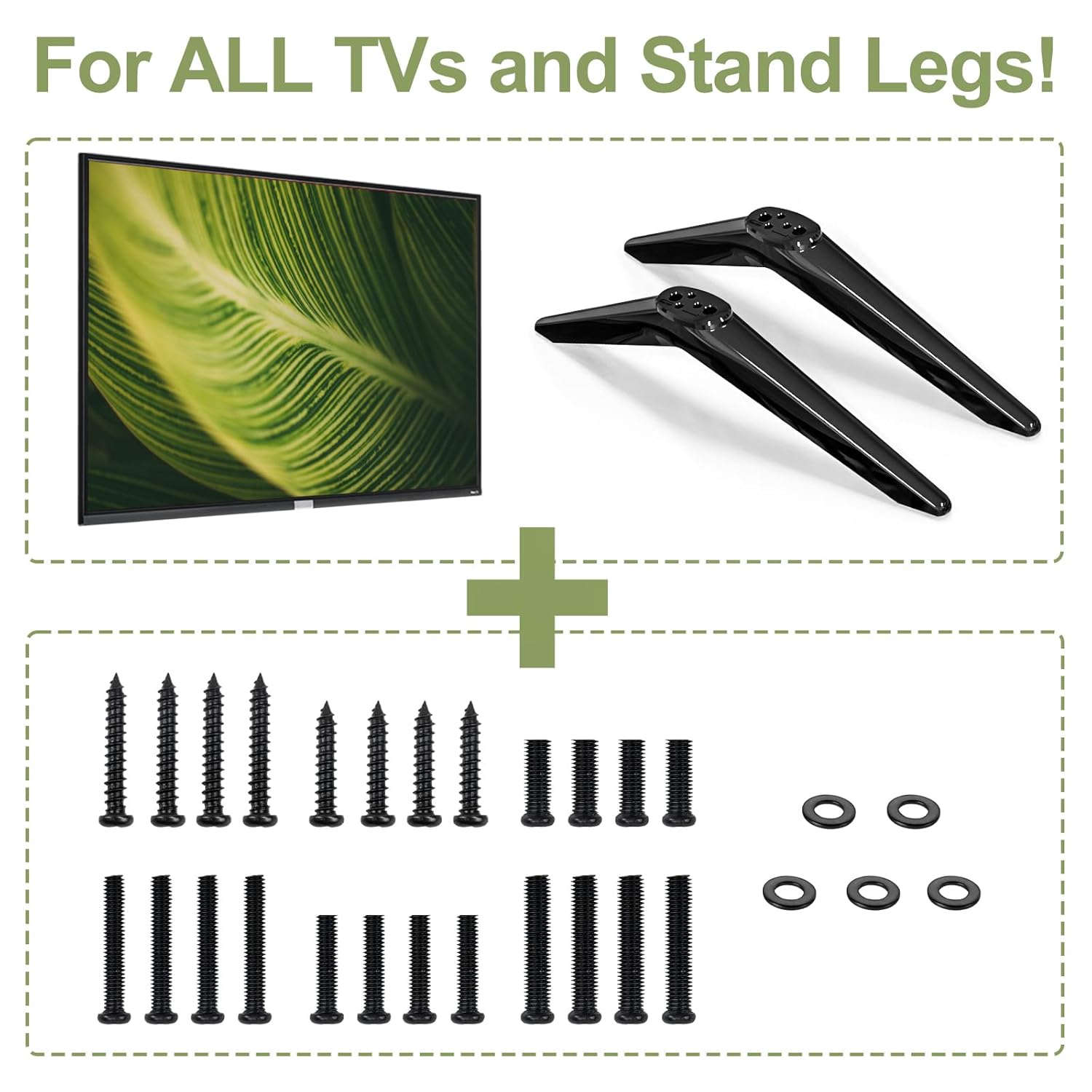
Figure 6: Components for attaching TV stand legs, including the legs themselves and the screw kit.

Figure 7: Visual representation of attaching TV stand legs with typically four screws for a straightforward installation.
6. Troubleshooting
- Screws Do Not Fit:
If the provided screws do not fit your TV's stand leg holes, double-check your TV's specific model requirements. While this kit is universal, some TV models may have unique screw specifications. Ensure you are using the correct thread size and length from the assortment. For example, some Samsung models like the 65" 6 series MU630D have been reported to require different screw sizes than those commonly found in universal kits. If no screws fit, consult your TV's manufacturer for exact screw specifications.
- Loose Stand Legs:
Ensure all screws are tightened securely. If the legs still feel loose, verify that the correct screw length has been used. Screws that are too short will not provide adequate grip, while screws that are too long may not tighten properly or could damage internal components.
- Damaged Screws:
Avoid using excessive force when tightening screws to prevent stripping the screw head or threads. If a screw becomes damaged, replace it with another from the kit or a suitable replacement of the exact same specification.
7. Specifications
| Brand | Maozhren |
| Material | Alloy Steel |
| Head Style | Flat |
| Thread Sizes Included | #6, #8, #10 |
| Point Style | Type 17 Point |
| Package Dimensions | 3.98 x 2.76 x 0.47 inches |
| Item Weight | 1.76 ounces |
8. Maintenance and Care
The Maozhren Universal TV Stand Screws Kit requires minimal maintenance. Store unused screws and washers in their original packaging in a dry place to prevent rust and ensure they are available for future use. Periodically check the tightness of the screws holding your TV stand legs, especially if the TV is frequently moved or adjusted.
9. Support
For further assistance or inquiries regarding the Maozhren Universal TV Stand Screws Kit, please contact Maozhren customer support through their official channels or the retailer where the product was purchased. Always refer to your television's specific manual for detailed instructions on attaching stand legs.
Related Documents - Universal TV Stand Screws Kit
 |
Roku TV Remote Control User Manual This manual provides instructions and compatibility information for a Roku TV remote control, detailing its functions, buttons, and supported TV models. It also lists incompatible Roku devices. |
 |
RC-G008+ Universal Remote Control Setup Guide Comprehensive guide to setting up the RC-G008+ Universal Remote Control for LCD/LED TVs. Features automatic search, code entry, and an extensive brand code list for easy compatibility. |
 |
Replacement Remote Control for Roku TV User Guide User guide and compatibility information for the Replacement Remote Control for Roku TV. Learn about button functions and compatible TV models. |
 |
RC-G008+ Universal Remote Control for LCD/LED TVs - Setup Guide Comprehensive setup guide for the RC-G008+ Universal Remote Control, including automatic search, code setup, and brand search methods for LCD/LED TVs. Find codes for top brands like Samsung, LG, Sony, Philips, and more. |
 |
RC-G008 Universal Remote Control for LCD/LED TVs - Operating Instructions Comprehensive operating instructions for the RC-G008 Universal Remote Control, covering setup by code and brand search for various LCD/LED TV brands. |
 |
Anderic RRU401 Universal Remote Key Map and Compatibility Guide Find the correct code for your Anderic RRU401 universal remote to control TCL, Philips, Vizio, Samsung, Sony, Toshiba, Funai, and Olevia TVs. This guide provides key maps and setup instructions. |
Ask a question about this manual
Ask about setup, troubleshooting, compatibility, parts, safety, or missing instructions. Manuals+ will review the question and use this page’s manual context to help answer it.