
RENPHO R-A009
RENPHO Elis Go Travel Scale User Manual
Model: R-A009
1. Introduction
The RENPHO Elis Go Travel Scale is a compact and portable smart scale designed for convenient body composition analysis on the go. It connects seamlessly with the Renpho Health app to provide 13 essential health metrics, helping you track your fitness journey with precision and ease. Its durable design and comprehensive app integration make it an ideal companion for travelers and anyone seeking to monitor their health metrics regularly.

Figure 1: RENPHO Elis Go Travel Scale and companion app.
2. Setup Guide
2.1 Battery Installation
The RENPHO Elis Go Travel Scale operates on 3 AAA batteries (included). To install or replace batteries:
- Locate the battery compartment on the underside of the scale.
- Open the battery cover.
- Insert the 3 AAA batteries, ensuring correct polarity (+/-).
- Close the battery cover securely.

Figure 2: Battery compartment on the underside of the scale.
2.2 App Download and Connection
To unlock the full potential of your scale, download the Renpho Health app and connect it via Bluetooth.
- Download the "Renpho Health" app from the App Store (iOS) or Google Play (Android).
- Enable Bluetooth on your smartphone.
- Open the Renpho Health app and create an account or log in.
- Place the scale on a hard, flat surface.
- Step onto the scale to activate it. The app should automatically detect and connect to the scale.
- Confirm the connection within the app.

Figure 3: Renpho Health app interface for data synchronization.
Video 1: Demonstration of the RENPHO Travel Scale's portability and app connectivity.
3. Operating Instructions
3.1 Taking a Measurement
For accurate readings, ensure the scale is on a hard, flat surface. Avoid carpets or uneven flooring.
- Gently tap the scale with your foot to turn it on. Wait for the display to show "0.0 lb" or "CAL" followed by "0.0 lb" for calibration.
- Step onto the scale barefoot, placing your feet on the four electrode pads. Stand still until your weight is displayed and the reading stabilizes.
- Your measurements will automatically sync to the Renpho Health app.
Figure 4: Zero calibration feature ensures accurate readings.
3.2 Understanding Your Health Metrics
The Renpho Health app provides 13 key body composition metrics:
- Weight: Your current body weight.
- BMI (Body Mass Index): A measure of body fat based on height and weight.
- Body Fat: Percentage of fat in your body.
- Body Water: Percentage of water in your body.
- Skeletal Muscle: Weight of muscle attached to bones.
- Fat-Free Mass: Total body mass minus fat.
- Subcutaneous Fat: Fat stored directly under the skin.
- Visceral Fat: Fat surrounding your organs.
- Muscle Mass: Total weight of muscle in your body.
- Bone Mass: Weight of bone mineral in your body.
- Protein: Percentage of protein in your body.
- BMR (Basal Metabolic Rate): Calories burned at rest.
- Metabolic Age: Your body's age based on metabolic rate.
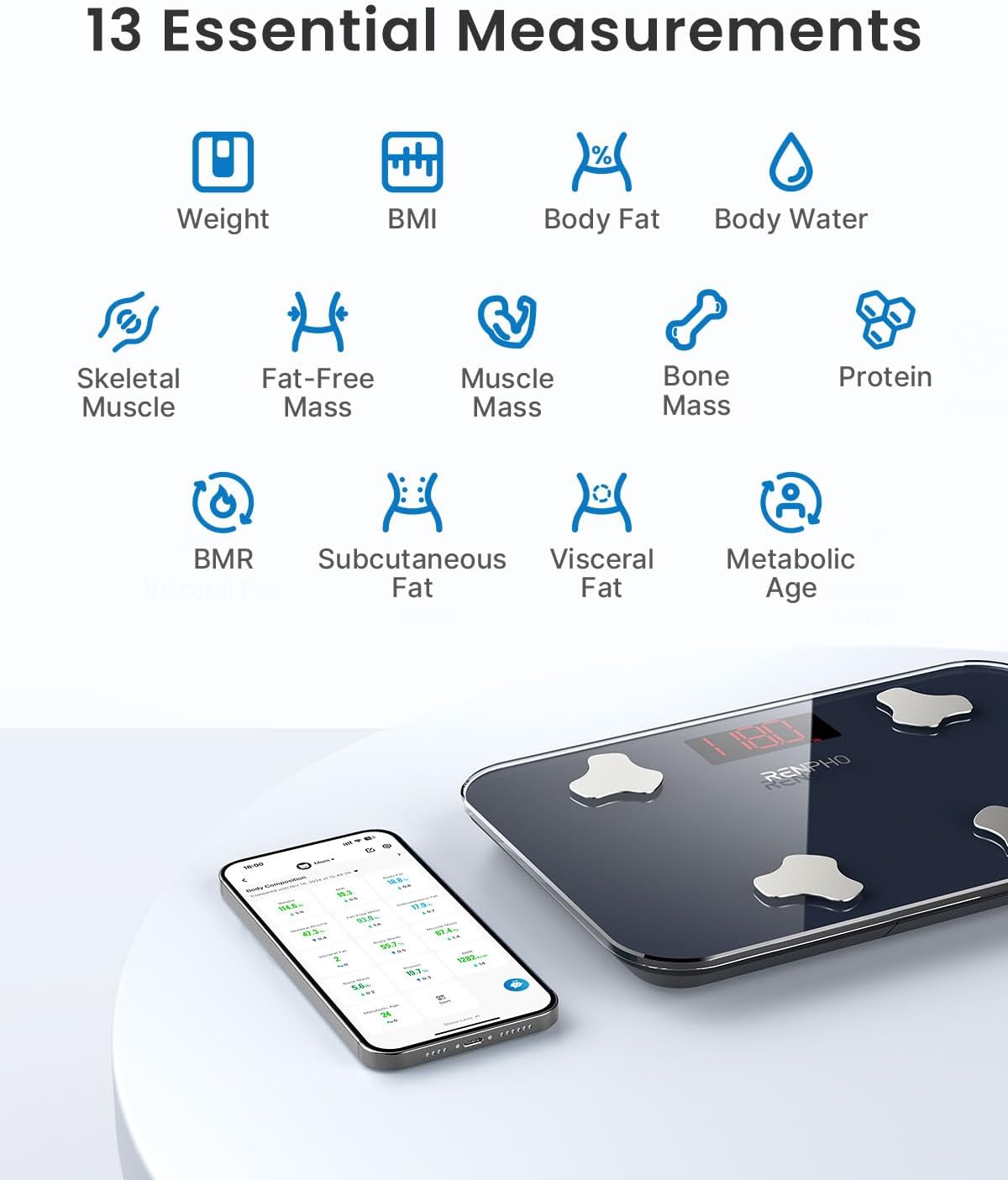
Figure 5: The 13 essential body composition measurements provided by the scale.
3.3 Tracking Progress with the App
The Renpho Health app allows you to track your progress over time, set goals, and share data.
- View trends and history of your measurements.
- Set personal fitness goals for weight, body fat, and more.
- Add unlimited user profiles to track individual progress for family members.
- Sync data with popular fitness apps like MyFitnessPal, Samsung Health, Apple Health, and Fitbit.
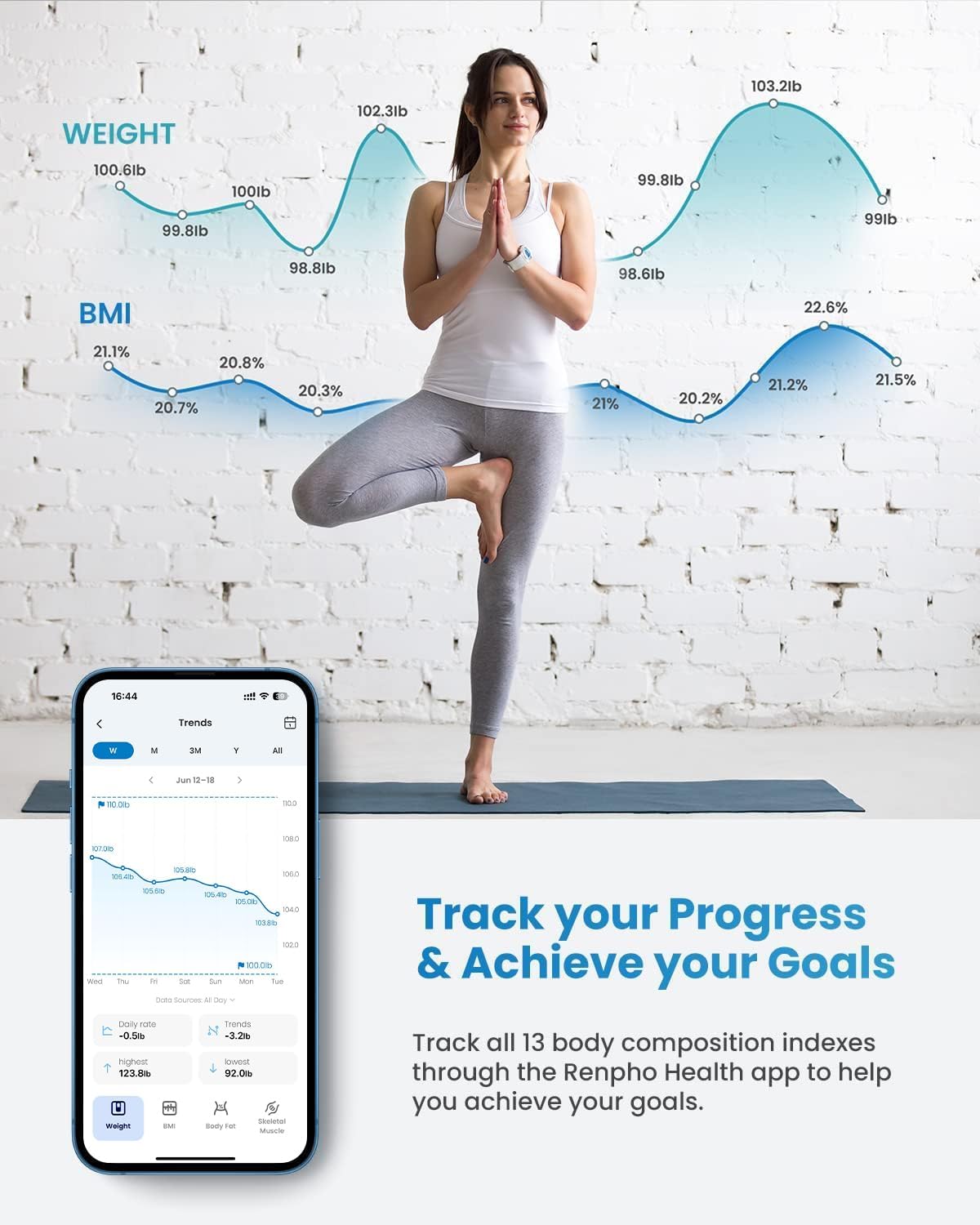
Figure 6: Track your progress and achieve your goals with the Renpho Health app.

Figure 7: The app supports unlimited user profiles for family tracking.
4. Maintenance
To ensure the longevity and accuracy of your RENPHO Elis Go Travel Scale, follow these maintenance guidelines:
- Clean the scale surface with a soft, damp cloth. Avoid abrasive cleaners or harsh chemicals.
- Keep the scale dry. Do not immerse it in water or expose it to excessive moisture.
- Store the scale in its provided storage case when not in use to protect it from dust and scratches.
- Replace batteries when the low battery indicator appears on the display.

Figure 8: The included storage case protects the scale during travel.
5. Troubleshooting
If you encounter issues with your RENPHO Elis Go Travel Scale, try the following:
- No Display/Power: Check battery installation and replace if necessary.
- Inaccurate Readings: Ensure the scale is on a hard, flat surface. Recalibrate by tapping the scale and waiting for "0.0 lb" before stepping on.
- App Connection Issues: Ensure Bluetooth is enabled on your phone. Restart the app and/or your phone. Make sure the scale is activated by stepping on it.
- No Body Composition Data: Ensure you are standing barefoot on all four electrode pads. Your feet must be clean and dry.
6. Specifications
| Feature | Detail |
|---|---|
| Product Dimensions | 11.02 x 7.09 x 0.96 inches |
| Item Weight | 2.16 Pounds |
| Model Number | R-A009 |
| Manufacturer | RENPHO |
| Color | Black |
| Display Type | LCD |
| Special Features | Portable, Non-Slip Platform, Backlit Display, Lightweight, Body Fat Analysis |
| Max Capacity | 400 lbs |
7. Warranty and Support
For warranty information or technical support, please refer to the official RENPHO website or contact their customer service directly. Keep your purchase receipt for warranty claims.
Visit the RENPHO Store for more products and support.
Ask a question about this manual
Ask about setup, troubleshooting, compatibility, parts, safety, or missing instructions. Manuals+ will review the question and use this page’s manual context to help answer it.