
1. Introduction
This manual provides comprehensive instructions for the eifagur Dual Band WiFi Replacement Antenna. This antenna is designed to enhance wireless signal reception and transmission for Furrion Back Up RV Cameras and other compatible devices requiring dual-band WiFi connectivity. Please read this manual thoroughly before installation and use.
2. Product Features
- Compatibility: Specifically designed for Furrion Back Up RV Cameras, also compatible with other devices using RP-SMA Male connectors.
- Dual Band Support: Operates on both 2.4GHz (2400 - 2485 MHz) and 5GHz/5.8GHz (5150 - 5850 MHz) frequencies.
- Gain: 3dBi for improved signal strength.
- Direction: Omni-directional for broad signal coverage.
- Connector Type: RP-SMA Male Connector (no pin inside).
- Package Contents: Includes two (2) antennas.
3. Specifications
| Gain | 3dBi |
| Frequency Range | 2.4GHz (2400 - 2485 MHz), 5GHz/5.8GHz (5150 - 5850 MHz) |
| VSWR | <1.5 |
| Polarization | Linear Vertical |
| Impedance | 50 ohm |
| Direction | Omni-directional |
| Antenna Connector | RP-SMA Male Connector |
| Operating Temperature | -20°C ~ +80°C |
| Storage Temperature | -30°C ~ +85°C |
| Antenna Length | Approximately 10.7 cm (4.2 inches) |
| Item Weight (per pair) | 0.704 ounces |
4. Installation Guide
Follow these steps to install your eifagur replacement antenna:
- Identify Connector: Before purchasing and installing, confirm that your device requires an RP-SMA Male connector. The eifagur antenna features an RP-SMA Male connector with no pin inside.
- Power Off Device: Ensure the device (e.g., Furrion Back Up RV Camera) is completely powered off before proceeding with antenna replacement.
- Remove Old Antenna: Carefully unscrew the existing antenna from your device by turning it counter-clockwise.
- Attach New Antenna: Align the RP-SMA Male connector of the new eifagur antenna with the female connector on your device. Gently screw the new antenna clockwise until it is finger-tight. Do not overtighten, as this can damage the connector.
- Position Antenna: Position the antenna vertically or at an angle that provides the best signal reception. While omni-directional, minor adjustments can sometimes optimize performance.
- Power On and Test: Power on your device and verify the signal strength and connection quality.

Image 4.1: Close-up view of the RP-SMA Male connector on the eifagur antenna. This connector type has a central hole and threads on the outside.

Image 4.2: Visual comparison demonstrating improved signal quality for an RV backup camera after installing the eifagur antenna. The image on the right shows a clearer, more stable picture.
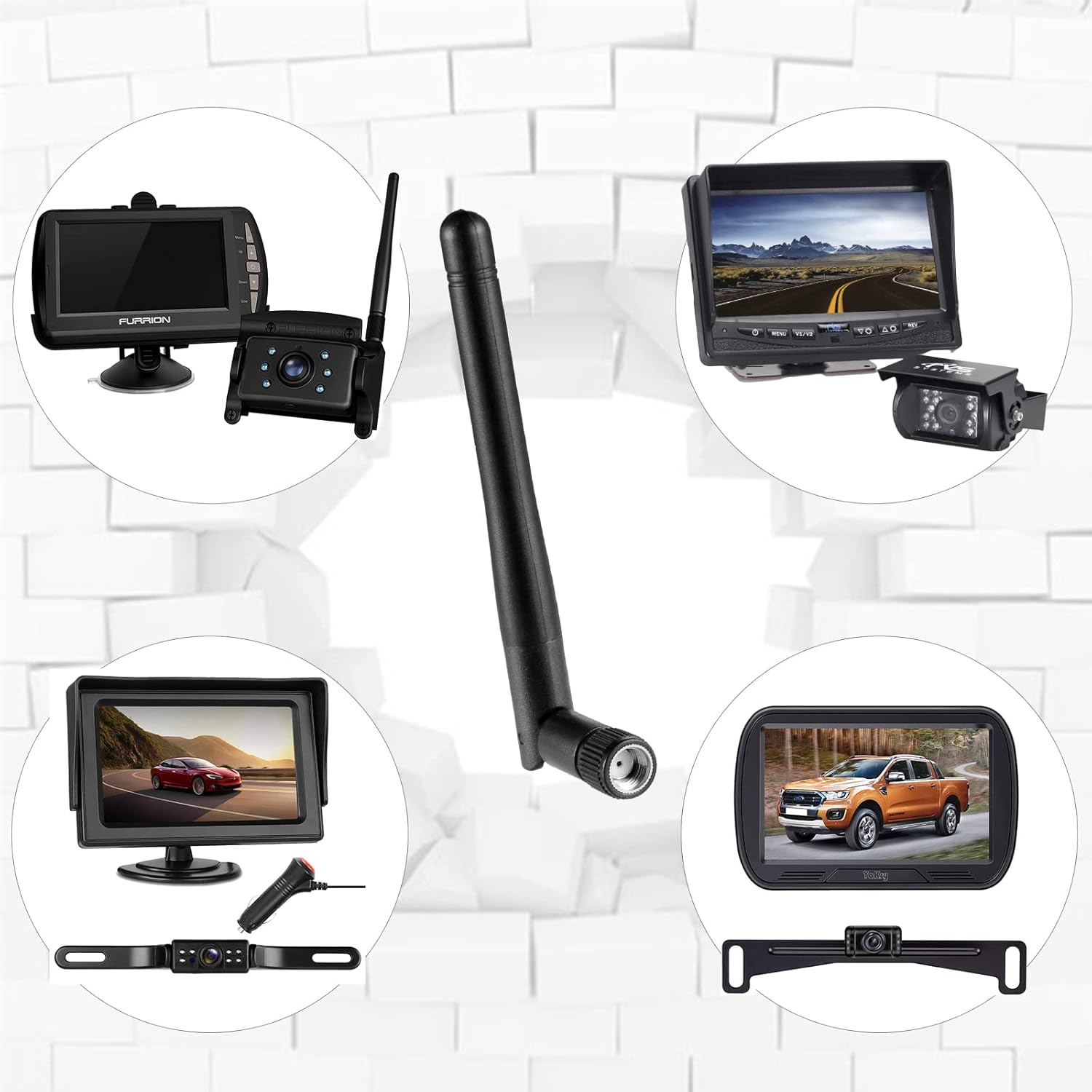
Image 4.3: Examples of different RV backup cameras and monitors that are compatible with the eifagur replacement antenna, illustrating its broad applicability.
5. Operation
Once correctly installed, the eifagur Dual Band WiFi Replacement Antenna operates passively. It functions to enhance the wireless signal reception and transmission capabilities of your connected device. No direct user interaction is required for its basic operation.
For optimal performance, ensure the antenna is positioned in an area free from significant obstructions such as large metal objects, walls, or other materials that could interfere with wireless signals.

Image 5.1: The eifagur antenna can also be used with other devices such as stereo receivers with Bluetooth/WLAN, USB WiFi dongles, and PC desktop computers that utilize RP-SMA Male connectors for their wireless modules.
6. Maintenance
To ensure the longevity and optimal performance of your antenna, follow these simple maintenance guidelines:
- Cleaning: Keep the antenna clean and free from dust, dirt, and debris. Use a soft, dry cloth for cleaning. Do not use harsh chemicals or abrasive materials.
- Connection Check: Periodically inspect the antenna connection to ensure it remains securely fastened to your device. Loose connections can degrade signal quality.
- Physical Care: Avoid bending, twisting, or applying excessive force to the antenna. Physical damage can impair its functionality.
- Storage: If the antenna is removed or not in use for an extended period, store it in a cool, dry place away from direct sunlight and extreme temperatures.
7. Troubleshooting
If you experience issues with your eifagur replacement antenna, consider the following troubleshooting steps:
- Poor Signal or No Connection:
- Secure Connection: Ensure the antenna is securely and correctly attached to your device. A loose connection is a common cause of poor signal.
- Device Functionality: Verify that the device itself (e.g., RV camera, WiFi dongle) is powered on and functioning correctly.
- Obstructions: Check for any physical obstructions (e.g., metal objects, thick walls) between the antenna and the receiving unit that might be blocking the signal. Try repositioning the antenna or device.
- Frequency Band: Confirm that your device's WiFi settings are configured for the appropriate frequency band (2.4GHz or 5GHz/5.8GHz) if it allows manual selection.
- Connector Compatibility: Double-check that your device's connector is indeed an RP-SMA Female type, compatible with the RP-SMA Male antenna. Incompatible connectors will not work and can cause damage.
- Physical Damage: If the antenna shows signs of physical damage (e.g., bent connector, cracked casing), it may need to be replaced.
8. Support Information
For any questions, technical assistance, or concerns regarding your eifagur Dual Band WiFi Replacement Antenna, please do not hesitate to contact eifagur customer support. We are committed to providing prompt assistance and aim to reply to all inquiries within 24 hours.
Please have your product model and any relevant details ready when contacting support to facilitate a quicker resolution.