
U`King ZQ01061
U`King 10Wx18 RGBW LED Stage Lights Instruction Manual
Model: ZQ01061 | Brand: U`King
1. Introduction
This instruction manual provides essential information for the safe and effective operation of your U`King 10Wx18 RGBW LED Stage Lights. These versatile par lights are designed for various applications, including stage lighting, uplighting, and event illumination, offering a wide range of color mixing and control options. Please read this manual thoroughly before initial use to ensure proper setup and performance.
2. Safety Instructions
- Always connect the device to a grounded power outlet.
- Ensure the power voltage matches the product's requirements.
- Do not expose the device to rain or moisture.
- Avoid direct eye exposure to the light source.
- Ensure adequate ventilation around the unit. The built-in air cooling system requires clear airflow.
- Disconnect from power before cleaning or servicing.
- Do not attempt to repair the device yourself. Refer all servicing to qualified personnel.
- Keep the device away from flammable materials.
- The unit may become warm during prolonged operation; avoid touching the housing directly.
3. Package Contents
Upon opening the package, verify that all items listed below are included and in good condition:
- U`King 10Wx18 RGBW LED Par Light(s) (Quantity as per package)
- Mounting Bracket(s)
- Power Cable(s)
- Mounting Screws and Washers
- User Manual

Figure 3.1: Four U`King 10Wx18 RGBW LED Par Lights as typically packaged.
4. Product Overview

Figure 4.1: Rear Panel Controls and Ports
- DISPLAY: Digital display for mode and setting information.
- MODE: Button to cycle through different operating modes.
- UP/DOWN: Buttons to adjust values or select options.
- ENTER: Button to confirm selections.
- POWER IN: IEC power input for connecting the power cable.
- DMX IN: 3-pin XLR input for DMX controller connection.
- DMX OUT: 3-pin XLR output for linking to other DMX devices.
- HEAT DISSIPATION DESIGN: Integrated cooling fins and fan for thermal management.
- ADJUSTABLE BRACKET: Dual handle design for flexible mounting and positioning.
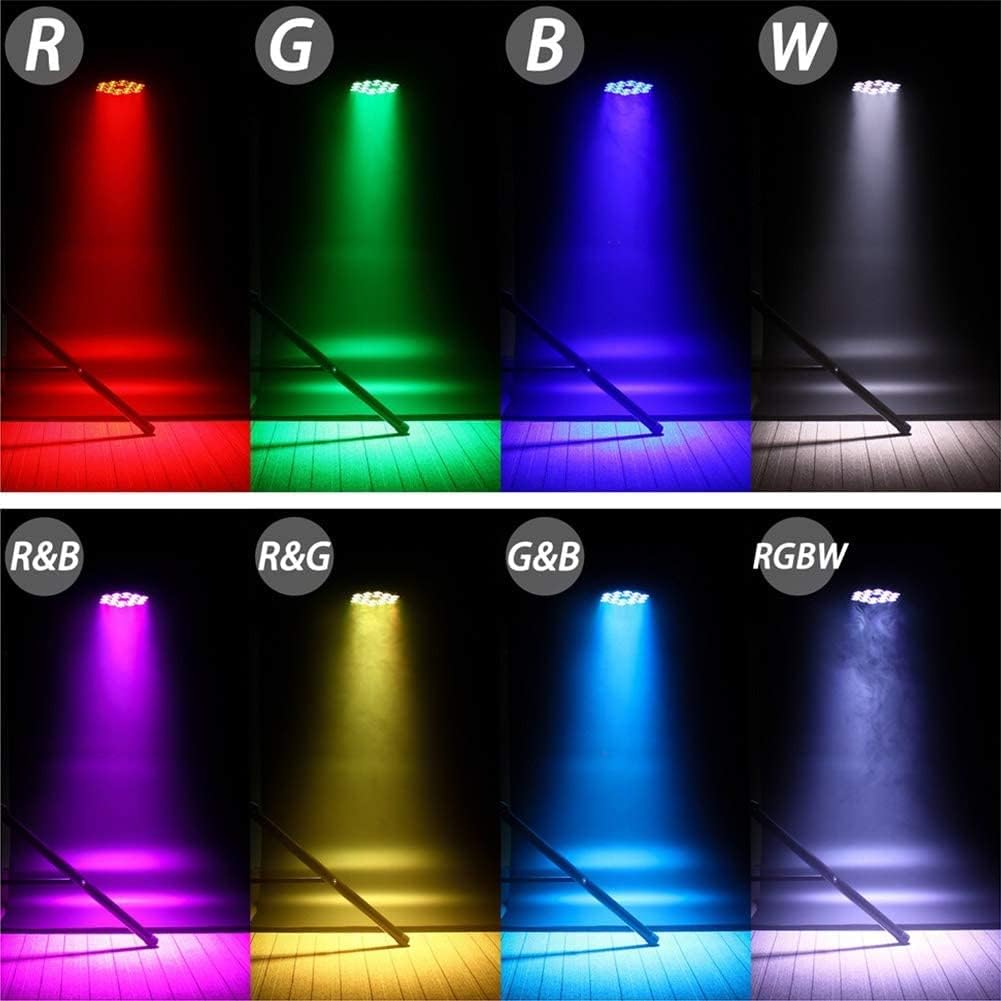
Figure 4.2: RGBW Color Output Demonstration
The U`King LED Par Light features 18x10W RGBW 4-in-1 lamp beads, allowing for infinite color mixing and vibrant lighting effects. The combination of Red, Green, Blue, and White LEDs provides a full spectrum of colors, including pure white and various pastel shades.
5. Setup and Installation
The U`King LED Par Light is designed for easy installation and flexible positioning. It features a dual handle design, allowing it to be hung on a truss, placed on the floor, or mounted in various positions.
- Attach Mounting Bracket: Secure the included mounting bracket to the sides of the par light using the provided screws and washers. Ensure the bracket is firmly attached to prevent movement.
- Positioning:
- Floor Placement: Use the adjustable bracket to angle the light as desired when placed on a flat surface.
- Truss Mounting: Attach appropriate clamps (not included) to the mounting bracket and secure the light to a truss system. Ensure the truss can support the weight of all attached fixtures.
- Power Connection: Connect the power cable to the "POWER IN" port on the rear panel of the light. Plug the other end into a compatible power outlet.
- DMX Connection (Optional): If using DMX control, connect a DMX cable from your DMX controller to the "DMX IN" port. For multiple lights, daisy-chain them by connecting the "DMX OUT" of the first light to the "DMX IN" of the next.
Video 5.1: Demonstration of U`King LED Par Light assembly and initial setup.
6. Operating Modes
The U`King LED Par Light offers multiple control modes to suit various lighting needs. Use the buttons on the rear panel (MODE, UP, DOWN, ENTER) to navigate and select modes.
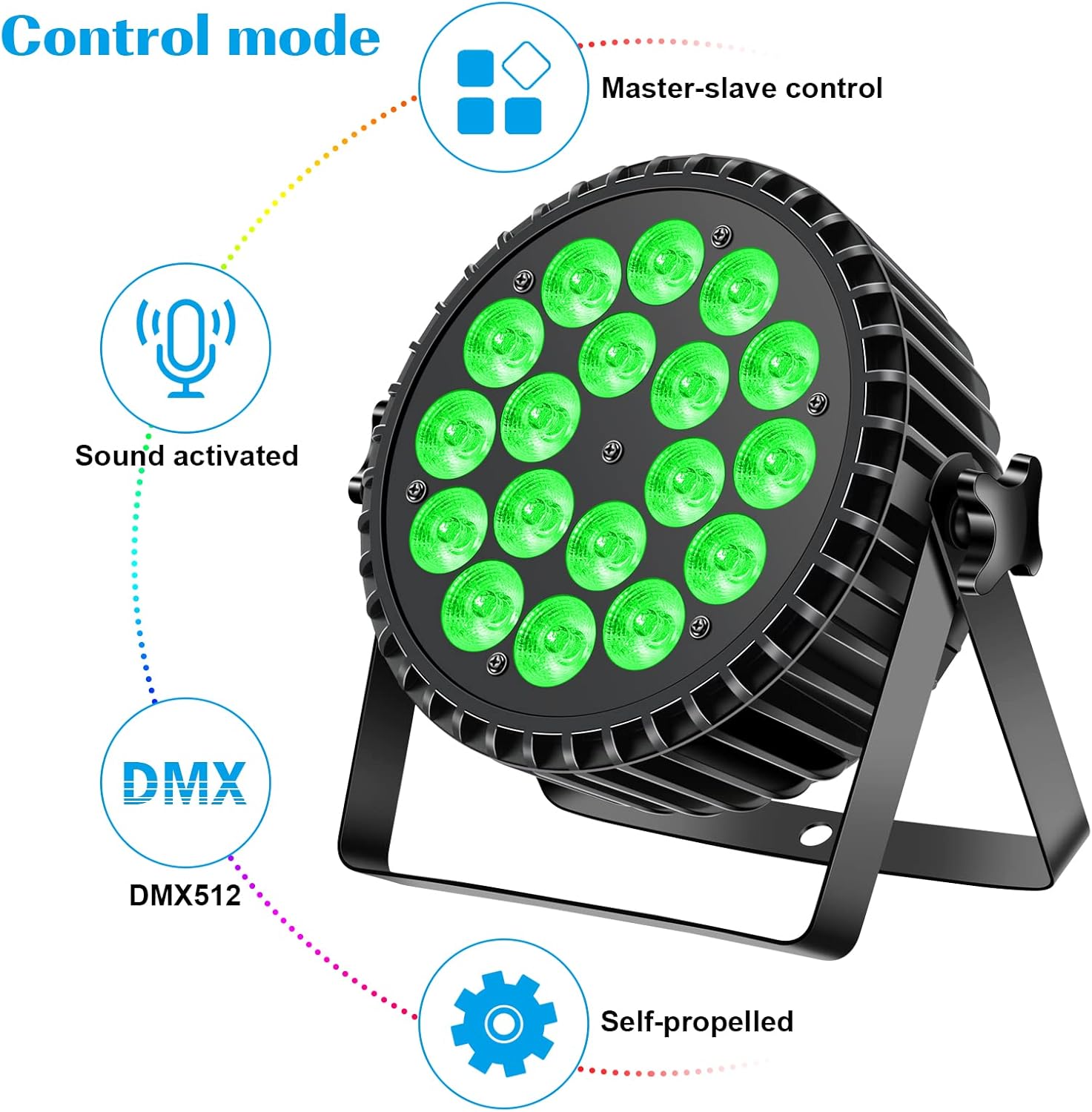
Figure 6.1: Control Mode Overview

Figure 6.2: Lighting Effects and Modes
6.1. DMX512 Control Mode
This mode allows precise control over the light's functions using an external DMX controller.
- Connect the DMX controller to the light's DMX IN port.
- Set the DMX address on the light's display (e.g., A001).
- Refer to the DMX Channel Chart in Section 7 for specific channel functions.
Video 6.1.1: Demonstration of DMX control and various lighting effects.
6.2. Sound-Activated Mode
In this mode, the light reacts to sound and music, changing colors and patterns in sync with the audio rhythm. Speed and sound sensitivity are adjustable.
- Select the Sound-Activated mode using the MODE button.
- Adjust sensitivity using UP/DOWN buttons if available in this mode.
Video 6.2.1: Example of the light operating in sound-activated mode.
6.3. Automatic Mode (Auto-Run)
The light cycles through pre-programmed patterns and color changes automatically without external input.
- Select the Automatic mode using the MODE button.
- Some automatic modes may allow adjustment of speed or specific patterns.
6.4. Master-Slave Mode
This mode allows multiple lights to synchronize their operation. One light acts as the "Master" and controls all "Slave" lights connected via DMX cables.
- Set the first light to a Master mode.
- Connect the DMX OUT of the Master light to the DMX IN of the first Slave light.
- Set all subsequent lights to Slave mode.
7. DMX Channel Chart (8-Channel Mode)
The U`King LED Par Light utilizes an 8-channel DMX mode for comprehensive control. Below is a typical channel assignment:
| Channel | Function | Value Range | Description |
|---|---|---|---|
| 1 | Master Dimmer | 0-255 | Overall intensity control (0% to 100%). |
| 2 | Red Dimmer | 0-255 | Red LED intensity (0% to 100%). |
| 3 | Green Dimmer | 0-255 | Green LED intensity (0% to 100%). |
| 4 | Blue Dimmer | 0-255 | Blue LED intensity (0% to 100%). |
| 5 | White Dimmer | 0-255 | White LED intensity (0% to 100%). |
| 6 | Strobe Speed | 0-255 | Adjusts the speed of the strobe effect. |
| 7 | Functions Choice | 0-255 | Selects various pre-programmed functions (e.g., color jump, color fade, sound active). |
| 8 | Functions Speed | 0-255 | Adjusts the speed of selected functions from Channel 7. |
Video 7.1: Detailed demonstration of DMX control and channel functions.
8. Maintenance
Regular maintenance ensures the longevity and optimal performance of your U`King LED Par Light.
- Cleaning: Periodically clean the lens and housing with a soft, lint-free cloth. Do not use abrasive cleaners or solvents.
- Cooling System: Ensure the heat dissipation fins and fan are free from dust and debris. A clean cooling system is vital for the light's 100,000+ hours lifetime.
- Cable Inspection: Regularly check power and DMX cables for any signs of damage, fraying, or loose connections.
- Storage: When not in use, store the lights in a dry, dust-free environment, preferably in their original packaging or a padded case.
9. Troubleshooting
If you encounter issues with your U`King LED Par Light, refer to the common problems and solutions below:
| Problem | Possible Cause | Solution |
|---|---|---|
| No Power / Light On | No power supply; loose power cable; blown fuse. | Check power outlet; ensure power cable is securely connected; replace fuse if necessary. |
| Light Not Responding to DMX | Incorrect DMX address; faulty DMX cable; incorrect DMX mode. | Verify DMX address matches controller; check DMX cable connections; ensure light is in DMX mode. |
| Colors are Incorrect / Not Mixing Properly | DMX channel values incorrect; internal issue. | Adjust DMX channel values for RGBW; if problem persists, contact support. |
| Light Flickering | Unstable power supply; loose internal connection. | Ensure stable power source; check power cable connection. |
10. Specifications
| Feature | Detail |
|---|---|
| Model Number | ZQ01061 |
| Light Source Type | LED (18x10W RGBW 4-in-1) |
| Material | Aluminum |
| Power Source | Corded Electric |
| Control Modes | DMX512 (8 Channels), Voice Activated, Automatic, Master-Slave |
| Product Dimensions | 1"L x 1"W x 1"H |
| Item Weight | 27.8 pounds (for 4 packs) |
| Lifetime | More than 100,000 hours |
| Manufacturer | U`King |
11. Warranty and Support
U`King products are manufactured to high quality standards. For warranty information, technical support, or any inquiries regarding your LED Par Light, please refer to the contact information provided with your purchase or visit the official U`King store on Amazon.
Note: Warranty terms and conditions may vary. Please retain your proof of purchase.
Related Documents - ZQ01061
 |
3PCS LED PAR LIGHT-BAT User Manual - HOLDLAMP User manual for the HOLDLAMP 3PCS LED PAR LIGHT-BAT, covering safety instructions, specifications, remote control operation, DMX setup, and advanced settings. |
 |
OPPSK 180W RGBW PAR Lights with LED Ring Effects User Manual Comprehensive user manual for the OPPSK 180W RGBW PAR Lights with LED Ring Effects. Covers setup, operation modes, DMX control, IR remote, safety precautions, and specifications. |
 |
YeeSite 70W 7LEDs RGBW Par Light User Manual Comprehensive user manual for the YeeSite 70W 7LEDs RGBW Par Light (also known as a 4-in-1 stage light). This guide covers setup, operation, DMX control, remote functions, and technical specifications for this sound-activated, multi-mode lighting fixture. Ideal for stage, church, wedding, and party lighting. |
 |
U'King 36 LED Par Lights User Manual User manual for the U'King 36 LED Par Lights, detailing its functions, operation, and DMX control parameters. Includes instructions in English, German, Italian, French, and Spanish. |
 |
Betop-per LPC008S Par Light User Manual User manual for the Betop-per LPC008S Par Light, detailing its functions, safety tips, technical specifications, and DMX channel functions. |
 |
U'King ZQ01061 LED Stage Lighting Operating Manual - Setup and Control Guide Comprehensive operating manual for the U'King ZQ01061 LED Stage Lighting fixture. Covers installation, safety, DMX control, auto modes, sound modes, master-slave setup, and technical specifications. |
Ask a question about this manual
Ask about setup, troubleshooting, compatibility, parts, safety, or missing instructions. Manuals+ will review the question and use this page’s manual context to help answer it.