
1. Introduction and Overview
This document provides essential information for the Generic IR Replacement Remote Control, model Easytry15134. It is designed for use with CleverTouch Plus CLEVERTOUCH Impact 4K HD Creative Touch Interactive Flat Panel LED Displays.
This remote serves as a replacement and may not replicate all functions of your original remote. Please note that no instruction manual is included with the product itself; this document serves as a comprehensive guide. Batteries are not included with the remote and must be purchased separately.
2. Setup: Battery Installation
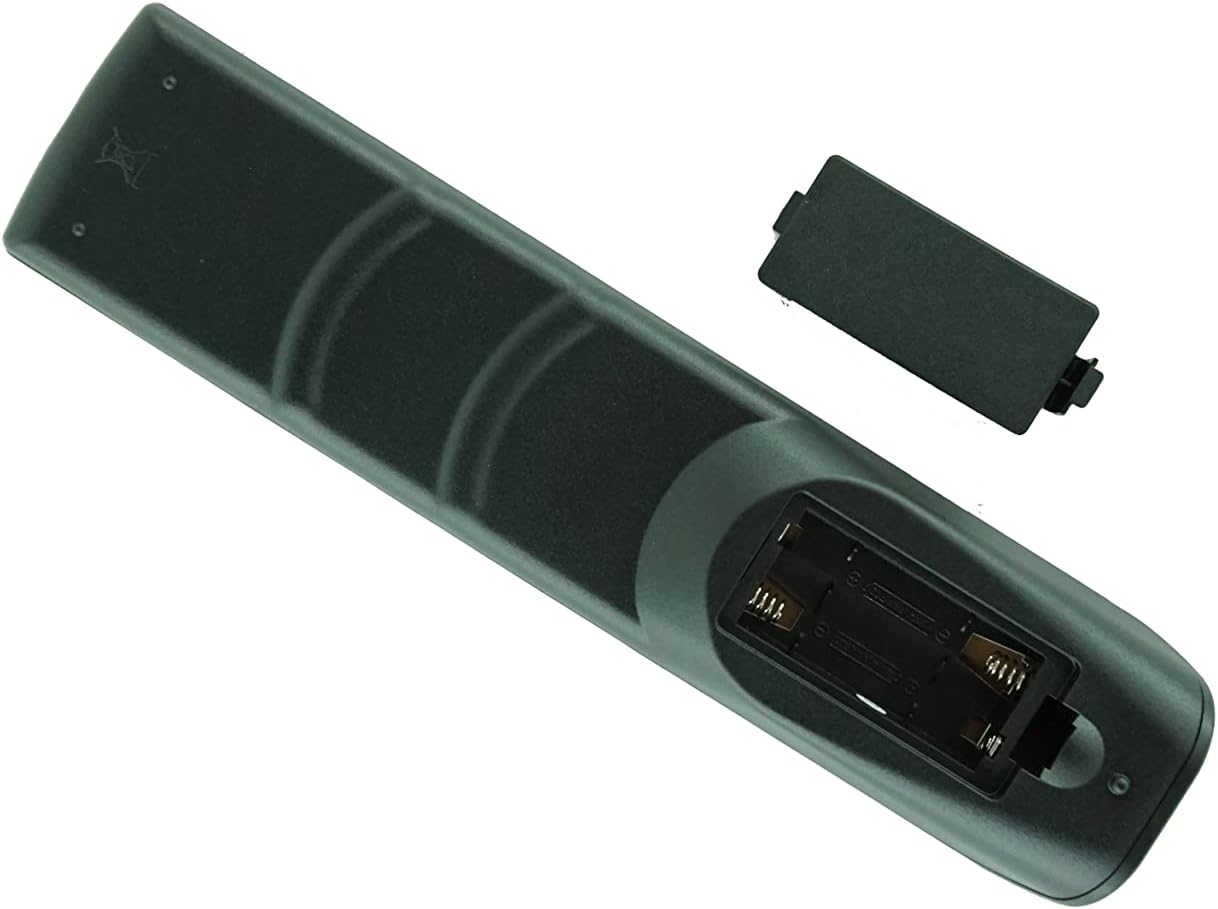
The remote control requires 2 AAA batteries for operation. Follow these steps to install the batteries:
- Locate the battery compartment on the back of the remote control.
- Slide the battery compartment cover downwards or outwards to open it.
- Insert two AAA batteries, ensuring that the positive (+) and negative (-) ends align correctly with the indicators inside the compartment. Incorrect polarity can prevent the remote from functioning.
- Slide the battery compartment cover back into place until it clicks securely.

3. Operating Instructions
Once batteries are correctly installed, the remote control is ready for use. Point the remote directly at the infrared (IR) receiver on your CleverTouch display.
Button Layout and Basic Functions
The remote features a standard layout for controlling your display. Below is a general overview of common buttons and their functions. Please refer to your CleverTouch display's manual for specific functions of each button.

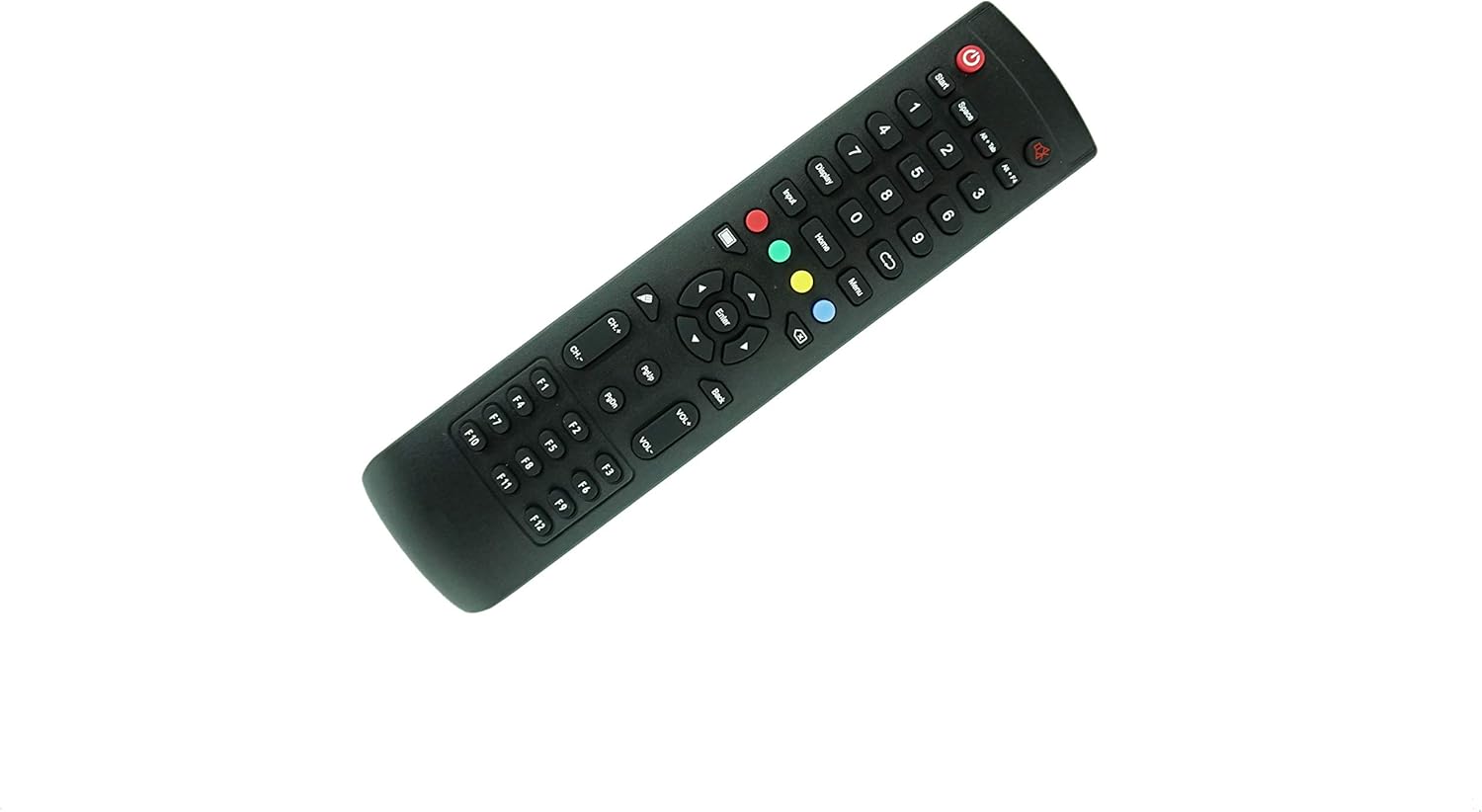
- Power Button: Located at the top, typically red, to turn the display on or off.
- Number Pad (0-9): For direct input of channel numbers or other numerical selections.
- Navigation Keys (Up, Down, Left, Right, Enter): Used to navigate menus and confirm selections.
- Volume Up/Down (VOL+/-): Adjusts the audio volume.
- Channel Up/Down (CH+/-): Changes the display channel.
- Menu/Home/Input: Accesses the display's main menu, returns to the home screen, or selects input sources.
- Color Buttons (Red, Green, Yellow, Blue): Often used for specific functions within menus or applications.
- F-keys (F1-F12): May correspond to specific functions on your CleverTouch display, depending on its software configuration.
Important Note: As a replacement remote, some buttons may have different or limited functionality compared to your original device's remote. Not all buttons may be active or perform the same action as on your original remote.
4. Maintenance
Proper care will extend the life of your remote control:
- Cleaning: Wipe the remote with a soft, dry cloth. Do not use liquid cleaners, abrasive pads, or chemical solvents, as these can damage the remote's surface or internal components.
- Battery Care: If the remote will not be used for an extended period (e.g., several weeks or months), remove the batteries to prevent potential leakage, which can damage the remote.
- Storage: Store the remote in a cool, dry place, away from direct sunlight, extreme temperatures, and high humidity.
- Avoid Drops: Protect the remote from physical shocks and drops, which can cause internal damage.
5. Troubleshooting
If you encounter issues with your remote control, try the following solutions:
- Remote Not Responding:
- Check if the batteries are inserted correctly with the correct polarity (+/-).
- Replace old batteries with new ones. Weak batteries are a common cause of remote control issues.
- Ensure there is a clear line of sight between the remote control and the infrared (IR) receiver on your CleverTouch display. Obstructions can block the signal.
- Make sure you are within the effective range of the remote control (typically 15-20 feet).
- Limited Functionality:
- This remote is a generic replacement. It may not support all advanced or specific functions that were available on your original CleverTouch remote.
- If your specific CleverTouch model number is not explicitly listed as compatible, full functionality cannot be guaranteed.
6. Specifications
| Brand | Generic |
| Model Number | Easytry15134 |
| Manufacturer | SZHKHXD |
| Connectivity Technology | Infrared (IR) |
| Compatible Devices | CleverTouch Plus CLEVERTOUCH Impact 4K HD Creative Touch Interactive Flat Panel LED Display |
| Max Number of Supported Devices | 1 |
| Batteries Required | 2 x AAA (not included) |
| Item Weight | 3.2 ounces |
| Package Dimensions | 10.2 x 4.53 x 1.38 inches |
7. Warranty and Support
This product is a generic replacement remote control. As such, specific manufacturer warranty details are not provided with the item itself. For any support inquiries, returns, or warranty information, please refer to the return policy and customer service provided by the retailer from whom you purchased this item.
It is recommended to retain your proof of purchase for any potential claims or inquiries.