

1. Introduction
This manual provides essential information for the safe and effective use of your Vineyuan PMNN4489A IMPRES 7.4V 2900mAh Li-ion Replacement Battery. Please read these instructions carefully before use to ensure optimal performance and longevity of the battery.

Image: Front view of the Vineyuan PMNN4489A IMPRES battery.
2. Package Contents
Verify that all items are present in the package:
- 1 x Vineyuan PMNN4489A IMPRES Lithium-ion Replacement Battery
- 1 x Belt Clip

Image: The battery and belt clip as included in the package.
3. Specifications
| Feature | Detail |
|---|---|
| Model Number | PMNN4489A |
| Battery Type | Lithium-ion (Li-ion) |
| Voltage | 7.4V |
| Capacity | 2900mAh |
| Watt Hours | 21.46Wh |
| Dimensions (L x W x H) | 5 x 1.73 x 2.4 inches (12.7 x 4.4 x 6.1 cm) |
| Item Weight | 6.4 ounces (210g) |
| Technology | IMPRES, Ultrasonic sealing, Impact-resistant design, Dual protection PCM Short circuit protection |
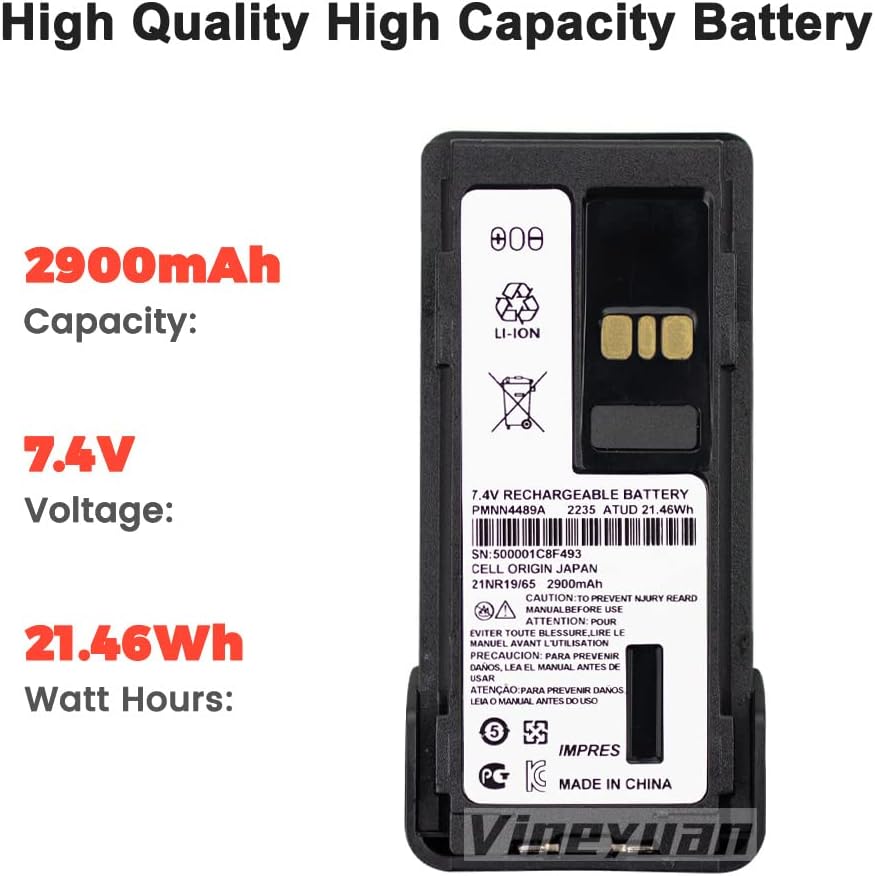
Image: Detailed view of the battery label showing specifications.
Image: Visual representation of the battery's dimensions.
4. Compatibility
This replacement battery is compatible with the following Motorola two-way radio models:
- GP328D+
- GP338D+
- P8668I
- APX900
- DGP5050E
- DGP5550E
- DGP8050E
- DGP8550E
- DP4801E
- XIRP8600I
It is designed as a direct replacement for the PMNN4489A OEM battery part number.
Image: The PMNN4489A battery shown alongside compatible Motorola two-way radio models.
5. Installation
5.1 Attaching the Belt Clip
- Align the belt clip with the designated slots on the back of the battery.
- Slide the belt clip firmly into place until it clicks, ensuring it is securely fastened.

Image: The PMNN4489A battery with the belt clip securely attached.
5.2 Installing the Battery into the Radio
- Ensure the radio is powered off.
- Align the battery with the battery compartment on the back of your compatible two-way radio.
- Gently slide the battery into the compartment until it locks into place. Ensure a secure connection.
Video: Demonstration of attaching the belt clip to the PMNN4489A battery.
6. First Use and Charging
For optimal performance and to activate the IMPRES battery features, follow these steps for initial use:
- Initial Discharge: Use the battery until its power is completely depleted.
- First Charge: Install the depleted battery into your radio and place the radio in its compatible charger. Charge the battery fully without interruption. This process activates the battery's full capacity and IMPRES features.
Subsequent charging can be done as needed. Always use a charger compatible with your radio model and IMPRES batteries.
7. Care and Maintenance
- Store the battery in a cool, dry place away from direct sunlight and extreme temperatures.
- Avoid fully discharging the battery frequently, except for the initial activation cycle.
- Clean battery contacts periodically with a clean, dry cloth to ensure good connection.
- Do not expose the battery to water or moisture.
- If the battery will not be used for an extended period, charge it to approximately 50% before storage and recharge every six months.
8. Troubleshooting
8.1 Battery Not Charging
- Ensure the battery is correctly seated in the charger.
- Verify that the charger is properly connected to a power source.
- Clean the battery and charger contacts.
- Confirm the charger is compatible with IMPRES Li-ion batteries.
8.2 Shortened Battery Life
- Ensure the initial activation cycle (full discharge then full charge) was completed.
- Avoid operating the radio in extreme temperatures.
- The battery may be nearing the end of its service life.
9. Safety Information
WARNING: Failure to follow these safety instructions could result in fire, electric shock, injury, or damage to the battery or radio.
- Do not disassemble, crush, puncture, or short-circuit the battery.
- Do not expose the battery to high temperatures (above 60°C / 140°F) or dispose of it in fire.
- Do not use a damaged battery or charger.
- Keep the battery away from children.
- Dispose of batteries according to local regulations. Do not dispose of with household waste.
10. Warranty and Support
For warranty information or technical support, please contact Vineyuan customer service through your purchase platform or visit the official Vineyuan website. Keep your purchase receipt as proof of purchase.