
1. Introduction and Overview
This manual provides essential instructions for the safe and effective operation, setup, and maintenance of your SEESII FA202G 220V Electric Arc Welder. The FA202G is a portable arc welding machine featuring advanced IGBT inverter technology, designed for superior arc performance and stability. It is suitable for various applications including machinery manufacturing, sheet metal processing, automotive maintenance, and general ironwork.
The welder is equipped with an efficient 360° cooling system and specific overheat protection, ensuring safe and stable long-term operation by protecting internal circuits from damage.
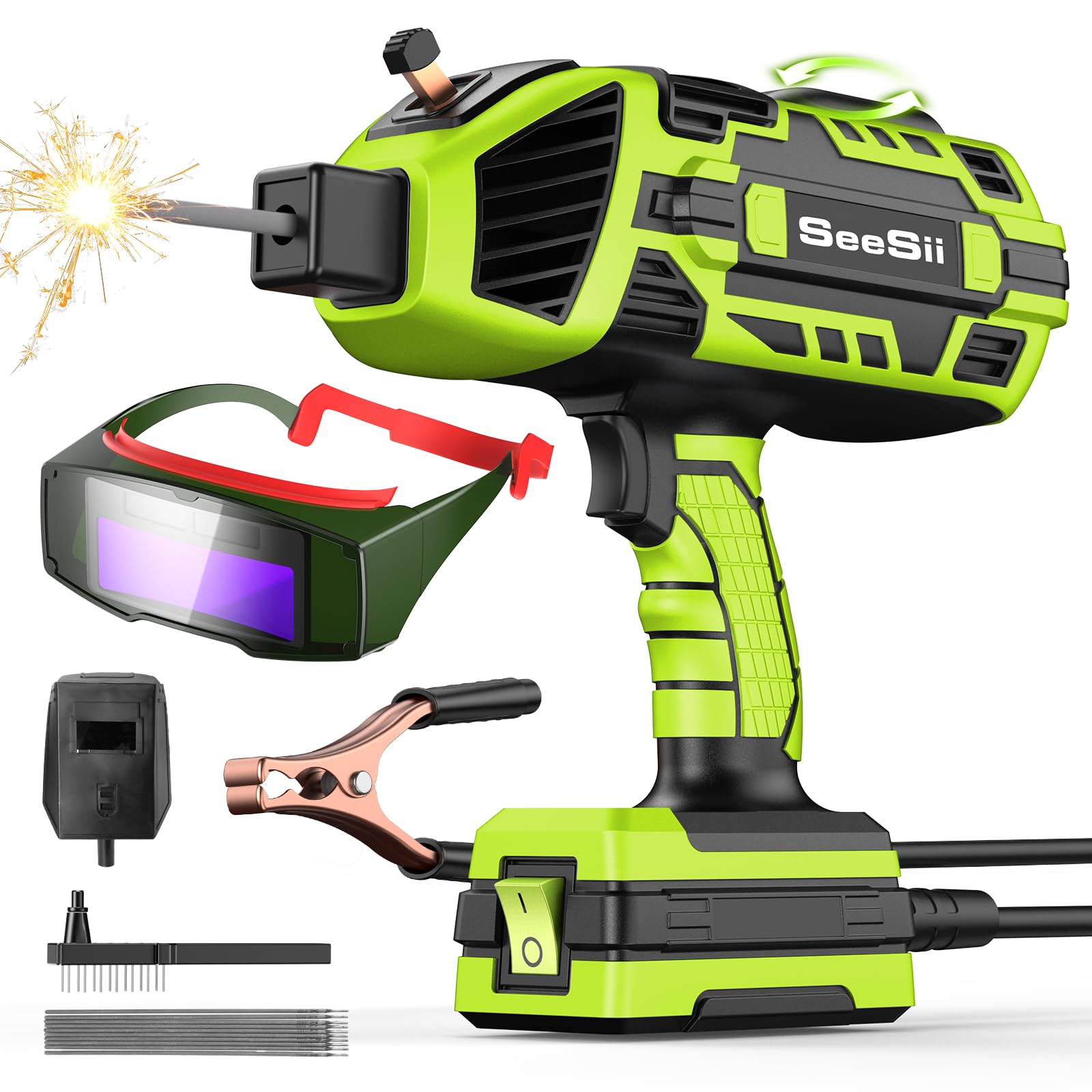
Figure 1: SEESII FA202G Electric Arc Welder. This image shows the compact and ergonomic design of the welder, highlighting its portability.
2. Safety Instructions
WARNING: Welding can be dangerous. Always follow safety precautions to prevent injury or death.
- Personal Protective Equipment (PPE): Always wear a welding helmet with appropriate shade, welding gloves, protective clothing (long sleeves, heavy pants), and safety shoes. Protect bystanders with welding screens.
- Electrical Safety: Ensure the welder is properly grounded. Do not operate in wet conditions. Inspect cables and connections for damage before each use. Never touch live electrical parts.
- Fire Hazards: Remove all flammable materials from the welding area. Have a fire extinguisher readily available. Welding sparks can travel.
- Fumes and Gases: Weld in a well-ventilated area to avoid inhaling hazardous fumes. Use local exhaust ventilation or respirators if necessary.
- Arc Rays: Arc rays can injure eyes and burn skin. Never look at the arc without proper eye protection.
- Hot Materials: Welded materials remain hot for a significant time after welding. Handle with care and appropriate tools.
- Overheat Protection: The FA202G includes overheat protection. If the machine stops due to overheating, allow it to cool down before resuming operation. Do not bypass safety features.
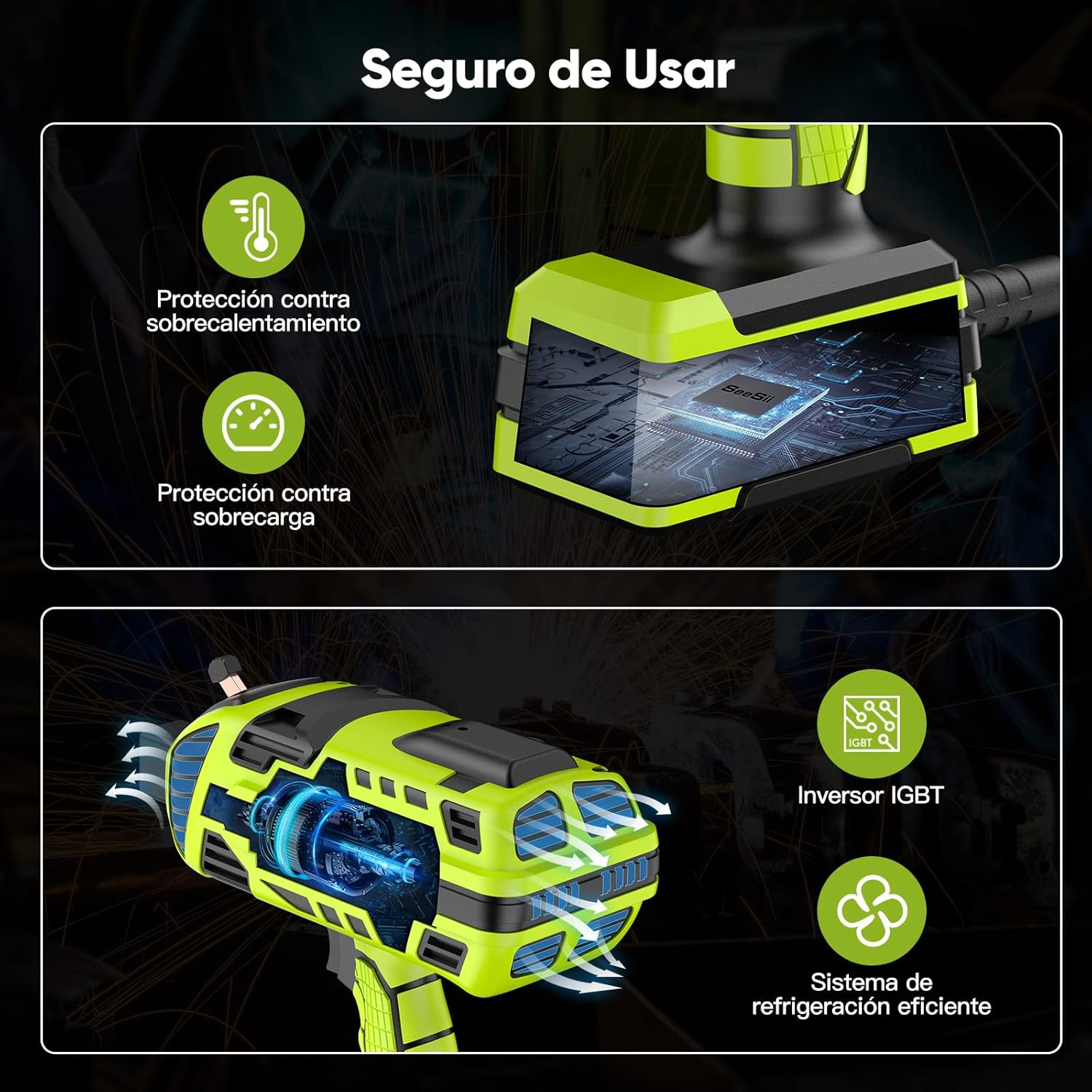
Figure 2: Internal cooling system and safety features. This image illustrates the efficient cooling and protection mechanisms, including overheat and overload protection, designed for user safety.
3. Product Components and Package Contents
Before starting, ensure all components listed below are present in your package:
- SEESII FA202G Arc Welder Unit
- Welding Mask
- Ground Clamp Cable
- Welding Brush
- Carrying Case
- Welding Gloves
- User Manual (this document)

Figure 3: Package Contents. This image displays all items included with the SEESII FA202G Electric Arc Welder, such as the welder unit, mask, cables, and accessories.
4. Setup Instructions
Follow these steps to set up your SEESII FA202G welder:
- Prepare the Work Area: Ensure your welding area is clean, dry, well-ventilated, and free of flammable materials.
- Connect the Ground Clamp: Attach the ground clamp cable securely to the workpiece or a sturdy metal workbench that is electrically connected to the workpiece. Ensure good electrical contact.
- Insert the Welding Rod: Open the welding rod clamp on the welder unit. Insert a welding rod of the appropriate diameter (2.4mm - 3.2mm) into the clamp and secure it firmly.
- Connect Power: Plug the welder's power cord into a compatible 220V power outlet.
- Adjust Current: Use the current adjustment knob (refer to Figure 4) to set the desired welding current. The FA202G offers a variable current range from 20A to 120A. Start with a lower setting and adjust as needed based on the material thickness and welding rod type.
- Power On: Flip the main power switch to the 'ON' position.

Figure 4: Welder Components. This image highlights key parts of the welder, including the welding rod clamp button, cooling vents, current adjustment knob, welding rod interface, and power switch.
5. Operating Instructions
Once the welder is set up and all safety precautions are in place, you can begin welding:
- Wear PPE: Ensure you are wearing all necessary personal protective equipment, especially your welding helmet and gloves.
- Strike the Arc: Gently tap or scratch the welding rod against the workpiece to initiate the arc. Once the arc is established, lift the rod slightly to maintain a consistent arc length.
- Maintain Arc Length: Keep a short, consistent arc length, typically equal to the diameter of the welding rod.
- Move Steadily: Move the welding rod along the joint at a steady pace, ensuring proper penetration and bead formation. The FA202G is designed for welding mild steel, stainless steel, and cast iron.
- Observe the Weld Pool: Monitor the molten weld pool to ensure proper fusion and avoid defects.
- Finish Welding: When you reach the end of the weld or need to stop, quickly pull the rod away from the workpiece to break the arc.
- Cool Down: Allow the welded material to cool naturally. Do not quench with water.

Figure 5: Welding in Progress. This image shows a user operating the SEESII FA202G welder, demonstrating its handheld design during an active welding process.

Figure 6: Welding Rod Compatibility and Applications. This image illustrates the types of welding rods (3/32" - 1/8" or 2.4mm - 3.2mm) and materials (mild steel, stainless steel, cast iron) suitable for use with the FA202G welder.
6. Maintenance
Regular maintenance ensures the longevity and optimal performance of your welder:
- Cleaning: After each use, clean the welding rod clamp and surrounding areas with the provided welding brush to remove slag and spatter. Ensure cooling vents are clear of dust and debris to maintain efficient airflow.
- Cable Inspection: Periodically inspect all cables (power, ground clamp) for cuts, fraying, or damage. Replace damaged cables immediately.
- Storage: Store the welder in a dry, clean environment, away from moisture and extreme temperatures. Use the carrying case for protection during storage and transport.
- Cooling System: Never obstruct the cooling vents. The efficient cooling system is vital for preventing overheating and extending the life of the machine.
7. Troubleshooting
Refer to this section for common issues and their solutions:
| Problem | Possible Cause | Solution |
|---|---|---|
| No arc or weak arc |
|
|
| Welder stops during operation |
|
|
| Excessive spatter |
|
|
8. Specifications
| Specification | Value |
|---|---|
| Manufacturer | Seesii |
| Model Number | FA202G |
| Dimensions (Package) | 36.29 x 28.9 x 11.8 cm |
| Item Weight | 2.29 Kilograms |
| Power Source | Corded Electric |
| Voltage | 220 Volts |
| Power | 4600 Watts |
| Current Output | 20-120 Amps (Variable) |
| Compatible Welding Rods | 2.4 mm - 3.2 mm (3/32" - 1/8") |
| Handle Material | Glass Fiber Reinforced Plastic or Nylon |
| Special Features | Ergonomic Handle, IGBT Inverter Technology, Overheat/Overload Protection |
| Intended Use | Industrial Use |
| Included Components | Welding Holder, Tip Cleaning Sponge |
| Max Rated Temperature | 450 Degrees Celsius |
9. Warranty and Support
For warranty information, please refer to the documentation provided at the time of purchase or contact your retailer. For technical support or service inquiries, please reach out to the manufacturer, Seesii, through their official support channels.
Always provide your product model number (FA202G) and purchase details when seeking support.