
1. Introduction
Thank you for choosing the AVIOT TE-J1 Wireless Noise Cancelling Earbuds. These earbuds are designed to provide a superior audio experience with advanced features such as Hi-Res Audio support via LDAC, hybrid active noise cancellation, and multi-point connectivity. This manual will guide you through the setup, operation, and maintenance of your new device.
2. Package Contents
Please ensure all items listed below are included in your package:
- AVIOT TE-J1 Wireless Earbuds (Left and Right)
- Charging Case
- Silicone Eartips (S, M, L sizes; M size pre-installed)
- Type-C Charging Cable
- User Manual (this document)
- Product Warranty Registration Card

Figure 2.1: Included accessories for the AVIOT TE-J1.
3. Product Overview
The AVIOT TE-J1 earbuds feature an advanced hybrid driver configuration, combining Balanced Armature (BA) drivers for precise mid-high frequencies and dynamic drivers for rich bass. The charging case is designed for both protection and extended battery life.

Figure 3.1: AVIOT TE-J1 Earbuds and Charging Case.

Figure 3.2: Advanced Hybrid Driver Configuration.
4. Setup
4.1 Charging the Earbuds and Case
Before first use, fully charge the earbuds and charging case. Connect the provided Type-C charging cable to the charging case and a USB power source. The indicator lights on the case will show the charging status.
- Earbuds playback time: Approximately 9 hours on a single charge.
- Total playback time with charging case: Up to 28 hours.
- Charging case full charge time: Approximately 1.5 hours.

Figure 4.1: Battery life and charging indicators.
4.2 Pairing with a Device
- Open the charging case. The earbuds will automatically enter pairing mode.
- On your device (smartphone, tablet, PC), enable Bluetooth and search for available devices.
- Select "AVIOT TE-J1" from the list of found devices to connect.
- Once connected, a voice prompt will confirm successful pairing.
The TE-J1 supports Multi-point connectivity, allowing you to connect to two devices simultaneously (e.g., a smartphone and a PC) and seamlessly switch between them.
4.3 Choosing the Right Eartips
Selecting the correct eartip size is crucial for optimal sound quality and noise cancellation. Experiment with the S, M, and L silicone eartips to find the best fit for your ears. A good fit provides a secure seal and enhances bass response.

Figure 4.2: Proper earbud fit for comfort and sound quality.
5. Operating Instructions
5.1 Power On/Off
- Power On: Open the charging case, or if earbuds are out of the case, press and hold the touch sensor on both earbuds for approximately 3 seconds.
- Power Off: Place the earbuds back into the charging case and close the lid, or press and hold the touch sensor on both earbuds for approximately 5 seconds.
5.2 Music Playback and Calls
The TE-J1 earbuds feature touch controls for various functions:
| Function | Action |
|---|---|
| Play/Pause | Single tap on either earbud |
| Next Track | Double tap on the right earbud |
| Previous Track | Double tap on the left earbud |
| Answer/End Call | Single tap on either earbud |
| Reject Call | Press and hold on either earbud for 2 seconds |
| Volume Up | Triple tap on the right earbud |
| Volume Down | Triple tap on the left earbud |
5.3 Noise Cancelling and Ambient Sound Mode
The AVIOT TE-J1 features Hybrid Active Noise Cancelling (ANC) and an Ambient Sound Mode. These modes can be toggled by pressing and holding the touch sensor on the left earbud (default setting, customizable via app).
- Noise Cancelling Mode: Reduces ambient noise for an immersive listening experience.
- Ambient Sound Mode: Allows you to hear your surroundings while listening to audio, enhancing safety and awareness.
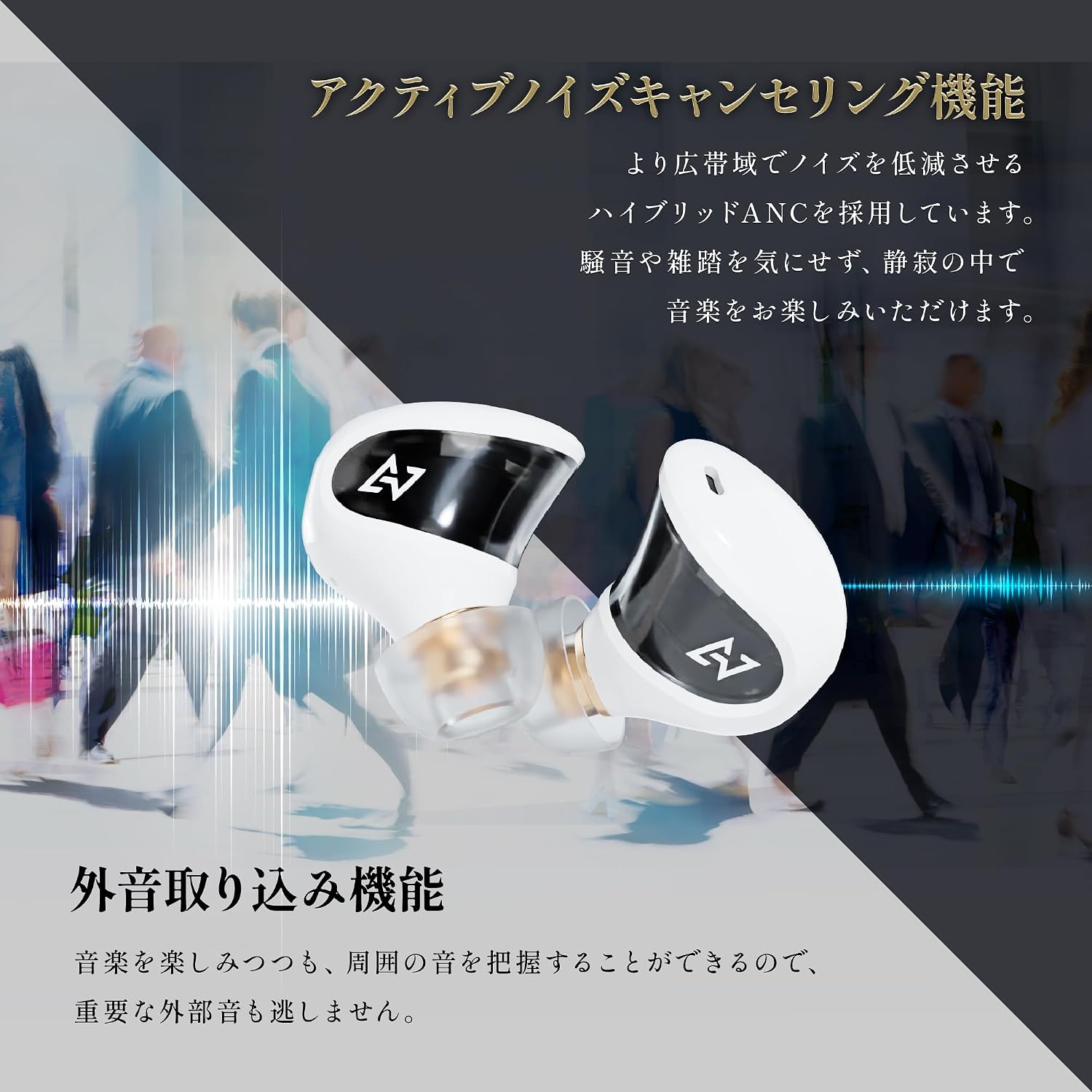
Figure 5.1: Active Noise Cancelling and Ambient Sound Mode.
5.4 Hi-Res Audio with LDAC
The TE-J1 supports LDAC, a high-resolution audio coding technology that allows for approximately three times more data transmission than conventional Bluetooth audio (SBC). This enables you to enjoy Hi-Res Audio content wirelessly with exceptional detail and clarity.

Figure 5.2: Hi-Res Audio via LDAC.
6. Maintenance
6.1 Cleaning
Regular cleaning helps maintain optimal performance and hygiene:
- Wipe the earbuds and charging case with a soft, dry cloth.
- Remove eartips and clean them with mild soap and water, then dry thoroughly before reattaching.
- Gently clean any earwax or debris from the earbud nozzles using a small, dry brush or cotton swab.
6.2 Water Resistance (IPX4)
The AVIOT TE-J1 earbuds are rated IPX4 water-resistant, meaning they are protected against splashing water from any direction. This makes them suitable for light rain or sweaty workouts. However, they are not designed for submersion in water. The charging case is not water-resistant.

Figure 6.1: IPX4 Water Resistance.
7. Troubleshooting
7.1 Common Issues and Solutions
- No Sound: Ensure earbuds are charged, connected to your device, and volume is up.
- Cannot Pair: Make sure earbuds are in pairing mode. Turn off Bluetooth on other nearby devices.
- Intermittent Connection: Move closer to your device. Avoid environments with strong Wi-Fi or other wireless interference.
7.2 Resetting the Earbuds
If you experience persistent issues, a factory reset may resolve them:
- Delete "AVIOT TE-J1" from your device's Bluetooth settings.
- With the earbuds powered ON, tap the touch sensor on both the left and right earbuds 7 times.
- A voice guidance will announce "Resetting" followed by "Pairing in progress," indicating the reset is complete.

Figure 7.1: Earbud Reset Procedure.
8. Specifications
| Feature | Detail |
|---|---|
| Brand | AVIOT |
| Model Number | TE-J1 |
| Color | White (variant) |
| Ear Placement | In-ear |
| Noise Control | Active Noise Cancellation (Hybrid) |
| Audio Driver Type | Hybrid Driver (Balanced Armature + Dynamic) |
| Wireless Type | Bluetooth |
| Bluetooth Version | 5.2 |
| Audio Codec Support | LDAC, SBC, AAC |
| Multi-point Connection | Supported (up to 2 devices) |
| Control Method | Touch |
| Water Resistance | IPX4 (earbuds only) |
| Product Weight | 0.15 Kilograms |
9. Warranty and Support
9.1 Warranty Information
The AVIOT TE-J1 comes with a 12-month manufacturer's warranty. This warranty is valid only for products purchased from authorized retailers. To activate and receive warranty service, product registration is required. Please refer to the included Product Warranty Registration Card for details on how to register your product.
9.2 Customer Support
For further assistance, technical support, or inquiries regarding your AVIOT TE-J1 earbuds, please visit the official AVIOT website or contact their customer service department. Contact information can typically be found on the AVIOT website or on your product packaging.