Introduction
Thank you for choosing the NEBO Master Series SL25 Rechargeable Spotlight & Floodlight. This versatile lighting tool is designed for durability and high performance, offering both focused spotlight and wide floodlight illumination. This manual provides essential information for the proper setup, operation, and maintenance of your device to ensure optimal performance and longevity.
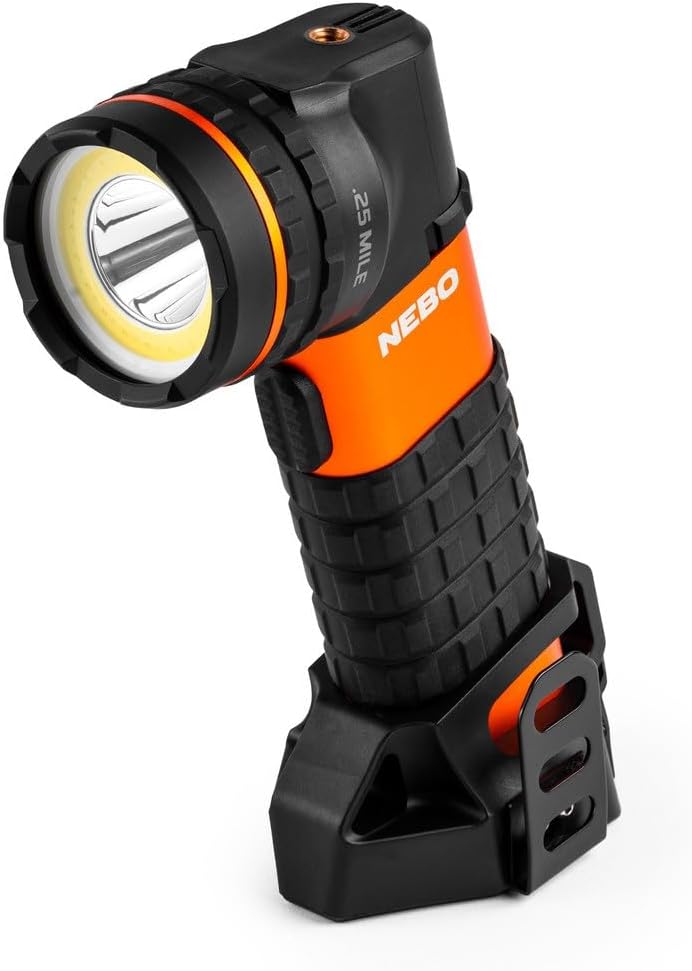
Figure 1: The NEBO Master Series SL25 Rechargeable Spotlight & Floodlight, showcasing its ergonomic design and integrated stand.
Product Features
- Dual Lighting Modes: Features both a powerful spotlight for long-distance illumination and a wide COB floodlight for area lighting.
- High Lumens Output: Delivers up to 600 lumens in White COB mode and 500 lumens in Spotlight mode, with a 30 lumen Red COB option.
- Durable Construction: Crafted from anodized aircraft-grade aluminum, ensuring ruggedness and impact resistance.
- Waterproof Design: IP67 rated, making it suitable for use in demanding environments and resistant to water immersion up to 1 meter for 30 minutes.
- Magnetic Base: Equipped with a powerful magnetic base for convenient hands-free operation, allowing attachment to metal surfaces.
- Tripod Mountable: Includes a 1/4-20 tripod mount for stable, hands-free lighting in various scenarios.
- Smart Power Control: Optimizes battery life and provides seamless transitions between light modes.
- Rechargeable Battery: Powered by (2) 21700 rechargeable batteries, with a quick 3-hour recharge time using the included magnetic charging cable.

Figure 2: The rugged construction of the SL25 is designed for tough jobs, fitting comfortably in hand.

Figure 3: The powerful magnetic base allows for hands-free lighting by attaching to any metal surface.
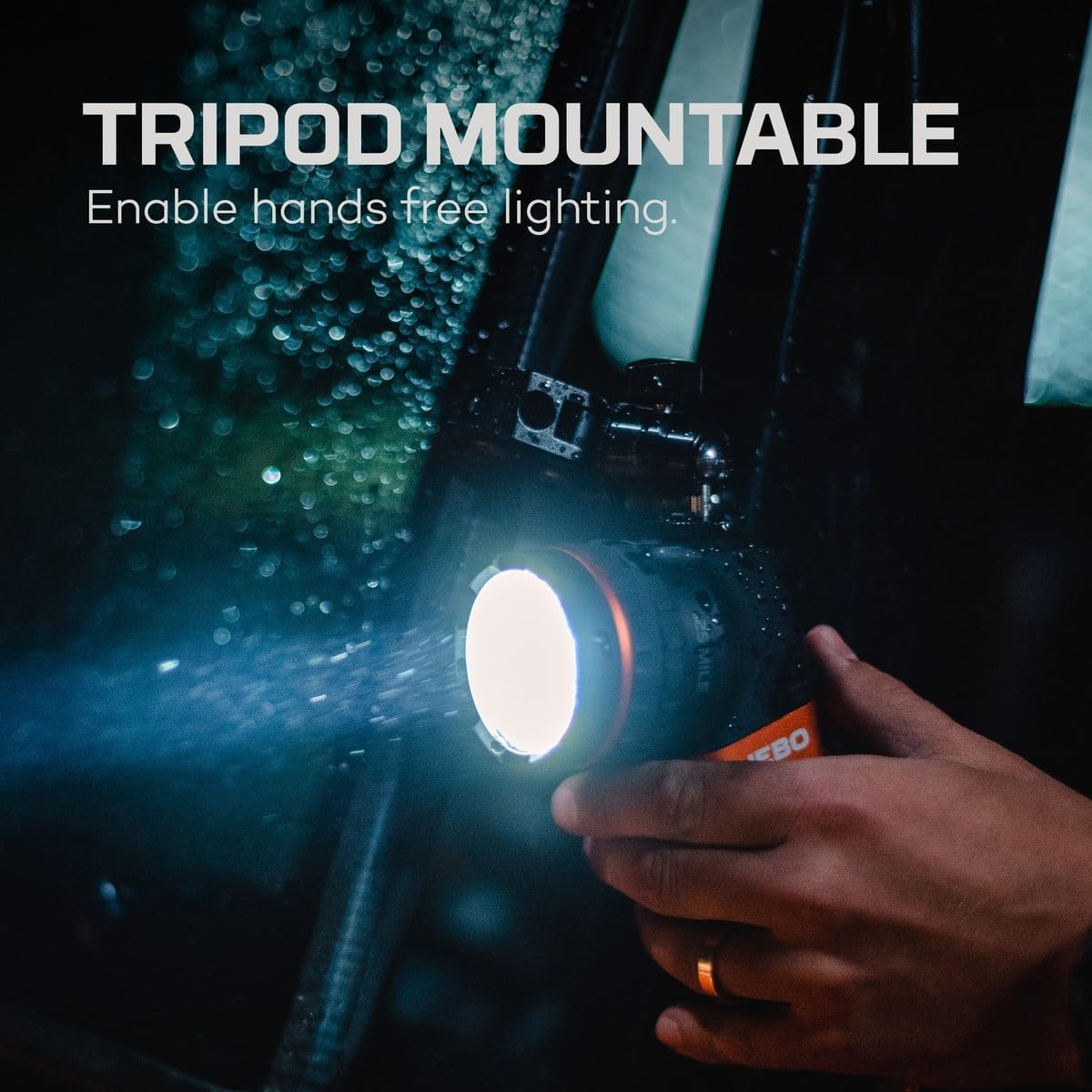
Figure 4: The tripod mountable feature enables stable, hands-free lighting for various tasks.
Setup
Initial Charging
Before first use, fully charge your NEBO Master Series SL25. Use the included magnetic charging cable. Connect the magnetic end to the charging port on the device and the USB end to a compatible USB power source (e.g., wall adapter, computer USB port).
- The LED power and charging indicators will provide feedback on the charging status.
- A full charge typically takes approximately 3 hours at 2.0A.
Operation
Power On/Off and Mode Selection
The SL25 features a mode selection dial for easy and intuitive control of its various light modes.
- Power On: Rotate the mode selection dial to the desired light mode.
- Mode Selection: The SL25 offers three distinct light modes:
- White COB (Floodlight): Provides a wide, even beam of up to 600 lumens, ideal for illuminating large areas.
- Spotlight: Delivers a focused beam of up to 500 lumens, effective for long-distance visibility (up to 1/4 mile or 400 meters).
- Red COB: A low-intensity red light of 30 lumens, useful for preserving night vision and extended run times (up to 10.5 hours).
- Power Off: Rotate the mode selection dial to the 'OFF' position.

Figure 5: The powerful spotlight mode provides a 1/4 mile (400 meter) light beam for extended visibility.

Figure 6: The Red Light Mode helps preserve your night vision, ideal for low-light situations where full brightness is not desired.

Figure 7: The intuitive mode select dial allows for easy and precise selection of light modes.
Smart Power Control (SPC)
The Smart Power Control feature automatically adjusts the light output to optimize battery life and maintain consistent performance across different modes. This system ensures efficient energy usage, extending the operational time of your device.
Care and Maintenance
- Cleaning: Wipe the device with a soft, damp cloth. Avoid using abrasive cleaners or solvents that could damage the finish.
- Storage: Store the SL25 in a cool, dry place when not in use. For long-term storage, ensure the battery is partially charged (around 50%) to maintain battery health.
- Battery Care: Recharge the battery regularly, even if not frequently used, to prevent deep discharge and prolong its lifespan. Use only the provided magnetic charging cable.
- Water Exposure: While waterproof, it is recommended to dry the device thoroughly after exposure to water, especially around the charging port, to prevent corrosion.

Figure 8: The IP67 waterproof design ensures the SL25 can withstand challenging wet conditions.
Troubleshooting
- Light Not Turning On:
- Ensure the battery is charged. Connect the device to the charger and check the charging indicator.
- Verify the mode selection dial is set to an active light mode (White COB, Spotlight, or Red COB), not 'OFF'.
- Dim Light Output:
- The battery may be low. Recharge the device fully.
- Ensure the lens is clean and free from dirt or obstructions.
- Charging Issues:
- Check if the magnetic charging cable is securely connected to both the device and the power source.
- Try a different USB power adapter or USB port.
- Ensure the charging contacts on the device and cable are clean and free of debris.
If problems persist, please refer to the Warranty and Support section for further assistance.
Specifications
| Feature | Detail |
|---|---|
| Model Number | NEB-SPT-1005 |
| Dimensions (L x W x H) | 7.7" x 2.4" x 5.76" (Product) / 6 x 3 x 4 inches (Item) |
| Weight | 0.5 lbs (Product) / 2.38 pounds (Item) |
| Material | Anodized Aircraft-Grade Aluminum, Plastic |
| Color | Black/Orange |
| Battery Type | (2) 21700 Rechargeable Lithium Ion Batteries (included) |
| Recharge Time | 3 hours at 2.0A |
| Luminous Flux (White COB) | 600 Lumens |
| Luminous Flux (Spotlight) | 500 Lumens |
| Luminous Flux (Red COB) | 30 Lumens |
| Beam Distance | Up to 1/4 Mile (400 meters) |
| Run Time (Red COB) | Up to 10.5 hours |
| Waterproof Rating | IP67 (Waterproof up to 1 meter for 30 minutes) |
| Mounting Type | Tripod Mount (1/4-20) |
| Special Features | Smart Power Control, Magnetic Base |
Warranty and Support
Manufacturer's Warranty
The NEBO Master Series SL25 is covered by a 1-Year Manufacturer's Warranty. This warranty covers defects in materials and workmanship under normal use. Please retain your proof of purchase for warranty claims.
Customer Support
For technical assistance, warranty claims, or general inquiries, please visit the official NEBO store or contact their customer service directly.
Visit the NEBO Store on Amazon
Note: No official product videos were available in the provided data for embedding in this manual.