
1. Introduction
This manual provides essential information for the safe and effective use of your Canon EOS 3000D (Rebel T100) DSLR Camera. Please read it thoroughly before using the camera and keep it for future reference.
Package Contents
The Canon EOS 3000D (Rebel T100) DSLR Camera bundle typically includes the following items:
- Canon EOS 3000D (Rebel T100) Camera Body
- EF-S 18-55mm DC III Lens
- EF 75-300mm f/4-5.6 III Lens
- 2X SanDisk Ultra 64GB Memory Card
- Spare Battery
- Battery Charger
- Camera Strap
- USB Cable
- Lens Caps (front and rear)
- Eyecup
- Instruction Manual (this document)
- Other accessories as part of the deluxe bundle (e.g., tripod, camera bag, cleaning kit, filters, flash, wide-angle/macro attachments).

Figure 1.1: Overview of the Canon EOS 3000D (Rebel T100) camera and included deluxe accessory bundle components.
2. Setup
2.1 Charging the Battery
Before initial use, fully charge the supplied Lithium-Ion battery using the dedicated battery charger. Insert the battery into the charger, then plug the charger into a power outlet. The charging indicator light will show the charging status.
2.2 Inserting the Battery and Memory Card
- Open the battery compartment cover located at the bottom of the camera.
- Insert the charged battery, ensuring the correct orientation, until it locks into place.
- Open the memory card slot cover (usually on the side or near the battery compartment).
- Insert the SDHC memory card with the label facing the front of the camera until it clicks.
- Close both covers securely.
Note: The camera supports SDHC memory cards up to 32GB for optimal performance, though 64GB cards are included in this bundle and are generally compatible. Ensure the card's write-protect tab is not in the locked position.
2.3 Attaching a Lens
- Remove the camera body cap and the rear lens cap.
- Align the red or white index mark on the lens with the corresponding mark on the camera body. For EF-S lenses (like the 18-55mm), align the white square mark. For EF lenses (like the 75-300mm), align the red dot mark.
- Mount the lens by turning it clockwise until it clicks into place.
- Remove the front lens cap.
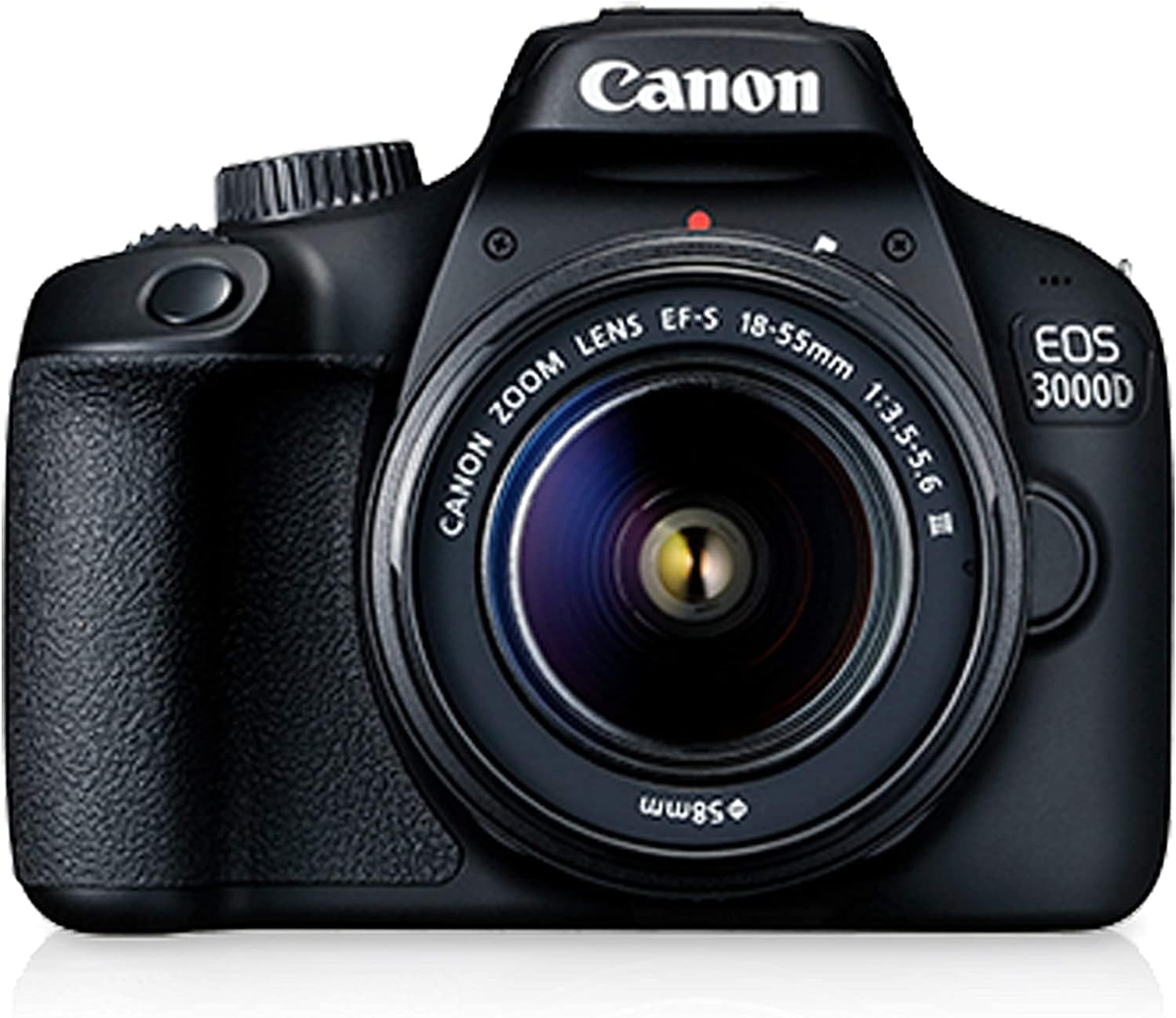
Figure 2.1: Front view of the Canon EOS 3000D camera with the EF-S 18-55mm lens attached.

Figure 2.2: The Canon EF-S 18-55mm lens, showing focus and zoom rings.
3. Operating Instructions
3.1 Power On/Off
Locate the power switch on the top of the camera body. Slide it to the "ON" position to power on the camera. Slide it to "OFF" to power off.
3.2 Basic Shooting Modes
The mode dial on top of the camera allows you to select various shooting modes:
- Scene Intelligent Auto (Green Square): Fully automatic mode for point-and-shoot simplicity.
- Program AE (P): Camera sets aperture and shutter speed, but you can adjust other settings.
- Shutter-Priority AE (Tv): You set shutter speed, camera sets aperture. Ideal for controlling motion.
- Aperture-Priority AE (Av): You set aperture, camera sets shutter speed. Ideal for controlling depth of field.
- Manual Exposure (M): You set both aperture and shutter speed.
- Scene Modes (SCN): Specific settings for portraits, landscapes, close-ups, sports, etc.
- Flash Off: Disables the built-in flash.
3.3 Focusing
The Canon EOS 3000D features a 9-point autofocus system. To focus:
- Set the lens's AF/MF switch to AF (Autofocus).
- Look through the viewfinder or use Live View on the LCD screen.
- Press the shutter button halfway down. The camera will focus, and the focus points will illuminate.
- Once focus is achieved, press the shutter button fully to take the picture.
Manual Focus: Set the lens's AF/MF switch to MF, then rotate the focusing ring on the lens until the subject appears sharp.
3.4 Adjusting ISO Sensitivity
ISO controls the camera's sensitivity to light. Higher ISO values allow shooting in darker conditions but may introduce more noise. The EOS 3000D has an expanded ISO range from 100 to 25600.
- Press the ISO button (located on the top or rear of the camera).
- Use the main dial or directional buttons to select the desired ISO setting.

Figure 3.1: Rear panel of the Canon EOS 3000D, highlighting the LCD screen and control layout, including the ISO button.
3.5 Recording Videos
The camera supports Full HD (1080p) video recording at 30 FPS.
- Set the mode dial to the Movie Shooting mode (usually indicated by a video camera icon).
- Use the Live View function to frame your shot on the LCD screen.
- Press the Movie Shooting button (often a red dot icon) to start and stop recording.
Note: Autofocus performance may differ during video recording compared to still photography. Manual focus is often recommended for precise control.
4. Maintenance
4.1 Cleaning the Camera and Lenses
- Camera Body: Use a soft, dry cloth to wipe the camera body. For stubborn dirt, slightly dampen the cloth with water. Avoid using organic solvents.
- Lens Surface: Use a lens blower brush to remove dust. For smudges, use a specialized lens cleaning solution and a microfiber lens cloth. Never touch the lens surface with your fingers.
- Image Sensor: Cleaning the image sensor should be done with extreme care. If dust spots appear on your images, first try the camera's built-in sensor cleaning function. If persistent, consider professional cleaning.
4.2 Storage
- When not in use, store the camera with lens caps attached in a cool, dry, well-ventilated area, away from direct sunlight and high humidity.
- Remove the battery if the camera will not be used for an extended period.
- Store the camera in a camera bag to protect it from dust and physical damage.
5. Troubleshooting
| Problem | Possible Cause / Solution |
|---|---|
| Camera does not power on. |
|
| Images are blurry. |
|
| No image recorded to memory card. |
|
| Flash does not fire. |
|
6. Specifications
Key technical specifications for the Canon EOS 3000D (Rebel T100) DSLR Camera:
- Model Name: Canon EOS Rebel T100 (EOS 4000D / EOS 3000D / EOS T100)
- Sensor Type: CMOS, APS-C size
- Effective Still Resolution: 18.0 Megapixels
- Image Processor: DIGIC 4+
- Lens Mount: Canon EF-S (compatible with EF lenses)
- Included Lenses: EF-S 18-55mm DC III, EF 75-300mm f/4-5.6 III
- Autofocus System: 9-point AF (Contrast Detection)
- ISO Sensitivity: 100-25600 (Expanded)
- Shutter Speed: 1/4000 to 30 seconds, Bulb
- Continuous Shooting Speed: Approx. 3.0 fps
- Video Recording: Full HD (1920 x 1080) at 30p/25p/24p, HD (1280 x 720) at 60p/50p
- Display: 3.0-inch LCD (921,600 dots), Fixed
- Viewfinder: Optical (pentamirror)
- Storage Media: SD, SDHC, SDXC memory cards
- Connectivity: USB, HDMI, Wi-Fi
- Battery: LP-E10 Lithium-Ion
- Dimensions (W x H x D): Approx. 129.0 x 101.6 x 77.1 mm (5.08 x 4.00 x 3.04 in.)
- Weight: Approx. 436g (15.38 oz) (including battery and memory card)
Note: Specifications are subject to change without notice. For the most current information, please refer to Canon's official website.
7. Warranty and Support
7.1 Warranty Information
This product is covered by a 90-day limited warranty. This warranty typically covers defects in materials and workmanship under normal use. Please retain your proof of purchase for warranty claims. For specific terms and conditions, refer to the warranty documentation included with your product or contact Canon customer service.
As this is a renewed product, the warranty is provided by the Amazon Renewed program or the seller, INSPIRE DIGITAL. Details of the Amazon Renewed Guarantee can be found on the Amazon website.
7.2 Customer Support
For technical assistance, troubleshooting beyond this manual, or warranty service, please contact:
- Canon Customer Support: Refer to the official Canon website for contact information, including phone numbers and online support resources.
- Seller Support (INSPIRE DIGITAL): For issues related to the renewed product or bundle components, you may contact the seller directly through your Amazon order history.
When contacting support, please have your product model number (Canon EOS Rebel T100) and serial number ready.