
1. Introduction
This manual provides essential information for the installation, operation, and maintenance of your ARESGAME AGT 850W Power Supply. The AGT series is designed to deliver stable and reliable power to your computer system, featuring 80 PLUS Gold certification for high efficiency and a fully modular design for improved cable management.

Figure 1: ARESGAME AGT 850W Power Supply, showcasing its modular cable connections.
2. Package Contents
Verify that all items listed below are included in your package:
- 1 x ARESGAME AGT 850W Power Supply
- 1 x AC Power Cord
- 8 x Modular Cables (various types)
- 1 x User Manual (this document)
- 1 x Quick Installation Guide
- 1 x PSU Tester
- 4 x Hook and Loop Fasteners
- 4 x Mounting Screws
- 8 x Cable Ties

Figure 2: Contents of the ARESGAME AGT 850W Power Supply package.
3. Key Features
- 80 PLUS Gold Certified: Achieves 90% efficiency or higher under typical loads, reducing energy waste and heat generation.
- Fully Modular Design: Allows for connection of only necessary cables, improving airflow and simplifying cable management within the PC chassis.
- Stable Output: Utilizes APFC+LLC+DC-DC structure for reliable and consistent voltage delivery.
- Ultra-Quiet 120mm FDB Fan: Features a fluid-dynamic bearing fan with intelligent speed control for quiet operation and extended durability.
- Compact Size: Measures 150mm x 140mm x 86mm (5.9 x 5.5 x 3.3 inches), suitable for various PC case sizes.
- Comprehensive Protection: Includes Over Voltage Protection (OVP), Under Voltage Protection (UVP), Over Power Protection (OPP), Short Circuit Protection (SCP), Over Current Protection (OCP), and Over Temperature Protection (OTP).
- High-Quality Components: Constructed with Japanese 105°C-rated capacitors for enhanced performance, reliability, and longevity.

Figure 3: 80 PLUS Gold certification and 10-year warranty details.
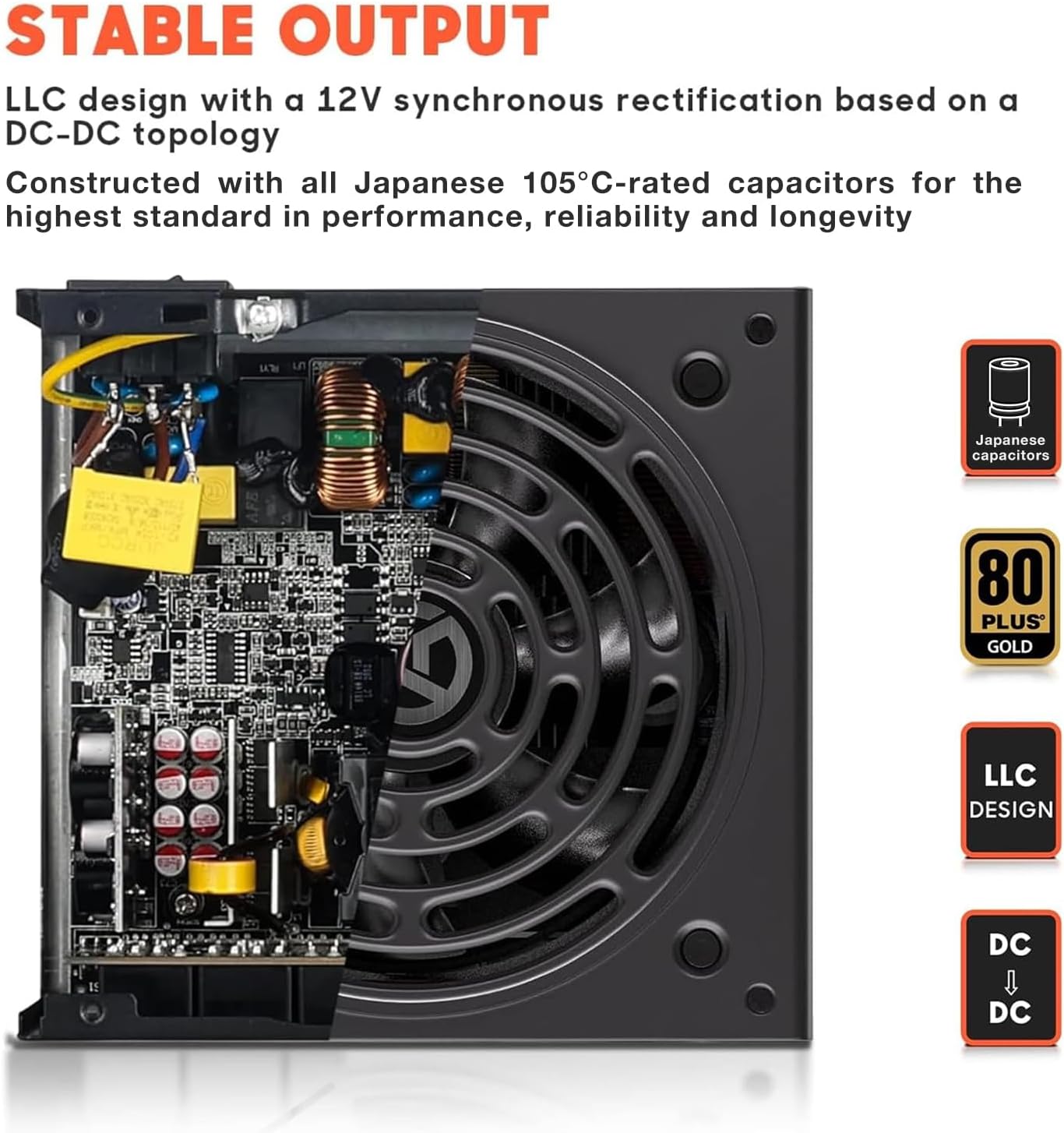
Figure 4: Stable output design with LLC topology and Japanese capacitors.

Figure 5: DC-DC Voltage Regulated Structure for precise power delivery.

Figure 6: The ultra-quiet 120mm Fluid-Dynamic Bearing (FDB) fan.
4. Safety Information
Please read and follow these safety guidelines to prevent damage to the product or injury to yourself:
- Do not open the power supply unit. High voltages are present inside, even when disconnected from power.
- Install the power supply in a well-ventilated area. Ensure proper airflow to prevent overheating.
- Use only the modular cables provided with this power supply. Using incompatible cables may cause damage.
- Ensure the power supply is correctly installed and secured in the PC case before connecting to the AC power outlet.
- Avoid exposing the power supply to moisture or extreme temperatures.
- The power supply is equipped with multiple protection circuits (OVP, UVP, OPP, SCP, OCP, OTP) to safeguard your system.
5. Setup and Installation
5.1 Pre-Installation Check
Before installing the power supply into your computer, it is recommended to test its basic functionality using the included PSU tester.
- Connect the 24-pin mainboard cable to the power supply.
- Connect the other end of the 24-pin mainboard cable to the included PSU tester.
- Connect the AC power cord to the power supply and then to a wall outlet.
- Flip the power switch on the power supply to the 'ON' position. The fan should spin briefly, and the tester should indicate power. If not, refer to the Troubleshooting section.
- Turn off the power supply and disconnect the AC cord and tester.
5.2 Installation into PC Case
- Ensure your computer is powered off and unplugged from the wall outlet.
- Open your computer case to access the power supply mounting area.
- Carefully place the ARESGAME AGT 850W Power Supply into the designated bay, ensuring the fan faces the correct direction (typically downwards for bottom-mounted PSUs, or as per case design for optimal airflow).
- Secure the power supply to the case using the four included mounting screws.
5.3 Cable Connections
Due to the fully modular design, connect only the cables required for your system components. Refer to your motherboard and component manuals for specific connection points.

Figure 7: Cable types, quantities, and lengths for the AGT 850W Power Supply.
- Mainboard Power (20+4 PIN): Connect to your motherboard's main power connector.
- CPU Power (8 PIN / 4+4 PIN): Connect to your motherboard's CPU power connector(s). The AGT 850W includes two such cables.
- PCI-E Power (6+2 PIN): Connect to your graphics card(s). The AGT 850W provides multiple PCI-E connectors.
- SATA Power: Connect to SATA devices such as SSDs, HDDs, and optical drives.
- Molex Power: Connect to older peripherals or case fans that use Molex connectors.
- FDD Power (Floppy Disk Drive): If applicable, for legacy devices.
Use the included hook and loop fasteners and cable ties to manage cables neatly, improving airflow and aesthetics.
6. Operating Instructions
Once all components are connected and secured, close your PC case. Connect the AC power cord to the power supply and then to a grounded wall outlet. Flip the power switch on the power supply to the 'ON' position. You can then power on your computer using the case's power button.
The 120mm FDB fan operates with intelligent speed control, adjusting its rotation based on the power supply's temperature and load. This ensures quiet operation during low loads and efficient cooling when under heavier demand.
7. Maintenance
To ensure optimal performance and longevity of your ARESGAME AGT 850W Power Supply, consider the following maintenance tips:
- Dust Removal: Periodically clean dust from the power supply's fan and ventilation grilles using compressed air. Ensure the computer is powered off and unplugged before cleaning.
- Airflow: Ensure that the power supply's intake and exhaust vents are not obstructed. Maintain good airflow within your PC case.
- Cable Management: Regularly check that cables are not interfering with fan operation or blocking airflow.
8. Troubleshooting
If you encounter issues with your ARESGAME AGT 850W Power Supply, try the following steps:
- No Power:
- Ensure the AC power cord is securely connected to both the power supply and the wall outlet.
- Verify the power switch on the back of the power supply is in the 'ON' position.
- Test the wall outlet with another device to confirm it has power.
- Use the included PSU tester to verify the power supply's basic functionality (refer to Section 5.1).
- System Instability/Crashes:
- Ensure all modular cables are securely connected to both the power supply and the components.
- Verify that your system's power requirements do not exceed the 850W capacity of the power supply.
- Check for proper ventilation and ensure the power supply fan is spinning.
- Unusual Noises:
- Ensure no cables are obstructing the power supply fan.
- If the noise persists and is not related to fan operation, contact customer support.
If issues persist after performing these steps, please contact ARESGAME customer support for further assistance.
9. Specifications
| Feature | Detail |
|---|---|
| Model | ARESGAME AGT850 |
| Wattage | 850W |
| Efficiency Certification | 80 PLUS Gold |
| Modularity | Fully Modular |
| Form Factor | ATX |
| VAC Input | 100V-240V |
| Fan Size | 120mm (FDB Fan) |
| Product Dimensions (LxWxH) | 150mm x 140mm x 86mm (5.9 x 5.5 x 3.3 inches) |
| Protection Features | OVP, UVP, OPP, SCP, OCP, OTP |
| Compatible Devices | Personal Computer |
| Connector Type | ATX |

Figure 8: Compact dimensions of the AGT 850W Power Supply.
10. Warranty and Support
10.1 Warranty Information
The ARESGAME AGT 850W Power Supply comes with a 10-year warranty from the date of purchase. This warranty covers defects in materials and workmanship under normal use. Please retain your proof of purchase for warranty claims.
The warranty does not cover damage resulting from improper installation, accidents, abuse, misuse, natural disaster, insufficient or excessive electrical supply, abnormal mechanical or environmental conditions, or any unauthorized disassembly, repair, or modification.
10.2 Customer Support
For technical assistance, troubleshooting, or warranty inquiries, please contact ARESGAME customer support. Refer to the ARESGAME official website or your purchase documentation for the most current contact information.
When contacting support, please have your product model (AGT 850W) and proof of purchase readily available.