
Introduction
This manual provides instructions for the VINABTY RC-682M replacement remote control. This remote is designed to be compatible with various Onkyo AV Receiver and Amplifier models, including TX-SR605, TX-SA605, TX-SA8560, TX-SR605B, SR605S, and TX-SR605S. It offers basic infrared (IR) remote functionality for controlling your audio/video equipment.
Setup
1. Battery Installation
The RC-682M remote control requires two AA batteries for operation. Follow these steps to install them:
- Locate the battery compartment cover on the back of the remote control.
- Press down on the tab and slide the cover off in the direction indicated by the arrow.
- Insert two new AA batteries, ensuring that the positive (+) and negative (-) terminals align correctly with the markings inside the compartment.
- Slide the battery compartment cover back into place until it clicks securely.
Note: Always replace both batteries at the same time. Do not mix old and new batteries, or different types of batteries.
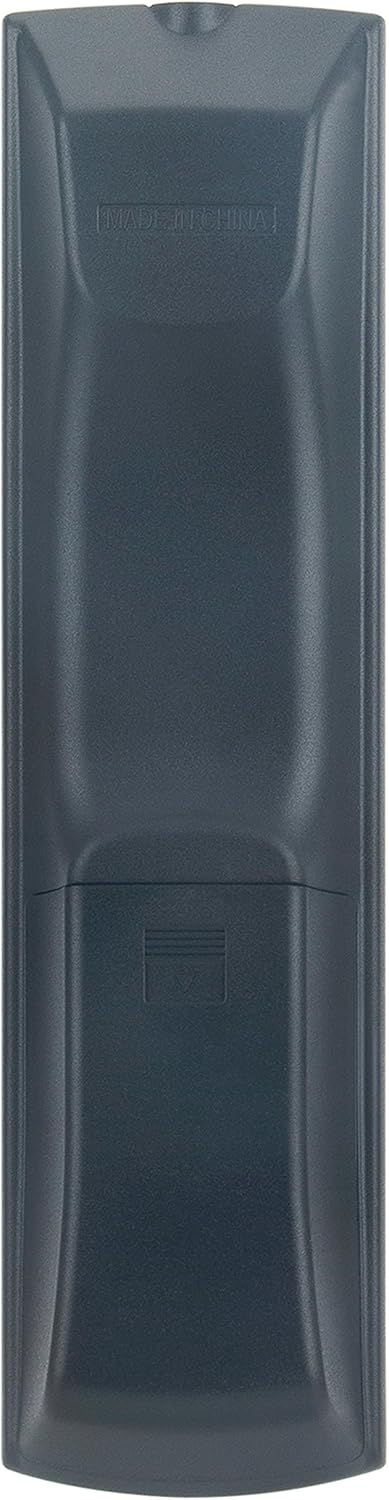
Image: Back view of the RC-682M remote control, highlighting the battery compartment.
Operating Instructions
The RC-682M remote control provides direct access to common functions of your Onkyo AV Receiver. Ensure there is a clear line of sight between the remote's infrared emitter and your receiver's IR sensor.

Image: Front view of the RC-682M remote control, displaying all function buttons.
Key Functions
- STANDBY/ON (I/O): Powers the AV Receiver on or off.
- ZONE2: Controls functions for a secondary audio zone, if supported by your receiver.
- REMOTE MODE (RECEIVER/DVD/CD/TV/VCR/SAT): Selects the device to be controlled by the remote. Press the corresponding button (e.g., RECEIVER) to switch control to that device.
- INPUT SELECTOR (1-9, 0, DTUN, +10): Selects the input source for the AV Receiver (e.g., VCR/DVR, CBL/SAT, GAME/TV, AUX, MULTI CH, DVD, CD, TAPE, TUNER).
- VOL (+/-): Adjusts the master volume level.
- Muting: Mutes or unmutes the audio output.
- Navigation Buttons (Up, Down, Left, Right, ENTER): Used for menu navigation and selection within the receiver's on-screen display.
- SETUP: Accesses the receiver's setup menu.
- RETURN: Returns to the previous menu or screen.
- PLAYBACK Controls (Play, Pause, Stop, Fast Forward, Rewind, Skip): Controls playback for connected devices like DVD players or VCRs when the appropriate remote mode is selected.
- LISTENING MODE (STEREO, SURROUND): Selects different audio listening modes.
- AUDIO (CH SEL, LEVEL-, LEVEL+): Adjusts audio channel settings and levels.
- DISPLAY: Changes the information displayed on the receiver's front panel or on-screen display.
For detailed functions of specific buttons, refer to your Onkyo AV Receiver's original instruction manual.
Maintenance
Cleaning the Remote Control
To clean the remote control, use a soft, dry cloth. Do not use abrasive cleaners, waxes, or solvents, as these may damage the finish or buttons. Avoid spraying cleaning liquids directly onto the remote.
Battery Care
- Remove batteries if the remote control will not be used for an extended period to prevent leakage.
- Dispose of used batteries according to local regulations.
- Do not expose batteries to excessive heat, such as direct sunlight or fire.
Troubleshooting
If your RC-682M remote control is not functioning as expected, try the following troubleshooting steps:
- Remote not responding:
- Check if the batteries are correctly installed with the correct polarity (+/-).
- Replace the batteries with new AA batteries.
- Ensure there are no obstructions between the remote control and the IR sensor on your Onkyo AV Receiver.
- Make sure you are within the effective range of the remote control (typically up to 20 feet/6 meters).
- Remote controls the wrong device:
- Press the appropriate REMOTE MODE button (e.g., RECEIVER) to ensure the remote is set to control the correct device.
- Specific buttons not working:
- Clean the remote control, especially around the unresponsive buttons, to remove any dirt or debris that might be interfering with button presses.
If the issue persists after trying these steps, please refer to the "Warranty and Support" section for further assistance.
Specifications
| Model Number | RC-682M |
| Brand | VINABTY |
| Compatible Devices | Onkyo AV Receiver/Amplifier (TX-SR605, TX-SA605, TX-SA8560, TX-SR605B, SR605S, TX-SR605S) |
| Connectivity Technology | Infrared (IR) |
| Power Source | 2 x AA Batteries (not included) |
| Product Dimensions | 6.9 x 2 x 0.7 inches |
| Item Weight | 2.89 ounces |
| Special Feature | Ergonomic design |
Warranty and Support
For warranty information or technical support regarding your VINABTY RC-682M replacement remote control, please contact the seller or manufacturer directly through your purchase platform. Keep your purchase receipt or order number handy as proof of purchase.
For specific operational details of your Onkyo AV Receiver, please consult the original manual provided with your Onkyo equipment.


