
Introduction
Thank you for purchasing the COSTWAY Electric Fireplace Insert. This 23-inch wide, 1400W recessed fireplace heater is designed to provide both warmth and aesthetic appeal to your indoor spaces. It features a remote control, three LED flame effects, and a 6-hour timer for convenient operation. This manual provides essential information for safe installation, operation, maintenance, and troubleshooting to ensure optimal performance and longevity of your unit.

Image: Front view of the COSTWAY Electric Fireplace Insert, showcasing the realistic log and flame effects, with the remote control positioned to the right.
Important Safety Information
Please read all instructions carefully before using this electric fireplace. Failure to follow these instructions may result in electric shock, fire, or serious injury.
- Always plug the fireplace directly into a wall outlet. Never use with an extension cord or relocatable power tap.
- Ensure the power outlet is properly grounded.
- Do not operate the fireplace if the cord or plug is damaged, or if the heater has been dropped or damaged in any manner.
- Keep combustible materials, such as furniture, pillows, bedding, papers, clothes, and curtains at least 3 feet (0.9 m) from the front of the heater and away from the sides and rear.
- This fireplace features overheat protection. If the inner components overheat, the fireplace will automatically shut off for safety.
- Do not insert or allow foreign objects to enter any ventilation or exhaust opening as this may cause an electric shock or fire, or damage the heater.
- The CSA certification ensures additional security and compliance with safety standards.
Package Contents
Verify that all components are present and undamaged before assembly and installation.
- Electric Fireplace Insert Unit
- Remote Control (requires 2 x AAA batteries, not included)
- Instruction Manual
- Installing Trim (if applicable for recessed installation)

Image: Close-up view of the fireplace's components, including the air inlet, air outlet, safe plug, and the optional installing trim pieces.
Setup and Installation
This fireplace heater supports both freestanding placement and recessed assembly. Choose the installation method that best suits your needs.
Dimensions and Clearance
The overall dimensions of the unit are approximately 24.17" (L) x 5.1" (W) x 17.52" (H). For recessed installation, the insert dimensions are 23.14" (Width) x 5.51" (Depth) x 17.28" (Height).

Image: A detailed diagram illustrating the overall length, width, and height of the fireplace insert, along with internal measurements.
When the product is recessed installed, ensure the air inlet is kept at least 2 inches (5 cm) away from any surrounding board or wall to allow for proper ventilation and prevent overheating.

Image: A diagram illustrating the recessed installation of the fireplace, highlighting the required 2-inch clearance for the air inlet from surrounding structures.
Operating Instructions
Your electric fireplace can be operated using either the control panel on the unit or the included remote control.
Control Panel and Remote Control Functions
The remote control has an effective operating distance of up to 20 feet. Familiarize yourself with the buttons and their functions:

Image: A visual guide detailing the buttons on both the fireplace control panel and the remote control, along with their corresponding functions such as power, heater control, flame control, and timer.
- Power On/Off: Turns the unit on or off.
- Heater Control (Temperature Adjustment): Adjusts the thermostat between 62°F and 82°F (17°C and 27°C). Press and hold the heater button on the control panel for 5 seconds to switch between Fahrenheit (°F) and Celsius (°C).
- Flame Control: Cycles through 3 levels of flame brightness (L1/L2/L3).
- Timer Control: Sets the automatic shut-off timer from 30 minutes to 6 hours.
- Heater Up (Temp+): Increases the desired temperature setting.
- Heater Down (Temp-): Decreases the desired temperature setting.
Flame Effects
The fireplace offers three distinct levels of flame brightness to suit your ambiance preferences.

Image: A visual comparison of the three flame brightness levels (L1, L2, L3) available on the fireplace, demonstrating the varying intensity of the flame effect.
The flame effect can be used independently without the heating function, allowing for year-round decorative use.

Image: Two scenes showing the fireplace installed in a mantel, one with both flame and heat active (indicated by upward heat lines), and the other with only the flame effect for ambiance.
Thermostat and Heating
The built-in thermostat maintains your desired room temperature, contributing to comfort and energy saving. The heating range is 62°F-82°F.
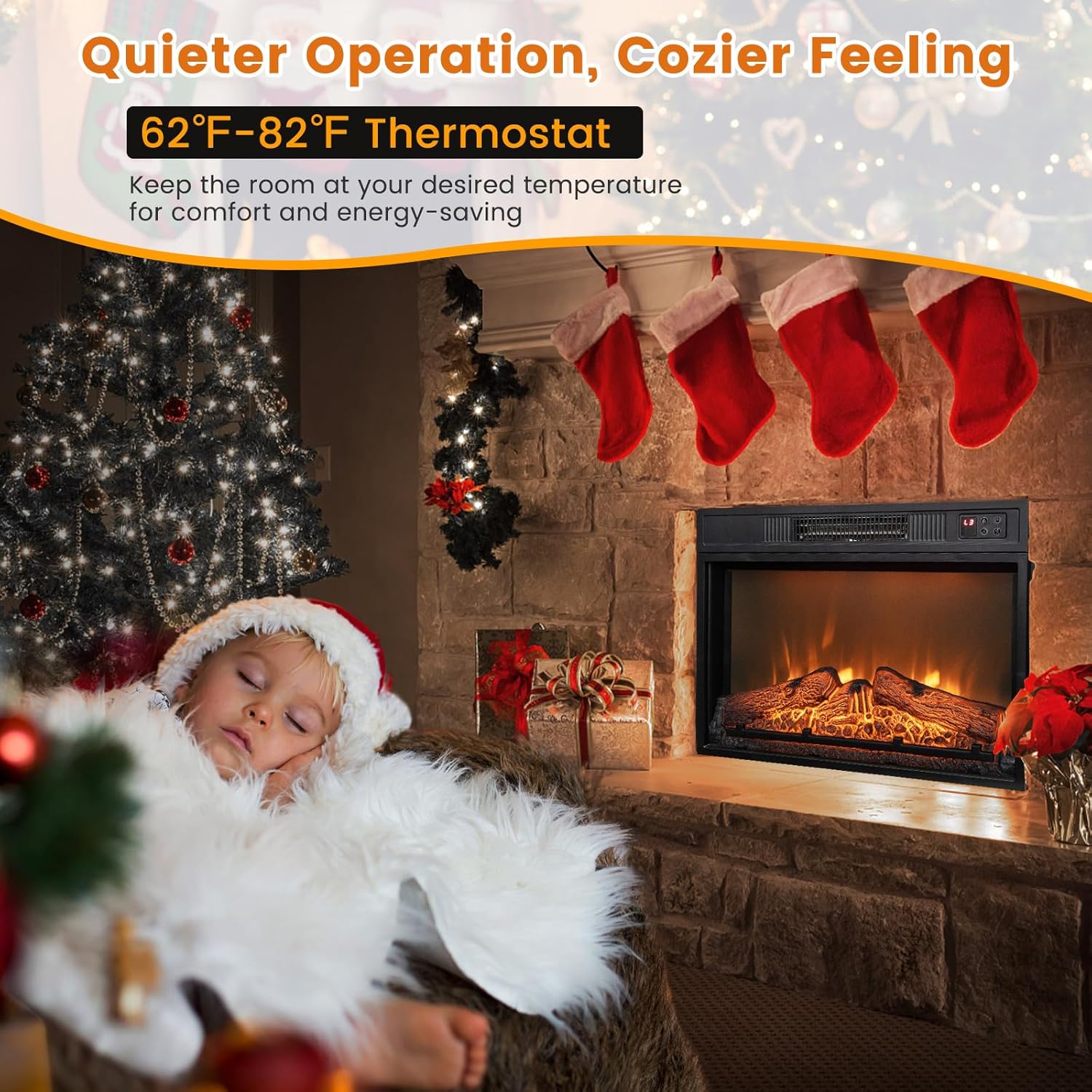
Image: A cozy scene with the fireplace operating, highlighting the 62°F-82°F thermostat range and promoting quiet operation for a comfortable experience.
Maintenance
Regular maintenance will help prolong the life and efficiency of your electric fireplace.
- Always unplug the unit from the power outlet before cleaning or performing any maintenance.
- Allow the unit to cool down completely before handling.
- Wipe the exterior surfaces with a soft, damp cloth. Do not use abrasive cleaners or solvents.
- Periodically check the air inlet and outlet for dust or debris accumulation and clean as necessary to ensure proper airflow.
Troubleshooting
If you experience issues with your electric fireplace, refer to the following table for common problems and solutions.
| Problem | Possible Cause | Solution |
|---|---|---|
| Fireplace does not turn on. | No power to the unit; Power switch is off; Overheat protection activated. | Ensure the unit is plugged into a working outlet. Check the main power switch. Unplug the unit, wait 10-15 minutes for it to cool down, then plug it back in. |
| No heat output. | Heater function is off; Thermostat set too low. | Activate the heater function using the control panel or remote. Increase the thermostat setting. |
| Flame effect not working. | Flame effect is off. | Activate the flame effect using the control panel or remote. |
| Remote control not working. | Batteries are dead or incorrectly inserted; Remote is out of range. | Replace batteries (2 x AAA). Ensure line of sight to the fireplace and operate within 20 ft. |
Specifications
Detailed technical specifications for the COSTWAY Electric Fireplace Insert.
| Property | Value |
|---|---|
| Brand | COSTWAY |
| Model Name | COSTWAY (10194US-BK-CYPF) |
| Color | Black |
| Material | Alloy Steel, Tempered Glass |
| Product Dimensions (Overall) | 5"D x 25"W x 18"H |
| Chamber Depth (Insert) | 5.51 Inches |
| Chamber Width (Insert) | 23.14 Inches |
| Power Source | Corded Electric |
| Power Consumption | 1.4 Kilowatts (1400W) |
| Heat Output | 5000 BTU (4777 BTU) |
| Heating Coverage | Up to 400 square feet |
| Item Weight | 16 Pounds |
| Special Features | Adjustable Flame, Thermostat, Timer, Overheat Protection |
| Installation Type | Built In / Recessed |
| Included Components | Manual, Remote Control |
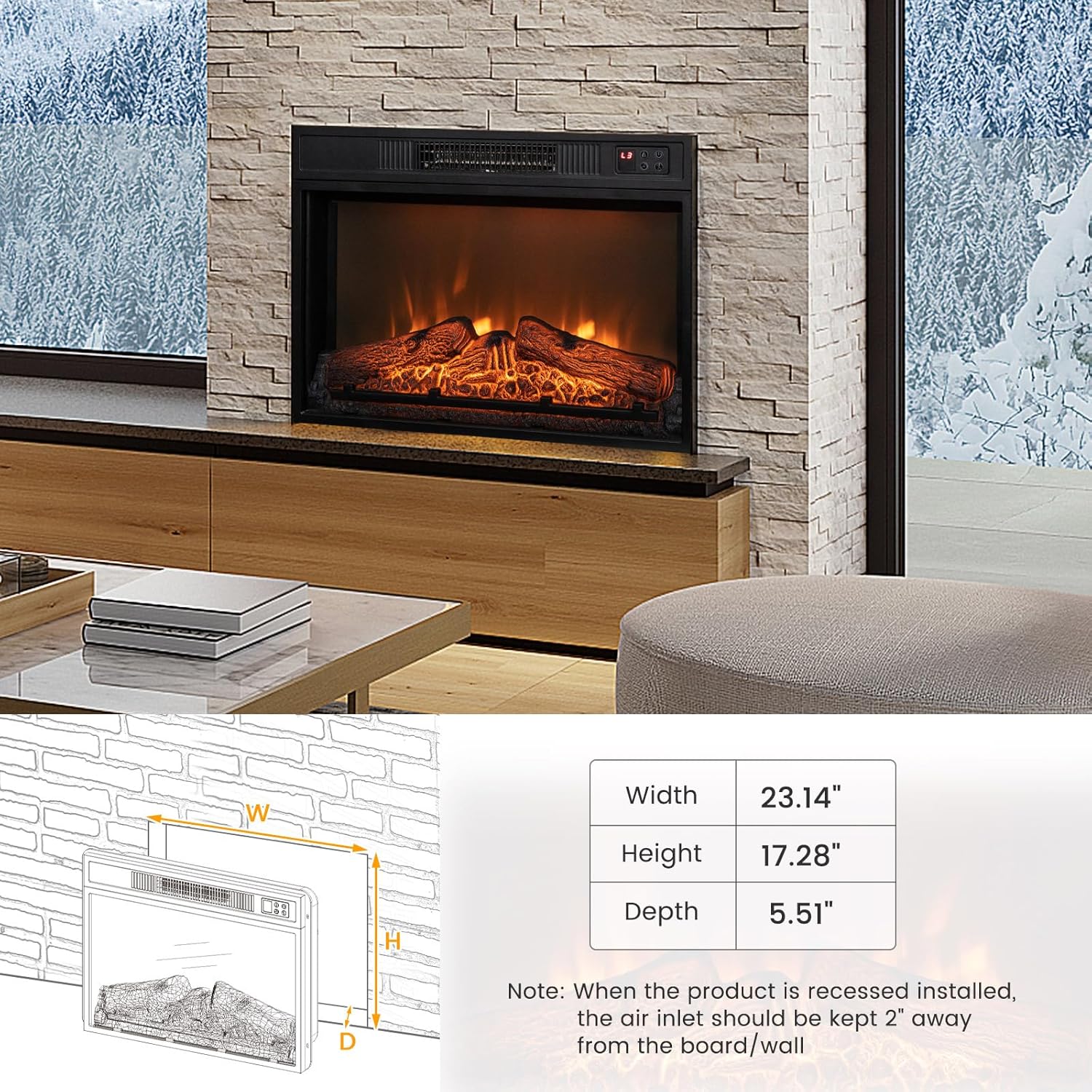
Image: A graphic summarizing key specifications such as heat output, wattage, heating area, and safety certifications (CSA).
Warranty and Support
COSTWAY products are designed for quality and reliability. For specific warranty details, please refer to the warranty card included with your product or visit the official COSTWAY website. If you encounter any issues not covered in the troubleshooting section or require further assistance, please contact COSTWAY customer support through their official channels.
Please have your model number (10194US-BK-CYPF) and purchase information ready when contacting support.