
1. Introduction
Thank you for choosing the HOMCOM Electric Recliner Chair. This manual provides essential information for the safe assembly, operation, and maintenance of your new recliner. Please read it thoroughly before use and retain it for future reference. This electric recliner features two independent motors for backrest and footrest adjustment, a lift function for easy standing, and comfortable high-density foam padding with a durable linen-look polyester fabric.

Image 1.1: The HOMCOM Electric Recliner Chair in its upright position, showcasing its modern design and grey linen-look fabric.
2. Safety Instructions
To ensure safe operation and prevent injury or damage, please adhere to the following safety guidelines:
- Weight Capacity: Do not exceed the maximum recommended weight of 170 kg (375 lbs). Exceeding this limit can cause damage to the chair and potential injury.
- Adult Use Only: This chair is designed for adult use. Children should be supervised when near the chair to prevent accidents.
- Proper Assembly: Ensure all components are correctly assembled and securely fastened before use. Refer to the assembly instructions carefully.
- Electrical Safety:
- Only use the provided power adapter.
- Keep the power cord away from heat sources, sharp edges, and wet areas.
- Do not operate the chair if the power cord or plug is damaged.
- Unplug the chair from the power outlet before cleaning or maintenance.
- Clear Surroundings: Ensure there is sufficient clear space around the chair before reclining or using the lift function to avoid obstructions or pinching hazards.
- Moving Parts: Keep hands and feet clear of all moving parts, especially the reclining mechanism and lift base, during operation.
- Stable Surface: Place the chair on a flat, stable, and level surface.
- Emergency Stop: In case of an emergency, immediately unplug the power cord from the wall outlet.
3. Package Contents
Please check that all parts are present and undamaged before beginning assembly. If any parts are missing or damaged, contact customer support.
- Backrest Section
- Seat Section with Armrests
- Footrest Assembly
- Base Frame with Motors
- Power Adapter and Cable
- Remote Control
- Assembly Hardware (screws, bolts, etc.)
- Instruction Manual
4. Assembly Instructions (Setup)
Assembly typically requires two adults. Follow these general steps. Specific details may vary; refer to the included diagram for precise component identification.
- Unpack Components: Carefully remove all parts from the packaging and lay them out on a soft, clean surface to prevent scratches.
- Attach Backrest: Slide the backrest section onto the metal guides located on the seat section until it clicks securely into place. Ensure it is firmly seated.
- Connect Cables: Locate the electrical cables extending from the backrest and seat sections. Connect them according to the color-coded or labeled connectors.
- Attach Power Adapter: Connect the power adapter cable to the corresponding port on the chair's base.
- Position Chair: Carefully move the assembled chair to its desired location, ensuring it is on a stable, level surface and has adequate clearance for reclining and lifting.
- Plug In: Plug the power adapter into a wall outlet.

Image 4.1: Detailed dimensions of the recliner chair, useful for planning placement and understanding component sizes during assembly.
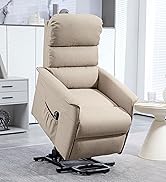
Image 4.2: An alternative view of the chair's dimensions, including height, width, and depth in both upright and reclined positions.
5. Operating Instructions
The HOMCOM Electric Recliner Chair is operated using the wired remote control, which features dedicated buttons for reclining, lifting, and adjusting the footrest and backrest independently.

Image 5.1: The remote control for the recliner, showing buttons for independent backrest and footrest adjustment, as well as the lift function.
5.1. Reclining Function
- Independent Adjustment: Use the top two buttons on the remote control to adjust the backrest and footrest independently.
- Press the "Incline (Dossier)" button to recline the backrest backward or bring it forward.
- Press the "Incline (Repose-pieds)" button to extend the footrest or retract it.
- The chair can recline up to 180 degrees for a fully flat position.
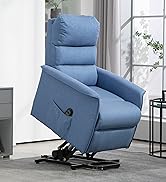
Image 5.2: The chair transitioning through different reclining positions, from upright to fully extended, illustrating its versatility for relaxation.
5.2. Lift Function
- To activate the lift function, use the bottom two buttons on the remote control labeled "Soulever" (Lift).
- Press the up arrow button to gently raise the chair and tilt it forward, assisting the user in standing up.
- Press the down arrow button to lower the chair back to a seated position.
- The maximum lift angle is approximately 50 degrees.

Image 5.3: A user demonstrating the lift function, where the chair gently tilts forward to assist in standing, ideal for individuals with mobility challenges.
6. Maintenance
Regular maintenance helps prolong the life and appearance of your recliner chair.
- Cleaning Fabric: For general cleaning, use a soft brush or vacuum cleaner to remove dust and loose debris. For spills, blot immediately with a clean, dry cloth. For stubborn stains, use a mild fabric cleaner following the product instructions, testing on an inconspicuous area first. Do not saturate the fabric.
- Frame and Mechanism: Periodically check all bolts and screws to ensure they are tight. Do not lubricate the reclining mechanism unless specifically instructed by the manufacturer, as this can attract dust and debris.
- Electrical Components: Keep the power cord and remote control clean and dry. Avoid placing heavy objects on the cord.
- Avoid Direct Sunlight: Prolonged exposure to direct sunlight can cause fabric fading.
7. Troubleshooting
If you encounter issues with your recliner, refer to the following common problems and solutions:
| Problem | Possible Cause | Solution |
|---|---|---|
| Chair does not move. |
|
|
| Chair moves slowly or intermittently. |
|
|
| Unusual noises during operation. |
|
|
If the problem persists after attempting these solutions, please contact HOMCOM customer support for further assistance.
8. Specifications
| Feature | Detail |
|---|---|
| Brand | HOMCOM |
| Model Number | FR713-133V90GY0531 |
| Color | Grey |
| Overall Dimensions (Upright) | 92L x 87W x 108H cm (36.2L x 34.3W x 42.5H inches) |
| Reclined Dimensions | 92L x 178W x 56H cm (36.2L x 70.1W x 22H inches) |
| Seat Dimensions | 55L x 52W x 50H cm (21.7L x 20.5W x 19.7H inches) |
| Seat Thickness | 13 cm (5.1 inches) |
| Material | Polyester fabric (linen aspect), High-density foam (25kg/m³), Metal frame |
| Number of Motors | 2 (independent backrest and footrest control) |
| Max Recline Angle | 180° |
| Max Lift Angle | 50° |
| Recommended Max Load | 170 kg (375 lbs) |
| Item Weight | 21.5 kg (47.4 lbs) |
| Special Features | Ergonomic design, Side pocket, Spring system |
9. Warranty and Support
For warranty information or technical support, please refer to the purchase documentation or contact HOMCOM customer service directly. Keep your proof of purchase for any warranty claims.
You can visit the HOMCOM brand store for more information: HOMCOM Store