
Mukyucase YXA01
Mukyucase Smart Wake-Up Light Alarm Clock
Model: YXA01
1. Introduction
Thank you for choosing the Mukyucase Smart Wake-Up Light Alarm Clock. This device is designed to enhance your sleep and waking experience through natural light simulation, soothing sounds, and smart control features. It combines the functionality of an alarm clock, night light, white noise machine, and Bluetooth speaker into one compact unit.

The Mukyucase Smart Wake-Up Light Alarm Clock, showcasing its illuminated display and companion app.
2. Key Features
- Sunrise Simulation: Gradually brightens before your alarm time to gently wake you up.
- Night Light: Offers 10 vibrant colors and personalized brightness settings.
- White Noise Machine: Includes 40 natural sounds for relaxation and sleep.
- Dual Alarms: Set two independent alarms for different schedules.
- Snooze Function: Tap to snooze for an additional 9 minutes of sleep.
- APP Control: Full control over settings, sounds, and light via a dedicated smartphone application (Bluetooth connectivity).
- Bluetooth Speaker: Play your favorite audio wirelessly.
- Touch Control: Intuitive touch-sensitive top for changing colors and adjusting brightness.
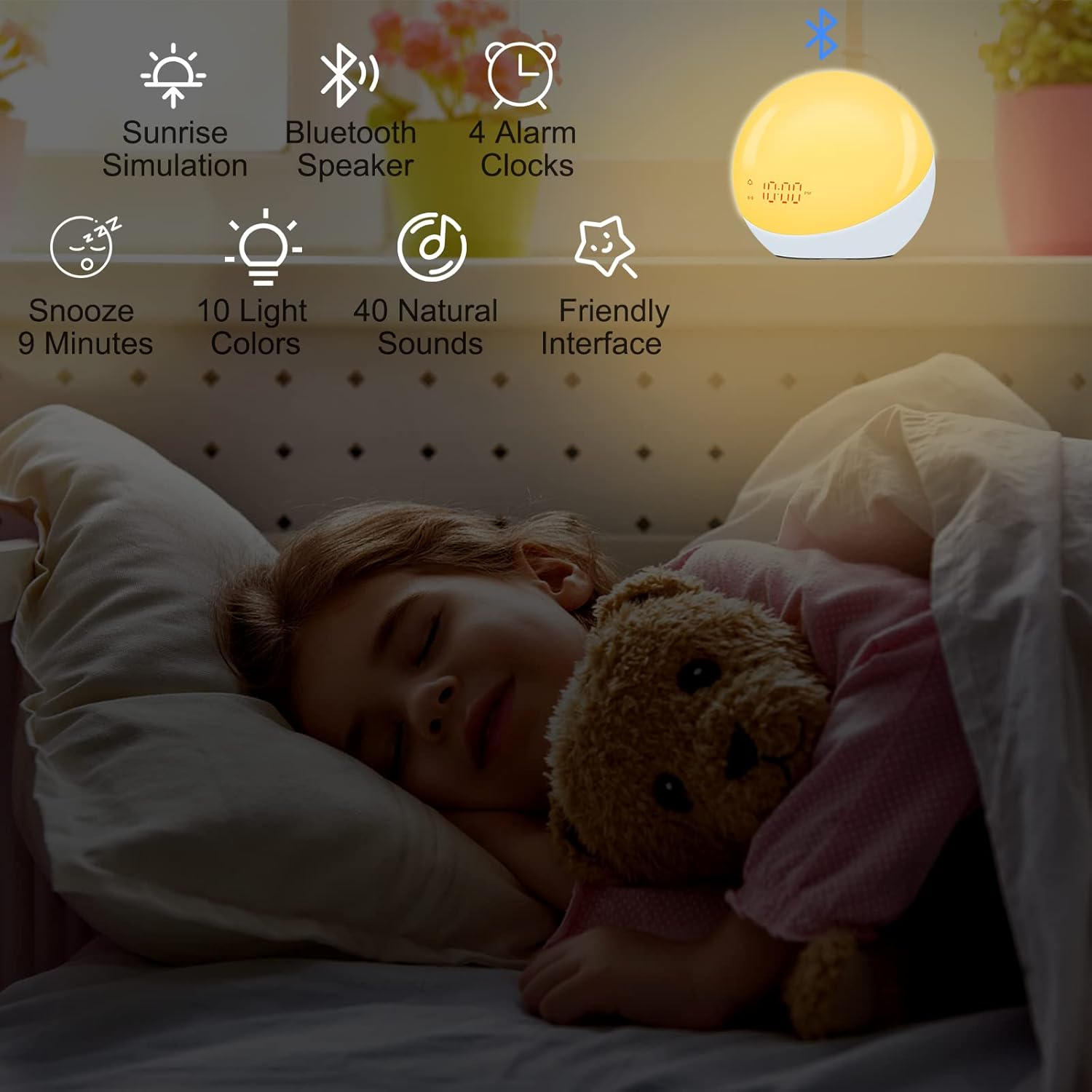
Overview of the alarm clock's main functionalities.
3. Package Contents
Please check the package for the following items:
- Mukyucase Smart Wake-Up Light Alarm Clock (Model: YXA01)
- USB-C Charging Cable
- User Manual
Note: A USB power adapter (charging block) is not included and must be supplied by the user.
4. Setup
4.1 Powering On
Connect the provided USB-C cable to the USB-C Power Port (9) on the back of the device and plug the other end into a compatible USB power adapter (not included). The device can be powered via plug-in or operate on its internal battery.

The device can be used while plugged in or operate on its internal battery.
4.2 App Installation & Connection
For full functionality and ease of use, it is recommended to control the device via its dedicated smartphone application. Scan the QR code provided in the quick start guide (or on the product packaging) to download the app. Ensure your phone's Bluetooth is enabled and follow the in-app instructions to pair your device. The app connects via Bluetooth Low Energy (BLE) and requires your phone to be within approximately 33 feet for automatic synchronization.

The user-friendly app interface provides extensive control and additional features.
5. Operating Instructions
5.1 Device Layout and Controls

Detailed view of the device's buttons and features.
- Touch Control Area: Tap to change light colors, tap and hold to dim brightness.
- Volume - Button: Decrease volume.
- White Light Button: Activates or adjusts white light.
- Speaker: Outputs sound.
- Power Button: Turns the device on/off.
- Volume + Button: Increase volume.
- Favorites Button: Access saved favorite settings.
- Mode Button (M): Cycles through different modes.
- USB-C Power Port: For power input.
- Reset Button: Resets the device.
- Previous Button: Skips to previous sound/setting.
- Next Button: Skips to next sound/setting.
- Alarm Button: Manages alarm settings.
5.2 Setting Time and Alarms
The most convenient way to set the time and configure alarms is through the dedicated smartphone app. The app allows for precise time setting, dual alarm configuration, and selection of alarm sounds from the 40 natural options. You can also set personalized light sequences for waking up.
5.3 Sunrise Simulation
The sunrise simulation feature gradually increases light intensity before your set alarm time, mimicking a natural sunrise. This helps your body wake up more gently and naturally. Configure the start time and duration of the simulation via the app.
Video demonstrating the sunrise simulation feature of the alarm clock, showing the gradual brightening of the light.

The sunrise simulation aids in a gentle wake-up, complemented by the tap-to-snooze feature.
5.4 Night Light and Color Settings
The device functions as a versatile night light with 10 distinct colors. Tap the Touch Control Area (1) on the top of the device to cycle through the colors. To adjust the brightness, tap and hold the Touch Control Area until the desired brightness is achieved.

Explore 10 colorful light options and personalize brightness levels.
Video demonstrating how to tap the device to toggle through different light colors.
5.5 White Noise and Bluetooth Speaker
Access 40 natural sounds through the app to create a calming environment for sleep or relaxation. The device also functions as a Bluetooth speaker, allowing you to stream audio from your paired smartphone or other Bluetooth-enabled devices.

Enjoy over 40 natural sounds to aid in falling asleep or waking up gently.
The integrated Bluetooth speaker allows for enjoying and relaxing with your favorite audio.
6. Maintenance
- Cleaning: Wipe the device with a soft, dry cloth. Do not use abrasive cleaners or solvents.
- Water Resistance: This device is not water resistant. Avoid exposure to water or high humidity.
- Storage: Store in a cool, dry place when not in use for extended periods.
7. Troubleshooting
| Problem | Possible Cause | Solution |
|---|---|---|
| Device not powering on. | Low battery or power connection issue. | Ensure the USB-C cable is securely connected and the power adapter is working. Charge the device fully. |
| Time is incorrect or changes randomly. | App synchronization issue or internal error. | Reconnect the device to the app via Bluetooth. If the issue persists, perform a factory reset (refer to the app or device instructions for reset procedure) and re-pair. |
| Cannot connect to the app or device is offline. | Bluetooth interference, out of range, or app glitch. | Ensure Bluetooth is enabled on your phone and the device is within 33 feet. Close and reopen the app. Try restarting both your phone and the device. |
| Alarm sounds are too soothing/not effective for waking. | User preference for alarm type. | The device primarily offers natural, soothing sounds. Experiment with different sound options within the app to find the most suitable one for your waking needs. |
8. Specifications
| Attribute | Value |
|---|---|
| Brand | Mukyucase |
| Model Number | YXA01 |
| Product Dimensions | 4.1 x 3.7 x 4.1 inches |
| Item Weight | 13.1 ounces |
| Lamp Type | Night light, Up light, Wake light |
| Shade Color | Multicolor |
| Switch Type | App control |
| Room Type | Bedroom |
| Connectivity Technology | Bluetooth |
| Control Method | App, Touch |
| Water Resistance Level | Not Water Resistant |
| Batteries Included? | Yes |
| Batteries Required? | No (internal rechargeable battery) |
9. Warranty and Support
For warranty information and customer support, please refer to the contact details provided on the product packaging or the official Mukyucase website. Keep your purchase receipt as proof of purchase for any warranty claims.