
Introduction
Thank you for choosing Persilux Cordless Zebra Blinds. These blinds are designed to provide versatile light control and privacy for your home. Featuring a dual-layer fabric, they allow for light filtering during the day and full privacy at night. The cordless design ensures safe and smooth operation.
This manual provides detailed instructions for installation, operation, and maintenance to ensure optimal performance and longevity of your blinds.
Safety Information
Your Persilux Cordless Zebra Blinds are designed with safety in mind, particularly for households with children and pets.
- Cordless Design: These shades are certified "Best for Kids," eliminating hazardous cords and ensuring a safe environment for children and pets.
- Smooth Operation: The cordless mechanism allows for easy raising and lowering without the need to touch the fabric, maintaining cleanliness and preventing damage.

Image: Certified Best for Kids logo and patent information, highlighting the 0.4-inch gap on both sides of the blind.
Setup and Installation
Proper measurement and installation are crucial for the optimal function and appearance of your blinds. The package includes the blind, an installation guide, and necessary hardware.
1. Measuring Your Window
Accurate measurements ensure a perfect fit. Determine whether you will use an Inside Mount or Outside Mount installation.

Image: Diagram illustrating how to measure window width, height, and depth for blinds installation.
Inside Mount:
For an inside mount, the blind fits within the window frame.
- Measure the exact width of your window opening at three points (top, middle, bottom) and use the smallest measurement as your Window Width (W1).
- Measure the exact height of your window opening at three points (left, middle, right) and use the smallest measurement as your Window Height.
- The ordered blind width (W2) will be adjusted by the manufacturer to ensure a proper fit, typically with a 0.4-inch gap on each side.

Image: Table and diagram detailing inside mount measurements, showing the relationship between window width (W1) and ordered blind width (W2), including the 0.4-inch gap.
Outside Mount:
For an outside mount, the blind covers the entire window opening and extends beyond the frame.
- Measure the width of the window opening. Add at least 4 inches to this measurement to determine the Shade Width. This ensures adequate coverage.
- The Shade Height should be sufficient to cover the window opening, typically up to 72 inches.

Image: Diagram illustrating outside mount measurements, showing how to calculate shade width by adding at least 4 inches to the window width.
2. Installation Steps:
While specific steps are provided in the included installation guide, general installation involves:
- Marking the bracket positions on your window frame or wall.
- Drilling pilot holes and securing the mounting brackets with the provided screws.
- Attaching the blind headrail to the installed brackets. Ensure the spring-loaded ends are inserted first into the grooves/tray on the top of the blinds, then push firmly into place.
- Testing the blind's operation to ensure smooth raising and lowering.
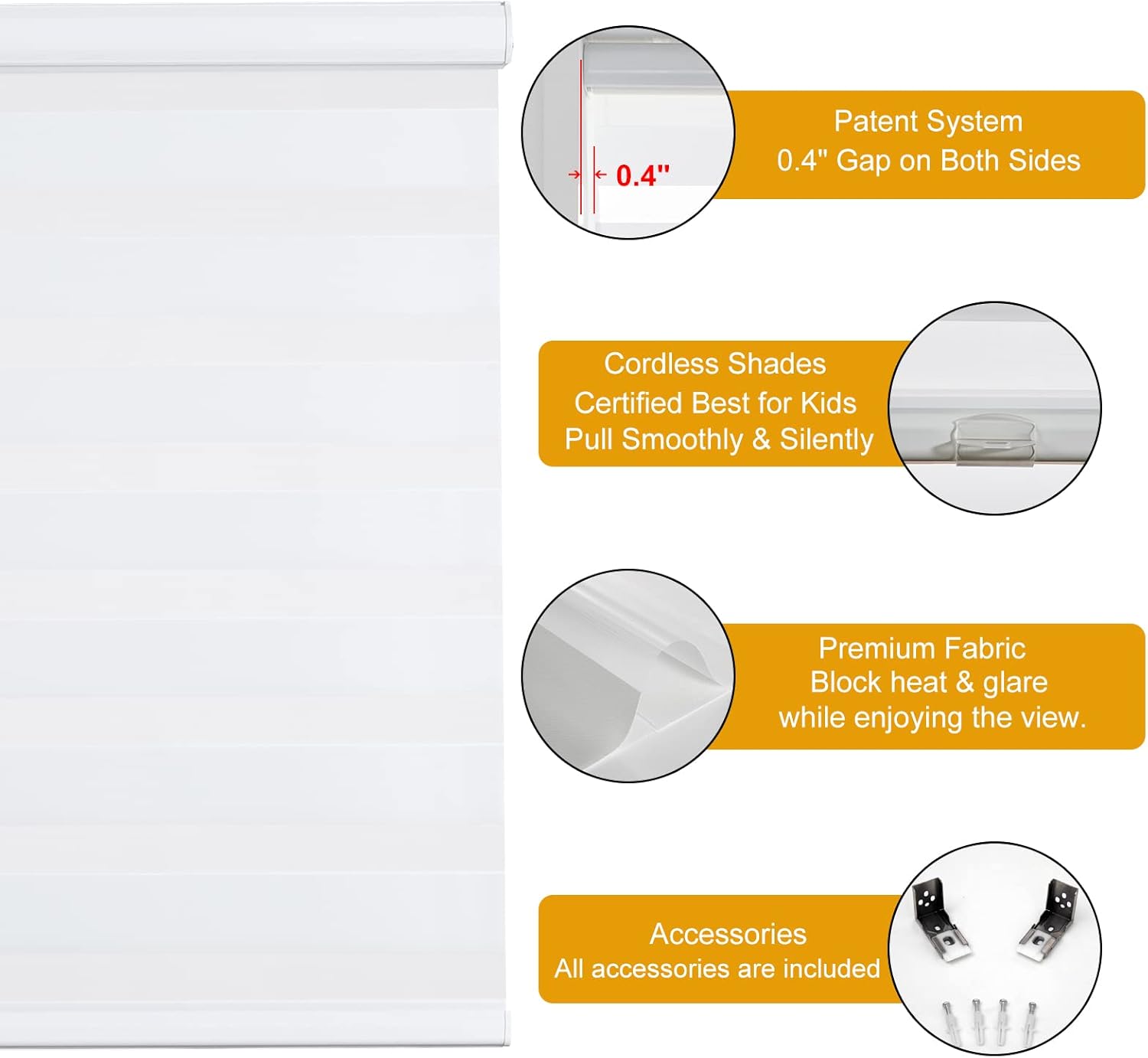
Image: Overview of key features including the patent system, cordless operation, premium fabric, and included installation accessories.
Operating Instructions
Your cordless zebra blinds offer simple and intuitive operation for light control and privacy.
- To Raise the Blind: Gently push the bottom rail upwards. The blind will smoothly retract and stay at the desired position.
- To Lower the Blind: Gently pull the bottom rail downwards. The blind will extend smoothly and stop at your chosen height.
- Light Control: Adjust the position of the fabric layers by slightly raising or lowering the blind. Align the sheer and opaque stripes to achieve your desired level of light filtering or privacy.

Image: Illustration showing a hand operating the cordless blind by pulling the bottom rod up and down for multi-way control.

Image: Side-by-side comparison of the zebra blind in an open state (allowing light) and a closed state (providing privacy).
Maintenance
To maintain the appearance and functionality of your Persilux Zebra Blinds, follow these simple cleaning instructions:
- Spot Clean Only: Use a soft cloth moistened with water to gently wipe the surface of the fabric.
- Avoid harsh chemicals or abrasive cleaners, as these can damage the fabric and color.
- Regularly dust the blinds with a soft brush or vacuum with a brush attachment to prevent dust buildup.
Troubleshooting
If you encounter any issues with your Persilux Cordless Zebra Blinds, consider the following common solutions:
- Blind Not Raising/Lowering Smoothly:
- Ensure there are no obstructions in the window frame or along the blind's path.
- Check that the blind is correctly seated in its mounting brackets.
- Operate the blind fully up and down a few times to reset the internal mechanism.
- Fabric Fraying:
- The blinds are designed with a sturdy bottom rail to prevent fraying. If fraying occurs, inspect for any sharp edges on the window frame or installation hardware that might be rubbing against the fabric.
- Uneven Fabric Layers:
- Ensure the blind is installed level. An uneven installation can cause the fabric to track improperly.
If these steps do not resolve the issue, please contact customer support.
Specifications
| Feature | Detail |
|---|---|
| Brand | Persilux |
| Model Number | PERSILUX-CUSTOM-ZEBRA-SHADES-d7cd8fd156 |
| Size | 58"W x 47"H |
| Color | White |
| Material | Aluminum (Headrail), 100% Polyester (Fabric) |
| Opacity | Sheer |
| Operation Mode | Manual, Cordless |
| Special Feature | Light Filtering, Thermal Insulation |
| Mounting Type | Inside or Outside the window frame |
| Product Care | Spot Clean Only |
| Item Weight | 5.29 pounds |
| Package Dimensions | 60.5 x 5.1 x 2.9 inches |
Warranty and Support
Persilux is committed to providing quality products and customer satisfaction. While specific warranty details are not provided in this manual, we offer comprehensive support for our products.
- Customer Service: If you have any questions, require assistance with installation, or encounter missing or broken accessories, please feel free to contact us directly.
- Contact Information: Refer to your purchase documentation or the Persilux official website for the most current customer support contact methods.