
Product Overview
The BLACK+DECKER EC0P045C is a versatile 1.0 cubic foot countertop appliance designed to combine the functionalities of a microwave, air fryer, convection oven, broiler, and baker. This 5-in-1 unit features a 12.4-inch turntable for even cooking, bright LED digital lighting, and an energy-saving eco mode. It is equipped with easy preset menus for both air frying and standard microwave cooking, offering a comprehensive solution for various culinary needs.

Image: Front view of the BLACK+DECKER 5-in-1 Countertop Microwave with Air Fryer, showcasing its stainless steel finish and digital display.
Setup and Installation
Unpacking
- Carefully remove the appliance and all packing materials from the carton.
- Inspect the microwave for any damage, such as dents or a misaligned door. Do not operate if damaged.
- Remove all protective film and stickers from the surface.
- Ensure the glass turntable and turntable ring are present and undamaged.
Placement
- Place the microwave on a flat, stable surface capable of supporting its weight.
- Ensure adequate ventilation by leaving at least 4 inches (10 cm) of space around the sides, back, and top of the unit. Do not block any ventilation openings.
- Avoid placing the microwave near heat sources such as ovens or radiators.
- Do not place the microwave in a damp area or near water.

Image: Diagram illustrating the dimensions of the BLACK+DECKER 5-in-1 Countertop Microwave: 20.59 inches (W), 16.34 inches (D), and 11.81 inches (H).
Power Connection
- Plug the microwave into a grounded 120V AC, 60Hz electrical outlet.
- Do not use extension cords or adapters.
- Ensure the electrical circuit has sufficient capacity for the appliance (1000 watts).
Operating Instructions
This appliance offers multiple cooking functions. Familiarize yourself with the control panel and its various settings.

Image: Close-up view of the control panel on the BLACK+DECKER 5-in-1 Microwave, showing buttons for Micro, Airfry, Conv, Broil, Bake, Combo, Potato, Defrost, Pizza, Reheat, Popcorn, Menu, Timer/Clock, and Start/Stop. Note the "CANCLE" misspelling on the stop button.
Control Panel Overview
- Digital Display: Shows time, cooking settings, and status.
- Function Buttons: Micro, Airfry, Conv (Convection), Broil, Bake, Combo.
- Preset Buttons: Potato, Defrost, Pizza, Reheat (Popcorn), Menu.
- Time/Weight Adjustment: Use '+' and '-' buttons to adjust time or weight.
- Quick Start Buttons: 10min, 1min, 10sec for quick time additions.
- STOP/CANCLE Button: Stops cooking or clears settings.
- ECO Button: Activates energy-saving mode.
- START/+30SEC Button: Starts cooking or adds 30 seconds to microwave cooking.

Image: A user's hands interacting with the control panel of the BLACK+DECKER 5-in-1 Microwave, demonstrating the touch interface.
Microwave Function
- Place food in a microwave-safe dish on the turntable.
- Press the "Micro" button.
- Use the '+' and '-' buttons or quick start buttons (10min, 1min, 10sec) to set cooking time.
- Press "START/+30SEC" to begin.
Air Fryer Function
- Place food on the appropriate air fry rack or tray (not included, refer to manual for recommended accessories).
- Press the "Airfry" button.
- Select from 10 preset air fry menus or manually set time and temperature (if applicable).
- Press "START/+30SEC" to begin.
Convection, Broil, and Bake Functions
- These functions utilize a heating element and fan for even cooking.
- Select "Conv", "Broil", or "Bake" button.
- Adjust cooking time and temperature as needed using the '+' and '-' buttons.
- Press "START/+30SEC" to begin.
- Always use oven-safe bakeware for these modes.

Image: A hand placing a cooked pizza onto the turntable inside the BLACK+DECKER 5-in-1 Microwave, demonstrating the spacious interior.

Image: The BLACK+DECKER 5-in-1 Microwave on a kitchen counter, with a turkey roasting inside, illustrating its convection capabilities.
Combination Cooking
- The "Combo" function allows for combined cooking methods (e.g., microwave and convection).
- Press the "Combo" button and select the desired combination program.
- Set cooking time and press "START/+30SEC".
Eco Mode
- Press the "ECO" button to activate energy-saving mode.
- In this mode, the display will dim or turn off when the appliance is not in use, reducing power consumption.
- Press any button to wake the display.
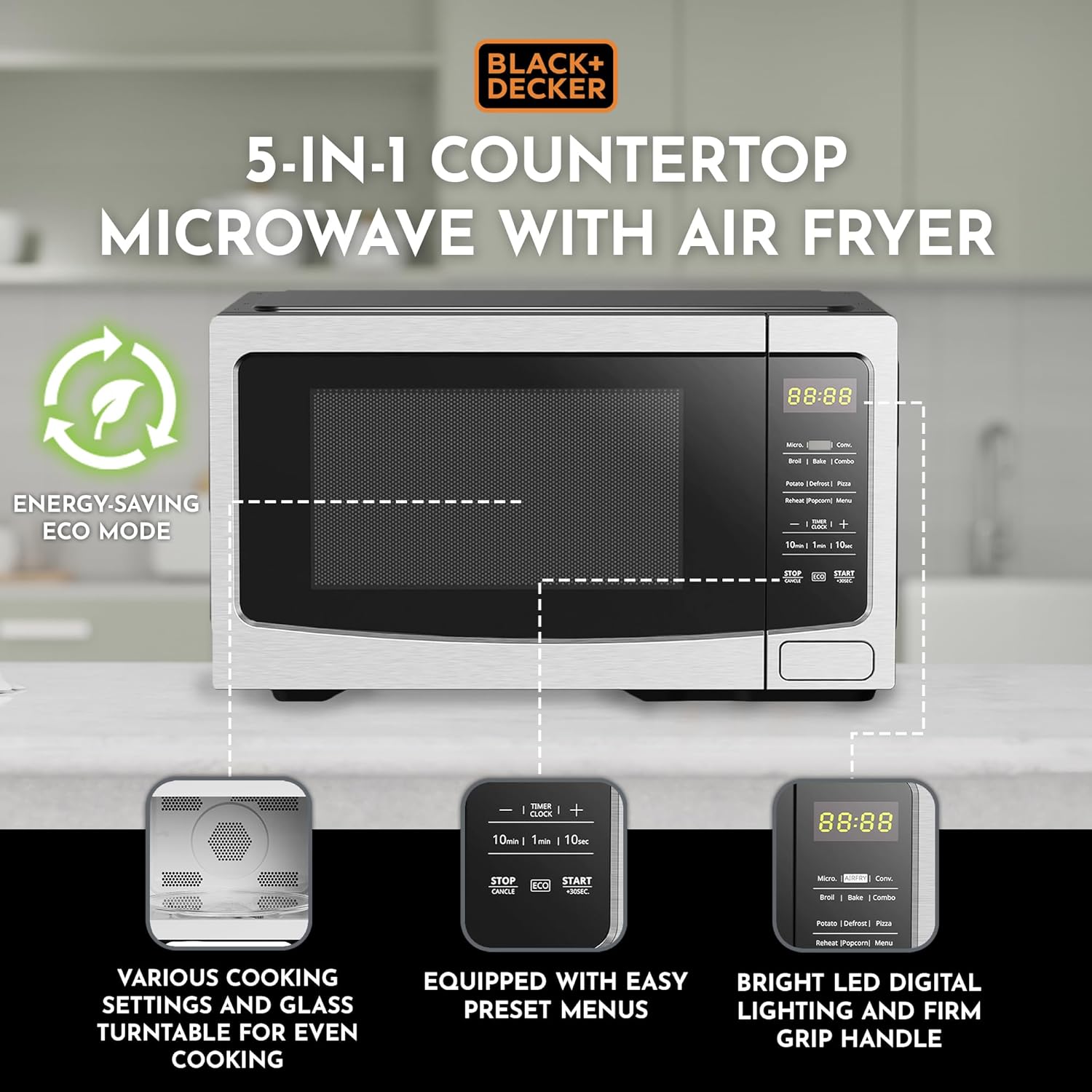
Image: A diagram highlighting key features of the BLACK+DECKER 5-in-1 Microwave, including the energy-saving Eco Mode, various cooking settings, glass turntable, preset menus, and bright LED digital lighting.
Maintenance and Care
Cleaning
- Always unplug the microwave before cleaning.
- Interior: Wipe with a damp cloth and mild soap. For stubborn stains, place a bowl of water with lemon slices inside and microwave for a few minutes to loosen residue. Do not use abrasive cleaners or steel wool.
- Exterior: Wipe with a soft, damp cloth. Avoid getting water into ventilation openings.
- Turntable and Ring: The glass turntable and turntable ring can be removed and washed in warm, soapy water or in the dishwasher (note: product specifications state "Is Dishwasher Safe: No" for the overall unit, but glass turntable parts are typically safe). Ensure they are completely dry before placing them back in the microwave.
- Do not allow splatters to accumulate in the ventilation holes on the top and sides, as they can be difficult to clean thoroughly.
General Care
- Do not operate the microwave when empty.
- Ensure the door closes properly and is not obstructed.
- Avoid placing heavy objects on top of the microwave.
Troubleshooting
If you encounter issues with your BLACK+DECKER 5-in-1 Microwave, refer to the table below for common problems and their solutions.
| Problem | Possible Cause | Solution |
|---|---|---|
| Microwave does not start. | Not plugged in; door not closed properly; fuse blown/circuit breaker tripped. | Ensure plug is firmly in outlet; close door securely; check household fuse/breaker. |
| Food not cooking evenly. | Food not stirred/rotated; turntable not rotating; incorrect power level/time. | Stir or rotate food during cooking; ensure turntable is correctly placed and rotates freely; adjust power level and time. |
| Unusual odors or smoke. | Food residue inside; improper use of accessories; burning food. | Clean interior thoroughly; ensure only microwave-safe/oven-safe accessories are used; monitor cooking to prevent burning. If smoke persists, unplug immediately. |
| Air fryer/Convection/Broil/Bake not performing as expected. | Incorrect temperature/time; improper rack placement; ventilation issues. | Verify settings; ensure proper rack is used for the function; check for adequate clearance around the unit. |
| Display shows error code. | Internal malfunction. | Unplug the unit for 5 minutes, then plug back in. If error persists, contact customer support. |
Specifications
| Brand | BLACK+DECKER |
| Model Name | 5-In-1 Countertop Microwave with Air Fryer |
| Model Number | EC0P045C |
| Capacity | 1.0 Cubic Feet |
| Product Dimensions (D x W x H) | 16.34" x 20.59" x 11.81" |
| Color | Silver |
| Material | Stainless Steel (Inner and Outer) |
| Wattage | 1000 Watts |
| Voltage | 120 Volts (AC) |
| Control Method | Touch / Button |
| Special Feature | Turntable |
| Has Nonstick Coating | No |
| Is Dishwasher Safe (Unit) | No |
| UPC | 810040949807 |
| ASIN | B0BDC13PV5 |
| Date First Available | September 6, 2022 |
Warranty and Support
Warranty Information
This product is covered by a limited manufacturer's warranty. For specific details regarding warranty duration, coverage, and terms, please refer to the warranty card included with your purchase or visit the official BLACK+DECKER website. Keep your proof of purchase for warranty claims.
Customer Support
For technical assistance, troubleshooting beyond this manual, or to inquire about replacement parts, please contact BLACK+DECKER customer support.
- Online Support: Visit the official BLACK+DECKER website for FAQs, product registration, and support contact forms.
- Phone Support: Refer to your product packaging or the official website for the most current customer service phone numbers.
Note: Always provide your product model number (EC0P045C) and ASIN (B0BDC13PV5) when contacting support for faster service.


