
BrownNoise T123
Brown Noise Sound Machine User Manual
Model: T123 | Brand: BrownNoise
1. Introduction
Thank you for choosing the Brown Noise Sound Machine. This device is designed to create a peaceful and relaxing environment, aiding in sleep, relaxation, meditation, and concentration. It features a wide array of soothing sounds, an adjustable night light, and convenient timer and memory functions. Please read this manual thoroughly before use to ensure proper operation and to maximize your experience.

The Brown Noise Sound Machine features a sleek wood-grain design with a circular control panel on its top surface. The panel includes buttons for power, timer, light, sound selection, and volume adjustment.
2. Package Contents
Please check the package contents upon unboxing. If any items are missing or damaged, contact customer support.
- Brown Noise Sound Machine (Model T123)
- User Manual
- USB Charging Cable
- AC Power Adapter
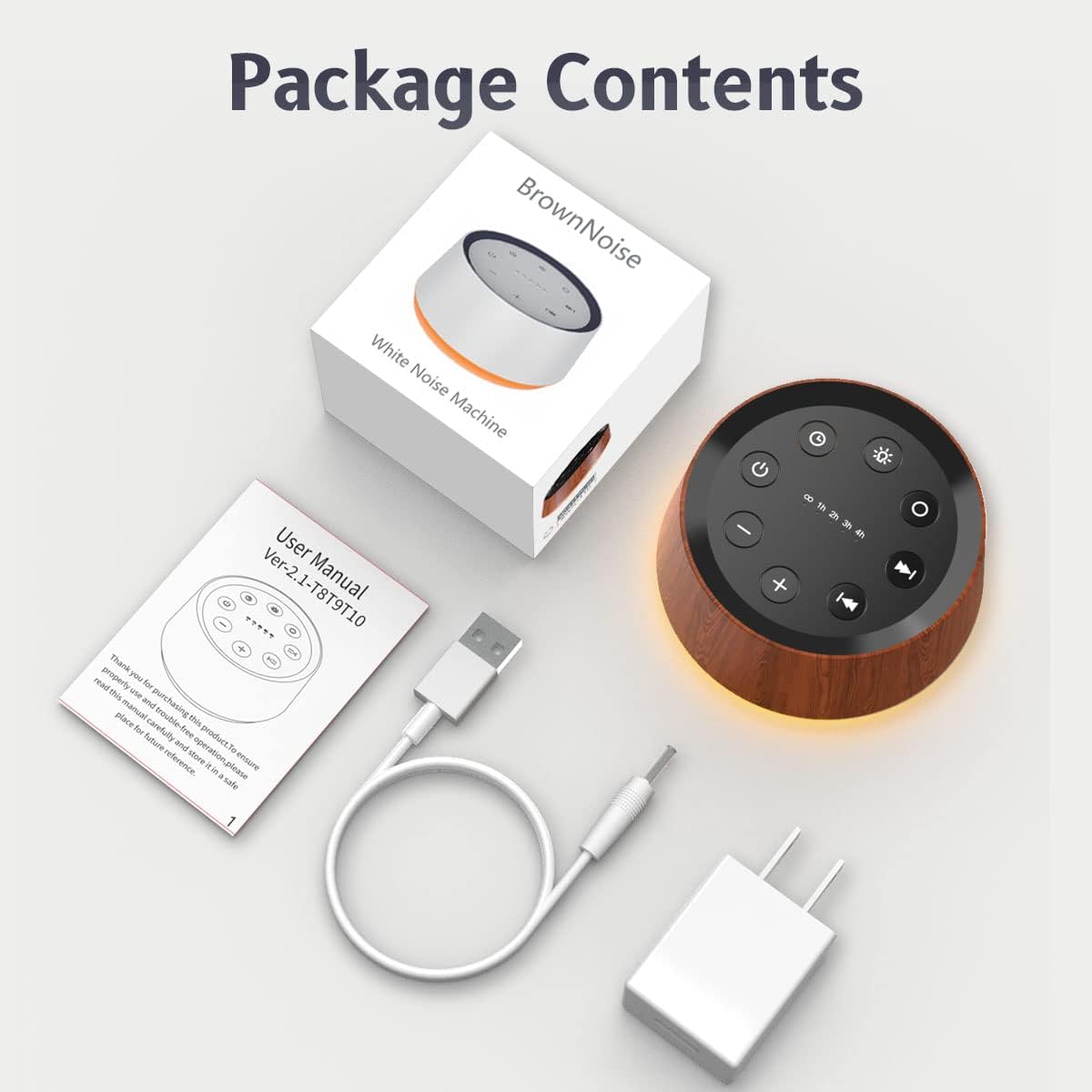
This image displays all items included in the product package: the Brown Noise Sound Machine, a user manual, a USB charging cable, and a power adapter for convenient setup.
3. Product Overview
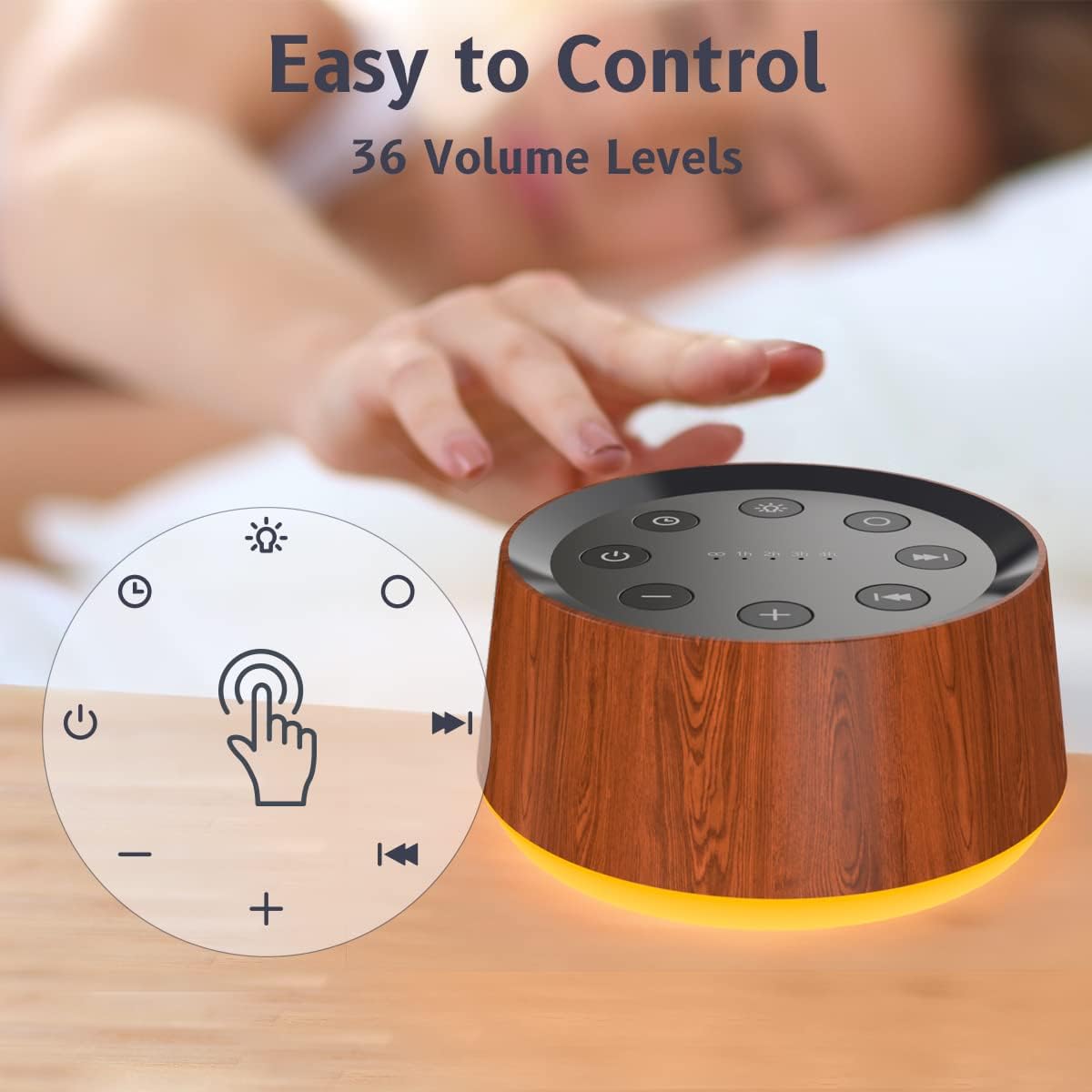
The Brown Noise Sound Machine features an intuitive control panel on its top surface. Familiarize yourself with the buttons for optimal use.
Control Panel Layout:
- Power Button (⏻): Turns the device on or off.
- Timer Button (🕒): Cycles through timer settings (1h, 2h, 3h, 4h, continuous).
- Light Button (💡): Turns the night light on/off and cycles through colors/brightness levels.
- Sound Selection Buttons (⏮ / ⏭): Navigates through the 30 available sounds.
- Volume Buttons (- / +): Adjusts the sound volume (36 levels).
The control panel is designed for intuitive operation, featuring clearly labeled buttons for power, timer, light, sound selection, and volume, allowing for easy adjustment of settings.
4. Setup
Follow these steps to set up your Brown Noise Sound Machine:
- Unpack: Carefully remove all components from the packaging.
- Connect Power: Insert the small end of the USB charging cable into the power input port on the back of the sound machine. Connect the larger USB end to the provided AC power adapter, then plug the adapter into a standard wall outlet.
- Placement: Place the sound machine on a stable, flat surface away from direct sunlight, heat sources, or moisture.

The sound machine is shown connected to a power source via its included adapter, demonstrating its power setup for continuous operation.
5. Operating Instructions
5.1 Power On/Off
- Press the Power Button (⏻) once to turn the device on.
- Press the Power Button (⏻) again to turn the device off.
5.2 Sound Selection
The device offers 30 unique soothing sounds:
- Brown Noise: 3 variations
- White Noise: 2 variations (White noise, Pink noise)
- Fan Sounds: 2 variations (Loud Fan, Soft Fan)
- Lullabies: 8 melodies
- Nature Sounds: 15 variations (Rain, Sea waves, Brook, Bird, Train, etc.)
Use the Sound Selection Buttons (⏮ / ⏭) to cycle through the available sounds. Press ⏭ to go to the next sound, and ⏮ to go to the previous sound.

This image illustrates the variety of sounds available, including different types of noise, fan sounds, lullabies, and natural soundscapes, designed to aid relaxation and sleep.
5.3 Volume Adjustment
The device features 36 adjustable volume levels.
- Press the Volume Up Button (+) to increase the volume.
- Press the Volume Down Button (-) to decrease the volume.
5.4 Night Light Function
The integrated night light offers 12 colors and 10 brightness levels.
- Press the Light Button (💡) once to turn on the night light.
- Continue pressing the Light Button (💡) to cycle through the 12 available colors.
- To adjust brightness, press and hold the Light Button (💡). The brightness will cycle through 10 levels. Release the button when the desired brightness is reached.
- Press and hold the Light Button (💡) again to turn off the night light.

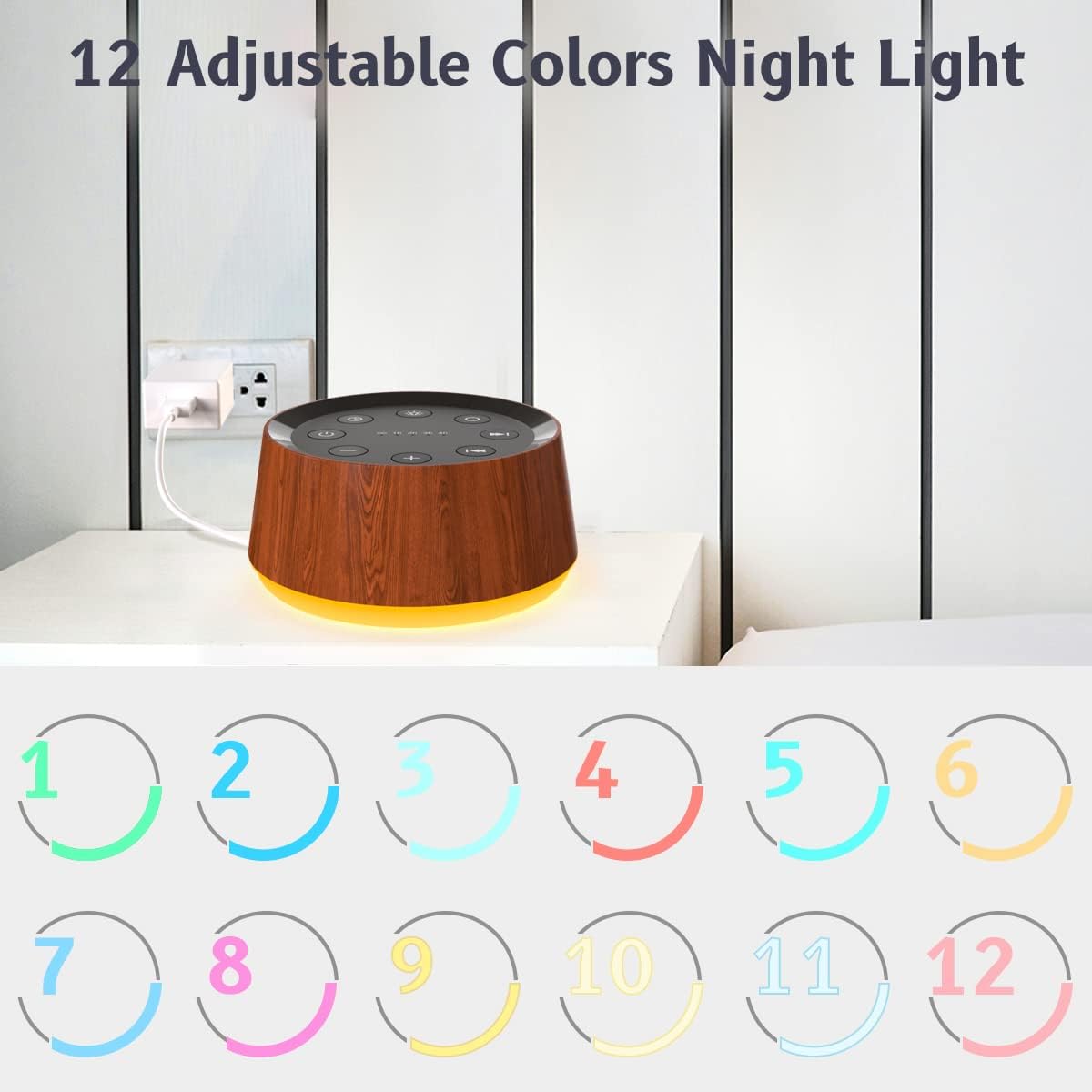
The device includes a night light feature with 12 selectable colors, allowing users to customize the ambiance to their preference. The light emanates from the base of the machine.
The integrated night light offers 10 adjustable brightness levels, providing a gentle glow suitable for nurseries or creating a calming sleep environment without being overly bright.
5.5 Timer Function
The sound machine can be set to play continuously or to automatically turn off after a set period.
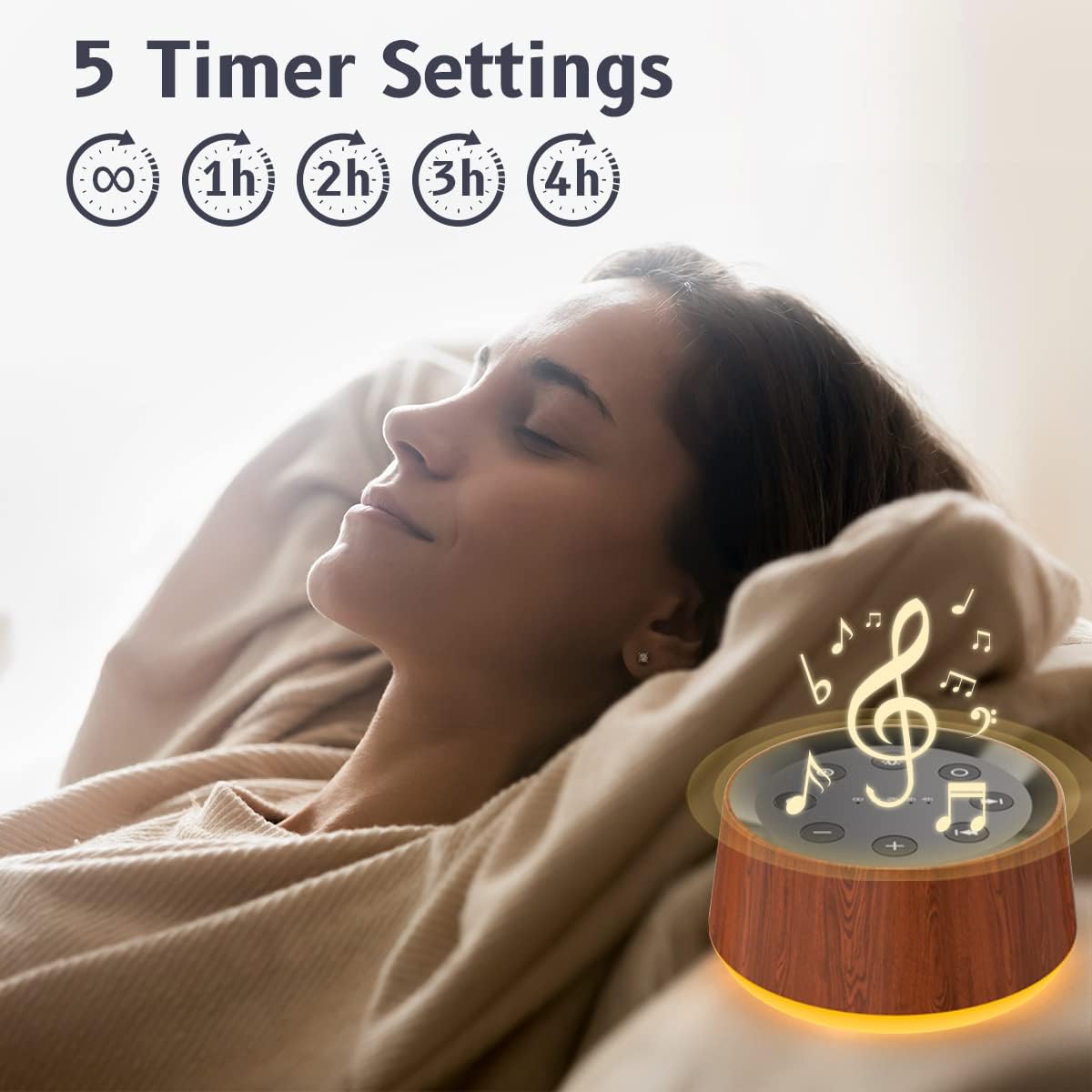
- Press the Timer Button (🕒) to cycle through the available timer settings: 1 hour, 2 hours, 3 hours, 4 hours, or continuous play (indicated by an infinity symbol ∞).
- The selected timer duration will be indicated by a small LED light above the corresponding time setting on the control panel.
The sound machine features a timer function with options for continuous play or automatic shut-off after 1, 2, 3, or 4 hours, ideal for naps or bedtime routines.
5.6 Memory Function
The device is equipped with a memory function. When the sound machine is turned off and then back on, it will automatically recall the last selected sound, volume level, and light settings (color and brightness). This eliminates the need to reconfigure your preferred settings each time you use the device.
6. Maintenance
To ensure the longevity and optimal performance of your sound machine, follow these maintenance guidelines:
- Cleaning: Disconnect the power adapter before cleaning. Use a soft, dry cloth to wipe the exterior of the device. Do not use liquid cleaners, aerosols, or abrasive materials, as these can damage the surface.
- Storage: When not in use for extended periods, store the device in a cool, dry place, away from direct sunlight and extreme temperatures.
- Avoid Moisture: Keep the device away from water and high humidity. Do not immerse it in water or expose it to dripping or splashing.
7. Troubleshooting
If you encounter any issues with your Brown Noise Sound Machine, please refer to the following common problems and solutions:
| Problem | Possible Cause | Solution |
|---|---|---|
| Device does not power on. | Not properly connected to power. | Ensure the power adapter is securely plugged into both the device and a working wall outlet. |
| No sound is playing. | Volume is too low or muted. | Press the Volume Up Button (+) to increase the volume. Ensure a sound is selected. |
| Night light is not working. | Light function is off or brightness is set to minimum. | Press the Light Button (💡) to turn it on. Press and hold to adjust brightness. |
| Timer function not activating. | Incorrect timer setting selected. | Press the Timer Button (🕒) to cycle through and select the desired timer duration. |
If the problem persists after attempting these solutions, please contact customer support for further assistance.
8. Specifications
| Feature | Detail |
|---|---|
| Model Number | T123 |
| Product Dimensions | 4.25 x 4.25 x 2.16 inches |
| Item Weight | 6.4 ounces |
| Sound Options | 30 (Brown Noise, White Noise, Fan, Lullabies, Nature Sounds) |
| Volume Levels | 36 |
| Night Light Colors | 12 |
| Night Light Brightness | 10 levels |
| Timer Settings | Continuous, 1h, 2h, 3h, 4h |
| Memory Function | Yes |
| Manufacturer | BrownNoise |
9. Warranty and Support
For warranty information and customer support, please refer to the contact details provided on the product packaging or the official BrownNoise website. Keep your purchase receipt as proof of purchase for any warranty claims.
If you have any questions or require assistance with your Brown Noise Sound Machine, please do not hesitate to contact our customer service team.
Ask a question about this manual
Ask about setup, troubleshooting, compatibility, parts, safety, or missing instructions. Manuals+ will review the question and use this page’s manual context to help answer it.