
Introduction
This manual provides instructions for the Bowtus Case and Screen Protector, designed specifically for the Onn 12.1 inch Tablet Pro model 100146663. It covers installation, usage, maintenance, and product specifications to ensure optimal protection and functionality for your device.
Setup and Installation
1. Case Installation
- Ensure your Onn 12.1 inch Tablet Pro is clean and free of debris.
- Gently align the tablet with the silicone case, ensuring all ports and buttons match the case cutouts.
- Carefully press the tablet into the case, starting from one corner and working your way around until the tablet is fully seated and secured within the case.

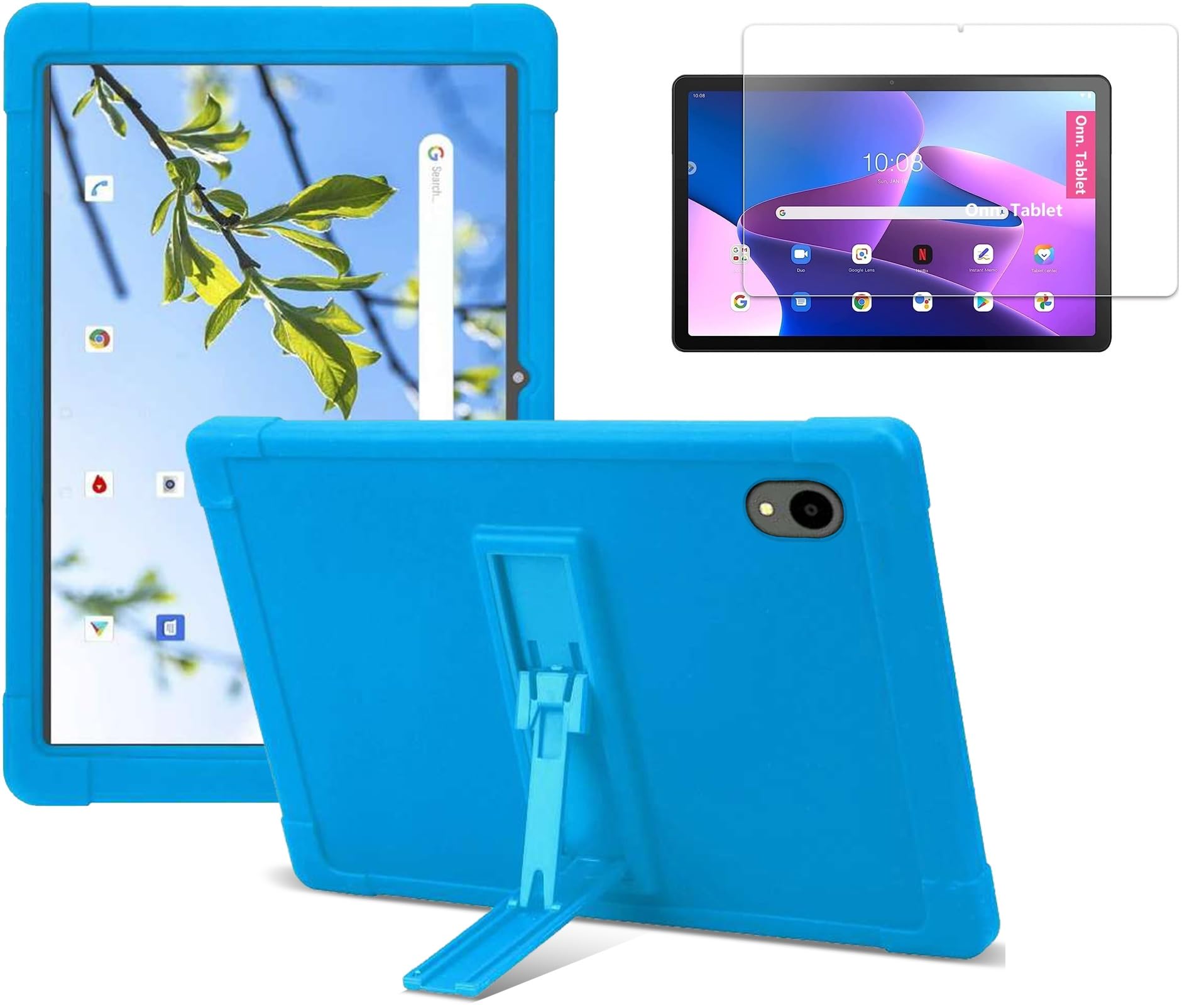
This image displays the blue silicone case with the Onn 12.1 inch Tablet Pro inserted, demonstrating how the tablet fits snugly within the protective cover.
2. Screen Protector Installation
- Clean the tablet screen thoroughly using a microfiber cloth to remove dust, smudges, and fingerprints. Ensure the screen is completely dry.
- Carefully peel off the protective film from the adhesive side of the tempered glass screen protector. Avoid touching the adhesive surface.
- Align the screen protector precisely with the tablet's screen, paying attention to the edges, camera, and speaker cutouts.
- Once aligned, gently lower the screen protector onto the screen. It will adhere automatically.
- If any air bubbles are present, use a soft cloth or squeegee to push them towards the nearest edge of the screen.
This image illustrates the durability of the tempered glass screen protector, highlighting its 9H hardness rating which provides resistance against scratches from sharp objects like knives and keys.

This close-up image highlights the high-definition clarity and nearly perfect transparency of the screen protector, ensuring an optimal visual experience.

The image demonstrates the smooth surface and high transparency of the screen protector, with water droplets indicating its water-resistant properties and clear display.
Operating Instructions
Using the Kickstand
The integrated kickstand allows for hands-free viewing. To use, locate the retractable kickstand on the back of the case. Gently pull it outwards until it locks into position. Place your tablet on a flat surface to enjoy a comfortable viewing angle. To retract, push the kickstand back into its original position until it is flush with the case.

The image shows the tablet case with its built-in kickstand unfolded, providing a stable viewing angle for the tablet on a flat surface.
Maintenance
Cleaning the Silicone Case
The silicone case is designed to be easily washable. If the case becomes dirty, you may remove it from the tablet and wash it directly with water. Allow it to air dry completely before re-installing your tablet.
Cleaning the Screen Protector
To clean the tempered glass screen protector, gently wipe it with a soft, lint-free cloth. For stubborn smudges, a small amount of screen cleaner or water can be applied to the cloth (not directly to the screen) and then wiped clean.
Troubleshooting
Screen Protector Bubbles
If small air bubbles appear after screen protector installation, try gently pushing them towards the edges with a soft cloth. For persistent bubbles, carefully lift the nearest edge of the protector and reapply, ensuring no dust particles are trapped underneath.
Case Fit
Ensure the case is correctly aligned and fully seated around your Onn 12.1 inch Tablet Pro 100146663. Verify that all edges of the tablet are covered by the silicone case for optimal protection and fit.
Specifications
| Feature | Detail |
|---|---|
| Brand | Bowtus |
| Compatible Devices | ONN 12.1 inch Tablet Pro 2024 model, ONN 12.1" Tablet Pro / 100146663 |
| Form Factor | Case |
| Shell Type | Soft |
| Material | Silicone |
| Additional Features | Anti-Slip, Heavy Duty Protection, Built-in Kickstand |
| Water Resistance Level | Waterproof |
| Item Weight | 0.25 Kilograms |
| UPC | 740586181068 |
Warranty Information
This Bowtus product comes with a 1-Year Warranty from the date of purchase. This warranty covers manufacturing defects. Please retain your proof of purchase for warranty claims.
Customer Support
For further assistance, questions, or support regarding your Bowtus Case and Screen Protector, please refer to the retailer's customer service channels or visit the Bowtus official website for contact information.