
Introduction
Thank you for choosing the Maxx Action 19-inch 2-N-1 Motorized Dig Rig. This interactive toy combines the functions of an excavator and a dump truck, providing an engaging play experience for young construction enthusiasts. Featuring realistic lights, sounds, and easy-to-use controls, this vehicle is designed to inspire imaginative play.

Image: The Maxx Action 19-inch 2-N-1 Motorized Dig Rig, showcasing its combined excavator and dump truck design in bright yellow.
Safety Information
WARNING: CHOKING HAZARD - Small Parts. Not for children under 3 years.
- Always supervise children during play.
- Keep small parts away from young children.
- Ensure batteries are installed correctly and securely.
- Do not mix old and new batteries. Do not mix alkaline, standard (carbon-zinc), or rechargeable (nickel-cadmium) batteries.
Package Contents
- 1 x Maxx Action 19-inch 2-N-1 Motorized Dig Rig
- 3 x AA Batteries (pre-installed or included separately)
Setup: Battery Installation
- Locate the battery compartment on the underside of the vehicle.
- Using a Phillips head screwdriver (not included), unscrew the battery compartment cover.
- Insert 3 AA batteries, ensuring correct polarity (+/-) as indicated inside the compartment.
- Replace the battery compartment cover and secure it with the screw.
Operating Instructions
The Maxx Action Dig Rig features intuitive controls for a realistic construction experience.
1. Driving Controls
- Forward (F) Button: Press the 'F' button to make the vehicle move forward.
- Reverse (R) Button: Press the 'R' button to make the vehicle move backward.
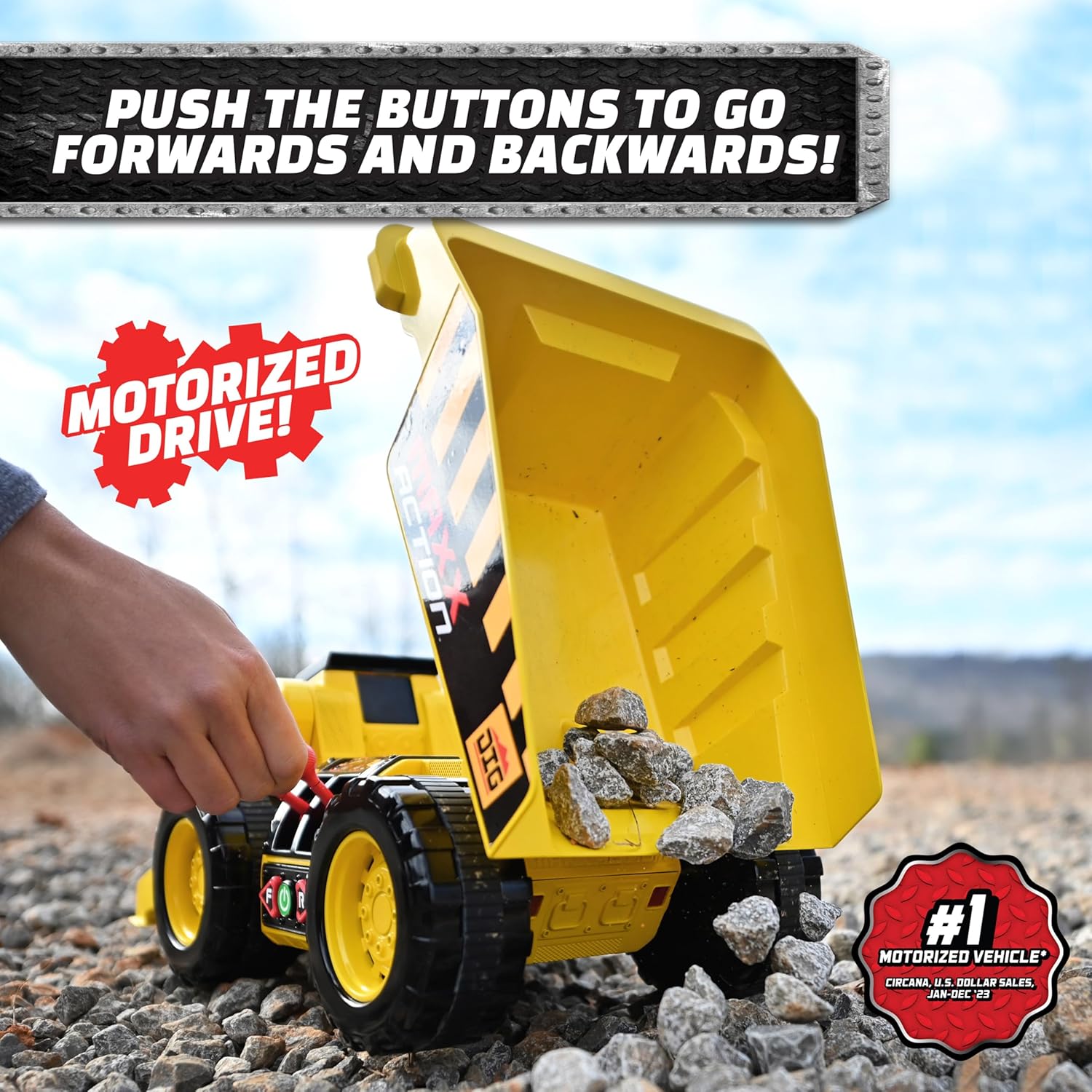
Image: A child's hand pressing the forward button on the side of the Dig Rig, demonstrating its motorized drive capability.
2. Excavator Arm Operation
- Use the red joystick levers on the side of the vehicle to control the excavator arm.
- Move the levers to raise, lower, and scoop with the front-end loader.
- The excavator arm is designed for realistic digging and lifting action, capable of picking up various small toys or materials.

Image: A close-up view of the red joystick levers on the side of the Dig Rig, which control the movement of the excavator arm and the dump bed.
3. Dump Bed Operation
- Utilize the red joystick levers to raise and lower the dump truck bed.
- The large dump truck trough can hold over 8 pounds of materials, allowing for substantial hauling and dumping.

Image: A child's hand manipulating the levers to tilt the dump bed, releasing small rocks, demonstrating the dumping power.
4. Lights and Sounds
- The vehicle features electronic sounds and LED lights that activate during operation.
- Experience 5 different realistic construction sounds, including engine rumbling and cool reverse sounds.
- 6 bright LED lights enhance the play experience, simulating a real construction site.

Image: A close-up of the Dig Rig's cab, highlighting the flashing red LED lights that accompany the vehicle's sounds.
Maintenance
- Cleaning: Wipe the toy with a damp cloth to remove dirt and dust. Do not immerse in water.
- Storage: Store the toy in a cool, dry place away from direct sunlight when not in use.
- Battery Care: Remove batteries if the toy will not be used for an extended period to prevent leakage.
Troubleshooting
| Problem | Solution |
|---|---|
| Toy does not move or make sounds. |
|
| Excavator arm or dump bed not operating. |
|
Specifications
- Product Dimensions: 7 x 18 x 9 inches
- Item Weight: 2 pounds
- Model Number: 320422
- Manufacturer Recommended Age: 36 months - 12 years
- Batteries: 3 AA batteries required (included)

Image: The Maxx Action Dig Rig with visual indicators of its approximate dimensions, showing it is over 18 inches long.
Warranty and Support
For warranty information or customer support, please refer to the product packaging or contact the manufacturer directly. Keep your purchase receipt for proof of purchase.