
ODDSAN L002221026
ODDSAN 55x36 LED Bathroom Mirror Instruction Manual
Model: L002221026
Introduction
This manual provides detailed instructions for the installation, operation, and maintenance of your ODDSAN 55x36 LED Bathroom Mirror. Please read this manual thoroughly before installation and use to ensure proper function and safety.
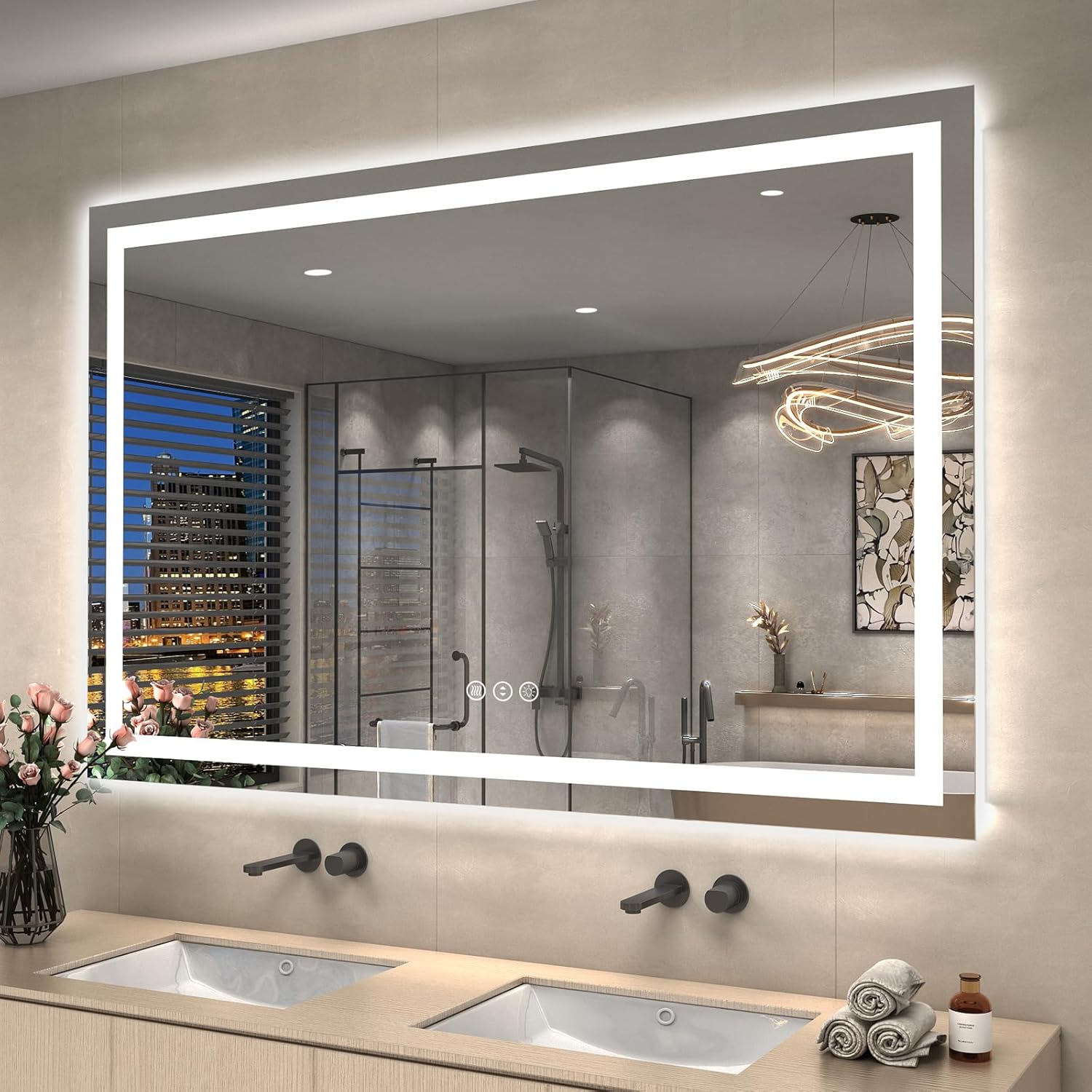
Image: The ODDSAN 55x36 LED Bathroom Mirror, featuring both front and backlit illumination, installed in a modern bathroom setting above a double vanity.
Important Safety Information
WARNING: To reduce the risk of electric shock, fire, or injury, please observe the following:
- Installation should be performed by a qualified, licensed electrician if hardwiring is chosen.
- Do not use the mirror if the tempered glass is damaged or cracked.
- Keep the mirror and its electrical components away from children.
- Ensure the power supply is disconnected before any installation, maintenance, or cleaning.
- This mirror is designed for indoor use in bathroom environments. Avoid exposure to extreme temperatures or direct water spray.
Product Features

Image: An infographic illustrating the key functional features of the ODDSAN LED mirror, such as adjustable color temperature, dimmable lighting, anti-fog function, and tempered glass construction.
- Dual Illumination: Features both front lights and backlit LEDs for enhanced brightness and aesthetic appeal.
- Adjustable Color Temperature: Cycle through Warm White (3000K), Natural Light (4500K), and Cool White (6000K) to suit your preference.
- Dimmable Brightness: Adjust the light intensity from 10% to 100% for optimal lighting conditions.
- Anti-Fog Function: An integrated defogger prevents condensation, ensuring a clear reflection after showers. Automatically shuts off after 1 hour.
- Shatter-Proof Tempered Glass: Constructed with tempered glass, which is five times stronger than standard glass and designed not to shatter into dangerous pieces if broken.
- ETL Listed: Certified for safety and quality standards.
- Memory Function: The mirror retains your last light setting (color temperature and brightness) when turned off and on.
Installation Instructions
The ODDSAN LED mirror offers flexible installation options: plug-in or hardwire. Ensure you have all necessary tools and assistance before beginning.
1. Unpacking and Inspection
- Carefully remove the mirror from its packaging.
- Inspect the mirror for any signs of damage. Do not install if damaged.
- Verify all components are present: mirror unit, 4 sets of screws, 2 brackets, 1 pair of gloves.

Image: The back of the mirror, illustrating the power connection and the included installation accessories: screws, mounting brackets, and protective gloves.
2. Mounting the Mirror
- Determine the desired mounting location and height. The mirror can be mounted vertically or horizontally.
- Using a level, mark the positions for the two mounting brackets on the wall. Ensure they are horizontally aligned and spaced appropriately for the mirror's width.
- Drill pilot holes at the marked positions.
- Securely fasten the two brackets to the wall using the provided screws.
- Carefully lift the mirror and hang it onto the installed brackets. The mirror's back edge features a long bracket design for easy and secure hanging.

Image: A detailed view of the mirror's mounting bracket, demonstrating its design for secure wall attachment.
3. Power Connection
Choose one of the following power connection methods:

Image: Illustration of the two power options: direct plug-in to an outlet or hardwiring for a seamless, integrated look.
- Plug-in: Simply plug the mirror's power cord into a standard electrical outlet.
- Hardwire: For a concealed power connection, a professional electrician is required. The mirror can be directly wired to a wall switch for control. Ensure power is turned off at the circuit breaker before attempting hardwiring.
Operating Instructions
The mirror features intuitive touch controls located on the mirror surface.

Image: Visual guide to the mirror's touch controls, showing how to change color temperature and adjust brightness levels.
1. Power On/Off and Color Temperature Adjustment
- Locate the power touch button on the mirror surface.
- Tap the power button once to turn the lights on or off.
- While the lights are on, tap the light button repeatedly to cycle through the three color temperatures: Warm White (3000K), Natural Light (4500K), and Cool White (6000K).
2. Brightness Dimming
- With the lights on, press and hold the middle touch button.
- The brightness will gradually increase or decrease. Release the button when the desired brightness level is reached.
- The mirror will remember your last brightness and color temperature setting.
3. Anti-Fog Function

Image: The anti-fog feature in action, showing a clear mirror surface in a steamy bathroom environment.
- Locate the anti-fog touch button (often indicated by a steam icon).
- Tap the anti-fog button once to activate the defogger. The button indicator will turn white.
- Tap the button again to deactivate the defogger. The button indicator will turn blue.
- The anti-fog function will automatically turn off after 1 hour of continuous operation.
Maintenance and Care
- Cleaning: Use a soft, damp cloth with a mild glass cleaner. Avoid abrasive cleaners or harsh chemicals that could damage the mirror surface or frame.
- Electrical Components: Ensure the mirror is unplugged or the power is off at the circuit breaker before cleaning any electrical components.
- Frame Care: Wipe the metal frame with a soft, dry cloth.
- Storage: If storing the mirror, ensure it is in a dry, protected environment to prevent damage.
Troubleshooting
| Problem | Possible Cause | Solution |
|---|---|---|
| Mirror lights do not turn on. | No power supply; loose connection; faulty switch. | Check if the mirror is properly plugged in or hardwired. Ensure the wall switch (if applicable) is on. Verify circuit breaker is not tripped. |
| Anti-fog function not working. | Function not activated; power issue. | Ensure the anti-fog button is pressed and its indicator light is white. Check power supply. |
| Lights flicker or dim unexpectedly. | Unstable power supply; loose wiring; internal component issue. | Check power connections. If hardwired, consult a qualified electrician. If the problem persists, contact customer support. |
| Buzzing noise when lights are off. | Electrical interference; internal component issue. | Ensure proper grounding. If hardwired, consult a qualified electrician to check wiring. If the issue persists, contact customer support. |
Specifications
| Attribute | Detail |
|---|---|
| Brand | ODDSAN |
| Model Number | L002221026 |
| Product Dimensions | 55"L x 36"W |
| Material | Tempered Glass, Metal Frame |
| Mounting Type | Wall Mount |
| Special Features | Fogless, Lighted (Front & Backlit), Rustproof, Shatterproof, Touch Sensor, Dimmable, 3 Color Temperatures |
| Certifications | ETL Listed |
| Item Weight | 54.9 pounds (24.95 Kilograms) |
Warranty and Support
ODDSAN products are manufactured with quality and customer satisfaction in mind. For any questions, technical assistance, or warranty claims, please contact ODDSAN customer support through the retailer where the product was purchased or visit the official ODDSAN website.
Please retain your proof of purchase for warranty purposes.
Ask a question about this manual
Ask about setup, troubleshooting, compatibility, parts, safety, or missing instructions. Manuals+ will review the question and use this page’s manual context to help answer it.