
1. Introduction
The Hama Passion Bluetooth Headphones are a versatile 2-in-1 audio device, functioning as both over-ear headphones and a portable Bluetooth speaker. This innovative design allows you to enjoy your music privately or share it with others by simply rotating the earcups outwards. Featuring an integrated equalizer with three sound modes, voice control compatibility (Siri and Google Assistant), and a long-lasting battery, these headphones are designed for comfort and convenience on the go.

Figure 1.1: Hama Passion Bluetooth Headphones. These headphones offer a sleek black design and can transform into a speaker.
2. Setup
2.1 Package Contents
Before you begin, please ensure all items are present in the package:
- 1 x "Passion Turn" Foldable Bluetooth Headphones
- 1 x USB-C Charging Cable
- 1 x AUX Cable
- 1 x Storage Bag
- 1 x Quick Start Guide (including safety instructions)

Figure 2.1: Front view of the Hama Passion Headphones. This image highlights the compact design when folded.
2.2 Charging the Headphones
To charge your Hama Passion headphones, connect the supplied USB-C charging cable to the USB-C port on the headphones and the other end to a compatible USB power source (e.g., computer USB port, USB wall adapter). The charging indicator light will show the charging status. A full charge typically takes approximately 3 hours.
Note: Ensure the headphones are fully charged before first use for optimal battery performance.
2.3 Bluetooth Pairing
Follow these steps to pair your headphones with a Bluetooth-enabled device:
- Ensure the headphones are powered off.
- Press and hold the Power button on the headphones until the LED indicator flashes, indicating pairing mode.
- On your device (smartphone, tablet, laptop), enable Bluetooth and search for available devices.
- Select "Hama Passion" from the list of found devices.
- Once connected, the LED indicator on the headphones will change, typically to a solid blue light, confirming successful pairing.
The headphones support Bluetooth 5.3 and have a transmission distance of up to 10 meters (33 feet) in an open environment. The QuickPair feature allows for fast and easy connection to previously paired devices.
3. Operating Instructions
3.1 Headphone Mode
In headphone mode, the device functions as standard over-ear headphones, providing private audio listening.
- Audio Playback: Stream music wirelessly via Bluetooth from your smartphone or other devices. Alternatively, connect using the supplied AUX cable for a wired connection, or insert a MicroSD card into the integrated slot for direct playback.
- Volume Control: Use the dedicated volume buttons on the headphones to adjust the audio level.
- Voice Assistant: Activate your device's voice assistant (Apple Siri or Google Assistant) directly from the headphones for hands-free control.
- Call Management: Answer or end calls using the touch sensor on the earcup. The integrated microphone allows for clear communication.
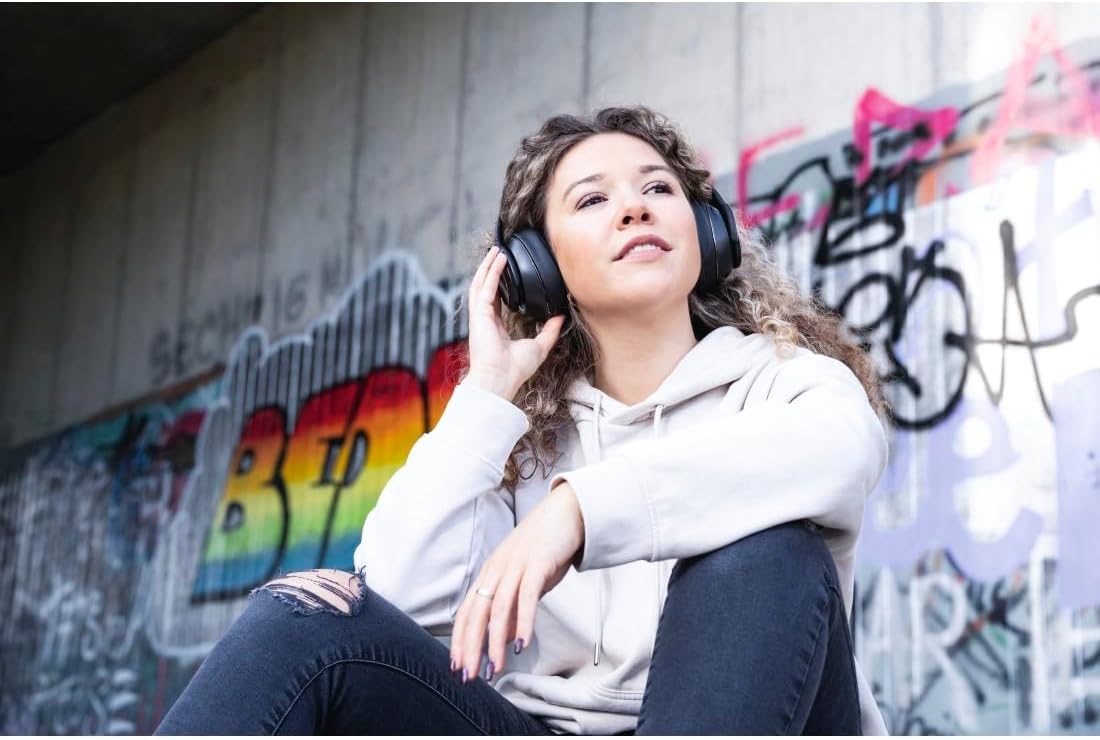
Figure 3.1: User wearing Hama Passion headphones, demonstrating typical use in headphone mode.
3.2 Speaker Mode
The unique feature of the Hama Passion headphones is their ability to transform into a portable Bluetooth speaker. To activate speaker mode:
- Simply rotate the right earcup outwards. This action will automatically switch the device from headphone mode to speaker mode.
- The integrated 2x 3W speakers will begin playing audio aloud.
Equalizer Modes: The built-in equalizer offers three distinct sound modes to enhance your listening experience in speaker mode:
- Extra Bass: For a deeper, more powerful low-end sound.
- Accented Treble: To emphasize clear highs and vocal clarity.
- Balanced Sound: A neutral sound profile suitable for most audio content.
Refer to the quick start guide for specific button presses to cycle through equalizer modes.

Figure 3.2: Hama Passion headphones in speaker mode, with earcups rotated outwards. This allows for shared listening.

Figure 3.3: Hama Passion headphones used in speaker mode during a social gathering. The headphones are placed on the ground, playing music for the group.
4. Maintenance
Proper care and maintenance will extend the lifespan of your Hama Passion headphones:
- Cleaning: Use a soft, dry cloth to clean the surfaces of the headphones. Do not use abrasive cleaners or solvents.
- Storage: When not in use, fold the headphones and store them in the provided storage bag to protect them from dust and scratches.
- Temperature: Avoid exposing the headphones to extreme temperatures (hot or cold) or high humidity.
- Water Resistance: These headphones are not water-resistant. Avoid contact with liquids.
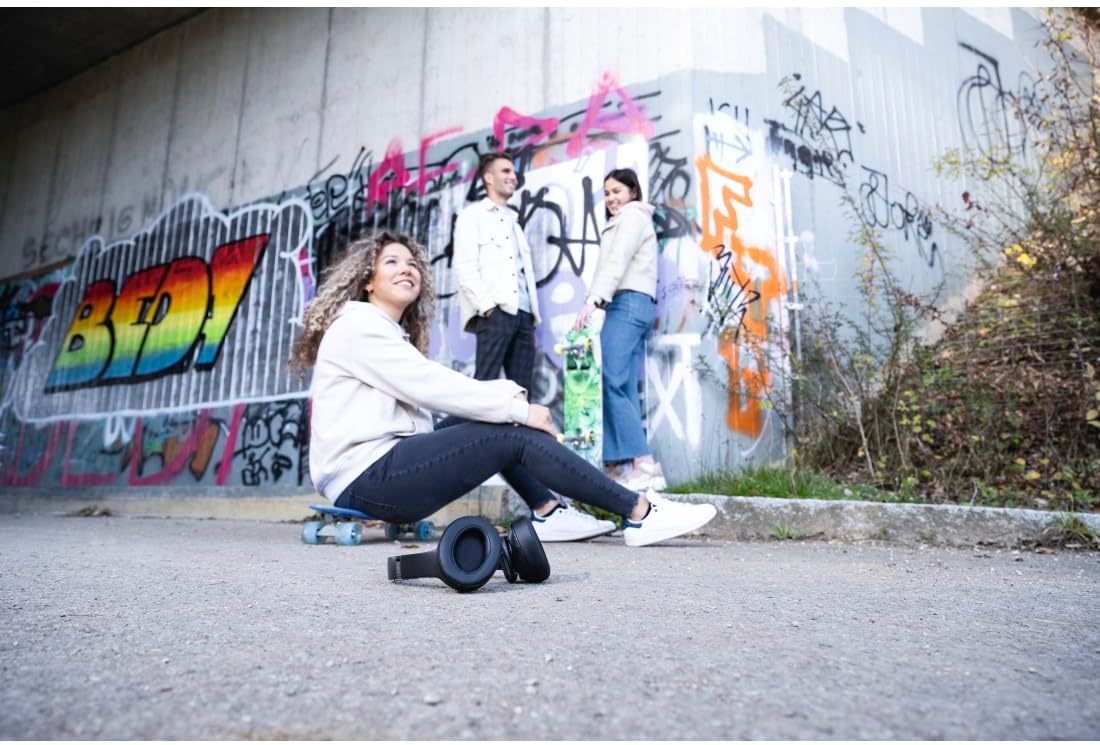
Figure 4.1: Hama Passion headphones in their folded state, highlighting their portability and ease of storage.
5. Troubleshooting
If you encounter issues with your Hama Passion headphones, refer to the following common solutions:
| Problem | Possible Cause | Solution |
|---|---|---|
| Headphones do not turn on. | Low battery. | Charge the headphones fully (approx. 3 hours). |
| Cannot pair via Bluetooth. | Headphones not in pairing mode; device Bluetooth off; too far from device. | Ensure headphones are in pairing mode (flashing LED). Turn device Bluetooth off/on. Move headphones closer to device (within 10m). |
| No sound or low volume. | Volume too low; incorrect audio source; headphones not connected. | Increase volume on headphones and connected device. Check if headphones are properly paired or AUX cable is fully inserted. Ensure correct audio output is selected on your device. |
| Speaker mode not activating. | Earcup not fully rotated. | Ensure the right earcup is fully rotated outwards until it clicks into place. |
If the problem persists after trying these solutions, please contact Hama customer support for further assistance.
6. Technical Specifications
| Feature | Detail |
|---|---|
| Model Name | Passion Turn |
| Model Number | 00184092 |
| Color | Black |
| Connectivity Technology | Wireless (Bluetooth) |
| Bluetooth Version | 5.3 |
| Bluetooth Class | Class 2 |
| Frequency Band | 2402-2480 MHz |
| Transmission Distance | 10 m (33 feet) |
| Headphone Frequency Range | 180 Hz - 16 kHz |
| Microphone Frequency Range | 100 Hz - 10 kHz |
| Headphone Impedance | 4 Ω |
| Microphone Impedance | 2.2 kΩ |
| Headphone Sensitivity | 100 dB +/- 3 dB |
| Microphone Sensitivity | -38 dB +/- 3 dB |
| Max. Talk Time | 25 hours |
| Max. Music Time | 18 hours |
| Max. Standby Time | 2232 hours |
| Average Charging Time | 3 hours |
| Charging Type | USB-C female |
| Microphone Location | Integrated microphone |
| Voice Control | Apple Siri / Google Assistant |
| Supported Bluetooth Profiles | A2DP/AVRCP/GATT/HFP |
| Weight | 429.98 Grams |
| Material | Synthetic Leather |
| Dimensions (L x W x H) | 24 x 69 x 2.5 cm |
| Battery Type | 3 Lithium Ion (included) |
| Special Features | Duplex, Foldable, Swivel Earcup, Integrated Microphone |
7. Warranty & Support
Hama products are manufactured with care and undergo strict quality controls. While specific warranty details may vary by region, Hama generally provides a limited warranty against defects in materials and workmanship.
For product support, technical assistance, or warranty claims, please visit the official Hama website or contact their customer service department. Keep your purchase receipt as proof of purchase.
Return Policy: This product may be eligible for a 60-day return period from the date of purchase, subject to the retailer's return policy.
For more information, please visit: www.hama.com


