Introduction
The e-vibra Vibrating Alarm Watch is designed to provide discreet and effective reminders for various daily tasks. Its silent yet strong vibration ensures you receive timely alerts without disturbing others. This manual provides comprehensive instructions for setting up, operating, maintaining, and troubleshooting your watch.

Image: The e-vibra Vibrating Alarm Watch in light green, displaying the time 8:00 AM.
Setup
Initial Charging
Before first use, fully charge your e-vibra watch. The watch is equipped with a Type-C charging port. Connect the included Type-C charging cable to the watch and a compatible USB power source (e.g., computer USB port, wall adapter). A full charge can last approximately 10-35 days, depending on usage.
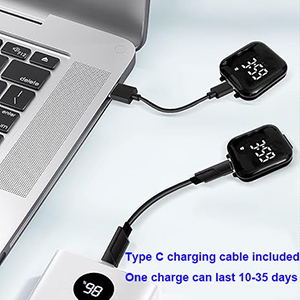
Image: Two e-vibra watches being charged via USB-C cables connected to a laptop and a power bank.
Setting Time and Alarms
The watch is easily programmed directly on the band. Refer to the specific button functions on your device to set the current time and configure alarms. The watch features Power-Off Memory, meaning your settings will be retained even if the device powers off.
Wearing the Watch
The e-vibra watch is designed with a soft silicone wristband to fit wrists approximately 4 inches to 7.1 inches in circumference. Adjust the strap for a comfortable and secure fit.
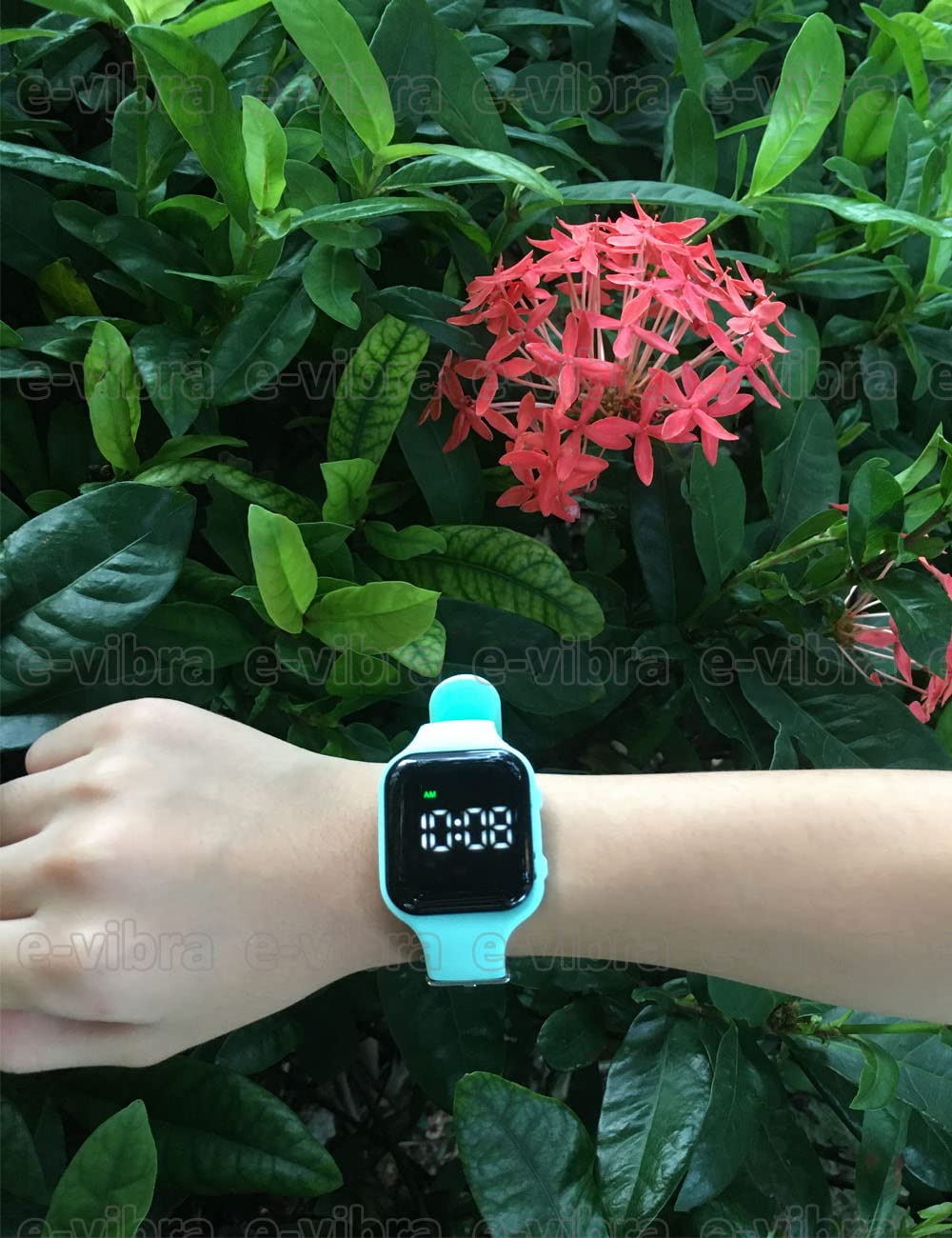
Image: The e-vibra watch worn on a person's wrist, with green foliage in the background.
Operating Instructions
Timer Function
The watch includes a programmable loop timer for recurring reminders. You can set the timer to vibrate at intervals of 1 minute, 5 minutes, 10 minutes, 15 minutes, 20 minutes, 30 minutes, 45 minutes, 60 minutes, 90 minutes, 120 minutes, or 3 hours. This auto-repeating vibration is ideal for consistent reminders.
Multiple Alarm Settings
Set up to 15 individual vibrating alarms. These alarms do not need to be turned on or off daily once configured. The silent, strong vibration provides a discreet reminder without interrupting others.
Common Applications
- Potty Training: Use the timer or alarms to remind children it's time to go to the bathroom.

Image: A cartoon illustration depicting a boy and a girl next to a toilet, symbolizing potty training.
- Medical Reminders: Ideal for reminding individuals to take medication or perform other health-related tasks.

Image: A hand holding various pills, illustrating the use of the watch for medical reminders.
- Water Reminders: Set alarms to ensure regular hydration throughout the day.

Image: A child drinking water from a glass, representing the watch's utility for hydration reminders.
- Daily Schedule & Wake-Up: Maintain a consistent daily routine or use as a silent wake-up alarm.
- Homework & Tasks: Remind users to start or switch tasks, or take breaks.
Maintenance
Water Resistance
The e-vibra watch is water resistant, allowing you to wear it during showers without concern. However, it is not designed for prolonged submersion or swimming.

Image: A blue e-vibra watch partially submerged in a glass of water, demonstrating its water resistance.
Cleaning
To clean your watch, gently wipe the silicone band and watch face with a soft, damp cloth. Avoid using harsh chemicals or abrasive materials.
Battery Care
Recharge the watch when the battery indicator is low. Regular charging helps maintain battery longevity. Avoid completely draining the battery for extended periods.
Troubleshooting
| Problem | Possible Cause | Solution |
|---|---|---|
| Watch not turning on or charging. | Low battery; faulty charging cable or adapter; internal malfunction. |
|
| Difficulty setting time or alarms. | Unfamiliarity with button functions; incorrect sequence of operations. |
|
| Vibration alarm is not strong enough or not activating. | Alarm not set correctly; low battery; watch positioned incorrectly on wrist. |
|
Specifications
| Feature | Detail |
|---|---|
| Model Number | S15 |
| Product Dimensions | 1.5 x 1.5 x 1.3 inches |
| Item Weight | 1.58 ounces |
| Material Type | Silicone |
| Display Type | Digital |
| Screen Size | 3.4 Centimeters |
| Battery Type | 1 Lithium Ion battery (included) |
| Power Source | Corded Electric (USB charging) |
| Water Resistance | Yes (suitable for showering) |
| Special Features | Pill reminder, potty training, vibration alarm, wake-up watch |
Warranty and Support
Specific warranty details for the e-vibra Vibrating Alarm Watch are not provided in this manual. For information regarding warranty coverage, product support, or technical assistance, please contact e-vibra customer service directly. You may find contact information on the product packaging or the official e-vibra website.
For general inquiries or to provide feedback, please refer to the manufacturer's contact details typically found on the product box or their official online presence.

Image: The back of the e-vibra product box, showing manufacturer details and contact information for support.


