
1. Introduction
Thank you for choosing the Real Relax Favor-06 Massage Chair. This manual provides essential information for the safe and effective operation, maintenance, and troubleshooting of your new massage chair. Please read this manual thoroughly before use and retain it for future reference.
2. Setup and Assembly
The Real Relax Favor-06 massage chair is designed for straightforward assembly. The main unit comes largely pre-assembled, requiring minimal steps to get started.
2.1 Unpacking and Placement
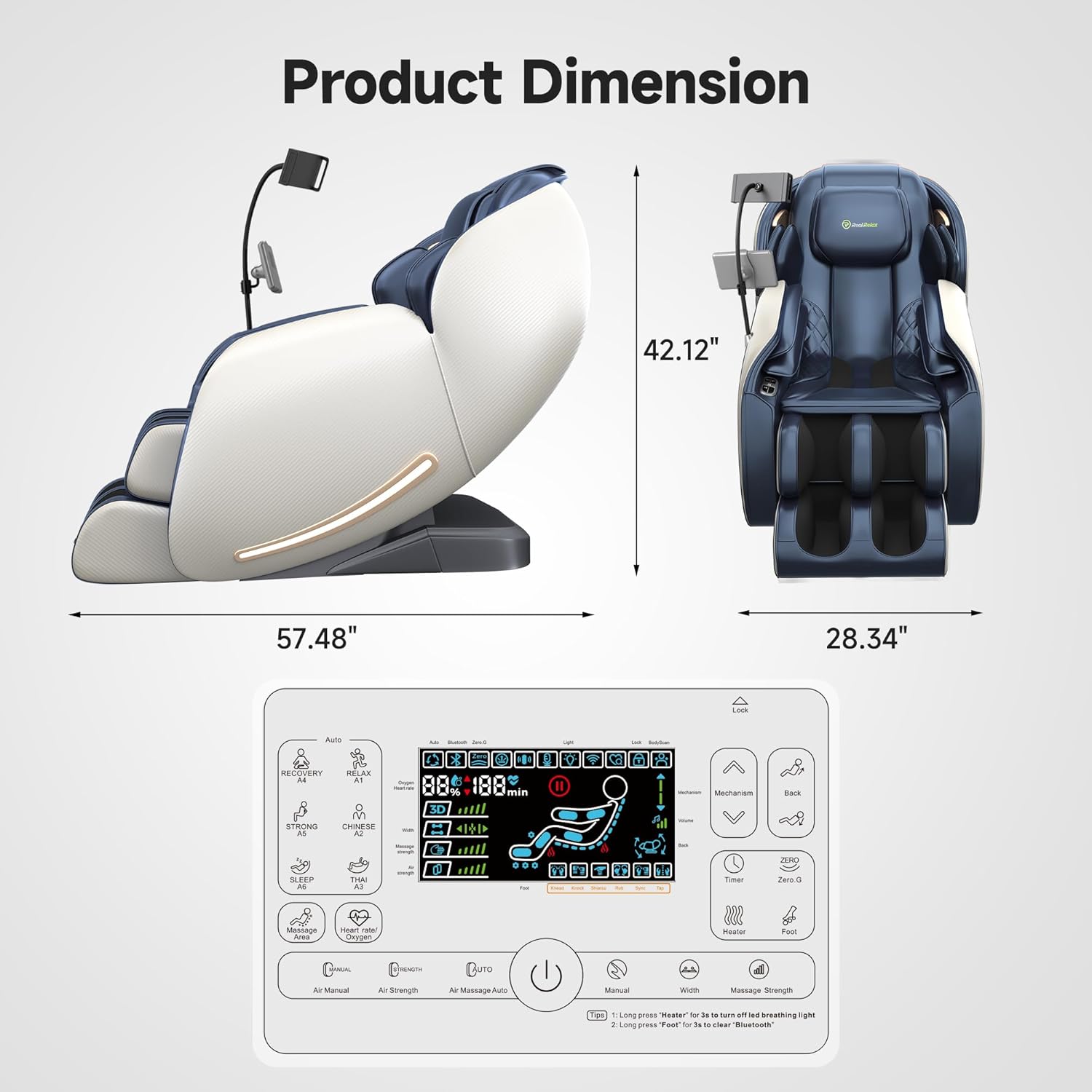
Ensure you have adequate space for the chair. The minimum doorway size required for entry is 29 inches. The product dimensions are 57.48"D x 28.34"W x 42.12"H.


2.2 Footrest Installation
The footrest is typically folded for shipping. To install:
- Place the footrest on the floor.
- Connect the power cord to reset the chair.
- Connect the air tube and the wires from the footrest to the main unit.
- Slide two white sleeves onto connector pins on both sides of the footrest.
- Hang the footrest on the main unit.
- Fold down the plastic latch plates and fasten them with screws.

2.3 Power Connection
Once the footrest is securely attached, connect the main power cable to a suitable electrical outlet. Ensure the power switch on the chair is in the 'On' position.
3. Operating Instructions
Your Real Relax Favor-06 massage chair offers a variety of features and customizable settings for a personalized massage experience.
3.1 Control Options
The chair can be controlled via the upgraded white LCD touch screen, the dedicated phone controller, or the shortcut keys located on the armrest.

3.2 Massage Features
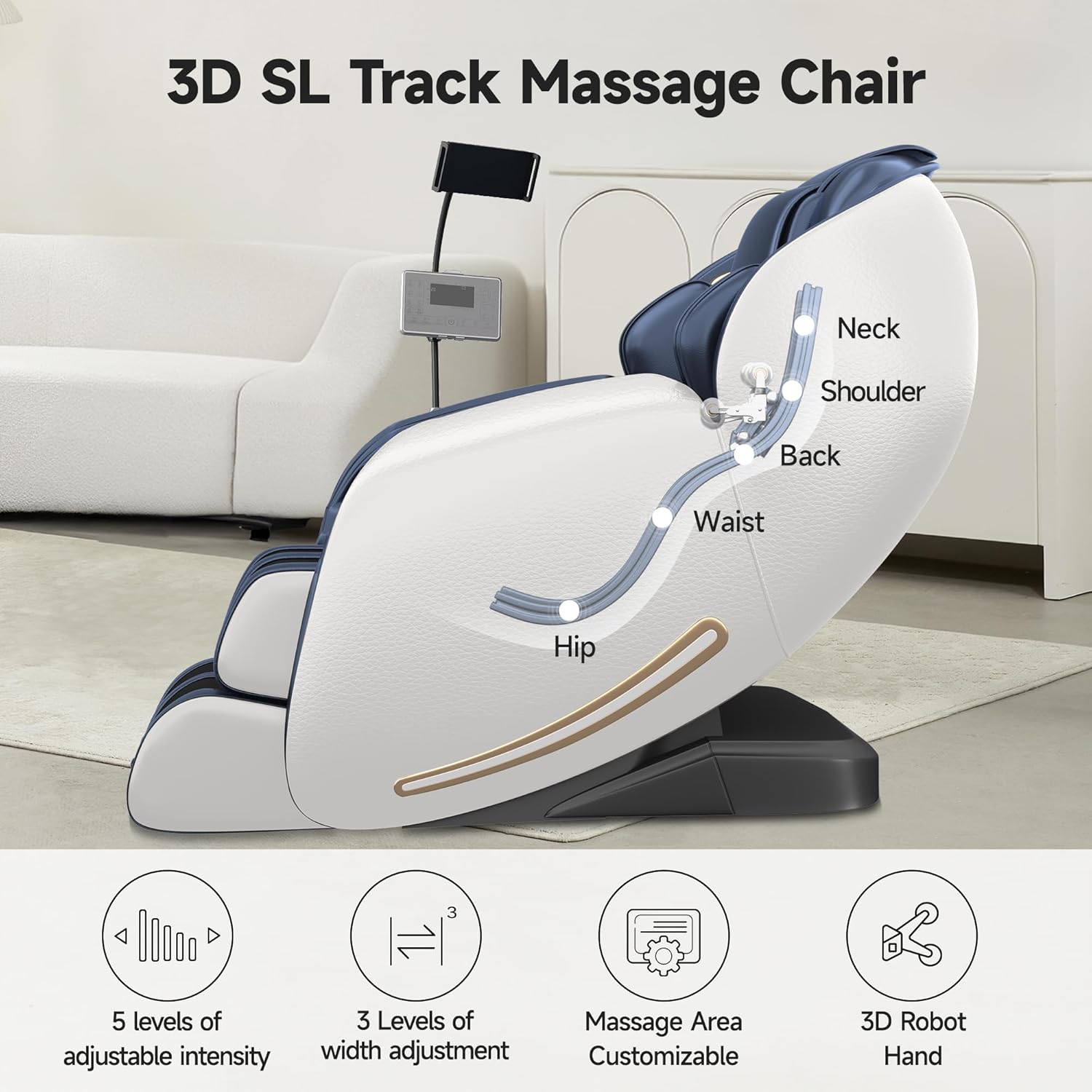
- 3D SL Track: The advanced 3D SL track system massages your body from the neck down to the legs. You can choose fixed massage points, adjust the robot roller massage width to 3 levels, and select from 5 levels of adjustable intensity.
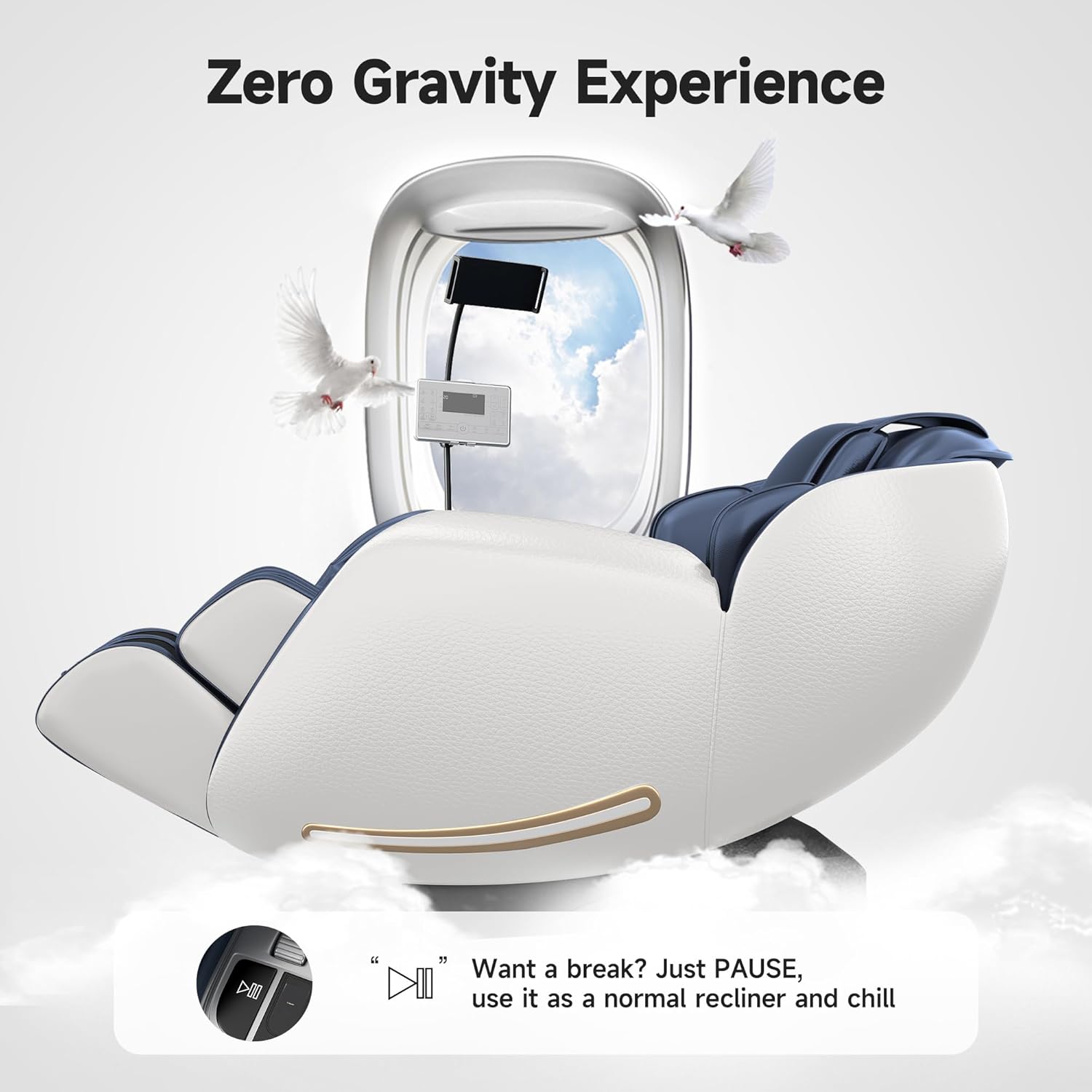
- Zero Gravity: Experience weightlessness with the one-button zero gravity design. This position elevates your legs above your heart, reducing pressure on your spine and enhancing the massage effect.
- Full-Body Airbag Massage: Enjoy a comprehensive massage with full-body airbags, offering 5 levels of adjustable pressure. Airbags target shoulders, arms, calves, and feet.
- Foot Roller Massage: Rollers located in the footrest provide a soothing massage to your soles, complementing the airbag compression.
- Heating Function: The chair includes a heating function for added comfort and muscle relaxation. A removable back pad is included to adjust massage intensity.
- Bluetooth & Speakers: Connect your device via Bluetooth to enjoy music or podcasts through the integrated speakers during your massage.
- Heart & Blood Oxygen Measurement: The chair features a sensor for heart rate and blood oxygen measurement. Note: This function will reset the massage chair while massaging. Test results are for reference only.
- Child Lock: For safety, the chair includes a child lock feature to prevent unintended operation.
- Pause Button: A convenient pause button allows you to temporarily stop the massage and use the chair as a normal recliner.



4. Maintenance
To ensure the longevity and optimal performance of your massage chair, follow these maintenance guidelines:
- Cleaning: Spot clean the faux leather material as needed. Use a soft, damp cloth with mild soap for cleaning. Avoid harsh chemicals or abrasive cleaners.
- General Care: Keep the chair away from direct sunlight and heat sources to prevent material damage. Regularly check all connections and components for any signs of wear or looseness.
5. Troubleshooting
If you encounter any issues with your Real Relax Favor-06 massage chair, please refer to the following common troubleshooting tips:
- Chair not powering on: Ensure the power cord is securely plugged into both the chair and the wall outlet. Check that the power switch on the chair is in the 'On' position. Verify the wall outlet is functional.
- Massage rollers not moving: Ensure the chair is not in 'Pause' mode. Check if any objects are obstructing the rollers. Restart the chair.
- Airbags not inflating: Verify that all air tubes are securely connected, especially after footrest installation. Check the air strength settings on the controller.
- Unusual noises: Discontinue use and inspect the chair for any loose parts or obstructions. Contact customer support if the noise persists.
For further assistance, please contact Real Relax customer support.
6. Specifications
| Feature | Detail |
|---|---|
| Brand | Real Relax |
| Model Name | Favor-06 |
| Model Number | BH-6201 |
| Color | Blue |
| Material | Faux Leather, Cotton (Fill Material) |
| Product Dimensions (D x W x H) | 57.48" x 28.34" x 42.12" |
| Item Weight | 174 Pounds |
| Maximum Weight Recommendation | 400 Pounds |
| Height Limit | 6.1 feet |
| Additional Features | 3D SL Track, Child Lock, Phone Controller, Phone Holder, Seat Back Pad, Zero Gravity, App Control, Bluetooth, Foot Roller Massage, LED Breath Light, Heart & Blood Oxygen Measurement, Pause Button |
| Power | Electric |
7. Warranty and Support
Your Real Relax Favor-06 Massage Chair comes with a warranty card included in the accessory box. Please refer to the warranty card for detailed terms and conditions.
For any questions, technical support, or warranty claims, Real Relax offers 24-hour online chat support on workdays. Please feel free to contact us for assistance.


