
1. Introduction
The VBESTLIFE RK-560 is a compact and portable frequency counter meter designed for measuring radio frequencies. It is particularly useful for testing the frequency of radio walkie-talkies and for detecting DCS (Digitally Coded Squelch) and CTCSS (Continuous Tone-Coded Squelch System) tones. Its simple one-button operation and battery-powered design make it convenient for field use.
2. Safety Information
- Do not attempt to disassemble or modify the device. Unauthorized modifications can lead to malfunction or injury.
- Keep the device away from water and excessive moisture to prevent electrical shock or damage.
- Avoid exposing the device to extreme temperatures, direct sunlight, or corrosive environments.
- Use only the specified battery type (9V battery). Ensure correct polarity when installing the battery.
- Dispose of batteries responsibly according to local regulations.
3. Package Contents
Please check the package contents upon receipt. If any items are missing or damaged, contact your retailer.
- 1 x VBESTLIFE RK-560 Portable Frequency Counter Meter
4. Product Overview
The RK-560 features a compact design with an integrated antenna and a clear display for frequency readings. Its robust ABS material ensures durability.
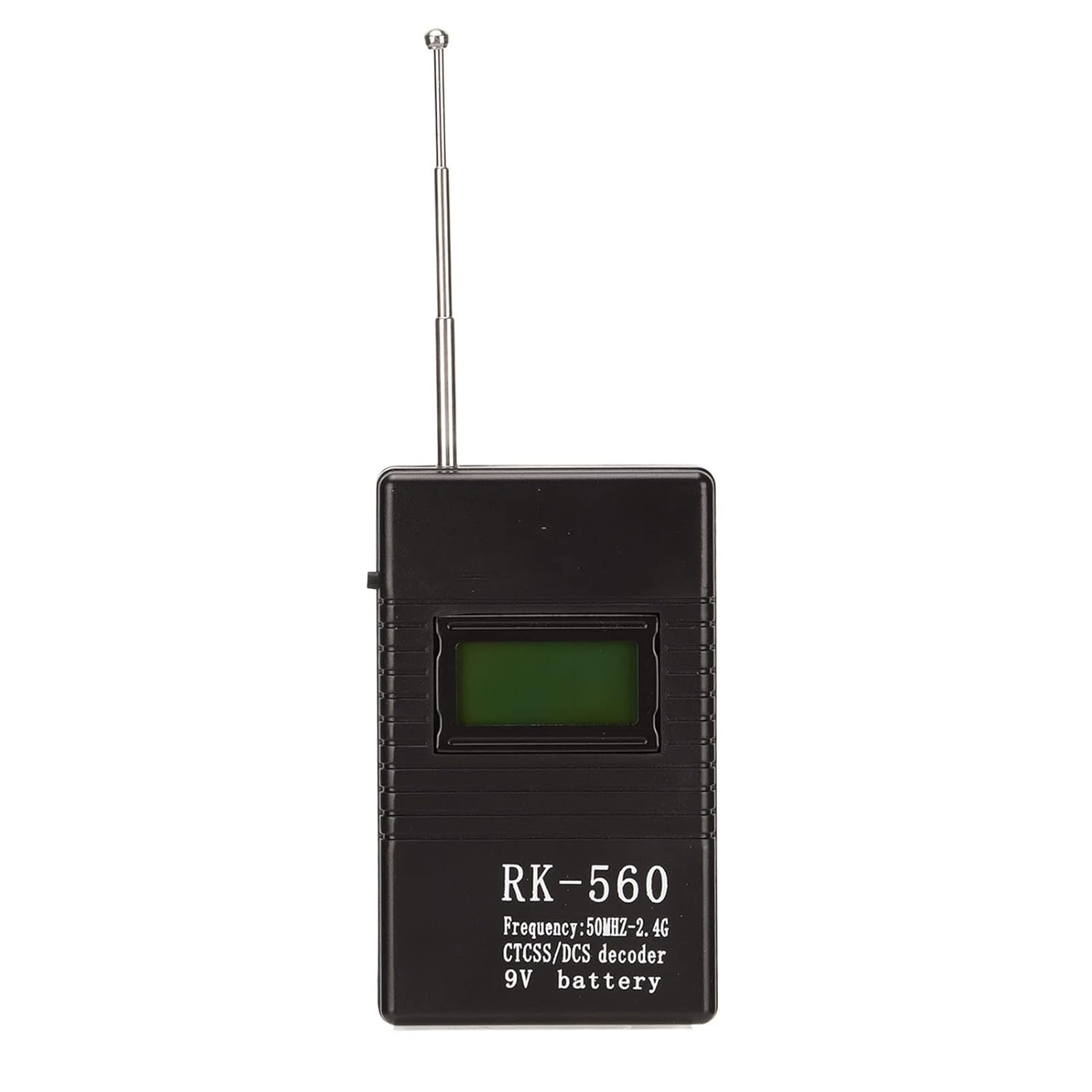
Figure 4.1: Front view of the RK-560 Portable Frequency Counter Meter. The device is black with a small display screen and an extendable antenna at the top. The model number 'RK-560' and basic specifications are printed on the front.

Figure 4.2: Two RK-560 units displayed from an angled perspective, highlighting their compact size and design. Both units have their antennas extended.

Figure 4.3: An angled view of the RK-560, showing the fully extended telescopic antenna. This perspective emphasizes the device's portability and readiness for use.

Figure 4.4: A close-up image detailing the antenna connection point on the side of the RK-560 unit. This shows where the telescopic antenna is securely attached to the main body.
5. Setup
5.1 Battery Installation
- Locate the battery compartment cover on the back of the RK-560 unit.
- Slide or unclip the cover to open the compartment.
- Insert one 9V battery (not included) into the compartment, ensuring the correct polarity (+ and - terminals match the markings inside the compartment).
- Close the battery compartment cover securely.
5.2 Antenna Attachment
The RK-560 comes with an integrated telescopic antenna. Simply extend the antenna fully for optimal signal reception during measurements.
6. Operating Instructions
The RK-560 is designed for straightforward operation using a single control button.
6.1 Powering On and Frequency Step Selection
- Ensure the 9V battery is correctly installed and the antenna is extended.
- Press the single control button on the device to power it on.
- After powering on, subsequent presses of the button will cycle through the available frequency step options: 1K and 0.1K. Select the desired frequency step based on the precision required for your measurement.
6.2 Measuring Frequency
- With the device powered on and the desired frequency step selected, position the RK-560 near the radio device you wish to measure.
- The device will automatically detect and display the frequency of the radio signal.
- The RK-560 is also capable of detecting DCS and CTCSS tones. These will be displayed alongside the frequency if present.

Figure 6.1: The RK-560 positioned to measure the frequency of a handheld walkie-talkie. This illustrates the typical use case for the device.

Figure 6.2: Demonstrates the RK-560's portability as it is used alongside a walkie-talkie. The image highlights its compact size and ease of handling during operation.

Figure 6.3: A person using the RK-560 in an outdoor or field setting, emphasizing its practical application for professionals or enthusiasts who need to measure radio frequencies on the go.
7. Specifications
| Parameter | Value |
|---|---|
| Model | RK-560 |
| Measurement Range | 50MHz - 2.4GHz |
| Optional Frequency Step | 1K / 0.1K |
| Power Source | 1 x 9V Battery (Not Included) |
| Material | ABS |
| Dimensions (Approx.) | 4.21 x 3.15 x 0.94 inches |
| Weight (Approx.) | 2.47 ounces |
8. Troubleshooting
- Device does not power on:
- Check if the 9V battery is installed correctly with the right polarity.
- Replace the 9V battery with a new one.
- Inaccurate frequency readings:
- Ensure the antenna is fully extended.
- Position the RK-560 closer to the signal source.
- Ensure there are no strong interfering signals nearby.
- No display:
- Verify the battery is charged and correctly installed.
- If the issue persists, contact customer support.
9. Maintenance
- Clean the device regularly with a soft, dry cloth. Do not use abrasive cleaners or solvents.
- When not in use for extended periods, remove the battery to prevent leakage and damage to the device.
- Store the device in a cool, dry place, away from direct sunlight and extreme temperatures.
10. Warranty and Support
For warranty information and technical support, please refer to the documentation provided with your purchase or contact VBESTLIFE customer service through their official channels. Keep your purchase receipt as proof of purchase.