
1. Introduction
Thank you for choosing the High-Tech 120W Wireless Multicyclonic Vacuum Cleaner, Model 1. This powerful and versatile cordless vacuum is designed for efficient cleaning across various surfaces. Featuring a multicyclonic filtration system and a washable HEPA filter, it ensures thorough dust collection and cleaner air. This manual provides essential information for safe operation, assembly, maintenance, and troubleshooting to help you get the most out of your new appliance.

Figure 1.1: The High-Tech 120W Wireless Multicyclonic Vacuum Cleaner in stick mode, ready for use.
2. Important Safety Instructions
Please read all safety warnings and instructions before using this appliance to prevent electric shock, fire, or serious injury.
- This appliance is for household use only. Do not use outdoors or on wet surfaces.
- Do not allow children to operate the vacuum cleaner. Close supervision is necessary when used near children.
- Do not pick up flammable or combustible liquids, such as gasoline, or use in areas where they may be present.
- Do not pick up anything that is burning or smoking, such as cigarettes, matches, or hot ashes.
- Do not use without the dust cup and filters in place.
- Use only as described in this manual. Use only manufacturer's recommended attachments.
- Turn off the appliance before connecting or disconnecting the battery charger.
- Do not handle the charger or appliance with wet hands.
- Keep hair, loose clothing, fingers, and all parts of body away from openings and moving parts.
- Exercise extra care when cleaning on stairs.
- Store the appliance indoors in a cool, dry place.
3. Package Contents
Carefully unpack all components and check against the list below. If any parts are missing or damaged, contact customer support.
- Main Vacuum Unit (with 0.5L transparent dustbin)
- Extension Tube
- Floor Brush with LED Lights
- 2-in-1 Crevice and Brush Tool
- Wall Mount Accessory
- Power Adapter
- Washable HEPA Filter (pre-installed)
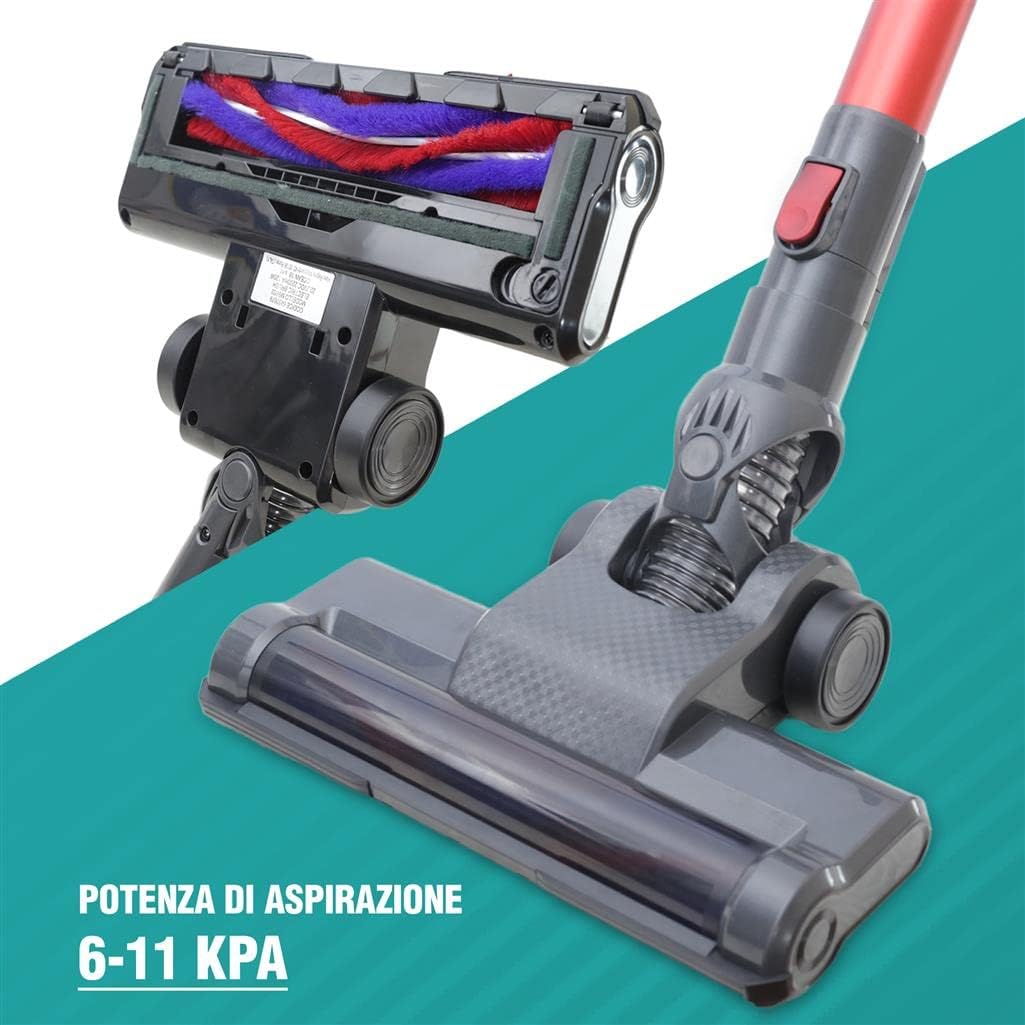
Figure 3.1: Included components: Main unit, adapter, 2-in-1 tool, wall mount, and floor brush with LED lights.
4. Assembly and Setup
4.1 Assembling the Vacuum Cleaner
- Stick Vacuum Configuration: Insert the extension tube into the main vacuum unit until it clicks into place. Then, attach the floor brush to the other end of the extension tube, ensuring it clicks securely.
- Handheld Vacuum Configuration: For handheld use, detach the extension tube and floor brush. You can directly attach the 2-in-1 crevice and brush tool to the main vacuum unit.
4.2 Charging the Battery
Before first use, fully charge the vacuum cleaner for approximately 4 hours. The battery provides an autonomy of 22-40 minutes depending on the power setting.
- Connect the power adapter to the charging port on the main vacuum unit.
- Plug the adapter into a wall outlet.
- The charging indicator lights will illuminate, typically showing progress or a full charge.
4.3 Wall Mount Installation
The included wall mount allows for convenient storage and charging.
- Choose a suitable location near a power outlet.
- Secure the wall mount to the wall using appropriate screws and anchors (not included).
- Hang the vacuum cleaner on the wall mount for storage and charging.
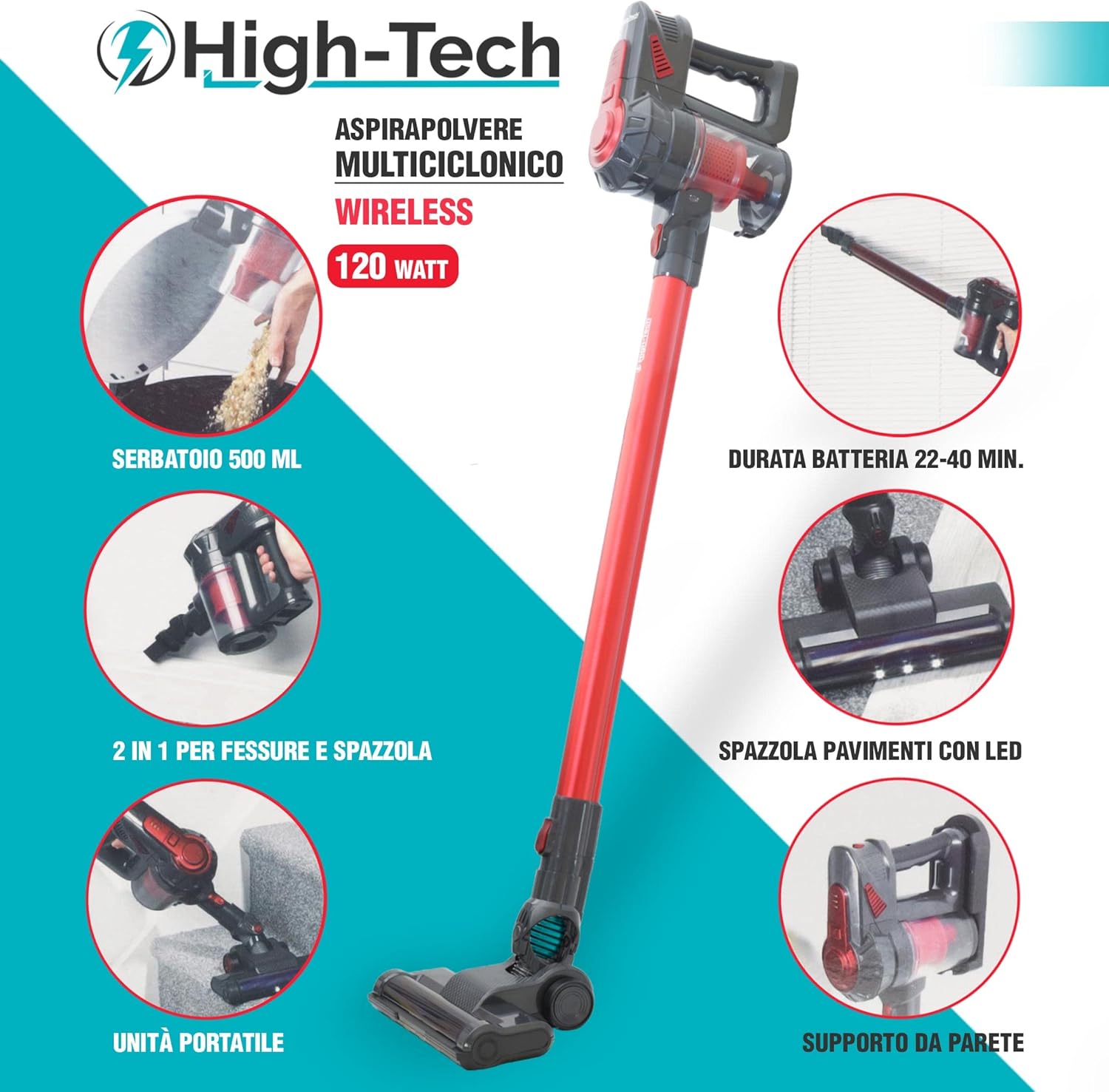
Figure 4.1: The vacuum cleaner can be configured as a stick vacuum or a handheld unit, and includes a wall mount for storage.
5. Operating Instructions
5.1 Power On/Off and Speed Settings
- To turn on the vacuum cleaner, press the power button located on the main unit.
- The vacuum has 2 speed settings. Press the power button again to switch between low and high suction modes.
- To turn off the vacuum cleaner, press the power button until the unit powers down.
5.2 Using Attachments
- Floor Brush with LED Lights: Ideal for cleaning all types of floors. The integrated LED lights illuminate dust and debris, making cleaning more effective.
- 2-in-1 Crevice and Brush Tool: This versatile tool can be used as a narrow crevice tool for tight spaces or with the brush extended for dusting delicate surfaces or upholstery.

Figure 5.1: The vacuum cleaner in handheld configuration, effectively cleaning upholstery.

Figure 5.2: Detail of the floor brush, featuring LED lights for enhanced visibility during cleaning.
6. Maintenance
Regular maintenance ensures optimal performance and extends the life of your vacuum cleaner.
6.1 Emptying the Dustbin
The transparent 0.5L dustbin should be emptied regularly, especially when the MAX line is reached.
- Ensure the vacuum cleaner is turned off.
- Press the dustbin release button to detach the dustbin from the main unit.
- Hold the dustbin over a trash can and open the bottom flap to release the collected debris.
- Close the flap and reattach the dustbin to the main unit until it clicks securely.
6.2 Cleaning the HEPA Filter
The multicyclonic HEPA filter is washable and should be cleaned regularly to maintain suction power.
- With the dustbin detached, carefully remove the HEPA filter and its components.
- Rinse the filter under cold running water until the water runs clear. Do not use detergents.
- Allow the filter to air dry completely for at least 24 hours before reassembling. Do not use a dryer or direct heat.
- Ensure the filter is completely dry before placing it back into the dustbin and reattaching the dustbin to the vacuum.

Figure 6.1: The dustbin and filter components, showing how they can be separated for cleaning.

Figure 6.2: Detail of the washable multicyclonic HEPA filter and the transparent dust collector.
6.3 Cleaning the Floor Brush
Periodically check the floor brush for tangled hair or debris and remove them to ensure effective cleaning.
7. Troubleshooting
If you encounter issues with your vacuum cleaner, refer to the following table for common problems and solutions.
| Problem | Possible Cause | Solution |
|---|---|---|
| Vacuum does not turn on | Battery is not charged Power button not pressed correctly | Charge the battery fully Ensure the power button is pressed firmly |
| Low suction power | Dustbin is full Filter is clogged Nozzle/hose is blocked | Empty the dustbin Clean or wash the HEPA filter Check and clear any blockages in the nozzle or extension tube |
| Floor brush not rotating | Hair or debris tangled in brush Brush motor issue | Remove tangled hair and debris from the brush roller Contact customer support if the issue persists |
| Short battery life | Battery not fully charged Using high power mode continuously Battery degradation | Ensure battery is fully charged before use Use low power mode for lighter cleaning tasks Contact customer support for battery replacement options |
8. Specifications
| Brand: | High-Tech |
| Model: | 1 |
| Power: | 120W |
| Suction Power: | 6-11 KPA |
| Number of Speeds: | 2 |
| Battery Autonomy: | 22-40 minutes |
| Dustbin Capacity: | 0.5 Liters |
| Filter Type: | Washable Multicyclonic HEPA Filter |
| Special Features: | Wireless, LED Floor Brush, 2-in-1 Crevice/Brush Tool, Wall Mount |
| Recommended Surfaces: | All types of floors |
| Power Source: | Battery powered |
9. Warranty and Support
For warranty information or technical support, please refer to the documentation provided at the time of purchase or contact your retailer. Keep your proof of purchase for any warranty claims.