
1. Introduction
Thank you for choosing the HUO JI X-PRO Wireless Gaming Headset. This manual provides detailed instructions for the proper setup, operation, and maintenance of your headset. The X-PRO headset offers versatile connectivity options including 2.4GHz wireless, Bluetooth 5.1, and a 3.5mm wired connection, ensuring compatibility with a wide range of devices. It features a detachable noise-cancelling microphone, immersive stereo sound, and comfortable, adjustable design for extended use.
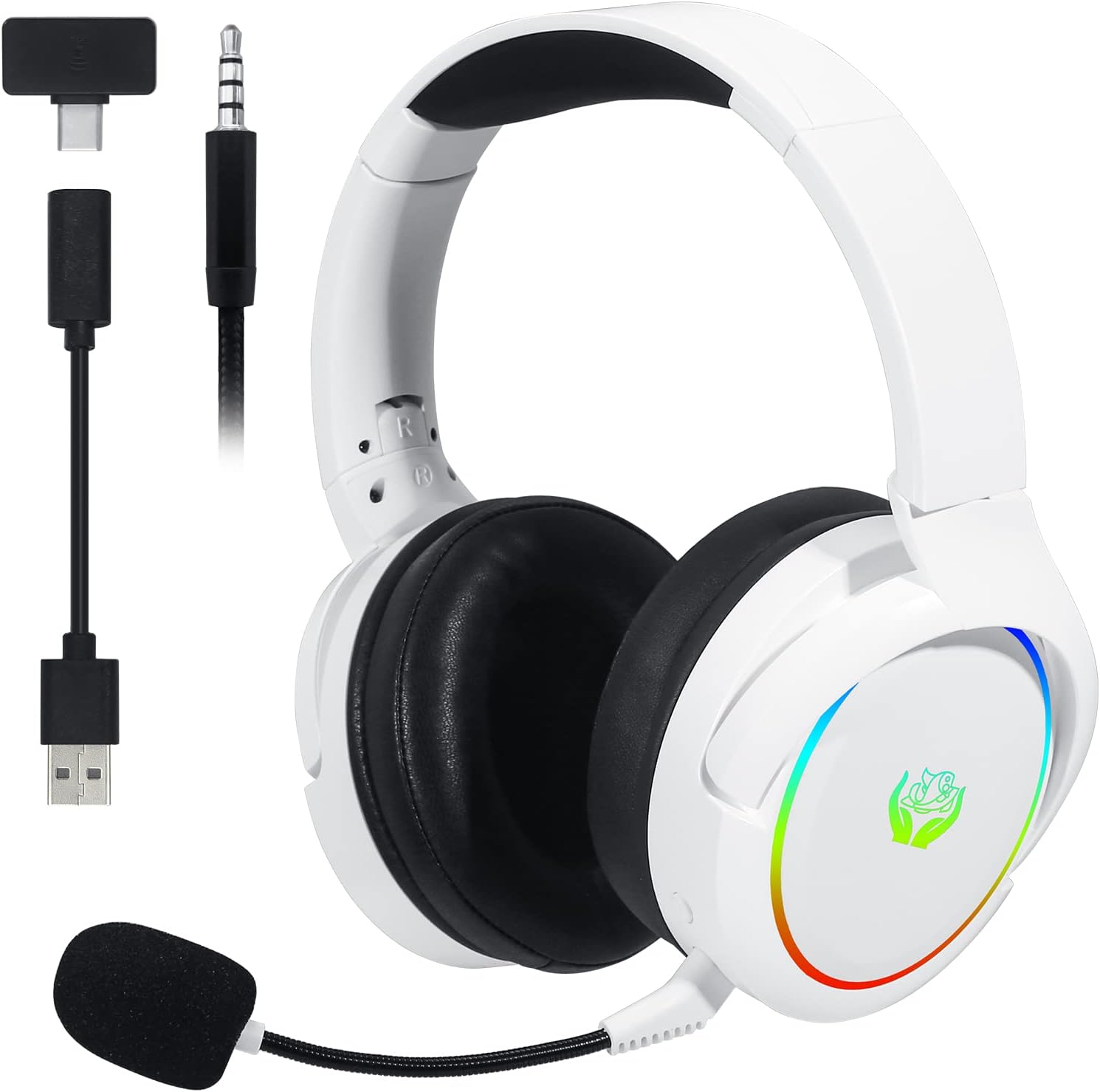
Image 1.1: The HUO JI X-PRO Wireless Gaming Headset shown with its USB-C dongle, USB-A adapter, and 3.5mm audio cable.
2. Product Components
The HUO JI X-PRO headset package includes the following items:
- HUO JI X-PRO Wireless Gaming Headset
- Detachable Noise-Cancelling Microphone
- USB-C Wireless Dongle
- USB-A Adapter (for USB-C dongle)
- 3.5mm Audio Cable
- USB Charging Cable (USB-C)
- User Manual
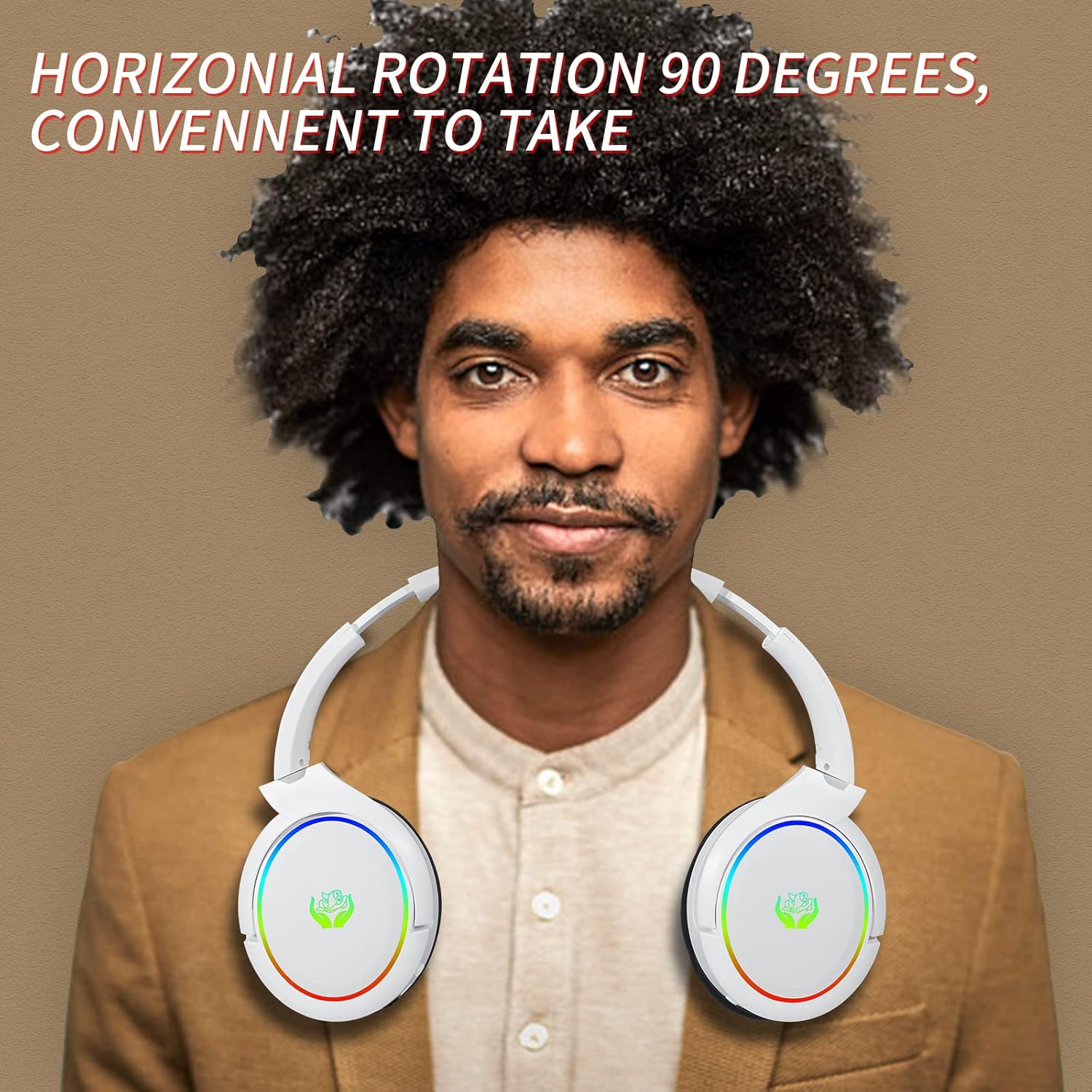
Image 2.1: A complete view of all items included in the HUO JI X-PRO headset package, including the headset, microphone, various cables, and the user manual.
3. Setup and Connectivity
3.1 Charging the Headset
Before initial use, fully charge the headset. Connect the provided USB charging cable to the USB-C port on the headset and the other end to a compatible USB power source (e.g., computer USB port, USB wall adapter). The LED indicator on the headset will show charging status. A full charge provides approximately 35 hours of playtime in Bluetooth mode and 20 hours in 2.4G wireless mode.
3.2 Connecting via 2.4GHz Wireless
The 2.4GHz wireless connection offers ultra-low latency for gaming. This mode is compatible with PS5, PS4, Nintendo Switch, PC, and Laptops.
- Insert the USB-C wireless dongle into a compatible USB-C port on your device. If your device only has USB-A ports, use the included USB-A adapter with the USB-C dongle.
- Power on the headset. The headset will automatically attempt to pair with the dongle.
- Once connected, the indicator light on the headset will stabilize, indicating a successful connection.

Image 3.1: Illustration of the 2.4GHz wireless connection process using the USB-C dongle and USB-A adapter.
3.3 Connecting via Bluetooth 5.1
Bluetooth mode is compatible with Android, iOS, and other cellphones/tablets.
- Ensure the headset is powered on and in Bluetooth pairing mode (refer to Section 4.1 for mode switching). The LED indicator will typically flash rapidly when in pairing mode.
- On your device, navigate to Bluetooth settings and search for available devices.
- Select "HUO JI X-PRO" from the list of found devices to pair.
- Once paired, the headset's LED indicator will change to a steady light.
3.4 Connecting via 3.5mm Audio Cable
The 3.5mm audio cable provides a wired connection, compatible with Xbox One, Xbox Series, PC, and Laptops. This connection does not require battery power.
- Plug one end of the 3.5mm audio cable into the headset's 3.5mm audio jack.
- Plug the other end into the 3.5mm audio port on your device (e.g., controller, PC audio jack).
- The headset will automatically switch to wired mode.

Image 3.2: Visual representation of the headset's compatibility with various platforms via 2.4GHz wireless, Bluetooth, and 3.5mm wired connections.
4. Operation
4.1 Power On/Off and Mode Switching
Locate the power button on the headset. Press and hold to power on or off. A short press may cycle through connection modes (2.4GHz, Bluetooth, Wired) depending on the headset's design. Refer to the specific button layout on your headset for exact functionality.
4.2 Volume Control
The headset features a volume roller or buttons. Rotate the roller or press the buttons to adjust the audio output level. This control typically operates independently of your device's system volume.
4.3 Microphone Usage
The X-PRO headset comes with a detachable, noise-cancelling microphone. Insert the microphone into the designated port on the headset until it clicks into place. The microphone is adjustable 360 degrees to position it optimally for voice pickup. A mute button is located on the headset, allowing you to quickly mute or unmute your microphone.
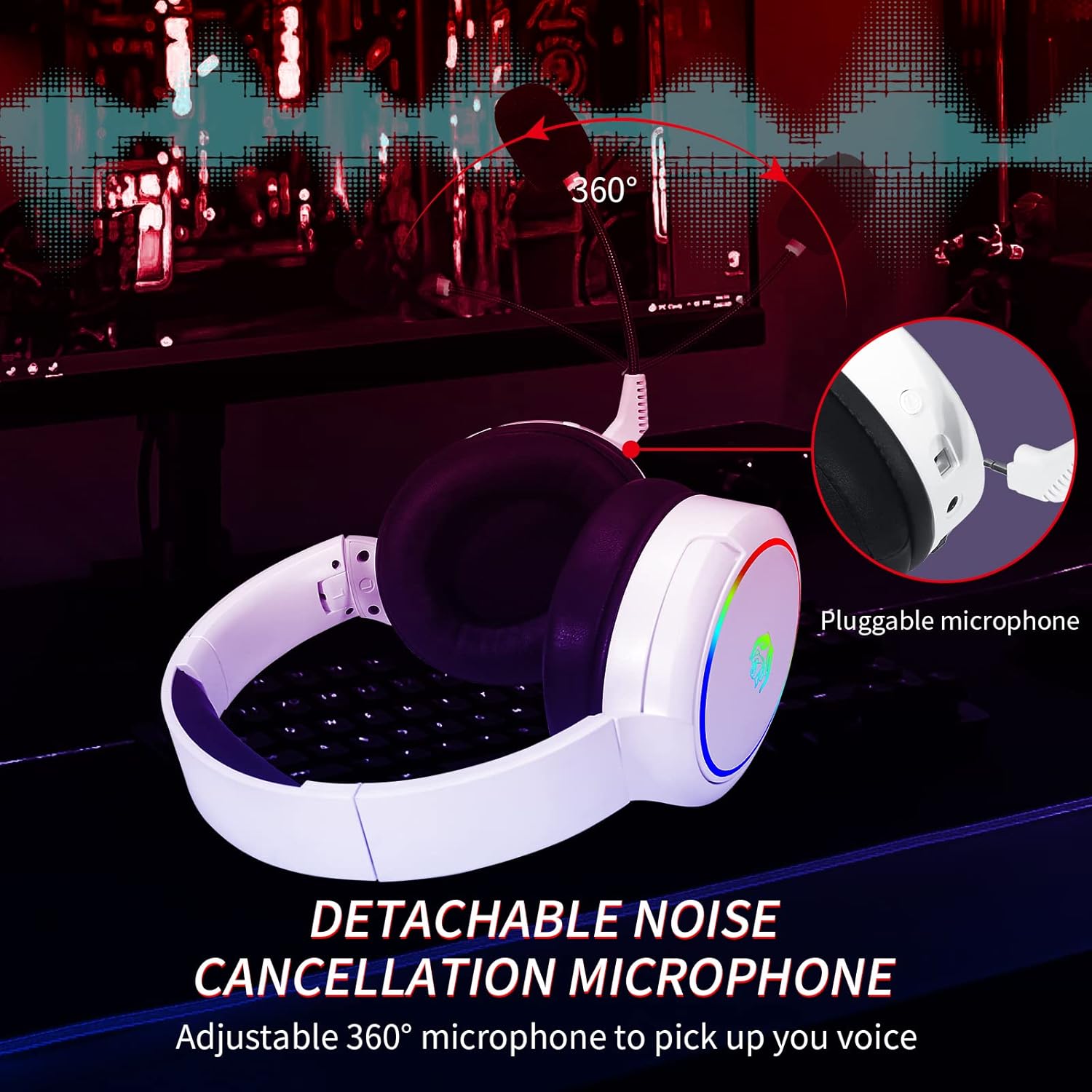
Image 4.1: The detachable noise-cancelling microphone, highlighting its pluggable design and 360-degree adjustability.
4.4 RGB Lighting
The headset features RGB LED lights on the earcups. These lights typically activate when the headset is powered on. Consult the headset's controls for any specific buttons or combinations to cycle through lighting modes or turn the lights off.
4.5 Headset Adjustments
The X-PRO headset is designed for comfort during long gaming sessions. It features an adjustable headband to fit various head sizes and foldable earcups for portability and convenient storage. The earmuffs are made of soft protein leather for breathability and comfort.
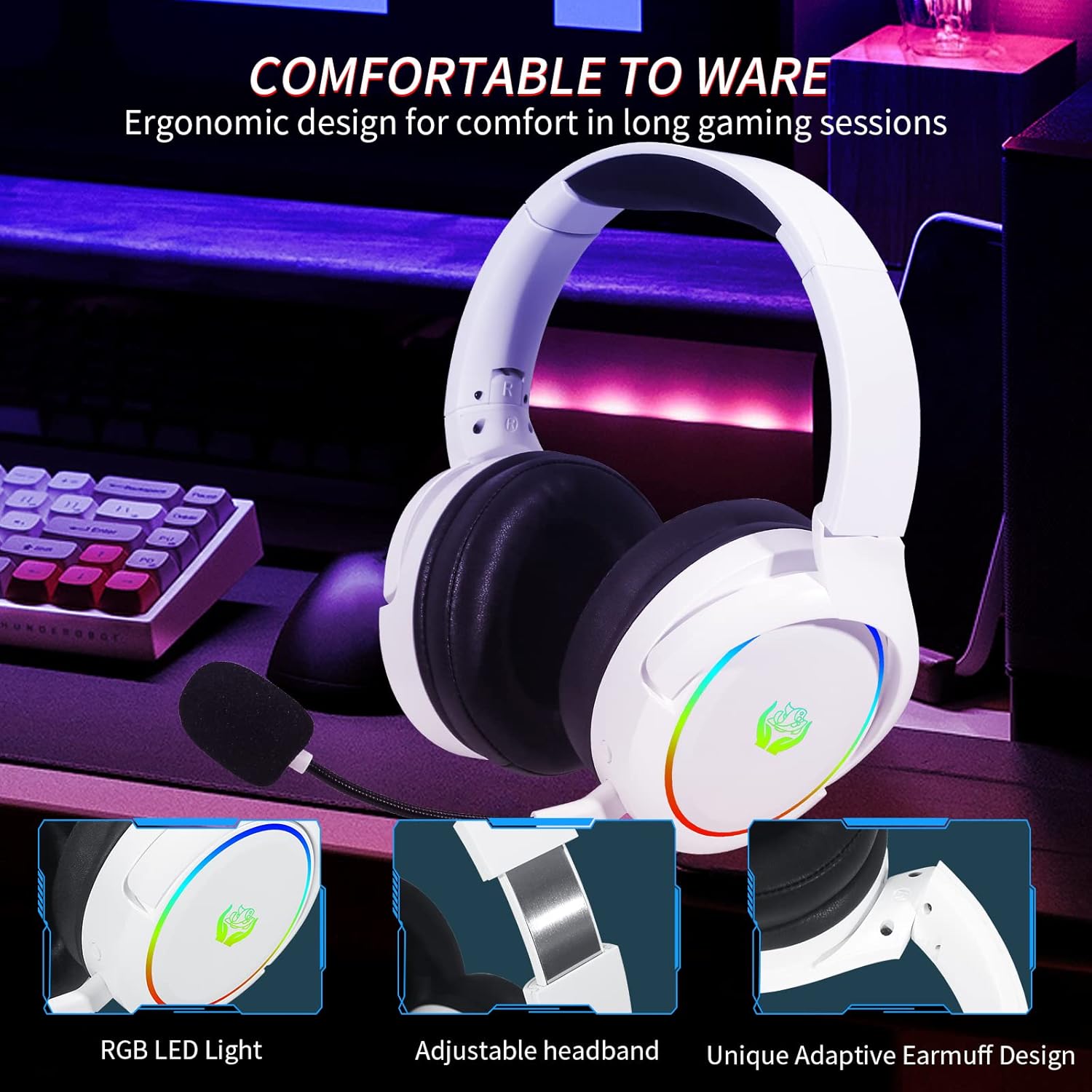
Image 4.2: Close-up view of the headset highlighting the RGB LED light, adjustable headband, and adaptive earmuff design for comfort.
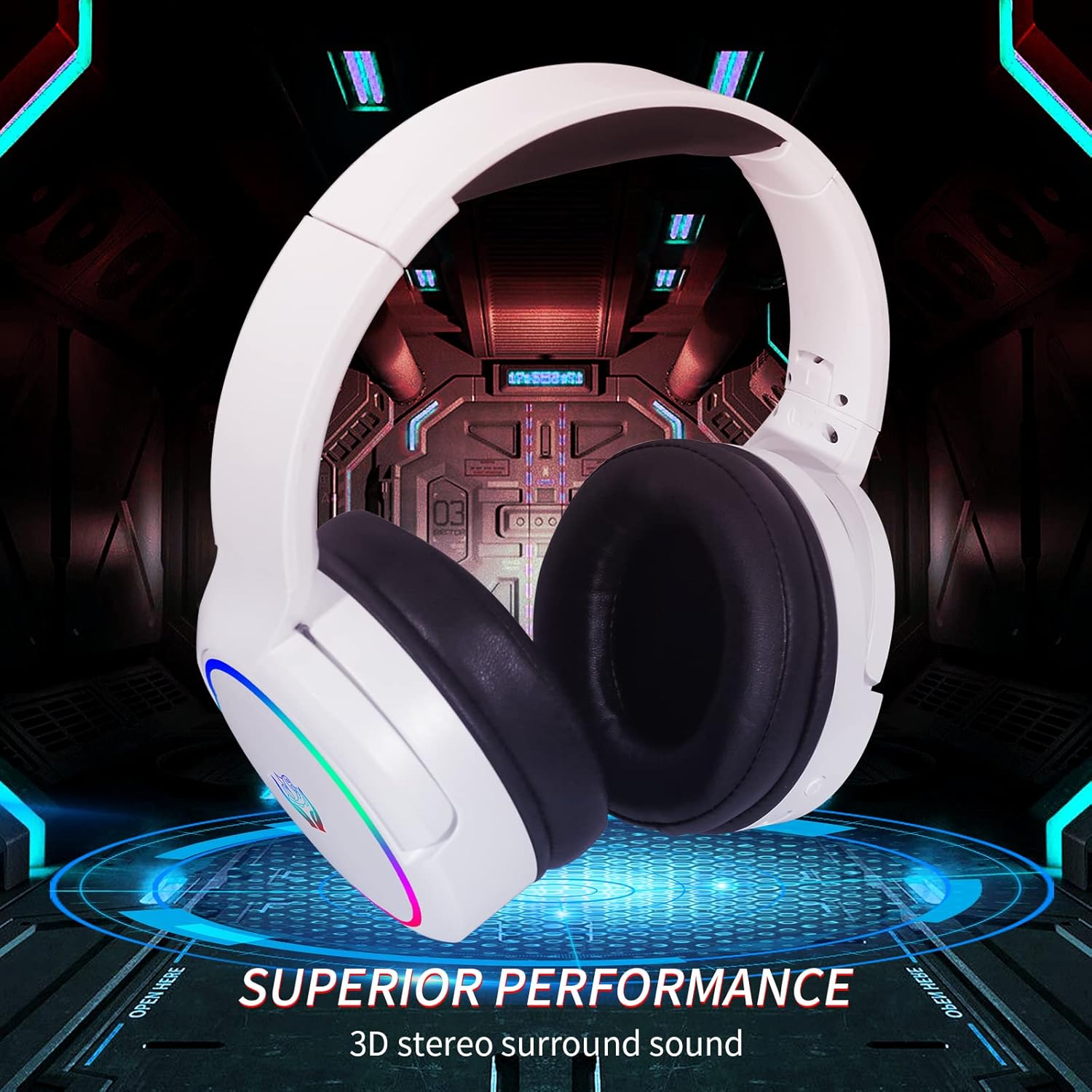
Image 4.3: The headset in use, emphasizing its superior performance and 3D stereo surround sound capabilities.
5. Maintenance
5.1 Cleaning
To maintain the headset's condition, regularly wipe the surfaces with a soft, dry cloth. For stubborn dirt, a slightly damp cloth can be used, but ensure no moisture enters the electronic components. Do not use harsh chemicals or abrasive cleaners.
5.2 Storage
When not in use, store the headset in a cool, dry place away from direct sunlight and extreme temperatures. The foldable design allows for compact storage. Avoid placing heavy objects on the headset.
5.3 Battery Care
To prolong battery life, avoid fully discharging the headset frequently. If storing for an extended period, charge the battery to approximately 50% before storage and recharge every few months.
6. Troubleshooting
If you encounter issues with your HUO JI X-PRO headset, please refer to the following common troubleshooting steps:
- No Power: Ensure the headset is fully charged. Connect it to a power source using the USB charging cable.
- No Sound/Low Sound:
- Check the headset's volume roller/buttons and ensure it is turned up.
- Verify your device's system volume is not muted or too low.
- For wireless connections, ensure the headset is properly paired and connected to the correct audio output device in your system settings.
- For wired connections, ensure the 3.5mm cable is fully inserted into both the headset and the device.
- Microphone Not Working:
- Ensure the detachable microphone is securely inserted into the headset.
- Check if the microphone mute button on the headset is engaged.
- Verify microphone input settings on your device (e.g., PC sound settings, console audio settings).
- Some devices, like Nintendo Switch, may support audio output via 2.4GHz wireless but not microphone input. For chat functionality on such devices, a wired connection might be necessary, or specific game/system settings may need adjustment.
- Connection Issues (2.4GHz Wireless/Bluetooth):
- Ensure the headset is in the correct mode (2.4GHz or Bluetooth).
- For 2.4GHz, ensure the USB dongle is firmly inserted into the device. Try a different USB port.
- For Bluetooth, ensure Bluetooth is enabled on your device and the headset is in pairing mode. Try unpairing and re-pairing the headset.
- Move closer to your device to rule out range issues or interference.
- Xbox Compatibility: While the headset supports Xbox Series and Xbox One via the 3.5mm wired connection, it does not support wireless connectivity (2.4GHz or Bluetooth) directly with Xbox consoles for audio and chat. The wireless modes are primarily for PC, PS5, PS4, and Nintendo Switch (audio only for Switch wireless).
7. Specifications
| Feature | Specification |
|---|---|
| Model Name | X-PRO |
| Connectivity Technology | 2.4Ghz Wireless, Bluetooth 5.1, 3.5mm Wired |
| Headphones Jack | 3.5 mm Jack |
| Frequency Response | 20000 Hz |
| Item Weight | 285 Grams (10.1 ounces) |
| Material | Leather (Earmuffs and Headband) |
| Battery Capacity | 1200mA (2 Lithium Polymer batteries) |
| Playtime (Bluetooth) | Up to 35 hours |
| Playtime (2.4G Wireless) | Up to 20 hours |
| Charging Standard | USB-C |
| Noise Control | Active Noise Cancellation (Microphone) |
| Special Features | Adjustable Headband, Fast Charging, Foldable, Microphone Included, Noise Cancellation, RGB Light |
| Compatible Devices | PS5, PS4, PC, Laptop, Cell phone, Xbox Series (wired) |
8. Warranty and Support
HUO JI products are manufactured to high quality standards. For information regarding warranty coverage, technical support, or service inquiries, please refer to the warranty card included in your product packaging or visit the official HUO JI website. Please retain your proof of purchase for warranty claims.