
Ortizan X10
Ortizan X10 Portable Bluetooth Speaker User Manual
Model: X10
Product Overview
The Ortizan X10 is a versatile and durable portable Bluetooth speaker designed for both indoor and outdoor use. Featuring 24W loud stereo sound, enhanced bass, and vibrant RGB colorful light shows, it delivers an immersive audio experience. With IPX7 waterproof rating and up to 30 hours of playtime, the X10 is built to withstand various environments and provide extended entertainment. It supports Bluetooth 5.0 for stable connectivity, dual pairing for true wireless stereo, and multiple audio input options including TF card and AUX-in.

Image: The Ortizan X10 speaker in both black and teal colors, showcasing its design and illuminated elements.
Key Features
- Hi-Fi Stereo Sound: Equipped with 24W stereo audio drivers and advanced digital signal processor for crisp treble, detailed mids, and enhanced bass.
- Dual Pairing Function (TWS): Connect two Ortizan X10 speakers simultaneously for a true wireless stereo surround sound experience.
- RGB Colorful Light Show: Features dynamic LED lights that pulse and change colors to the beat of the music, creating an engaging visual atmosphere. Can also be used as a standalone night light.
- Extended Playtime: Provides up to 30 hours of continuous music playback or call time on a single charge, thanks to its built-in microphone.
- IPX7 Waterproof: Designed to withstand rain, dust, snow, and spills, and can be fully immersed in up to 3 feet of water for 30 minutes. Ideal for outdoor activities.
- Upgraded Bluetooth 5.0: Ensures stable and fast connection up to 66 feet (20 meters) away, compatible with smartphones, TVs, laptops, and other Bluetooth-enabled devices.
- Multiple Audio Inputs: Supports Bluetooth, TF card, and AUX-in for versatile connectivity options.
Package Contents
Please check the package carefully to ensure all items are present:
- Ortizan X10 Portable Bluetooth Speaker
- USB Charging Cable
- AUX Audio Cable
- User Manual
Controls and Indicators
Familiarize yourself with the buttons and indicators on your Ortizan X10 speaker:

Image: Detailed view of the control panel and ports on the Ortizan X10 speaker.
Button Functions:
- Power Button: Press and hold to power on/off. Short press to play/pause music.
- Volume Up Button (+): Short press to increase volume. Long press for next track.
- Volume Down Button (-): Short press to decrease volume. Long press for previous track.
- EQ Button (EQ): Short press to cycle through equalizer modes (e.g., Bass Boost, Vocal, 3D Sound).
- Light Mode Button: Short press to change light modes. Long press to turn lights on/off.
- TWS Pairing Button: Short press to initiate TWS pairing.
LED Indicators:
- Bluetooth Indicator: Flashes blue when pairing, solid blue when connected.
- Charging Indicator: Red light indicates charging, turns off when fully charged.
Setup
Initial Charging:
Before first use, fully charge your Ortizan X10 speaker. Connect the provided USB charging cable to the speaker's charging port and a USB power adapter (not included). The charging indicator light will illuminate red during charging and turn off once fully charged. A full charge typically takes 3-4 hours.
Powering On/Off:
- To Power On: Press and hold the Power button for approximately 3 seconds until you hear an audible prompt and the LED indicator lights up.
- To Power Off: Press and hold the Power button for approximately 3 seconds until you hear an audible prompt and the LED indicator turns off.
Operating Instructions
Bluetooth Pairing:
- Ensure the speaker is powered on and the Bluetooth indicator is flashing blue, indicating it's in pairing mode.
- On your device (smartphone, tablet, laptop), enable Bluetooth and search for available devices.
- Select "Ortizan X10" from the list of devices.
- Once connected, the Bluetooth indicator will turn solid blue, and you will hear a confirmation sound.
- The speaker will automatically reconnect to the last paired device when powered on, if the device is within range and Bluetooth is enabled.
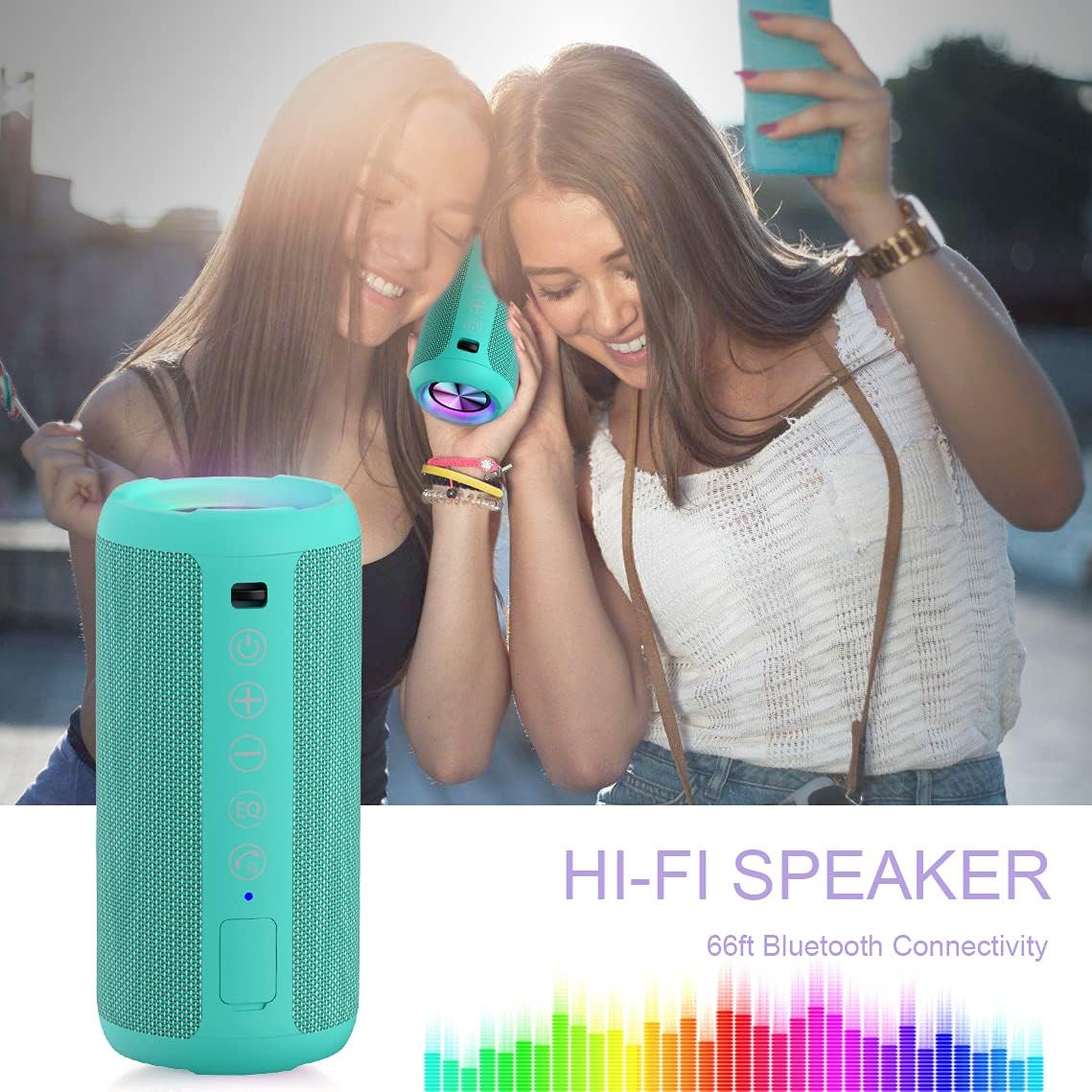
Image: The Ortizan X10 speaker demonstrating its Bluetooth connectivity with a mobile device.
Dual Pairing (True Wireless Stereo - TWS):
To achieve a true stereo sound experience, you can pair two Ortizan X10 speakers together:
- Ensure both Ortizan X10 speakers are powered on and not connected to any other Bluetooth device.
- On one of the speakers (this will be the primary speaker), short press the TWS Pairing button. You will hear a prompt, and the speaker will enter TWS pairing mode.
- The two speakers will automatically search for and connect to each other. Once connected, you will hear a confirmation sound, and the TWS indicator on both speakers will become solid.
- Now, connect your device to the primary speaker via Bluetooth as described in the "Bluetooth Pairing" section. The sound will play through both speakers in stereo.
- To disconnect TWS, short press the TWS Pairing button on either speaker.

Image: Two Ortizan X10 speakers set up for wireless stereo pairing, enhancing the audio experience for media consumption.
RGB Light Modes:
The Ortizan X10 features multiple light modes to enhance your listening experience:
- Short press the Light Mode button to cycle through different light effects (e.g., pulsing to music, static colors, fading).
- Press and hold the Light Mode button for approximately 2 seconds to turn the lights on or off.

Image: The Ortizan X10 speaker showcasing its dynamic RGB lighting feature.
Audio Input Options:
- Bluetooth: (Default) Connect wirelessly as described above.
- AUX-in: Connect an external audio device using the provided 3.5mm AUX cable to the speaker's AUX port. The speaker will automatically switch to AUX mode.
- TF Card: Insert a TF (microSD) card with MP3 audio files into the TF card slot. The speaker will automatically play music from the card.
Making/Receiving Calls:
When connected to a smartphone via Bluetooth, the Ortizan X10 can be used for hands-free calling:
- Answer Call: Short press the Power button.
- End Call: Short press the Power button during a call.
- Reject Call: Press and hold the Power button for 2 seconds.
- Redial Last Number: Double-press the Power button.
Maintenance and Care
- Cleaning: Use a soft, dry cloth to clean the speaker's surface. Do not use abrasive cleaners or solvents.
- Waterproof Care: While the speaker is IPX7 waterproof, ensure the charging port and AUX port covers are securely closed before exposing it to water. After exposure to water, especially saltwater, rinse with fresh water and allow it to dry completely before charging.
- Storage: Store the speaker in a cool, dry place away from direct sunlight and extreme temperatures. If storing for a long period, charge the battery to about 50% every few months to maintain battery health.
- Avoid Impacts: Do not drop or subject the speaker to strong impacts, as this may damage internal components.

Image: The Ortizan X10 speaker demonstrating its IPX7 waterproof capability in a pool setting.
Troubleshooting
| Problem | Possible Cause | Solution |
|---|---|---|
| Speaker does not power on. | Low battery; Power button not held long enough. | Charge the speaker fully. Press and hold the Power button for 3 seconds. |
| No sound. | Volume too low; Device not connected; Incorrect input mode. | Increase volume on both speaker and device. Re-pair Bluetooth. Check AUX/TF card connection. |
| Cannot pair via Bluetooth. | Speaker not in pairing mode; Device Bluetooth off; Too far from device; Interference. | Ensure speaker is flashing blue. Turn device Bluetooth off/on. Move closer. Avoid obstacles. |
| TWS pairing failed. | Speakers too far apart; Already connected to another device. | Ensure speakers are close. Disconnect both speakers from other devices before TWS pairing. |
| Lights not working. | Lights turned off. | Press and hold the Light Mode button to turn lights on. Short press to cycle modes. |
Specifications
| Feature | Detail |
|---|---|
| Model Name | Ortizan X10 |
| Speaker Type | Portable Outdoor Bluetooth Speaker |
| Output Power | 24 Watts |
| Connectivity Technology | Bluetooth 5.0, Auxiliary (3.5mm), TF Card |
| Bluetooth Range | Up to 66 feet (20 meters) unobstructed |
| Battery Life | Up to 30 hours (at 50% volume) |
| Water Resistance Level | IPX7 Waterproof (submersible up to 1 meter for 30 minutes) |
| Material | Aluminum, Plastic |
| Color | Black & Teal |
| Included Components | Speaker, USB Charging Cable, AUX Audio Cable, User Manual |
Warranty and Support
For warranty information, technical support, or any inquiries regarding your Ortizan X10 speaker, please refer to the official Ortizan website or contact their customer service directly. Contact details are typically provided on the product packaging or the manufacturer's official online channels.
You can visit the Ortizan Store on Amazon for more information: Ortizan Store
Related documentsX10


Ask a question about this manual
Ask about setup, troubleshooting, compatibility, parts, safety, or missing instructions. Manuals+ will review the question and use this page’s manual context to help answer it.