
1. Important Safety Information
Please read all instructions carefully before assembly and use. Retain this manual for future reference.
- Always ensure the desk is properly assembled and stable before use.
- Do not exceed the maximum weight recommendation of 300 pounds (136 kg) for the desk surface.
- Keep all small parts and packaging materials away from children.
- Use only the provided hardware for assembly. Substituting parts may compromise stability.
- Ensure the power strip is connected to a grounded outlet. Do not overload the power strip.
- Avoid placing hot items directly on the desk surface without protection.
2. Package Contents
Verify that all components are present before beginning assembly. If any parts are missing or damaged, please contact Homieasy customer support.
- Desk Panels (L-shaped main desktop, monitor stand, storage shelves)
- Metal Frame Components
- LED Strip with Remote Control
- Built-in Power Strip (3 AC outlets, 2 USB ports)
- Fabric Storage Bag
- Assembly Hardware (screws, nuts, Allen wrench)
- Instruction Manual

Image 1: Overview of the Homieasy L-Shaped Computer Desk, showcasing its design with LED lighting, monitor stand, and integrated power strip.
3. Assembly Instructions
Assembly typically requires two people. Follow the numbered steps in the provided diagram. All necessary tools are included.
3.1. Prepare the Area
Clear a spacious area for assembly. Lay out all components and hardware, matching them to the parts list in your separate assembly diagram.
3.2. Construct the Frame
Begin by assembling the metal frame components. Ensure all connections are secure but do not fully tighten screws until the entire frame is assembled.
3.3. Attach Desk Panels and Shelves
Carefully attach the main desktop panels and storage shelves to the assembled frame. The shelving units are reversible and can be installed on either the left or right side to suit your space and preference.

Image 2: Illustration demonstrating the reversible L-shaped configuration of the desk, allowing the storage shelves to be placed on either side.
3.4. Install Monitor Stand and Accessories
Attach the removable monitor stand to the main desktop. Secure the fabric storage bag to the side of the desk using the designated hooks.

Image 3: Diagram illustrating the ergonomic benefits of the removable monitor stand, promoting a comfortable viewing posture.

Image 4: Close-up view of the removable monitor stand, highlighting its sturdy construction and attachment mechanism.

Image 5: Close-up view of the fabric storage bag, designed to hold books, magazines, or other small items, contributing to a tidy workspace.
3.5. Final Tightening and Leveling
Once all components are in place, fully tighten all screws. Adjust the leveling feet at the bottom of the desk legs to ensure the desk is stable and level on your floor.

Image 6: Detail of the adjustable leveling feet, which can be rotated to stabilize the desk on uneven surfaces.
4. Operating Instructions
4.1. LED Strip Operation
The integrated LED strip offers customizable lighting for your workspace.
- Power On/Off: Use the provided 24-key remote control or the smart APP to turn the LED strip on or off.
- Color Selection: Choose from multiple RGB colors using the remote or APP.
- Modes: Select various lighting modes (e.g., static, flashing, fading) to suit your preference.
- Music Sync: Activate the music sync function via the smart APP to synchronize lighting effects with audio.
- Timer Function: Set a timer for the LED strip to automatically turn off.
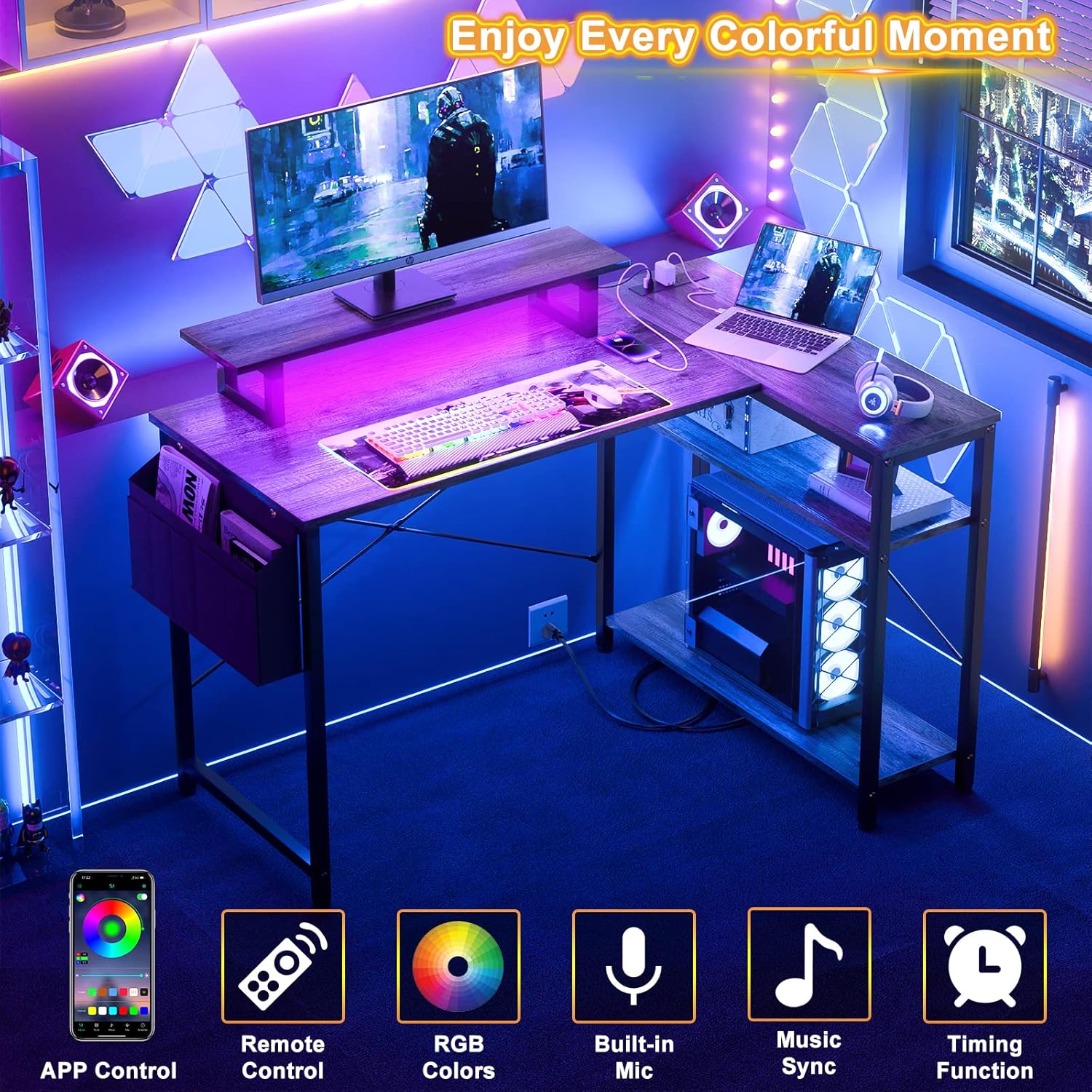
Image 7: The L-shaped desk illuminated by its LED strip, with icons indicating APP control, remote control, RGB colors, built-in mic, music sync, and timing functions.
4.2. Power Strip Usage
The built-in power strip provides convenient access to power for your devices.
- AC Outlets: The power strip includes 3 standard AC outlets (120V/12A) for laptops, monitors, and other electronics.
- USB Ports: Two USB ports (5V/2A) are available for charging smartphones, tablets, and other USB-powered devices.
- Power Cord: The power cord is 6.5 feet long. Ensure it is plugged into a suitable wall outlet.
- Overload Protection: Avoid exceeding the maximum wattage capacity of the power strip to prevent overload.
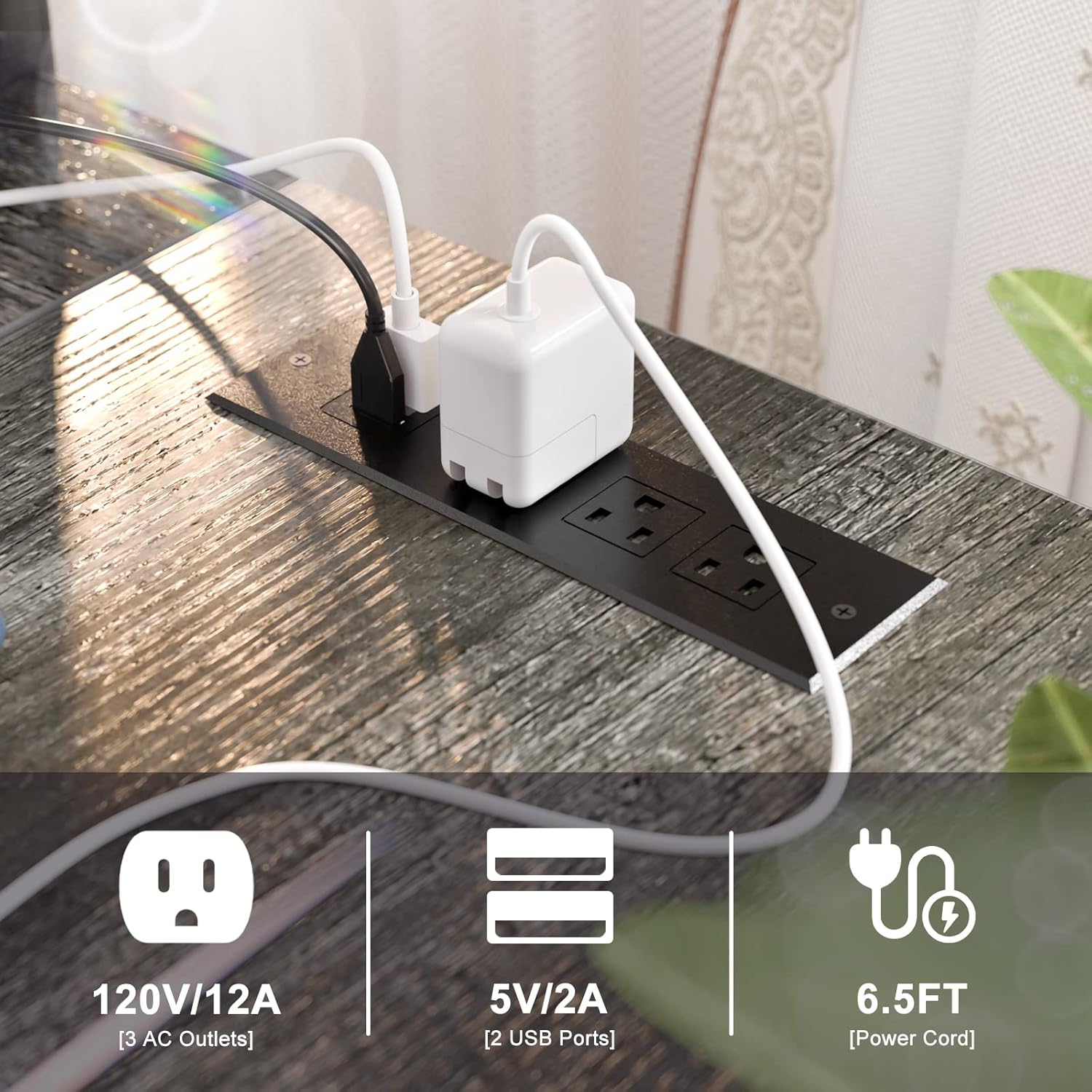
Image 8: Detailed view of the integrated power strip, showing the 3 AC outlets, 2 USB ports, and the 6.5-foot power cord.
5. Maintenance
- Cleaning: Wipe the desk surface with a soft, damp cloth. Avoid harsh chemicals or abrasive cleaners that could damage the finish.
- Spills: Clean up spills immediately to prevent staining or damage to the engineered wood surface.
- Hardware: Periodically check all screws and connections to ensure they remain tight. Retighten as necessary.
- LED Strip: The LED strip is designed for long-term use. If issues arise, refer to the troubleshooting section.
6. Troubleshooting
6.1. Desk Stability Issues
- Wobbling: Ensure all assembly screws are fully tightened. Adjust the leveling feet on the bottom of the desk legs to compensate for uneven floors.
- Uneven Surface: Verify that the desk is placed on a flat, stable surface.
6.2. LED Strip Not Functioning
- No Power: Check if the LED strip's power adapter is securely plugged into the power strip and a wall outlet.
- Remote Not Working: Ensure the remote control has working batteries and is pointed directly at the LED receiver.
- APP Connectivity: If using the smart APP, ensure Bluetooth is enabled on your device and the APP is correctly paired with the LED strip.
6.3. Power Strip Not Providing Power
- No Power: Verify that the desk's main power cord is securely plugged into a functional wall outlet.
- Overload: Unplug some devices from the power strip. If it has an overload protection reset button, press it.
- Device Issues: Test the devices with another power source to confirm they are working correctly.
7. Specifications
| Feature | Detail |
|---|---|
| Brand | Homieasy |
| Model | B0BCFM7SR5 |
| Product Dimensions | 32"D x 47"W x 29"H |
| Color | Black Oak |
| Style | Modern |
| Base Material | Alloy Steel |
| Top Material Type | Engineered Wood |
| Finish Type | Laminated |
| Special Features | Adjustable, Reversible, Storage Shelf, LED Strip, Power Strip |
| Room Type | Office |
| Recommended Uses | Working, Writing, Gaming |
| Included Components | Storage bag |
| Item Weight | 20 Kilograms |
| Maximum Weight Recommendation | 300 Pounds |
| Power Strip | 3 AC Outlets (120V/12A), 2 USB Ports (5V/2A), 6.5ft Power Cord |

Image 9: Diagram showing the detailed dimensions of the L-shaped computer desk, including desktop length, depth, height, and shelf spacing.
8. Warranty and Support
Homieasy products are designed for quality and durability. For specific warranty information, please refer to the warranty card included with your purchase or visit the official Homieasy website.
If you encounter any issues or have questions regarding your Homieasy L-Shaped Computer Desk, please contact our customer support team for assistance. Provide your model number (B0BCFM7SR5) when contacting support to expedite service.
Homieasy Customer Support: Visit Homieasy Store on Amazon