
1. Introduction
The DALY Smart BMS 14S 48V 200A is a sophisticated Battery Management System designed for Li-ion battery packs. It integrates advanced protection features, including a parallel packs equalization module, Bluetooth connectivity, and CAN/UART/RS485 communication protocols. This manual provides essential information for the safe and effective installation, operation, and maintenance of your DALY Smart BMS.
2. Product Overview
The DALY Smart BMS is engineered to manage and protect Li-ion battery packs, ensuring their longevity and safe operation. Key components include the main BMS unit, a dedicated 1A parallel equalization module, a Bluetooth dongle for wireless communication, NTC temperature sensors, and balance wires.
2.1 Key Features
- Unique Parallel Pack Protection: Specifically designed for parallel lithium packs, limiting mutual high charging current caused by internal resistance and voltage differences.
- Smart Communication: Equipped with UART, RS485, and CAN functions, allowing for comprehensive monitoring and parameter settings via Bluetooth.
- Programmable Bluetooth Dongle: Enables real-time battery parameter checks and configuration through the DALY BMS app.
- Integrated Equalization Module: A 1A parallel module ensures balanced charging across parallel battery packs.
2.2 Components Included
- Smart BMS with CAN communication function
- Balance wire harness
- NTC temperature sensor
- Bluetooth module
- 1A matched parallel module
- Communication cable
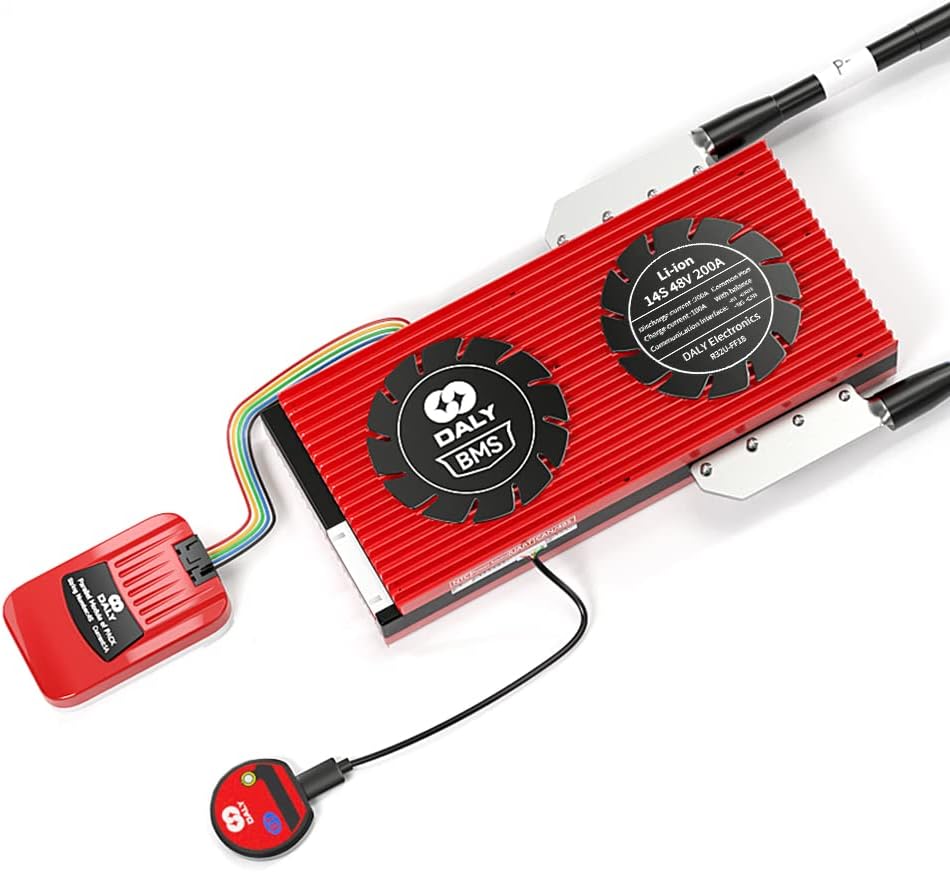
Figure 2.1: The DALY Smart BMS 14S 48V 200A unit, showing the main BMS board, connected parallel module, and communication dongle.

Figure 2.2: Close-up view of the DALY 1A Parallel Module, an essential component for managing parallel battery packs.
3. Specifications
| Feature | Value |
|---|---|
| Model | 14S 48V 200A (Li-ion) |
| Rated Current | 200A |
| Rated Voltage | 48V (14S Li-ion) |
| Product Dimensions (BMS) | Approximately 4.72 x 8.7 x 1.26 inches (120 x 221 x 32 mm) |
| Parallel Module Dimensions | 63 x 41 x 14 mm |
| Parallel Module Current Limit | 1A |
| Operating Temperature | -20℃ to 70℃ |
| Communication Interfaces | UART, RS485, CAN, Bluetooth |
| Communication Wire Length | 300mm (22AWG) |
| UPC | 768617265396 |

Figure 3.1: Visual representation of the DALY Smart BMS and 1A Parallel Module dimensions.
4. Setup and Installation
4.1 Important Installation Notes
- The DALY BMS and DALY parallel module must be used together and cannot be used separately.
- The types and string counts of the BMS, parallel module, and battery packs must be identical. For example, a 14S Li-ion BMS requires 14S Li-ion battery packs.
- Ensure all balance lines are correctly wired to each battery cell before connecting the parallel module to the BMS.
- Connect the BMS to the battery pack first, then connect the parallel module to the BMS.
- The parallel module is designed to limit high charging currents between parallel lithium battery packs, which can occur due to internal resistance and voltage differences.
4.2 Wiring Diagram
Follow the wiring diagram carefully to ensure correct and safe installation. The 1A parallel protector has one wire outlet with 5 wires in total. These 5 wires must be combined and connected to the corresponding DO port of the BMS.
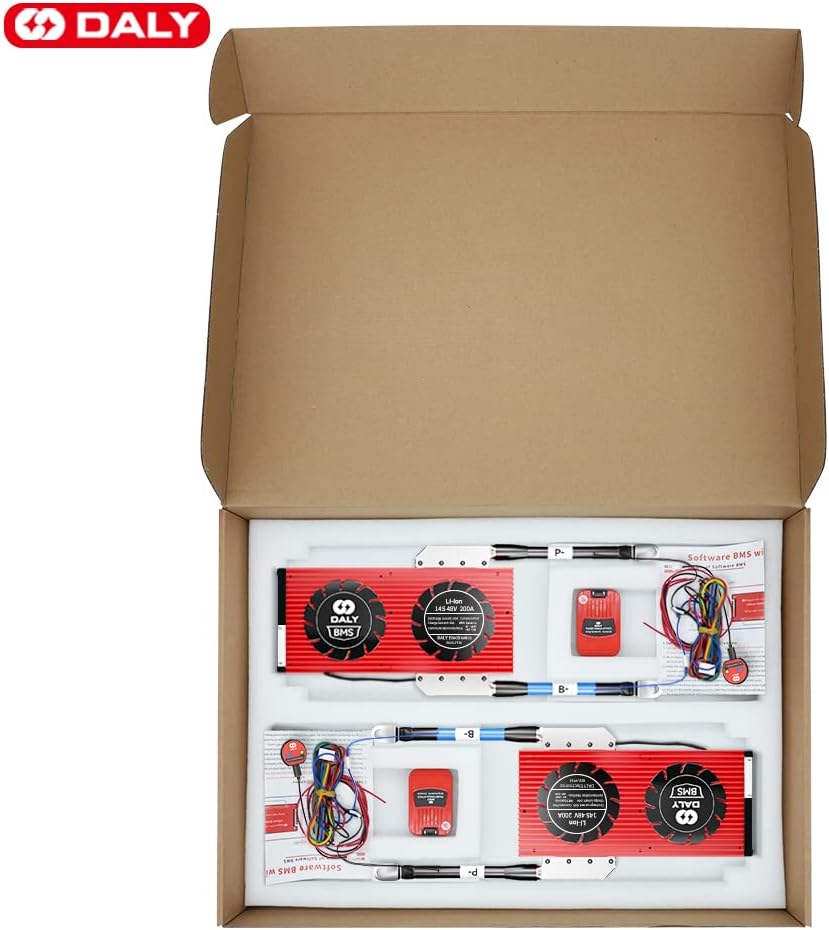
Figure 4.1: Detailed wiring diagram for connecting the DALY Smart BMS and 1A parallel module to a battery pack. Ensure correct polarity and cell balance wire connections.
4.3 Parallel Pack Configuration
When configuring multiple battery packs in parallel, the DALY parallel module ensures safe operation by managing current flow between packs. This setup is crucial for applications requiring higher capacity or voltage, such as hybrid inverters, UPS systems, and portable power banks.

Figure 4.2: Illustration showing two battery packs connected in parallel, each managed by a DALY Smart BMS and parallel module, ensuring balanced operation.
5. Operation
5.1 Bluetooth Smart Communication
The DALY Smart BMS features Bluetooth connectivity, allowing users to monitor and configure the system via a dedicated mobile application. Connect the provided Bluetooth dongle to the BMS to enable wireless communication.
- Download the DALY BMS app from your device's app store.
- Pair your mobile device with the Bluetooth dongle.
- Through the app, you can access real-time battery parameters such as voltage, current, state of charge (SOC), cell balance, and temperature.
- The app also allows for specific parameter settings and fault alarm monitoring.

Figure 5.1: Screenshot of the DALY BMS mobile application interface, displaying real-time battery status and parameters via Bluetooth.
5.2 Parallel Module Trigger Conditions
The 1A parallel module is designed to activate under specific conditions to protect the battery packs:
- When the overcharge current reaches a warning level (Level 2).
- When a built-in or preset valve value is reached.
The parallel module releases its state during discharge, allowing normal operation.
6. Maintenance
- Regular Inspection: Periodically check all connections for tightness and signs of corrosion or damage.
- Cleanliness: Keep the BMS and parallel module free from dust, dirt, and moisture. Use a dry, soft cloth for cleaning.
- Temperature Management: Ensure the operating environment remains within the specified temperature range (-20℃ to 70℃) to prevent overheating or cold-related issues.
- Software Updates: Check for and apply any available firmware updates for the BMS via the DALY BMS app to ensure optimal performance and access to new features.
7. Troubleshooting
This section provides guidance for common issues. For complex problems, contact DALY technical support.
- No Power/System Not Responding:
- Verify all power connections to the BMS and battery pack are secure.
- Check the main battery voltage to ensure it is within the operational range.
- Inspect fuses (if applicable) in the battery system.
- Bluetooth Connection Issues:
- Ensure the Bluetooth dongle is correctly connected to the BMS.
- Restart the DALY BMS app and your mobile device's Bluetooth.
- Confirm the Bluetooth dongle is powered on (check for indicator lights).
- Unusual Battery Behavior (e.g., rapid discharge, poor balance):
- Check cell voltages via the DALY BMS app to identify any significantly unbalanced cells.
- Review the wiring of the balance leads for correct connection and integrity.
- Ensure the parallel module is correctly installed and functioning if using parallel packs.
- Monitor for any fault alarms displayed in the DALY BMS app.
- Parallel Module Not Functioning as Expected:
- Confirm that the BMS and parallel module types and string counts match the battery packs.
- Verify the connection between the parallel module and the BMS's DO port.
- Check if the trigger conditions (overcharge current warning or preset valve) are being met.
8. Safety Information
Adhere to the following safety guidelines to prevent injury, damage to the product, or damage to the battery system:
- Electrical Safety: Always disconnect power before performing any installation, maintenance, or wiring changes. Work with insulated tools.
- Battery Handling: Lithium batteries can be dangerous if mishandled. Avoid short circuits, overcharging, or physical damage to battery cells.
- Correct Wiring: Incorrect wiring can lead to severe damage to the BMS, battery, and connected equipment, and poses a fire hazard. Double-check all connections against the wiring diagram.
- Environment: Install the BMS in a dry, well-ventilated area, away from flammable materials and direct sunlight.
- Professional Installation: If you are unsure about any part of the installation process, seek assistance from a qualified professional.
- Emergency Procedures: In case of fire, use a Class D fire extinguisher for lithium battery fires. Do not use water.
9. Warranty and Support
For warranty information, technical support, or service inquiries, please contact DALY customer service or refer to the official DALY website. Ensure you have your product model and purchase details available when contacting support.
Manufacturer: Dongguan Daly Electronics Co., Ltd.


