The Black Shark Fun Cooler 3 Pro is a high-performance portable phone cooler designed to rapidly dissipate heat from your mobile device, ensuring optimal performance during intensive gaming sessions or heavy usage. Featuring 20W of cooling power and advanced thermal management, it can reduce your phone's temperature by up to 30℃.
This manual provides essential information on setting up, operating, and maintaining your Fun Cooler 3 Pro to ensure its longevity and efficient performance.
Important Safety Information
Please read all safety warnings and instructions carefully before using this product to prevent injury or damage.
Do not expose the device to extreme temperatures, direct sunlight, or high humidity.
Keep the device away from water or other liquids.
Do not attempt to disassemble, repair, or modify the device. Refer all servicing to qualified personnel.
Ensure proper ventilation around the cooler during operation. Do not block the air vents.
Use only the recommended power adapter and cable to power the device.
Keep out of reach of children.
Package Contents
Verify that all items are present in your package:
Black Shark Fun Cooler 3 Pro
USB-C Power Cable
User Manual (this document)
Phone Adapter Clips (if applicable, for universal compatibility)
Product Overview
Familiarize yourself with the components and key features of your Black Shark Fun Cooler 3 Pro.
Figure 1: Black Shark Fun Cooler 3 Pro device. This image shows the overall design of the cooler, highlighting its compact and ergonomic form factor with the central fan and RGB lighting.
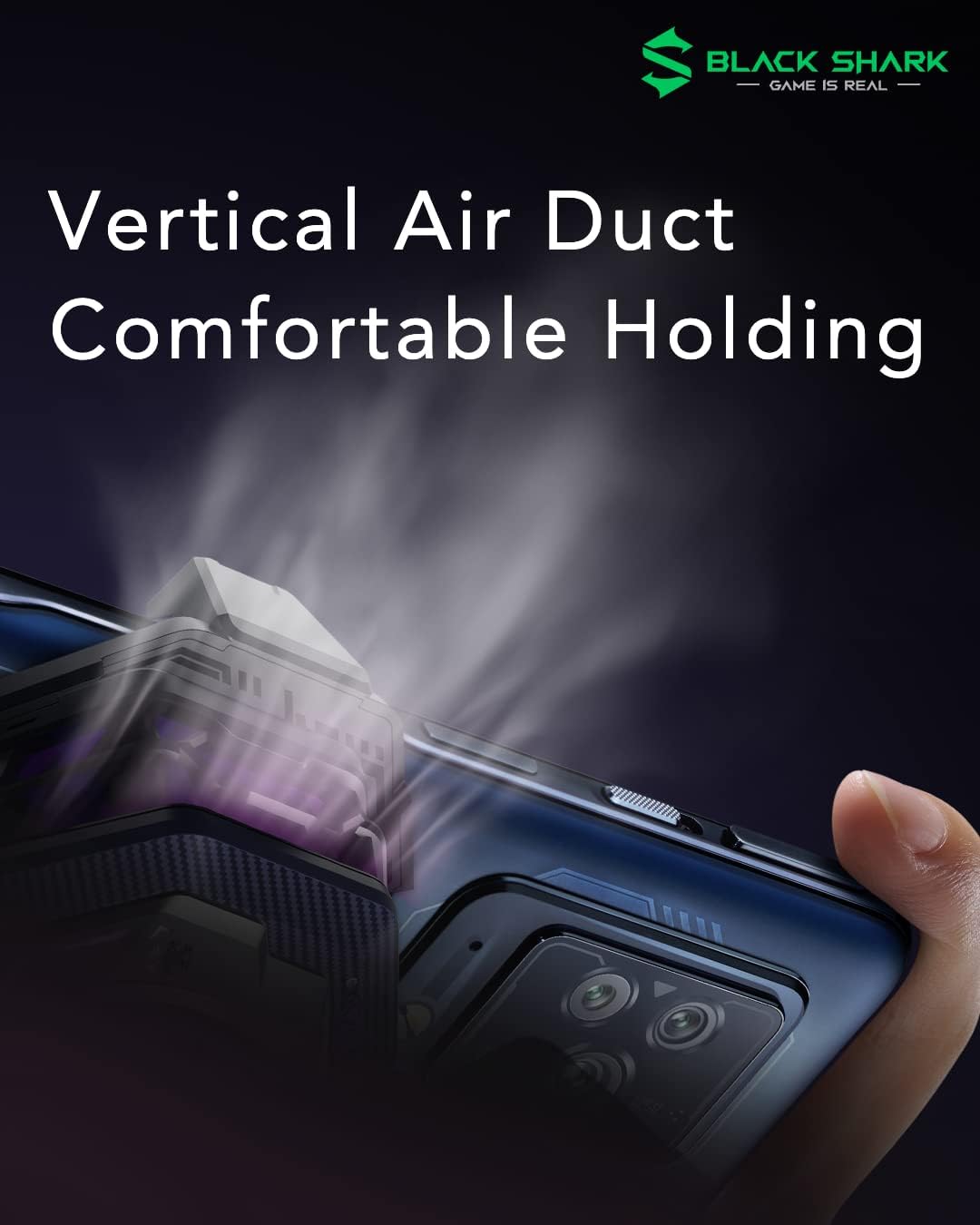
Figure 2: Vertical Air Duct Design. This illustration demonstrates the innovative vertical air duct, which directs heat away from your hands for a more comfortable grip during use.
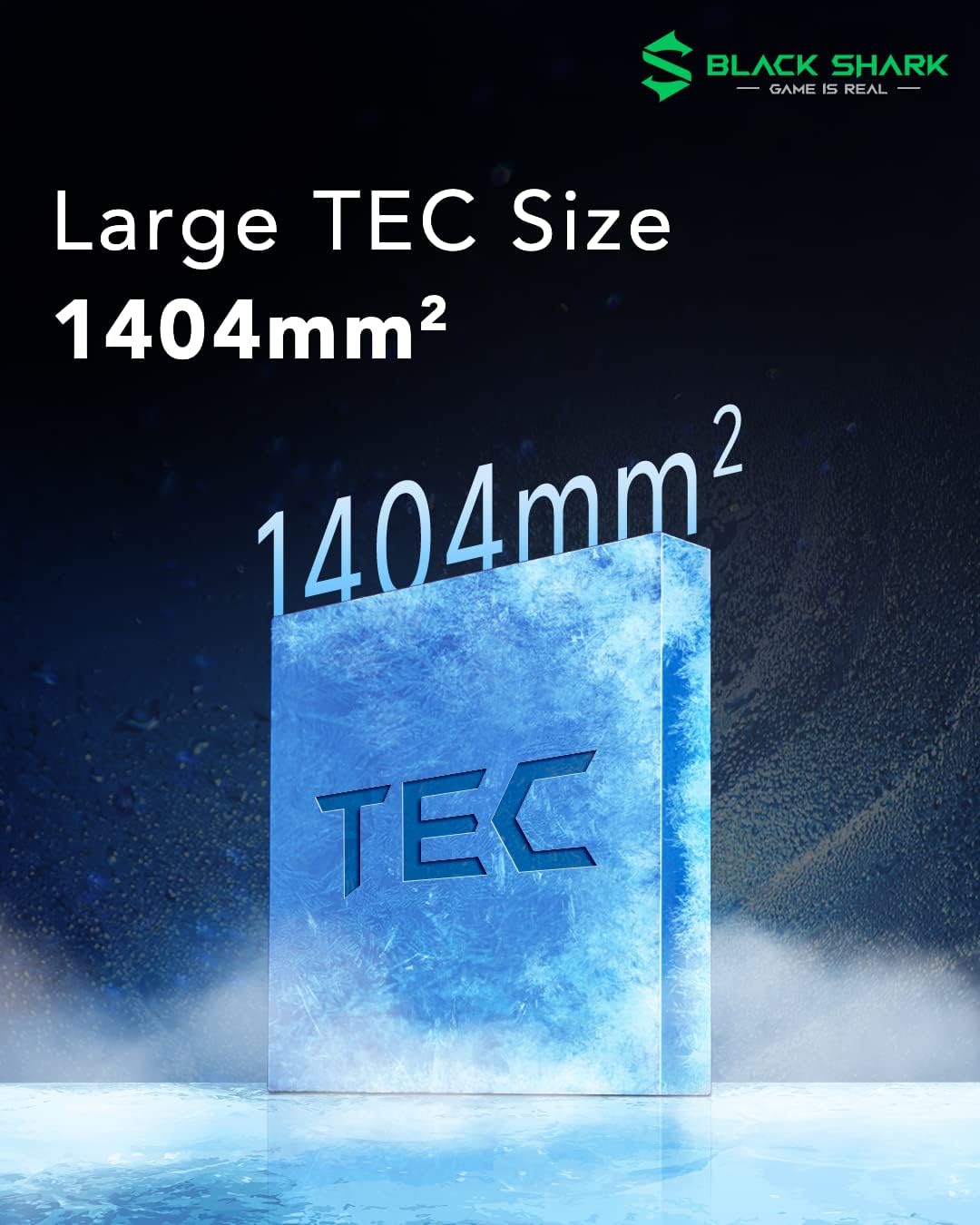
Figure 3: Large TEC Size. The image highlights the substantial 1404mm² Thermoelectric Cooler (TEC) area, which is crucial for efficient and powerful cooling performance.
Figure 4: 20W High Power. This graphic illustrates the 20W power input, indicating the high cooling capacity of the device for rapid temperature reduction.
Figure 5: Hot/Cold Separation Structure. This diagram shows the internal design that separates hot and cold airflows, preventing heat recirculation and maximizing cooling efficiency.
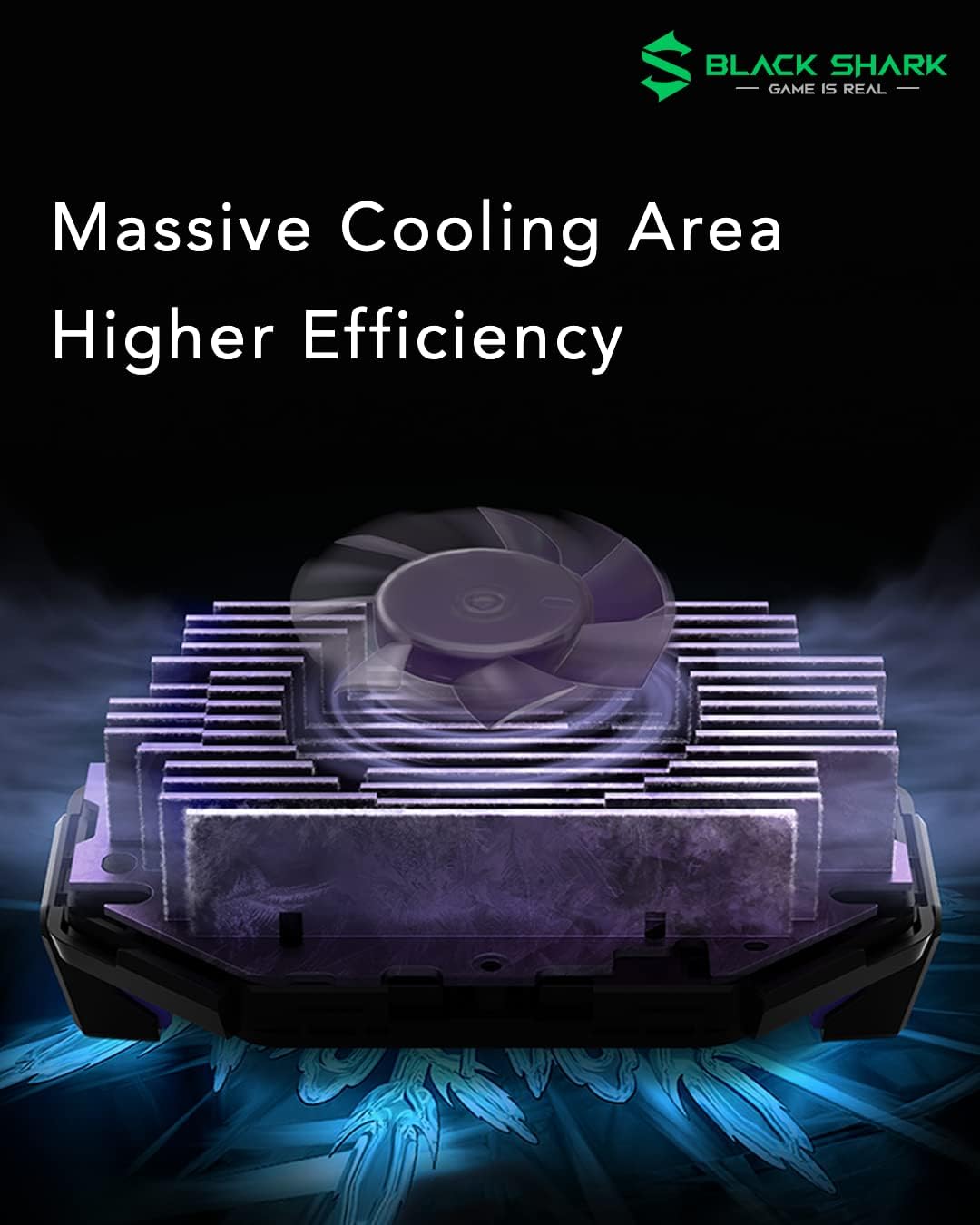
Figure 6: Massive Cooling Area. The image depicts the extensive heat dissipation area, including multiple heat sinks, which contributes to the cooler's high efficiency.
Setup Guide
Follow these steps to set up your Black Shark Fun Cooler 3 Pro:
Attach to Phone: Extend the cooler's clips and securely attach it to the back of your smartphone. Ensure the cooling plate makes firm contact with the phone's surface. The universal compatibility allows it to fit various phone sizes.
Connect Power: Connect the USB-C power cable to the cooler's power input port. Connect the other end of the cable to a suitable power adapter (not included, 20W or higher recommended for optimal performance).
Power On: The cooler will automatically power on once connected to a power source. The RGB lighting will illuminate, and the fan will begin to operate.
Install Shark Arsenal App (Optional but Recommended): For advanced control and customization of RGB lighting effects and cooling modes, download the "Shark Arsenal" app from your device's app store (Google Play Store for Android, Apple App Store for iOS).
Operating Instructions
The Fun Cooler 3 Pro is designed for simple operation, with advanced features accessible via the companion app.
Basic Operation
Once powered on, the cooler will immediately begin to cool. The fan speed and cooling intensity are automatically regulated to maintain optimal performance.
The RGB lighting will display a default effect.
Using the Shark Arsenal App
The Shark Arsenal app provides comprehensive control over your Fun Cooler 3 Pro:
Connect to App: Open the Shark Arsenal app on your smartphone. Ensure Bluetooth is enabled. The app will automatically detect and connect to your Fun Cooler 3 Pro.
Customize RGB Lighting:
Figure 7: RGB Lighting In-App Control. This image shows the cooler and a smartphone displaying the Shark Arsenal app interface, where users can customize RGB lighting effects.
Navigate to the "Lighting Settings" section within the app. You can choose from various lighting effects such as Streamer, Breathe, Flow, or Flash to match your gaming setup or personal preference.
Cooling Modes: The app may offer different cooling modes (e.g., Smart, Manual) to adjust the cooling intensity based on your needs. Refer to the app interface for available options.
Timer Function: Set an automatic shutdown timer for energy saving purposes. This feature can be found in the app's settings.
Firmware Updates: The app will notify you of any available firmware updates for your cooler. It is recommended to keep the firmware updated for optimal performance and new features.
Maintenance and Care
Proper maintenance ensures the longevity and efficiency of your Fun Cooler 3 Pro.
Cleaning: Use a soft, dry cloth to wipe the exterior of the cooler. Do not use abrasive cleaners or solvents. For dust accumulation in the fan area, use a soft brush or compressed air.
Storage: When not in use for extended periods, store the cooler in a cool, dry place away from direct sunlight and extreme temperatures.
Avoid Obstructions: Ensure the air intake and exhaust vents are free from dust and debris to maintain optimal airflow.
Troubleshooting
If you encounter issues with your Black Shark Fun Cooler 3 Pro, refer to the following common problems and solutions:
Problem
Possible Cause
Solution
Cooler not turning on.
No power or insufficient power supply.
Ensure the USB-C cable is securely connected to both the cooler and a working power source. Use a power adapter that provides at least 20W.
Cooling performance is weak.
Poor contact with phone, blocked vents, or ambient temperature too high.
Ensure the cooler is firmly attached to the phone. Clear any obstructions from the air vents. Operate in a cooler environment if possible.
RGB lighting not working or stuck.
App connection issue or software glitch.
Restart the Shark Arsenal app. Disconnect and reconnect the cooler's power. Check for app or firmware updates.
Cooler automatically shuts down.
Overheating protection (NTC Dual Protection) or timer activated.
Figure 8: NTC Dual Protection. This diagram illustrates the cooler's built-in safety mechanism, which automatically shuts down the device if temperatures fall below -5℃ or exceed 60℃ to prevent damage.
The cooler features NTC Dual Protection, which automatically shuts down the device if the temperature drops below -5℃ (after 5 minutes) or exceeds 60℃ (after 2 minutes) to prevent damage. Check the app for any active timers. Ensure proper ventilation and contact with the phone.
If the problem persists after trying these solutions, please contact Black Shark customer support.
Specifications
Feature
Detail
Model Number
COOLER3PRO
Cooling Power
20W
Temperature Drop
Up to 30℃
TEC Area
1404mm²
Heat Dissipation Area
Increased by 227% (compared to previous models)
Fan Type
7-blade high-speed fan
Dimensions (L x W x H)
8.43 x 5.95 x 4.37 cm
Weight
200 grams
Safety Features
NTC Dual Protection (Auto-shutdown below -5℃ or above 60℃)
Control
Integrated control, Shark Arsenal App (Bluetooth)
Lighting
Customizable RGB Lighting
Compatibility
Universal (Android & iOS smartphones)
Warranty and Support
Black Shark products come with a standard manufacturer's warranty. Please refer to the warranty card included with your purchase or visit the official Black Shark website for detailed warranty terms and conditions.
For technical support, troubleshooting assistance, or service inquiries, please contact Black Shark customer support through their official website or the contact information provided in your product packaging.