
GEAMENT 42145N
GEAMENT LED Light Kit Instruction Manual
For Lego Airbus H175 Rescue Helicopter (Model 42145N)
1. Important Information
This instruction manual provides guidance for the installation and use of the GEAMENT LED Light Kit. This product is designed to enhance your Lego Airbus H175 Rescue Helicopter (Technic 42145) model with lighting effects. Please note: The Lego model set is NOT included with this lighting kit.
For detailed step-by-step installation, please refer to the comprehensive PDF instructions provided with your kit. A simple user manual is included in the package, and the detailed PDF can typically be downloaded via a link provided in the simple manual or product packaging.

Image 1.1: Important notice clarifying that only the lighting kit is included, not the model set.
2. Package Contents
Before beginning installation, please verify that all components are present in your package:
- LED Lighting Kit (various light strings and connecting wires)
- Battery Box (for power supply)
- Simple User Manual

Image 2.1: Contents of the GEAMENT LED Light Kit, including the lighting components and battery box.
3. Safety Information
Please read and follow these safety guidelines to prevent damage to the product or injury:
- Keep small parts away from young children to avoid choking hazards.
- Handle wires and LED components carefully to prevent bending or breaking.
- Ensure the power source (battery box) is correctly assembled and batteries are inserted with correct polarity.
- Do not expose the lighting kit to water or excessive moisture.
- Avoid applying excessive force when connecting or disconnecting components.
4. Setup and Installation
The installation process involves integrating the LED lights into your existing Lego Airbus H175 Rescue Helicopter model. It is crucial to follow the detailed PDF instructions step-by-step to ensure proper functionality and avoid damage to your model or the lighting kit.
4.1 General Installation Steps:
- Preparation: Ensure your Lego model is fully assembled and stable. Clear a well-lit workspace.
- Unpack: Carefully remove all lighting components from their packaging.
- Identify Components: Familiarize yourself with the different types of LED lights, connecting wires, and the battery box.
- Follow PDF Instructions: Refer to the detailed PDF manual for specific placement of each LED and routing of wires. The instructions will guide you on which Lego bricks to temporarily remove or adjust for wire concealment.
- Connect Power: Once all lights are installed, connect them to the battery box according to the instructions.
- Test: Insert batteries into the battery box and turn on the power to test the lights.
Tip: Some users find it helpful to watch an installation video if available. Check the product page or manufacturer's website for video guides.


5. Operating Instructions
Once the LED Light Kit is fully installed and connected to the battery box, operating the lights is straightforward.
5.1 Powering On/Off:
- Insert Batteries: Open the battery compartment on the battery box and insert the required batteries (typically AA or AAA, refer to the battery box markings or PDF manual for exact type and quantity). Ensure correct polarity.
- Turn On: Locate the power switch on the battery box. Flip the switch to the 'ON' position to illuminate the LED lights.
- Turn Off: Flip the power switch to the 'OFF' position to turn off the LED lights.
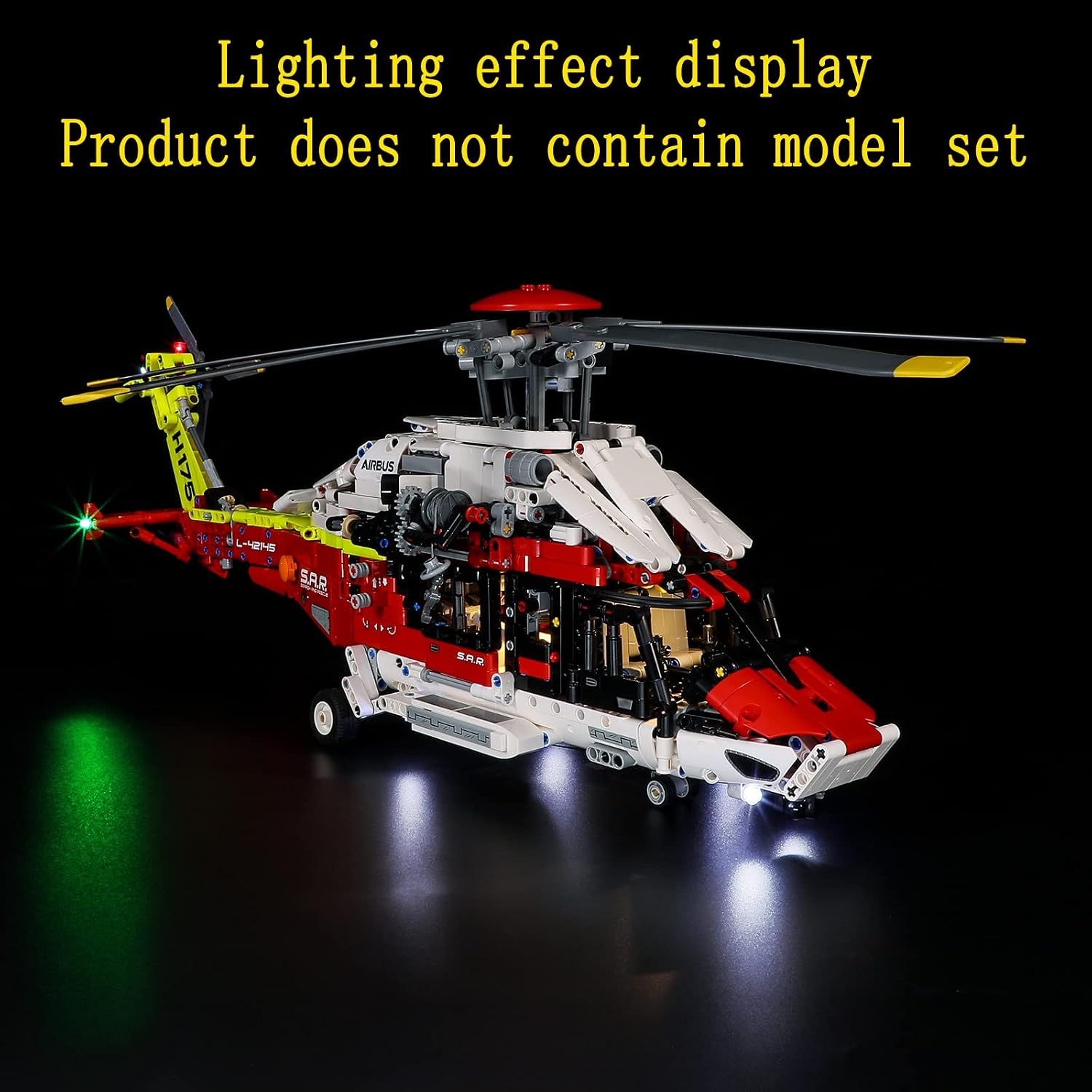
5.2 Lighting Effect Display:
The installed lights will bring your Lego model to life, highlighting its details and creating an impressive display.

6. Maintenance
Proper maintenance ensures the longevity and optimal performance of your LED Light Kit.
- Cleaning: Use a soft, dry cloth to gently wipe dust from the LED lights and wires. Avoid using liquids or abrasive cleaners.
- Battery Replacement: When lights dim or stop working, replace all batteries in the battery box with new ones of the specified type. Do not mix old and new batteries.
- Storage: If storing the model for an extended period, remove batteries from the battery box to prevent leakage and corrosion.
- Wire Inspection: Periodically check wires for any signs of damage, fraying, or loose connections.
7. Troubleshooting
If you encounter issues with your LED Light Kit, refer to the following common troubleshooting steps:
| Problem | Possible Cause | Solution |
|---|---|---|
| Lights do not turn on. | No power, incorrect battery installation, loose connection, faulty switch. | Check batteries (ensure they are new and correctly inserted). Verify all wire connections are secure. Ensure the power switch is in the 'ON' position. |
| Some lights are dim or flickering. | Low battery power, loose connection, damaged LED. | Replace batteries. Check connections for the affected lights. If an individual LED is damaged, it may need replacement (contact support). |
| Lights turn off unexpectedly. | Low battery power, intermittent connection. | Replace batteries. Inspect all connections for stability. |
If these steps do not resolve the issue, please contact GEAMENT customer support for further assistance.
8. Specifications
- Product Dimensions: 5.91 x 3.94 x 1.18 inches
- Item Weight: 3.88 ounces
- Item Model Number: 42145N
- Manufacturer Recommended Age: 15 years and up
- Manufacturer: GEAMENT
9. Warranty and Support
GEAMENT provides customer support for its products. For warranty information, technical assistance, or to report missing/defective parts, please refer to the contact details provided in your product packaging or visit the official GEAMENT website. Please have your model number (42145N) and purchase information ready when contacting support.
Ask a question about this manual
Ask about setup, troubleshooting, compatibility, parts, safety, or missing instructions. Manuals+ will review the question and use this page’s manual context to help answer it.