
1. Introduction and Overview
Thank you for choosing the BEETRO RV Keyless Entry Door Lock Handle Latch. This manual provides detailed instructions for the installation, setup, operation, and maintenance of your new RV door lock. This advanced lock offers multiple unlocking methods including fingerprint identification, keypad code, wireless fob, and traditional mechanical keys, enhancing convenience and security for your RV or travel trailer.
Please read this manual thoroughly before installation and use to ensure proper function and longevity of the product.
2. Product Features
- Multiple Unlocking Ways: Fingerprint, keypad code, wireless fob, and mechanical key.
- Biometric Fingerprint Identification: Recognizes fingerprints in 0.3 seconds, unlocks in 1 second. Stores up to 30 fingerprints.
- Heavy-Duty Construction: Front and back handle parts built with premium zinc-alloy and flame-retardant nylon material. Withstands IK07 impact level.
- Durability: IP65 waterproof and UL-94 V2 fire-protection rating. Heavy-duty steel dual-core design.
- Backlit Keypad: For easy access in low-light conditions.
- Low Battery Alarm: Alerts when battery power is low, prompting replacement.
- Wireless Fob Range: Up to 65 feet.
3. Package Contents
The package includes the following items:
- 1 x BEETRO RV Door Lock
- 1 x Remote Control Key Fob
- 2 x Mechanical Keys
- 1 x Mounting Hardware Tools Kit
- 1 x User Manual
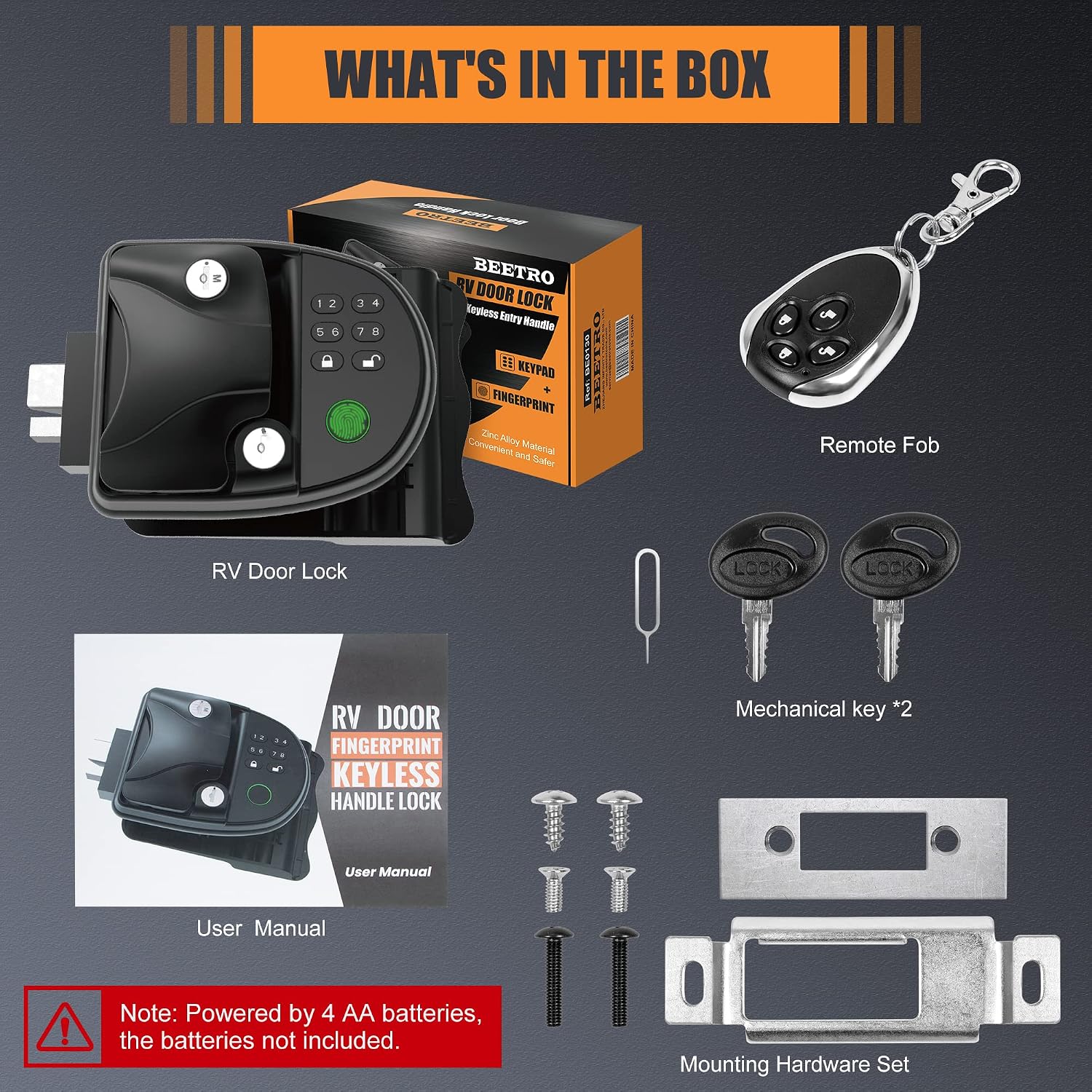
Figure 3.1: Package Contents
Note: 4 AA batteries are required for operation and are not included in the package.
4. Installation
The BEETRO RV Door Lock is designed for easy installation, typically taking 5-10 minutes. However, it is crucial to verify compatibility with your RV or trailer door before proceeding.
4.1 Compatibility Check
This lock is only compatible with RVs and trailers that have an existing lock hole opening measuring 3.75 inches tall x 2.75 inches wide x 1.5 inches thick. It is suitable for campers, 5th Wheels, Bumper-pull, Horse, and Cargo style trailers. It does NOT fit Class A or Class C RVs with a lock hole opening of 5.75'' x 5.5''. Additionally, the door hinges must be on the right side.

Figure 4.1: Lock Hole Dimensions and Hinge Requirement
Ensure your door's latch and deadbolt style fit the provided striker plate design.
4.2 Installation Steps
Refer to the included product instruction manual for detailed, step-by-step installation instructions with diagrams. Generally, installation involves removing your old lock, inserting the new BEETRO lock, connecting the internal wiring, and securing it with the provided hardware.

Figure 4.2: Internal Components and Assembly
5. Setup and Programming
After installation, you will need to program your desired access methods.
5.1 Fingerprint Programming
The lock supports up to 30 unique fingerprints.
- Turn the switch on the inside unit to the ON position.
- Press and hold the "FOB Learn" button (located on the inside unit).
- While holding "FOB Learn", touch the fingerprint sensor with your finger.
- When the fingerprint sensor starts flashing blue lights, release the "FOB Learn" button.
- Place your finger on the fingerprint sensor. Each fingerprint needs to be scanned three times. Each successful scan will be accompanied by a green light flash. Ensure to place your finger at different angles each time for better recognition.
- You will hear a long beep when the fingerprint scan is successful. The sensor will continue flashing blue light, allowing you to add other fingerprints. If you do not need to add more, wait until the blue light turns off before using.

Figure 5.1: Fingerprint Sensor and Specifications
Video 5.1: How To Set Your Fingerprints
5.2 Key Fob Programming
Program the wireless remote control fob to unlock your door.
- Ensure the switch on the inside unit is in the ON position.
- Use a small pin to press the "FOB Learn" button (located on the inside unit).
- While keeping the "FOB Learn" button pressed, also press the "Lock" button on the Remote FOB.
- When the lock emits a "beep" sound, the remote control code matching is complete.
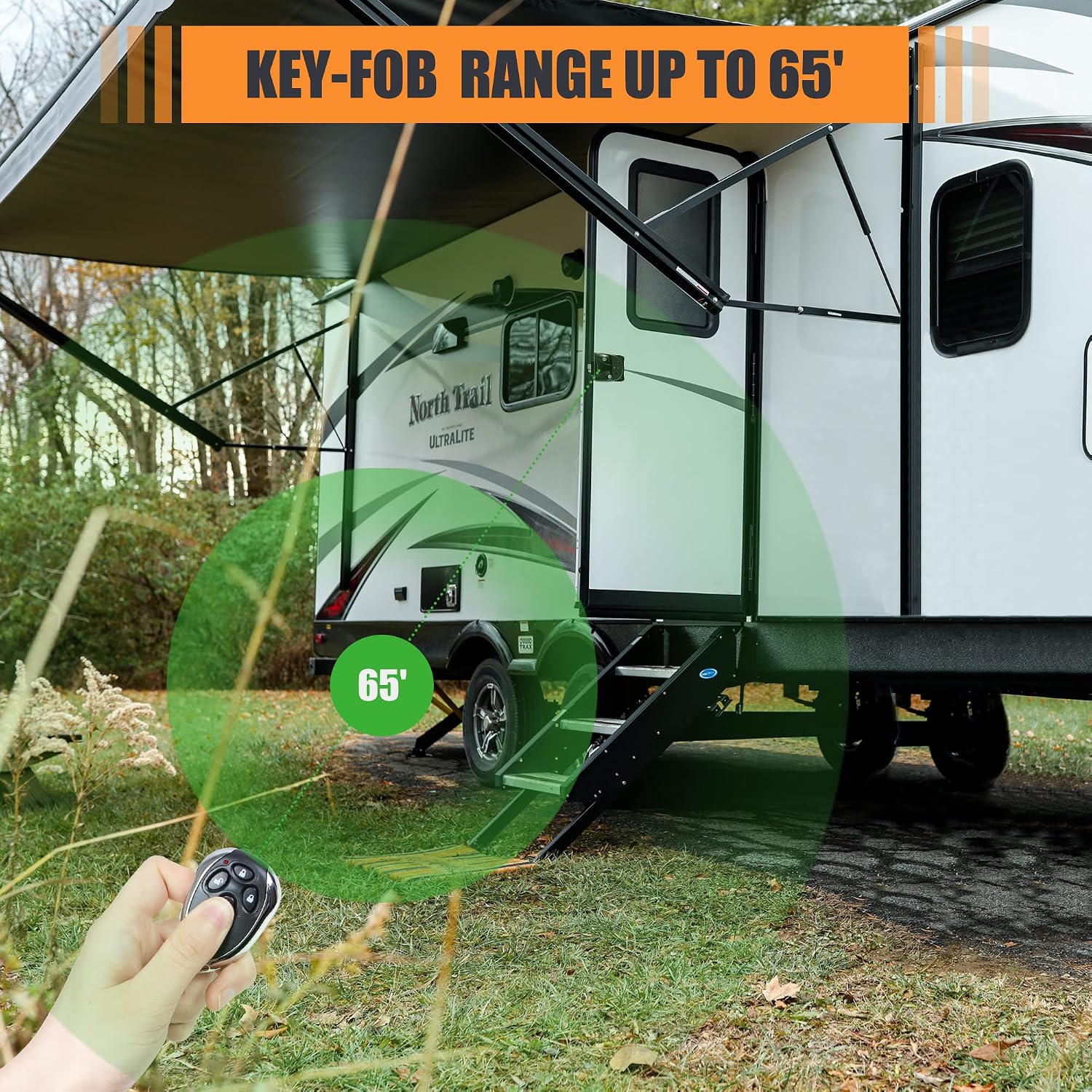
Figure 5.2: Key Fob Range
Video 5.2: How to set the remote control
5.3 Keypad Code Programming
You can change the default keypad code (1234) to a new one.
- Hold down the "8" button until you hear a long confirmation beep, indicating you are in programming mode. Then release the "8" button.
- Type in the existing code (default code is "1234") and then press the "Lock" button.
- Now type in your new code (e.g., "5678"), then press the "Lock" button.
- Type in the same new code (e.g., "5678") again and press "Lock". A long confirmation beep confirms your new code is programmed.
- To ensure your new code is working, type in the new code and press the lock or unlock button. The keypad should confirm the accepted code by actuating the deadbolt.

Figure 5.3: How to Set a New Keypad Password
Video 5.3: How To Set A New Password
6. Operation
The BEETRO RV Door Lock offers several convenient ways to secure and access your RV.
- Fingerprint Unlock: Simply place your registered finger on the sensor. The lock will unlock automatically.
- Keypad Unlock: Enter your programmed 4-8 digit code on the backlit keypad, then press the unlock button.
- Wireless Fob Unlock: Press the unlock button on your remote control fob. Ensure the internal switch is in the ON position for fob functionality.
- Mechanical Key Unlock: Insert one of the provided mechanical keys into the keyhole and turn to unlock. This is a reliable backup method.
- Locking: To lock the door, press the lock button on the keypad, use the remote fob, or manually engage the deadbolt from the inside.

Figure 6.1: Multiple Unlocking Ways
7. Maintenance
7.1 Battery Replacement
The lock is powered by 4 AA batteries (not included). When the battery power is too low, the lock will sound an alarm to remind you to replace the batteries. To replace, open the battery compartment on the inside unit, remove old batteries, and insert new ones, ensuring correct polarity.
7.2 Cleaning
Clean the lock's exterior with a soft, damp cloth. Avoid abrasive cleaners or solvents that could damage the finish or electronic components.

Figure 7.1: Durable Construction
8. Troubleshooting
- Lock not responding: Check battery levels. Replace batteries if low.
- Fingerprint not recognized: Ensure your finger is clean and dry. Try placing your finger at different angles. Re-register your fingerprint if issues persist.
- Keypad code not working: Ensure you are entering the correct code. If you forgot your code, use the mechanical keys to open the door, then press the "Code Reset" button (located on the inside unit) to restore the system to original settings (password "1234"). You will then need to re-program the remote control and fingerprints.
- Remote fob not working: Ensure the internal switch is in the ON position. Re-program the fob if necessary.
- Lock mechanism is stiff: Ensure the lock is properly installed and aligned. Do not force the handle.
Video 8.1: BEETRO Smart Fingerprint RV Lock Overview
9. Specifications
| Feature | Detail |
|---|---|
| Brand | BEETRO |
| Model Name | BE0130 |
| Lock Type | Biometric, Keypad |
| Special Features | Alarm, Fingerprint, Keyless |
| Material | Metal (Zinc-alloy) |
| Color | Black |
| Item Dimensions (L x W x H) | 7.08 x 4.64 x 2.75 inches |
| Item Weight | 4.33 pounds |
| Power Source | 4 AA Batteries (not included) |
| Fingerprint Storage | Up to 30 |
| Fob Range | Up to 65 feet |
| Waterproof Rating | IP65 |
| Fire Protection Rating | UL-94 V2 |
10. Warranty and Support
BEETRO offers at least a 1-year product warranty from the date of purchase. Additionally, lifetime customer support is available to assist you with any questions or issues you may encounter. Please refer to your purchase documentation for specific warranty terms and contact information for customer support.