
Denon AVRX2800H
Denon AVR-X2800H 7.2 Ch Receiver User Manual
Model: AVRX2800H | Brand: Denon
Introduction
The Denon AVR-X2800H is a 7.2 channel 8K UHD Home Theater AV Receiver designed to deliver an immersive audio and video experience. It supports the latest 3D audio formats, advanced video specifications, and offers versatile connectivity options for a comprehensive home entertainment system.

Figure 1: Front view of the Denon AVR-X2800H Receiver.
What's in the Box
Verify that all items listed below are included in your package:
- Receiver, Remote Control + Batteries (2 AAA)
- AM/FM Antennas
- Wire Labels
- Quick Start Guide
- Audyssey Microphone
- Cardboard Mic Stand
- 4 External Detachable Antennas
- AC Power Cord
Setup
1. Placement
Place the Denon AVR-X2800H on a stable, flat surface with adequate ventilation. Ensure there is sufficient space around the unit for proper airflow to prevent overheating. Avoid placing it in direct sunlight or near heat sources.
- Product Dimensions: 13 x 17.1 x 6.6 inches (33 x 43.4 x 16.8 cm)
- Item Weight: Approximately 0.388 ounces (11 grams) - Note: This weight seems incorrect based on typical receiver weights. Please refer to the physical product for accurate weight.
2. Connections
Connect your speakers, display, and source devices to the receiver. Refer to the rear panel diagram for correct port identification.

Figure 2: Rear panel showing various input and output connections.
- HDMI Connections: Connect your TV/display to the HDMI OUT (eARC) port. Connect source devices (Blu-ray player, gaming console, streaming device) to any of the HDMI IN ports. The receiver features 6 HDMI inputs (3 supporting 8K) and 2 HDMI outputs.
- Speaker Connections: Connect your speakers to the corresponding speaker terminals (FRONT, CENTER, SURROUND, SURROUND BACK). Ensure correct polarity (+/-). The receiver supports a 7.2 channel configuration.
- Subwoofer Connections: Connect up to two powered subwoofers to the SUBWOOFER PRE OUT ports.
- Antenna Connections: Attach the supplied AM/FM antennas and the four external detachable Wi-Fi/Bluetooth antennas to their respective ports.
- Power: Once all connections are made, connect the AC power cord to the receiver and then to a wall outlet.
3. Network Setup (Wi-Fi, Bluetooth, HEOS)
The AVR-X2800H offers built-in Wi-Fi, Bluetooth, and HEOS for wireless connectivity and streaming.

Figure 3: The HEOS app interface for controlling music streaming.
- Wi-Fi: Follow the on-screen setup assistant to connect the receiver to your home Wi-Fi network. This enables access to online music services and firmware updates.
- Bluetooth: Activate Bluetooth on your mobile device and select the Denon AVR-X2800H from the list of available devices to stream audio wirelessly.
- HEOS Built-in: Download the HEOS app to your smartphone or tablet. Use the app to set up and control multi-room audio, stream music from various online services (Pandora, Spotify, TIDAL, etc.), and integrate with other HEOS-enabled devices.
4. Guided Setup Assistant and Audyssey Room Correction
The receiver includes a user-friendly on-screen HD GUI Setup Assistant that guides you through the initial setup process, including speaker connections and network configuration.

Figure 4: The Denon Setup Assistant simplifies the initial configuration.
For optimal sound performance, utilize the included Audyssey Room Correction Suite. This technology analyzes your room's acoustics and calibrates the speakers to deliver the best possible sound quality for your listening environment. Follow the on-screen prompts and use the supplied Audyssey microphone and cardboard stand for accurate measurements.

Figure 5: Audyssey Room Correction technology optimizes sound for your room.
Operating Instructions
1. Basic Operation
- Power On/Off: Press the POWER button on the front panel or remote control.
- Input Selection: Use the SOURCE SELECT knob on the front panel or the input buttons on the remote control to choose your desired audio/video source (e.g., Blu-ray, Game, TV Audio).
- Volume Control: Adjust the volume using the MASTER VOLUME knob on the front panel or the Volume +/- buttons on the remote control.
2. Audio Modes and Features
The AVR-X2800H supports a variety of advanced audio formats for an immersive listening experience.

Figure 6: Experience immersive 3D audio with Dolby Atmos and DTS:X.
- Dolby Atmos & DTS:X: Enjoy object-based surround sound that creates a three-dimensional audio experience.
- Dolby Surround & DTS Neural:X Upmixer: These technologies can convert traditional stereo or surround sound into a more immersive, multi-dimensional audio experience, even without dedicated height speakers (via Dolby Height Virtualization and DTS Virtual:X).
- 7.2 Channel Surround Sound: The receiver supports a full 7.2 channel speaker configuration, providing rich, room-filling audio.
3. Video Features
The receiver is equipped with advanced video processing capabilities to ensure high-quality visuals.
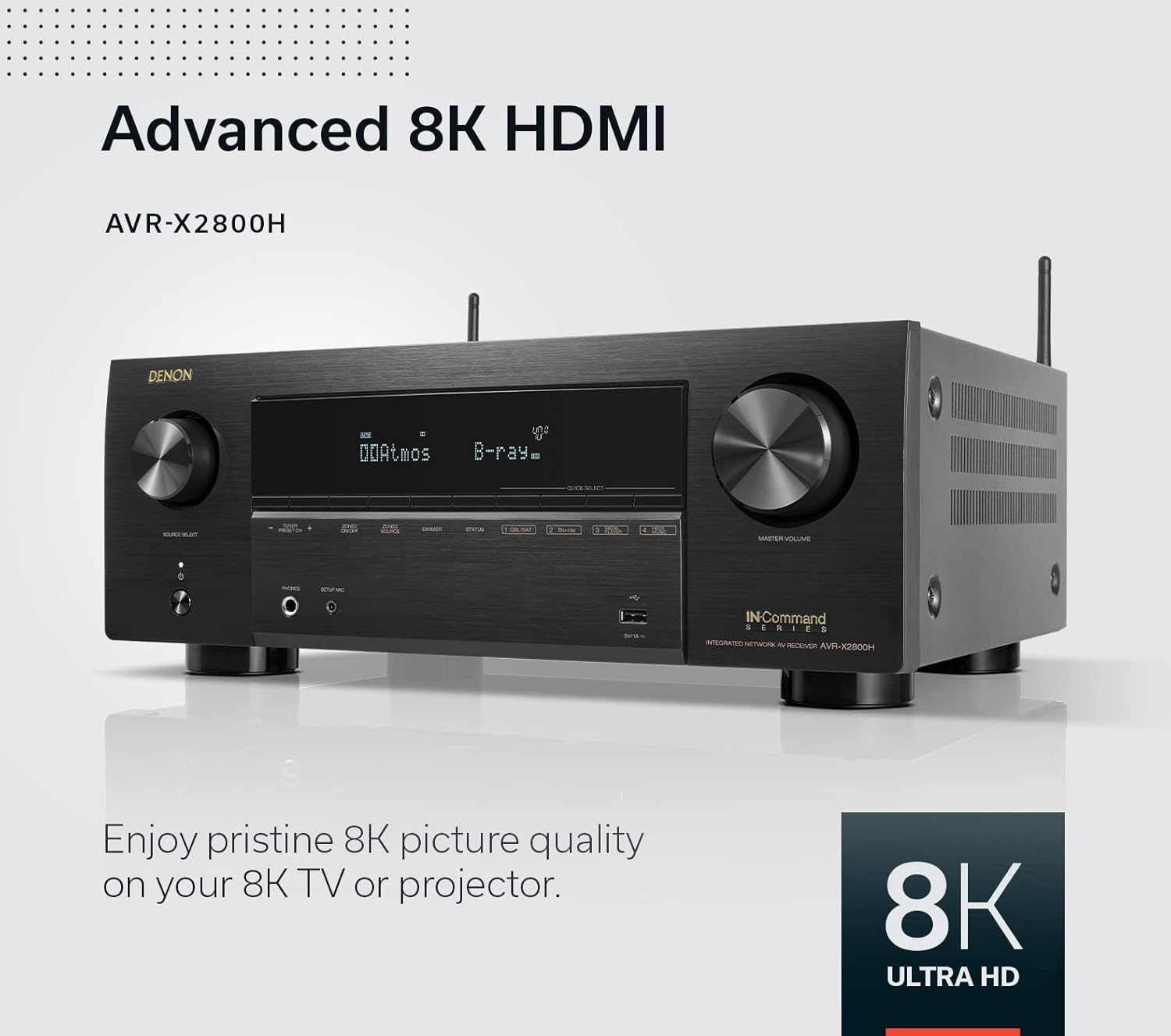
Figure 7: Advanced 8K HDMI support for pristine picture quality.
- 8K/60Hz Pass-through & Upscaling: Supports the latest 8K video content and can upscale 4K content to 8K resolution.
- HDR Support: Compatible with HDR10+, HLG, HDR, Dolby Vision, and Dynamic HDR for enhanced contrast and color.
- Gaming Features: Supports Variable Refresh Rate (VRR), Auto Low Latency Mode (ALLM), and Quick Frame Transport (QFT) for a smooth, lag-free gaming experience.
- eARC: Enhanced Audio Return Channel allows for uncompressed audio transmission from your TV to the receiver via a single HDMI cable.
4. Wireless Streaming and Voice Control
- HEOS Built-in: Stream music from popular services and distribute audio to other HEOS-enabled speakers throughout your home.
- AirPlay 2: Stream audio directly from your Apple devices.
- Bluetooth: Connect your smartphone or tablet for direct audio streaming.
- Voice Control: The receiver is compatible with major voice assistants like Amazon Alexa and Apple Siri for convenient control of functions.
Maintenance
To ensure the longevity and optimal performance of your Denon AVR-X2800H, follow these maintenance guidelines:
- Cleaning: Gently wipe the exterior with a soft, dry cloth. Do not use liquid cleaners or abrasive chemicals, as they may damage the finish.
- Ventilation: Ensure that the ventilation openings on the top and sides of the receiver are not blocked. Proper airflow is crucial to prevent overheating.
- Power: Disconnect the power cord from the wall outlet if the unit will not be used for an extended period.
Troubleshooting
If you encounter issues with your Denon AVR-X2800H, refer to the following common troubleshooting steps:
| Problem | Possible Cause / Solution |
|---|---|
| No Power |
|
| No Sound |
|
| No Picture |
|
| Network Connection Issues |
|
For more detailed troubleshooting, refer to the comprehensive user manual available online or contact Denon customer support.
Specifications
| Feature | Detail |
|---|---|
| Model Number | AVRX2800H |
| Surround Sound Channels | 7.2 Channel |
| Power Output | 95W per channel (7 channels driven) |
| HDMI Ports | 8 Total (6 In / 2 Out, 3x 8K inputs) |
| Video Support | 8K/60Hz Pass-through & Upscaling, HDR10+, HLG, HDR, Dolby Vision, Dynamic HDR, VRR, ALLM, QFT |
| Audio Decoding | Dolby Atmos, DTS:X, Dolby Surround, DTS Neural:X |
| Wireless Connectivity | Wi-Fi, Bluetooth, HEOS Built-in, AirPlay 2 |
| Voice Control Compatibility | Amazon Alexa, Apple Siri |
| Room Correction | Audyssey MultiEQ XT |
| Product Dimensions | 13 x 17.1 x 6.6 inches |
| Manufacturer | Denon |
| Country of Origin | Vietnam |
Warranty and Support
Denon products are built with quality and reliability in mind. For specific warranty details, please refer to the warranty card included with your product or visit the official Denon website.
For further assistance, technical support, or to download the full user manual in PDF format, please visit the Denon support page or refer to the following link: