
Introduction
Thank you for choosing the QANYI Plush Toast Alarm Clock Night Light. This multi-functional device combines a digital alarm clock, a dimmable night light, a soft plush toy, and a mobile phone holder, designed for ease of use and comfort. Please read this manual carefully to ensure proper operation and maintenance of your product.
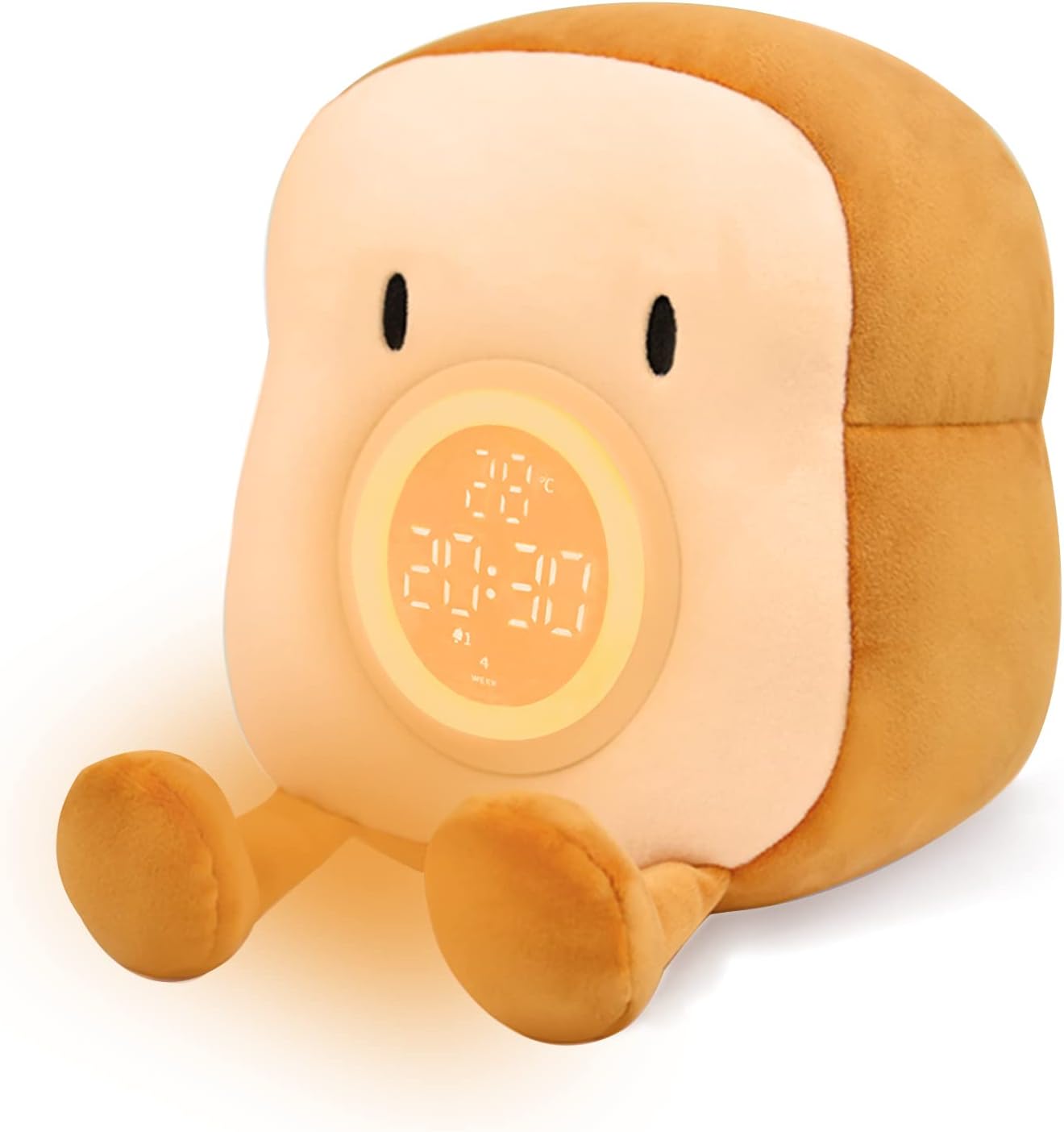
Image: The QANYI Plush Toast Alarm Clock Night Light, showcasing its digital display and plush design.
Key Features:
- Dual Alarm Clock with Snooze Function
- Rechargeable Battery
- Warm Dimmable Night Light with Timer
- Soft, Detachable, and Washable Plush Toy Exterior
- Integrated Mobile Phone Stand Holder
- LED Display for Time and Temperature (12/24 hour, °C/°F)
Setup
1. Charging the Device
Before first use, fully charge the device. The clock unit is located inside the plush toy. Locate the zipper on the back of the plush toy to access the clock unit. Connect the provided USB Type-C cable to the charging port on the clock unit and plug the other end into a compatible USB power adapter (not included).

Image: Illustration of the USB charging port located within the plush toy.
A charging indicator will appear on the display. A full charge typically takes several hours. The device operates on a 1200mAh rechargeable battery.
2. Initial Configuration
Once charged, ensure the clock unit is securely placed back inside the plush toy. The main controls are located on the back of the clock unit. Refer to the "Buttons and Display" section for a detailed overview of controls.

Image: Diagram showing the layout of buttons and the digital display on the clock unit.
Operating Instructions
Time and Temperature Display
- Display Activation: When the alarm button is in the middle position, gently tap the plush body to activate the time display for 5 seconds.
- 12/24 Hour Mode: Use the designated button on the back of the clock unit to switch between 12-hour (AM/PM) and 24-hour formats.
- Temperature Unit: Switch between Celsius (°C) and Fahrenheit (°F) display for the ambient temperature.

Image: Comparison of 12-hour and 24-hour time formats on the display.

Image: Comparison of Celsius and Fahrenheit temperature displays.
Alarm Clock Function
- Setting Alarms: The device supports two independent alarms (Alarm 1 and Alarm 2). Use the dedicated buttons on the back to set your desired wake-up times and select the days of the week for each alarm to be active.
- Alarm Sounds: Choose from 4 soothing alarm sounds. The ringing volume can be adjusted to 7 levels.
- Snooze Function: When an alarm sounds, touch the night light button to activate a 5-minute snooze. This can be repeated indefinitely.
- Stopping an Alarm: To stop an alarm from ringing completely, press any other button on the clock unit.
- Disabling Alarms: Use the one-touch switch on the back to quickly turn off or on the alarm function.

Image: Display showing settings for Alarm 1 and Alarm 2.

Image: Hand activating the snooze function by tapping the night light button.

Image: Musical notes indicating the device playing soothing sounds.

Image: Visual representation of 7 levels of alarm volume adjustment.
Night Light Function
- Turning On/Off: Short press the night light button to turn the warm light on or off.
- Brightness Adjustment: Long press the night light button to adjust the brightness continuously (stepless dimming).
- 15-Minute Timer: The night light features an automatic 15-minute timer, after which it will turn off automatically. This is ideal for bedtime use.

Image: Finger pressing the night light button for on/off control.

Image: Visual guide for long-pressing to adjust light brightness.

Image: Icon indicating the 15-minute auto-off timer for the night light.
Mobile Phone Stand Holder
The soft, skin-friendly feet of the plush toy are designed to function as a stable stand for your mobile phone or tablet. Simply place your device between the feet for hands-free viewing.

Image: The plush toast holding a smartphone, demonstrating its phone stand capability.
Maintenance
Cleaning the Plush Cover
The plush cover is detachable and washable. Carefully unzip the back of the plush toy and remove the internal clock unit. The plush cover can then be hand-washed or machine-washed on a gentle cycle with mild detergent. Allow it to air dry completely before reinserting the clock unit.
Battery Care
To prolong battery life, avoid fully discharging the device frequently. Recharge the device when the charging warning indicator appears on the display. If the device will not be used for an extended period, charge it periodically to maintain battery health.
Troubleshooting
- Device not turning on or display not showing:
Ensure the device is fully charged. Connect it to a power source using the USB Type-C cable. Check if the power switch on the clock unit is in the "ON" position.
- Display does not stay on:
The display is designed to activate for 5 seconds with a tap to conserve battery. It does not remain continuously lit. This is normal operation.
- Alarm not sounding:
Verify that the alarm is set correctly (Alarm 1 or Alarm 2) and enabled for the desired day(s) of the week. Check the alarm volume setting. Ensure the one-touch alarm switch is in the "ON" position.
- Night light not working:
Ensure the device is charged. Short press the night light button. If it still doesn't work, the battery might be too low to power the light.
- Inaccurate time or temperature:
Reset the time and date settings. For temperature, allow some time for the sensor to adjust to the ambient room temperature.
Specifications
| Brand | QANYI |
| Model Number | happy |
| Product Dimensions | 4"W x 7"H |
| Item Weight | 13.9 ounces |
| Material | Polyester (Plush), Acrylonitrile Butadiene Styrene (Frame) |
| Display Type | LED |
| Power Source | Battery Powered (1 Lithium Ion battery included) |
| Special Features | Adjustable Brightness, Dual Alarm, Snooze, Temperature Display, Detachable Plush |
Warranty and Support
Warranty Information
This QANYI product comes with a limited warranty. Please retain your proof of purchase for any warranty claims. For specific details regarding the warranty period and coverage, refer to the product packaging or contact QANYI customer service.
Customer Support
For further assistance, troubleshooting, or inquiries, please visit the official QANYI store on Amazon or contact their customer support directly. You can find contact information on the product packaging or the QANYI brand store page.