
Introduction
The XFT-120G AED Trainer is a specialized device designed exclusively for training purposes in CPR and Automated External Defibrillator (AED) procedures. It simulates the functions of a real AED, providing realistic scenarios and feedback to help trainees develop essential life-saving skills. This device is intended for educational use only and does not deliver actual high-voltage shocks, ensuring a safe learning environment.
Safety Information
WARNING: This AED trainer is for training purposes only and cannot be used for real patient defibrillation. It does not deliver high voltage.
- Always ensure the device is used under proper supervision during training sessions.
- Keep the device and its accessories away from water or other liquids.
- Use only the provided power adapter for charging to prevent damage.
- Store the device and accessories in a cool, dry place when not in use.
Box Contents
Upon opening your XFT-120G AED Trainer kit, you should find the following items:

Figure 1: Complete contents of the XFT-120G AED Trainer kit.
- XFT-120G AED Trainer Unit
- Remote Control
- 1 Pair Adult Electrode Pads
- 1 Pair Child Electrode Pads
- 2 Pairs Adult Pad Sensors
- 2 Pairs Child Pad Sensors
- Rechargeable Lithium Battery
- Power Adapter
- Instruction Manual
- Carrying Case
Product Overview
The XFT-120G AED Trainer is designed to closely mimic the appearance and functionality of a clinical AED, providing a realistic training experience. Its robust X-shape classic design ensures durability for repeated use in various training environments.

Figure 2: Overview of XFT-120G AED Trainer features.
Key components include:
- Display Screen: A 4.3-inch TFT colorful screen provides visual prompts and feedback during training.
- Green Power Button: Used to turn the device on or off.
- Orange Shock Button: Simulates the shock delivery.
- Electrode Socket: For connecting the training electrode pads.
- USB Interface: For potential future updates or data transfer.
- Speaker: Provides voice prompts.
- Setting Buttons (Up/Down/Select): For navigating menus and adjusting settings.
- Signal Receiving Window: For remote control communication.
- Portable Handle: Integrated for easy transport.

Figure 3: Front view of the XFT-120G AED Trainer.
For a visual introduction to the product and its components, please watch the official unboxing video:
Video 1: XFT-120G Unboxing Video. This video provides an unboxing and initial overview of the XFT-120G AED Trainer, demonstrating its components and basic functionality.
Setup
- Battery Installation and Charging: The XFT-120G uses a removable, rechargeable lithium battery. Insert the battery into the designated compartment on the underside of the trainer. Connect the power adapter to the trainer and a power outlet to charge the battery. A red indicator light on the battery case will illuminate during charging.
- Electrode Pad Connection: Connect the adult or child electrode pads to the electrode socket on the trainer. Ensure the connection is firm. The trainer features auto-identification of electrodes, automatically switching between adult and pediatric modes based on the connected pads.
- Initial Power-On: Open the lid of the trainer or press the green power button to turn on the device. The display screen will activate, and voice prompts will begin guiding the user through the first aid process.

Figure 4: Automatic identification of adult/pediatric modes.
Operating Instructions
The XFT-120G AED Trainer provides a comprehensive and interactive training experience with various modes and scenarios.
- Power On: Open the lid of the trainer or press the green power button. The device will automatically power on and begin voice prompts.
- Scenario Selection: The trainer offers 10 basic training modes and 11 simulated realistic scenarios of possible emergencies. These can be selected using the remote control. Each mode simulates a real AED first aid scenario, compatible with most CPR manikins.
- Applying Pads: Follow the voice and visual prompts to correctly apply the electrode pads to the patient's bare chest on the training manikin. The trainer can detect in real-time whether the electrode pads are properly attached.
- CPR Reaction Function: The trainer provides real-time feedback on CPR quality, frequency, and depth of compressions. The built-in 4.3-inch TFT colorful screen displays visual prompts (image and text) in addition to voice prompts, indicating if compressions are too fast, too slow, too deep, or too shallow.
- Shock Delivery: When prompted, ensure all trainees are clear of the manikin, then press the orange shock button to simulate shock delivery.
- Remote Control Usage: The remote control is stored on the back of the trainer for convenience. It allows instructors to select different scenarios, adjust volume, and simulate various conditions (e.g., electrode not well connected, motion interference, low battery, system error, compression too soft/hard/slow/fast).
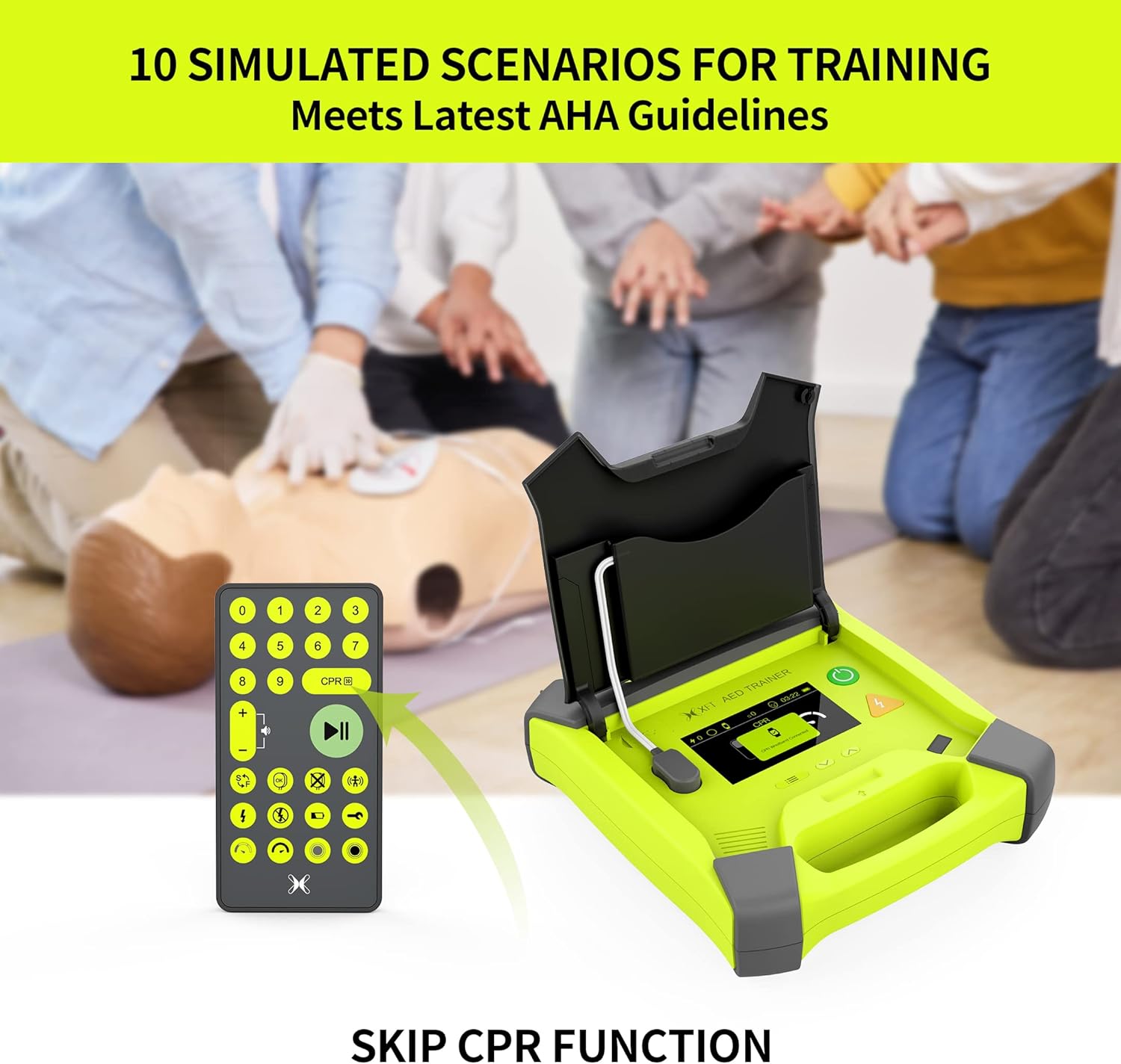
Figure 5: Trainer with remote control for scenario selection.
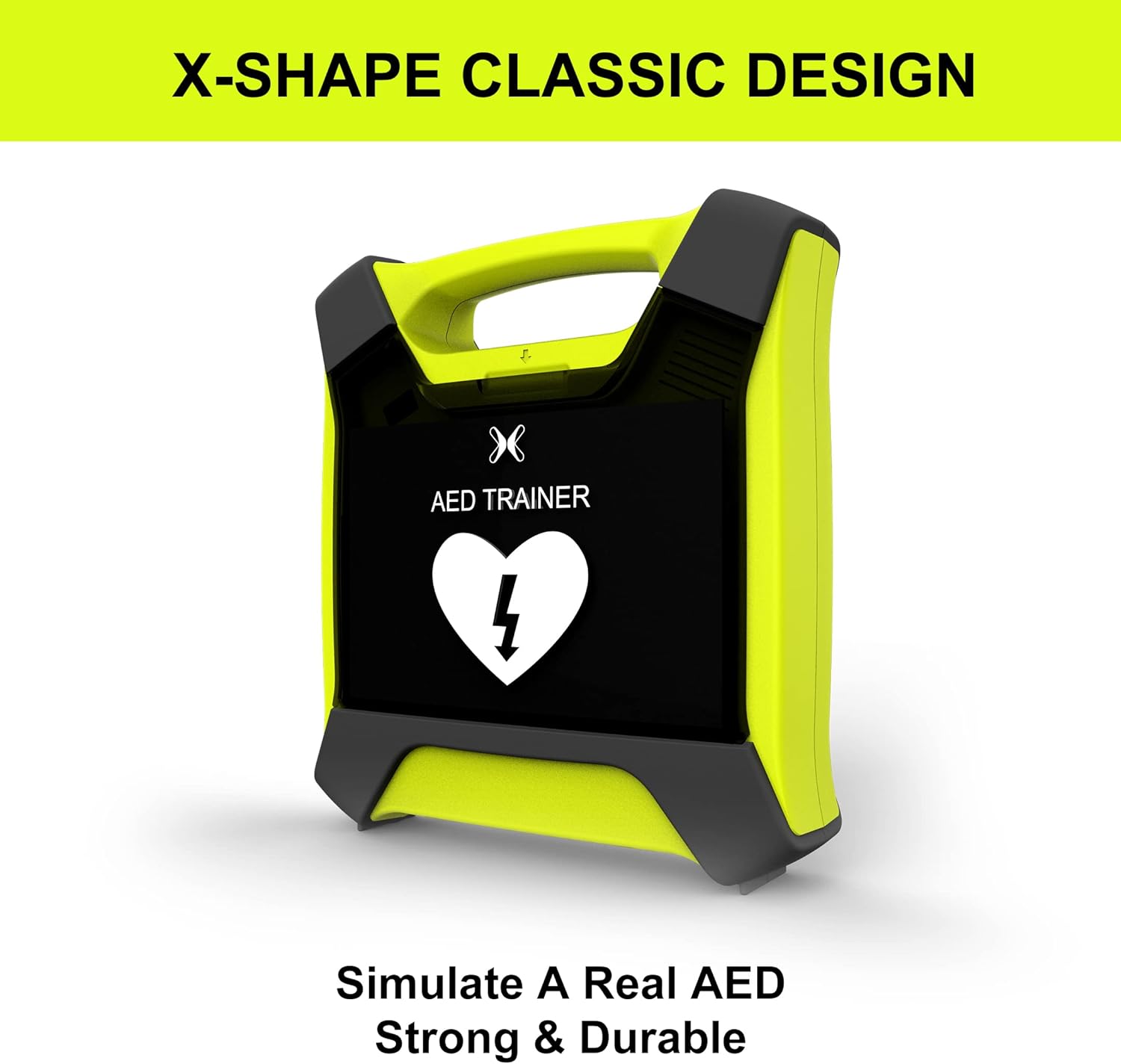
Figure 6: Remote control functions and layout.
The trainer supports 4 languages (English, Spanish, French, Chinese) and offers 3 CPR frequency modes (100/110/120 beeps per minute), with the option to turn off the beep sound.

Figure 7: Real-time CPR feedback display.
For a demonstration of the trainer in action, including setup and operation, please refer to the official product video:
Video 2: XFT-120G AED Trainer Demonstration. This video illustrates the practical application of the XFT-120G AED Trainer during a CPR training session, showcasing its interactive features and real-time feedback.
Maintenance
- Cleaning: Wipe the trainer unit and electrode pads with a soft, damp cloth after each use. Do not use abrasive cleaners or immerse the device in water.
- Battery Care: Ensure the rechargeable lithium battery is fully charged before long-term storage. If the device will not be used for an extended period, it is recommended to charge the battery periodically to maintain its lifespan.
- Storage: Store the trainer, electrode pads, and remote control in the provided carrying case to protect them from dust and damage. The electrode wires and pads can be stowed in the lid, and the remote control is stored in the bottom of the machine.
Troubleshooting
| Problem | Possible Cause | Solution |
|---|---|---|
| Trainer does not power on. | Battery is depleted or not properly installed. | Ensure the battery is fully charged and correctly inserted. |
| Voice prompts are unclear or too low. | Volume setting is too low or speaker is obstructed. | Adjust the volume using the remote control. Check for any obstructions on the speaker. |
| Electrode pads not detected. | Pads not properly connected or damaged. | Ensure pads are firmly connected to the socket and properly placed on the manikin. Inspect pads for damage. |
| Remote control not responding. | Remote battery depleted or out of range. | Replace remote control batteries. Ensure remote is within effective range of the trainer's signal receiving window. |
| Battery not holding charge. | Battery degradation or faulty charger. | Ensure you are using the correct power adapter. If issues persist, contact customer support for a replacement battery. |
Specifications
- Model: XFT-120G
- Package Dimensions: 11.77 x 10.94 x 5.08 inches
- Weight: 4.23 ounces
- Battery: 1 Lithium Polymer battery (included), rechargeable
- Working Time: Up to 12 hours on a full charge
- Display: 4.3-inch TFT colorful screen
- Training Modes: 10 basic training modes, 11 simulated realistic scenarios
- CPR Frequency Modes: 100/110/120 beeps per minute (beep sound can be turned off)
- Supported Languages: English, Spanish, French, Chinese
- Manufacturer: SHENZHEN XFT MEDICAL LIMITED
Warranty & Support
The XFT-120G AED Trainer comes with a 2-year warranty from the date of purchase, covering manufacturing defects and normal operational failures. For any questions, technical assistance, or warranty claims, please contact the XFT Official Store directly through your purchase platform or visit their official website. Please retain your proof of purchase for warranty validation.
XFT has many years of experience operating ISO13485 international medical quality systems and has been awarded numerous international certifications, including NMPA, CE, and FDA. Our partners in North America, the EU, and Asia Pacific can provide you with localized services.