
UYIKOO S300
User Manual for UYIKOO S300 HD1080P Spy Camera Glasses
Model: S300
Brand: UYIKOO
1. Overview
Thank you for choosing the UYIKOO S300 HD1080P Spy Camera Glasses. This compact and discreet device is designed for high-quality video recording and photo capture, offering exceptional clarity and ease of use. Equipped with a 1080P compatible lens, it delivers vivid details and high-definition visuals at 30 frames per second (fps), making it ideal for various applications where discreet recording is essential.

Image 1.1: The UYIKOO S300 Spy Camera Glasses, showcasing the discreetly integrated camera lens.
2. Product Features
- 1080P HD Video Quality: Records clear videos at 1920x1080P resolution with 30 frames per second, ensuring high-definition footage.
- Discreet Hidden Lens Design: Features a specially processed lens that is not easily visible, significantly enhancing the camera's concealment.
- Central Lens Placement: The camera lens is integrated in the center of the frame, allowing it to capture footage that closely matches your line of sight without requiring angle adjustments.
- Large Capacity Support: Compatible with 8GB to 128GB Micro SD cards (Class 10 or higher recommended, not included), enabling extended recording times.
- Long Recording Time: Provides approximately 100-120 minutes of continuous recording on a full charge.
- Simple One-Button Operation: All functions can be controlled with a single button, making it easy for beginners to use.
- Time Stamp Functionality: Records videos and photos with a precise date and time stamp, crucial for evidence collection.
- Automatic Overwrite Recording: When the memory card is full, the oldest files are automatically overwritten to continue recording.
- Portable and Versatile: Lightweight and designed to blend into daily life, suitable for indoor and outdoor use, including meetings, business negotiations, and personal security.

Image 2.1: Demonstrating the 1080P high-resolution recording capability of the camera glasses.

Image 2.2: Highlighting the improved hidden lens and central lens position for better concealment and natural perspective.
3. Package Contents
Please check the package to ensure all items are present:
- S300 Camera Glasses (Main Unit)
- USB Charging/Data Cable
- Reset Pin
- Glasses Cleaning Cloth
- Instruction Manual (Japanese)

Image 3.1: Contents included in the product package.
4. Setup
- Insert Micro SD Card: Gently insert a compatible Micro SD card (8GB-128GB, Class 10 or higher recommended) into the designated slot on the glasses. Ensure it is inserted correctly until it clicks into place.
- Format Micro SD Card: Before first use, it is crucial to format the Micro SD card on your computer. Connect the glasses to your PC using the provided USB cable, then format the card through your computer's file explorer.
- Initial Charge: Fully charge the device before its first use. Refer to the 'Charging' section for details.
5. Operating Instructions
The S300 Spy Camera Glasses feature a simple one-button operation for all functions.
Power On/Off
- To power on, press and hold the button for approximately 3 seconds until the indicator light turns on.
- To power off, press and hold the button for approximately 3 seconds until the indicator light turns off.
Video Recording
- Start Recording: From standby mode, short press the button once. The indicator light will flash and then turn off, indicating that recording has started.
- Save Recording: During recording, short press the button once again. The indicator light will flash, and the video file will be saved to the Micro SD card.
Photo Capture
- From standby mode, short press the button twice quickly. The indicator light will flash, and a photo will be captured and saved to the Micro SD card.
Time Stamp Function
The device supports displaying the date and time stamp on recorded videos and photos, enhancing the evidentiary value of your recordings.
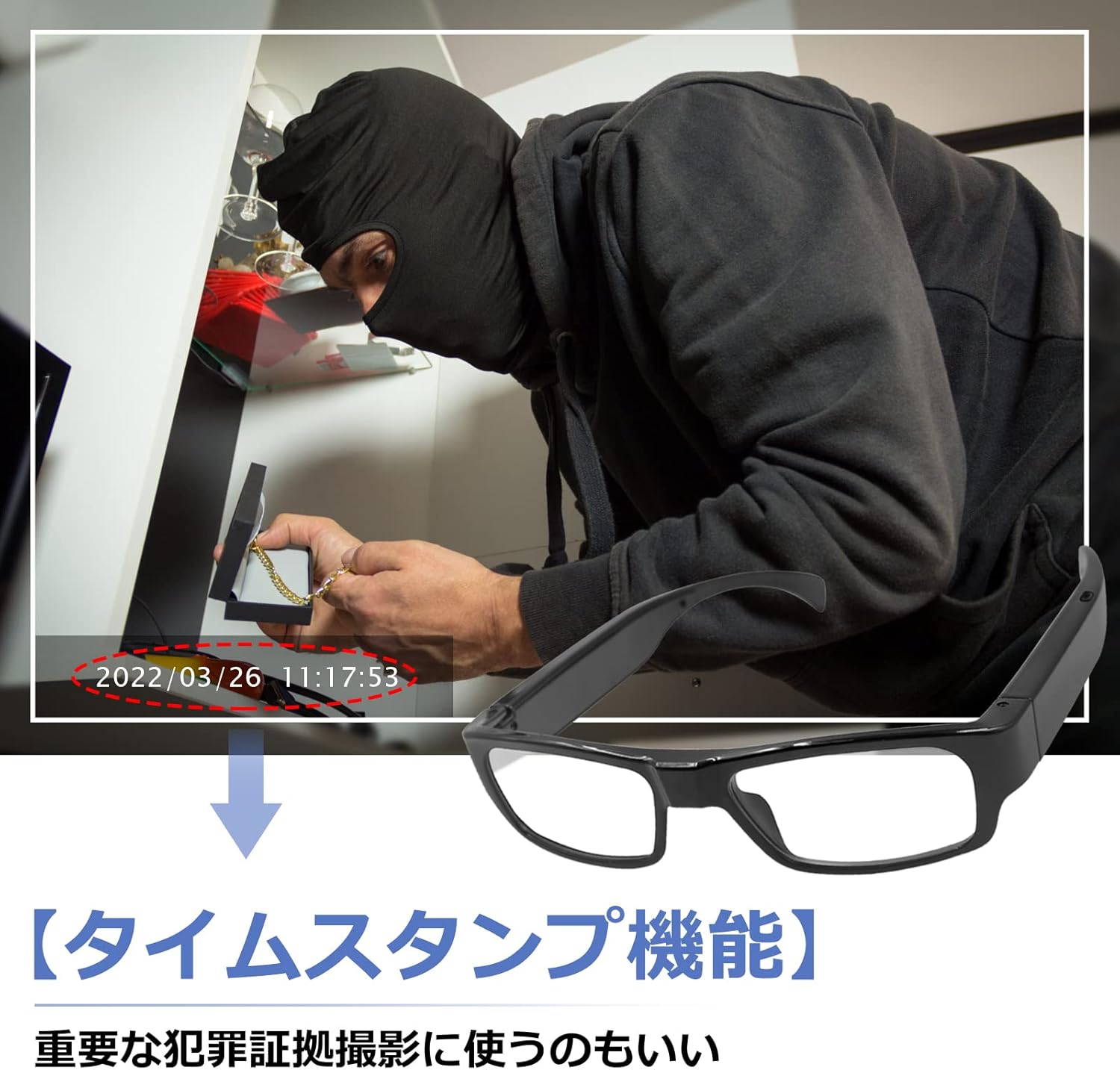
Image 5.1: The time stamp feature, useful for evidence recording.
Automatic Overwrite Recording
When the Micro SD card's storage capacity is full, the device will automatically delete the oldest video files to make space for new recordings. This ensures continuous recording without manual intervention.

Image 5.2: Automatic overwrite recording and 128GB Micro SD card compatibility.
6. Charging
To charge the S300 Spy Camera Glasses:
- Connect the glasses to a DC 5V-2A power source using the provided USB cable.
- The charging time is approximately 1-2 hours for a full charge.
- The device supports recording while charging, allowing for extended operational periods when connected to a power source.

Image 6.1: The glasses can be charged while in use and connected directly to a PC for video playback.
7. Connecting to PC
To view or transfer recorded files:
- Connect the S300 Spy Camera Glasses to your computer using the provided USB cable.
- The device will be recognized as a removable disk. You can then access the video (AVI) and photo (JPG) files directly.
- Recommended media players for playback include KMPlayer, VLC MediaPlayer, and MX Player.
8. Troubleshooting
- Device Not Responding: If the device becomes unresponsive, use the provided reset pin to press the reset button (usually a small hole) to restart the device.
- Poor Video/Photo Quality: Ensure the lens is clean. When operating the button, press gently to avoid tilting the glasses frame, which can cause blurry images or misaligned composition.
- Micro SD Card Issues: Ensure the Micro SD card is Class 10 or higher. If issues persist, try formatting the card on your PC. Note: Some blue-colored Micro SD cards have shown compatibility issues with this product; please avoid purchasing them.
- No Recording Indicator: During recording, the indicator light is designed to turn off to maintain discretion. This is normal operation.
9. Specifications
| Feature | Specification |
|---|---|
| Video Format | AVI |
| Video Resolution | 1920 x 1080P |
| Video Frame Rate | 30fps |
| Image Format | JPG |
| Still Image Resolution | 4032 x 3024 |
| Charging Voltage | DC 5V-2A |
| Weight | 34g |
| Dimensions (LxWxH) | 14.4cm x 14.4cm x 2.2cm |
| Recording Time | 100-120 minutes |
| Charging Time | 1-2 hours |
| Micro SD Card Support | 8GB-128GB (Class 10+ recommended) |
| Night Vision | Not supported |
| Wireless Connectivity | No Wi-Fi/Bluetooth |

Image 9.1: Product dimensions of the S300 glasses.
10. Warranty and Support
If you encounter any issues or have questions regarding the use of your UYIKOO S300 Spy Camera Glasses, please do not hesitate to contact our customer support team. We are committed to providing sincere and helpful assistance to meet your needs.
How to Contact Us via Amazon:
- Go to your Amazon Account Service.
- Navigate to 'Order History'.
- Find the purchased item (UYIKOO S300 Spy Camera Glasses).
- Click on the 'Seller' link.
- Select 'Ask a Question' to send us a message.
Related Documents - S300
 |
UYIKOO Glasses Camera Instructions - User Manual Comprehensive user manual for the UYIKOO Glasses Camera, providing setup, operation, safety instructions, and troubleshooting for this 1080P HD wearable spy camera. |
 |
H01 Camera User Manual and Power Bank Guide This manual provides instructions for the H01 Camera, covering its features, operation, charging, and reset procedures. It also details its functionality as a power bank. |
 |
S300 Dash Cam User Manual Comprehensive user manual for the S300 Dash Cam, covering installation, Wi-Fi connectivity, Viidure app setup, and technical specifications. |
 |
ASUS ROG Crosshair VIII Hero Qualified Vendor List (QVL) - PC Components A comprehensive list of qualified power supplies, storage devices (HDDs, SSDs, M.2), peripherals, audio devices, networking cards, fans, heatsinks, keyboards, mice, optical drives, printers, capture cards, input devices, and VR devices compatible with the ASUS ROG Crosshair VIII Hero motherboard. |
 |
ASUS Maximus IX Formula Qualified Vendor List - PC Components A comprehensive list of qualified vendors and their compatible devices for the ASUS Maximus IX Formula motherboard, including power supplies, hard drives, SSDs, audio devices, controllers, networking cards, and more. |
 |
ASUS ROG Rampage VI Extreme Encore Qualified Vendors List This document lists the Qualified Vendors List (QVL) for devices compatible with the ASUS ROG Rampage VI Extreme Encore motherboard, covering power supplies, storage, audio, networking, and more. |
Ask a question about this manual
Ask about setup, troubleshooting, compatibility, parts, safety, or missing instructions. Manuals+ will review the question and use this page’s manual context to help answer it.