
VIHELM WT8812
VIHELM WT8812 Compound Gas Detector User Manual
Comprehensive guide for operation, maintenance, and troubleshooting.
1. Product Overview
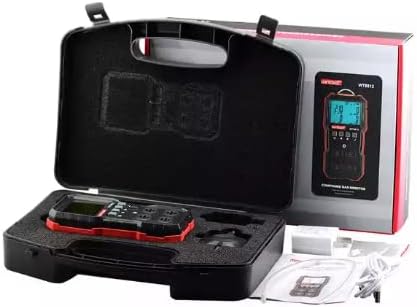
The VIHELM WT8812 is a multi-gas detector designed to accurately measure concentrations of combustible gas (LEL), Oxygen (O2), Hydrogen Sulfide (H2S), and Carbon Monoxide (CO). It features a clear LCD display, sound, light, and vibration alarms, and is built for reliable performance in various environments.


Parts Identification
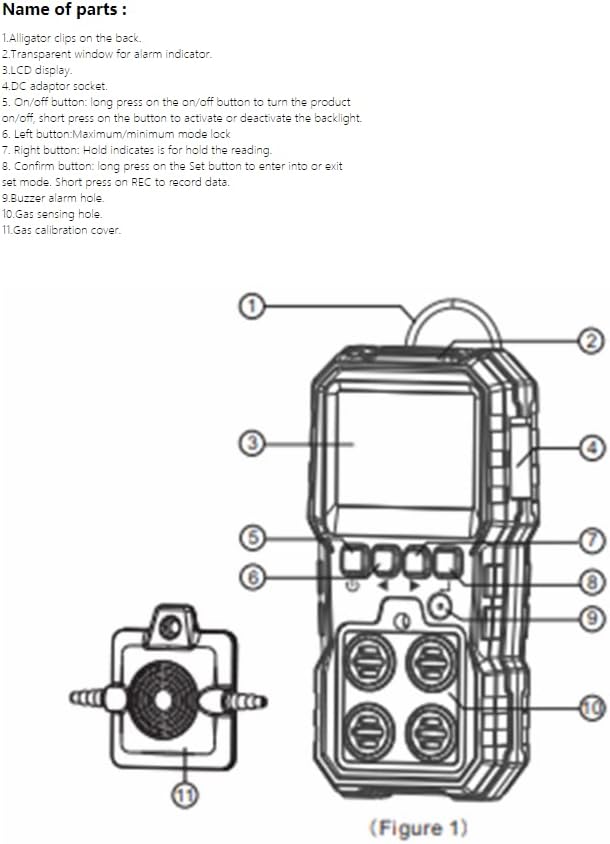
- Alligator clips on the back: For attaching the device to clothing or equipment.
- Transparent window for alarm indicator: Visual alarm light.
- LCD display: Shows real-time gas readings and device status.
- Charger adapter socket: Port for connecting the charging cable.
- On/off button: Long press to turn the product on/off; short press to activate or deactivate the backlight.
- Left button (Maximum/minimum mode lock): Used to toggle between maximum and minimum reading display.
- Right button (Hold indicates is for hold the reading): Used to hold the current reading on the display.
- Confirm button: Long press on the Set button to enter or exit set mode. Short press on REC to record data.
- Buzzer alarm hole: Emits audible alarm.
- Gas sensing hole: Where gas samples are drawn for analysis.
- Gas calibration cover: Used for sensor calibration.
LCD Display Indicators
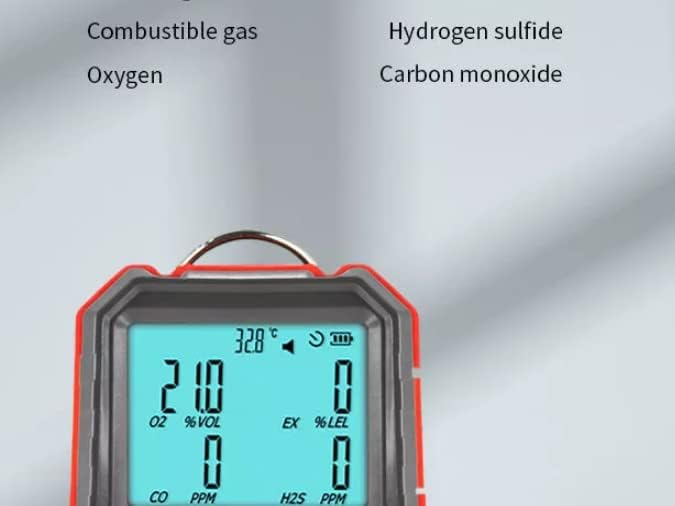
- A. Maximum value: Indicates the highest detected gas concentration.
- B. Minimum value: Indicates the lowest detected gas concentration.
- C. High alarm icon: Illuminates when high alarm threshold is exceeded.
- D. Low alarm icon: Illuminates when low alarm threshold is exceeded.
- E. Oxygen icon: Indicates Oxygen (O2) reading.
- F. Oxygen unit: Displays the unit for Oxygen (e.g., %VOL).
- G. CO icon: Indicates Carbon Monoxide (CO) reading.
- H. CO unit: Displays the unit for Carbon Monoxide (e.g., PPM).
- I. Charge icon: Indicates battery charging status.
- J. H2S icon: Indicates Hydrogen Sulfide (H2S) reading.
- K. H2S unit: Displays the unit for Hydrogen Sulfide (e.g., PPM).
- L. Flammable gas icon: Indicates combustible gas (LEL) reading.
- M. Unit of flammable gas: Displays the unit for combustible gas (e.g., %LEL).
- N. Delete: Function for deleting recorded data.
- O. Reading of flammable gas: Current reading for combustible gas.
- P. Retrieval: Function for retrieving recorded data.
- Q. Record: Indicates data recording function.
- R. Battery level reminder symbol: Shows current battery charge level.
- S. Icon of turn-off: Indicates device is powered off.
- T. Icon for buzzer buzzing turn on/off: Indicates buzzer status.
- U. Celsius unit: Temperature unit in Celsius.
- V. Fahrenheit unit: Temperature unit in Fahrenheit.
- W. Temperature reading: Current ambient temperature.
- X. Reading Hold: Indicates that the current reading is held on the display.
2. Specifications
The following table details the technical specifications of the WT8812 Compound Gas Detector:
| Category | Item | Value/Range | Unit/Resolution |
|---|---|---|---|
| Measuring Item | Combustible gas | 0~100 | %LEL / 0.1 |
| Oxygen | 0~30 | %VOL / 0.1 | |
| Hydrogen sulfide | 0~100 | PPM / 0.1 | |
| Carbon monoxide | 0~1000 | PPM / 1 | |
| Accuracy | ≤ ±5%FS | ||
| Response time (90%) | Less than 30 seconds | ||
| Indication mode | LCD displays real-time data and system state, LED, sound, vibration indication alarm | ||
| Storage Conditions | Temperature: -10~55°C; Humidity: <85%RH | ||
| Operation Conditions | Temperature: 20~50°C; Humidity: <95%RH non-condensing | ||
| Working voltage | DC 3.7V (Lithium battery capacity 1800mAh) | ||
| Charging time | 4h | ||
| Standby time | More than 8h on end (slightly change with working state) | ||
| Dimensions | 71 X 153 X 49mm | ||
| Weight | 218.7g With battery | ||
3. Setup
3.1 Initial Charging
Before first use, fully charge the WT8812 detector. Connect the provided charger to the charger adapter socket (4) on the device and plug it into a power outlet. The charge icon (I) on the LCD display will indicate charging status. A full charge takes approximately 4 hours.
3.2 Powering On/Off
- To Power On: Long press the On/off button (5) until the LCD display illuminates and the device performs a self-test.
- To Power Off: Long press the On/off button (5) until the display turns off.
4. Operating Instructions
4.1 Basic Operation
Once powered on, the device will display real-time readings for combustible gas, oxygen, hydrogen sulfide, and carbon monoxide. Ensure the gas sensing hole (10) is clear and exposed to the environment you wish to monitor.
4.2 Understanding Alarms
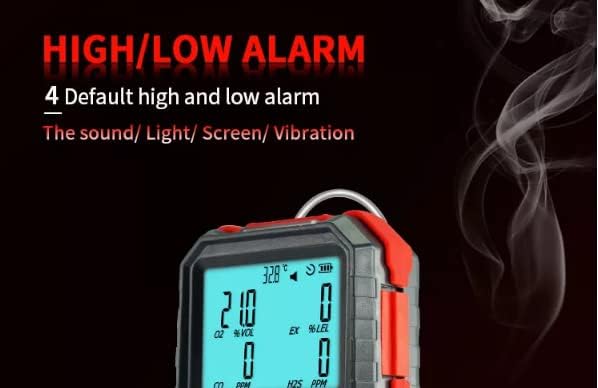
The WT8812 features default high and low alarm thresholds for each gas. When a gas concentration exceeds the high alarm threshold (C) or falls below the low alarm threshold (D), the device will activate visual (transparent window for alarm indicator (2), LCD backlight), audible (buzzer alarm hole (9)), and vibration alarms.

- To Mute Buzzer: Short press the On/off button (5) to toggle the buzzer on/off (T).
4.3 Data Recording and Retrieval
- To Record Data: Short press the Confirm button (8) when "REC" (Q) is displayed.
- To Retrieve Data: Use the Confirm button (8) to navigate to "Retrieval" (P) and view recorded data.
- To Delete Data: Use the Confirm button (8) to navigate to "Delete" (N) and clear recorded data.
4.4 Advanced Display Functions
- Backlight Control: Short press the On/off button (5) to activate or deactivate the LCD backlight.
- Max/Min Mode: Use the Left button (6) to toggle between displaying the maximum (A) and minimum (B) detected gas concentrations.
- Hold Reading: Use the Right button (7) to hold the current reading on the display (X).
5. Maintenance
5.1 Cleaning
Regularly clean the exterior of the device with a soft, damp cloth. Do not use abrasive cleaners or solvents. Ensure the gas sensing hole (10) is free from dust and debris.
5.2 Battery Care
The WT8812 uses a DC 3.7V 1800mAh Lithium battery. To prolong battery life:
- Charge the device fully when the battery level reminder symbol (R) indicates low battery.
- Avoid storing the device in extreme temperatures.
- If storing for extended periods, charge the battery to about 50% every few months.
- Important: Do not charge or replace batteries in an explosive environment.
5.3 Sensor Calibration
For accurate readings, periodic calibration of the sensors is recommended. Refer to the gas calibration cover (11) for access. Calibration should be performed by qualified personnel following standard procedures for gas detection equipment. Consult a professional if you are unsure about calibration procedures.
6. Troubleshooting
| Problem | Possible Cause | Solution |
|---|---|---|
| Device does not power on. | Low or depleted battery. | Charge the device fully (approx. 4 hours). |
| Inaccurate or fluctuating readings. | Sensor contamination or need for calibration. | Clean the gas sensing hole. Consider professional calibration. |
| Alarm sounds continuously. | High gas concentration detected. | Evacuate the area immediately and ventilate. Do not re-enter until readings are safe. |
| Display is dim or not visible. | Backlight is off or low battery. | Short press the On/off button (5) to toggle backlight. Charge the device. |
If the problem persists after attempting these solutions, please contact customer support.
7. Warranty and Support
VIHELM products are manufactured to high quality standards. Specific warranty details may vary by region and retailer. Please retain your purchase receipt for warranty claims.
For technical support, service, or further inquiries, please refer to the contact information provided with your purchase or visit the official VIHELM website.