
1. Introduction
The Ylzzrs LED Reflective Vest is designed to enhance your safety and visibility during nighttime activities such as running, walking, cycling, and motorcycling. This vest combines powerful LED lights with reflective materials to ensure you are seen by drivers from a significant distance. It also features a convenient chest phone holder for your essentials.
2. Safety Information
Always prioritize your safety when engaging in outdoor activities, especially in low-light conditions. The Ylzzrs LED Reflective Vest significantly increases your visibility, allowing drivers to see you from up to 1200 feet away, providing them ample time to react. Ensure the vest is properly adjusted and the LED lights are activated before use. This vest is a visibility aid and should not replace other necessary safety precautions.
3. Setup
3.1 Adjusting the Vest
The Ylzzrs LED Reflective Vest is designed with adjustable straps to fit various body sizes, including men, women, and children. The waistline is adjustable from 29 to 45 inches, and the shoulder lines are adjustable from 16 to 32 inches. The adjustable parts of the running belt are elastic and feature buckles for easy length modification.
- To adjust, slide the buckles on the shoulder and waist straps to achieve a snug yet comfortable fit.
- Ensure the vest sits securely on your body without restricting movement or causing discomfort.
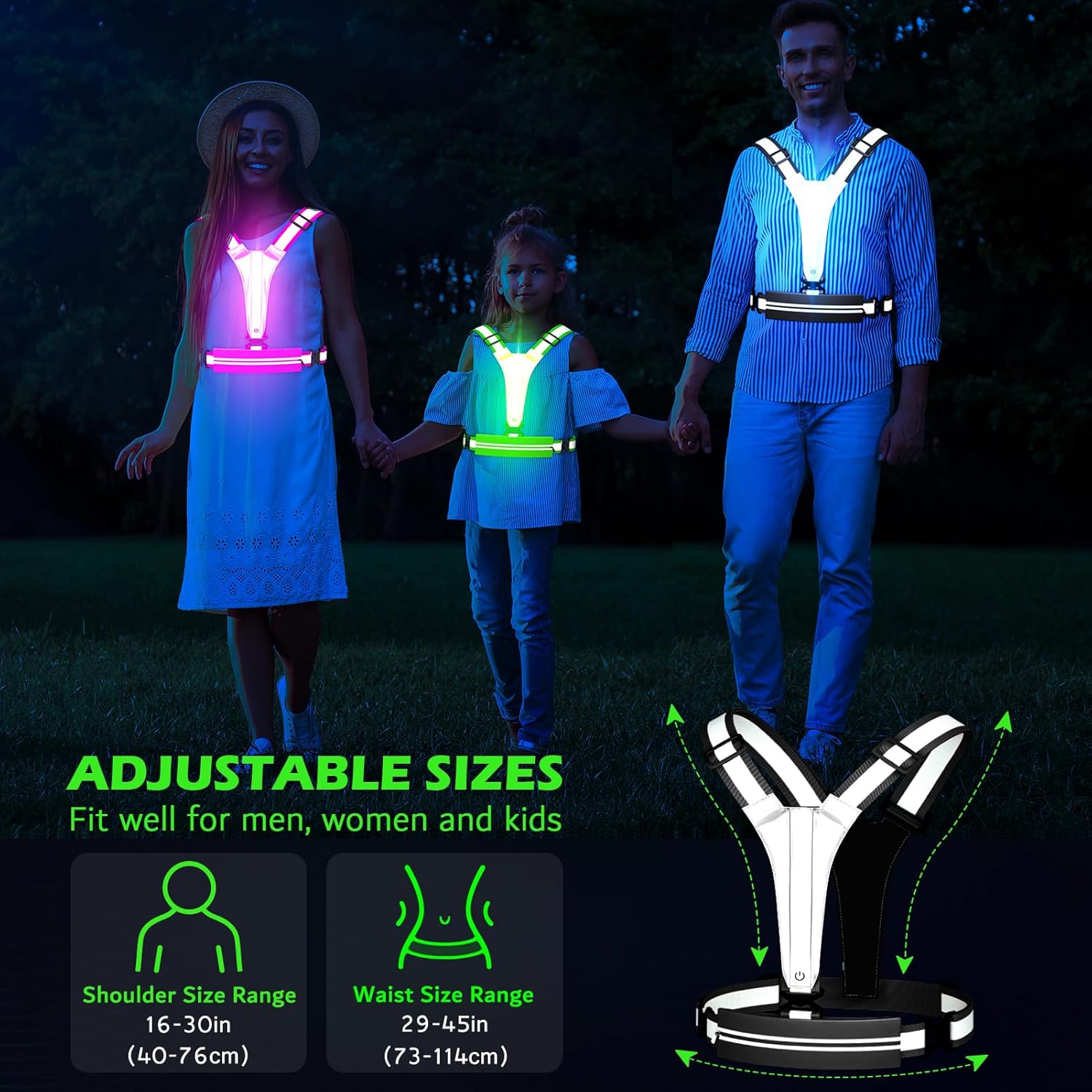
This image shows a man, woman, and child wearing the Ylzzrs LED Reflective Vest, illustrating its adjustable design suitable for various body types. The graphic indicates shoulder size range of 16-30 inches and waist size range of 29-45 inches.
3.2 Charging the Vest
The LED lights in your Ylzzrs Reflective Vest are USB rechargeable. A full charge takes approximately 40 minutes and provides up to 11 hours of illumination.
- Locate the LED light strip protective case on the side of the power button.
- Use your fingers to gently open the silicone seal marked 'USB' to expose the charging interface.
- Insert the micro USB end of the charging cable into the vest's charging port.
- Plug the USB-A end of the cable into a USB socket, power bank, or mobile phone adapter for charging.

A visual guide demonstrating the steps to charge the Ylzzrs LED Reflective Vest. It shows how to locate and open the silicone seal covering the USB port, insert the charging cable, and connect it to a USB socket or power adapter.

This image demonstrates the charging process of the Ylzzrs LED Reflective Vest using its 2-in-1 dual USB-C charging cable. It shows the vest connected to a laptop, with an overlay indicating a charging time of approximately 50 minutes for 12-20 hours of operation.
4. Operating Instructions
4.1 Power On/Off and Light Modes
The Ylzzrs LED Reflective Vest features multiple light modes for varying visibility needs. The power button is located on the vest's front.
- To Power On: Press the power button once. The lights will illuminate in the default mode.
- To Change Light Mode: Press the power button repeatedly to cycle through the available modes:
- Fast Flash: One color flashing rapidly.
- Constant Light: Stays in one solid color.
- Slow Flash: One color flashing slowly.
- To Power Off: Continue pressing the power button until the lights turn off.

This image displays the Ylzzrs LED Reflective Vest in use by both a cyclist and a runner, emphasizing its 360-degree visibility. It also illustrates the three available light modes: Fast Flash, Constant Light, and Slow Flash, each designed for different visibility needs.
4.2 Using the Chest Phone Holder
The integrated chest phone holder provides a secure and waterproof compartment for your valuables.
- The holder measures approximately 5.5" x 8.6" (WxH) and fits most smartphones, keys, cash, cards, and small valuable items.
- It features a reinforced inner layer of TPU and a water-resistant zipper to protect your items from sweat and various weather conditions.
- A headphone cable port allows you to enjoy music while keeping your device secure.

A runner is shown wearing the Ylzzrs LED Reflective Vest, highlighting the waterproof fanny pack feature. The image details the fanny pack's dimensions (8.3 inches length, 2.6-3.9 inches width) and its capacity to hold items like a phone and cards, keeping them dry from sweat or weather.
5. Maintenance
5.1 Cleaning
The vest is made of soft fabrics. To clean, gently wipe with a damp cloth. Do not machine wash or submerge the vest in water, especially the electronic components. Allow to air dry completely before storage or next use.
5.2 Battery Care
To prolong battery life, charge the vest fully before its first use and whenever the lights dim. Avoid completely draining the battery frequently. Store the vest in a cool, dry place when not in use.
6. Troubleshooting
- Lights not turning on: Ensure the vest is fully charged. Press the power button firmly.
- Lights dim or inconsistent: The battery may be low. Recharge the vest.
- Charging issues: Check that the USB cable is securely connected to both the vest and the power source. Ensure the power source is functional.
- Vest does not fit properly: Adjust the shoulder and waist buckles as described in Section 3.1.
7. Specifications
| Feature | Specification |
|---|---|
| Brand | Ylzzrs |
| Model | LED Reflective Vest |
| Material | Nylon |
| Color | Black |
| Item Weight | 4.8 ounces |
| Waist Adjustment Range | 29 - 45 inches (73 - 114 cm) |
| Shoulder Adjustment Range | 16 - 32 inches (40 - 76 cm) |
| Phone Holder Size (WxH) | 5.5" x 8.6" (approx.) |
| Charging Time | Approx. 40 minutes |
| Working Time (LED) | Approx. 11 hours |
| Visibility Distance | Up to 1200 feet |
| Light Modes | Fast Flash, Constant Light, Slow Flash |
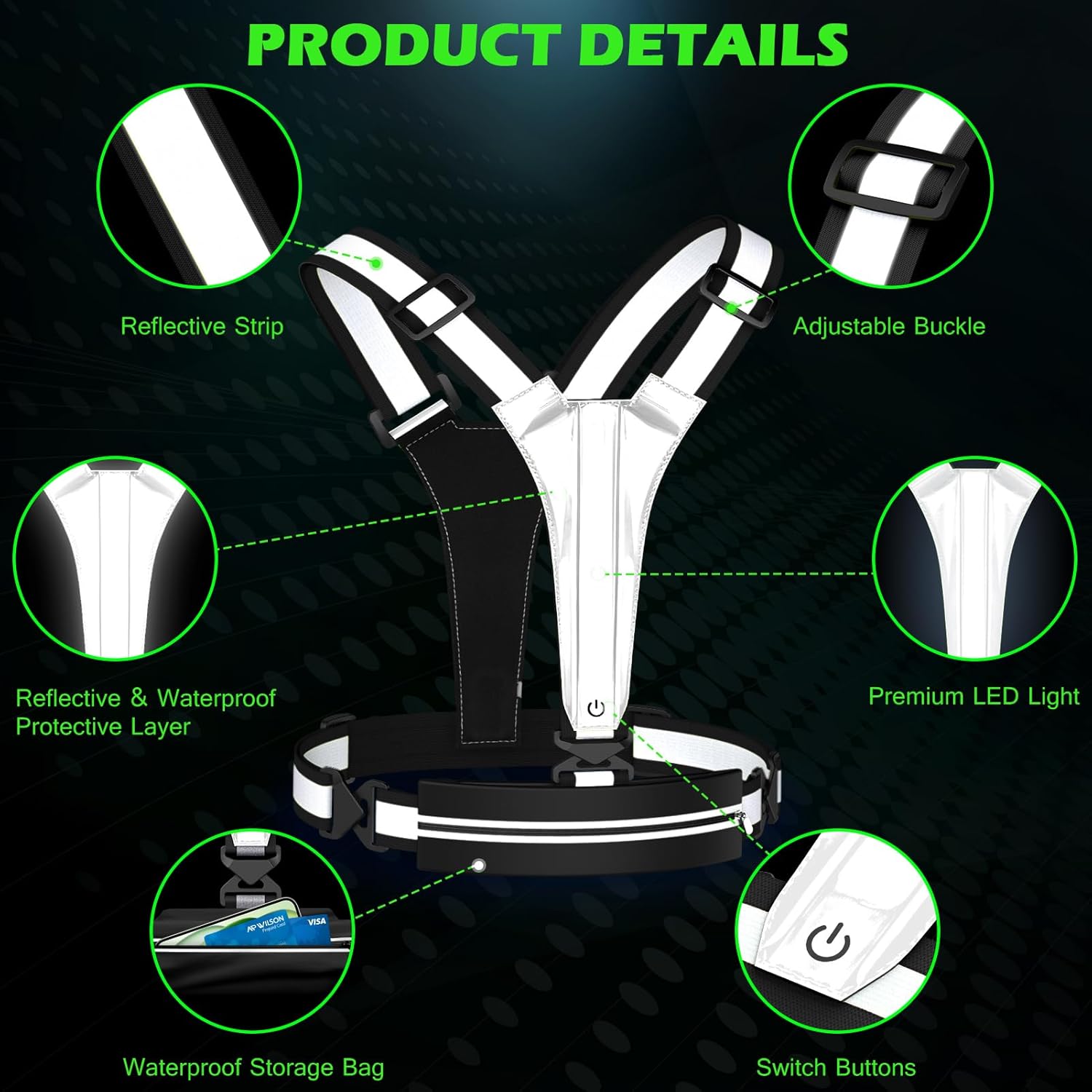
A close-up view highlighting the key features of the Ylzzrs LED Reflective Vest, such as the reflective strips, adjustable buckles for a custom fit, integrated LED lights, a waterproof protective layer, a waterproof storage bag, and the control switch buttons.
8. Warranty and Support
Specific warranty details and direct support contact information are not provided in the product data. Please refer to the retailer or your purchase documentation for warranty claims and customer support inquiries.