1. Introduction
Thank you for choosing the SUNSUN HJ 752 Submersible Filtration Pump. This device is designed to provide efficient biological filtration for both salt water and fresh water aquariums, ensuring a clean and healthy environment for your aquatic pets. Please read this manual thoroughly before installation and operation to ensure proper use and longevity of the product.
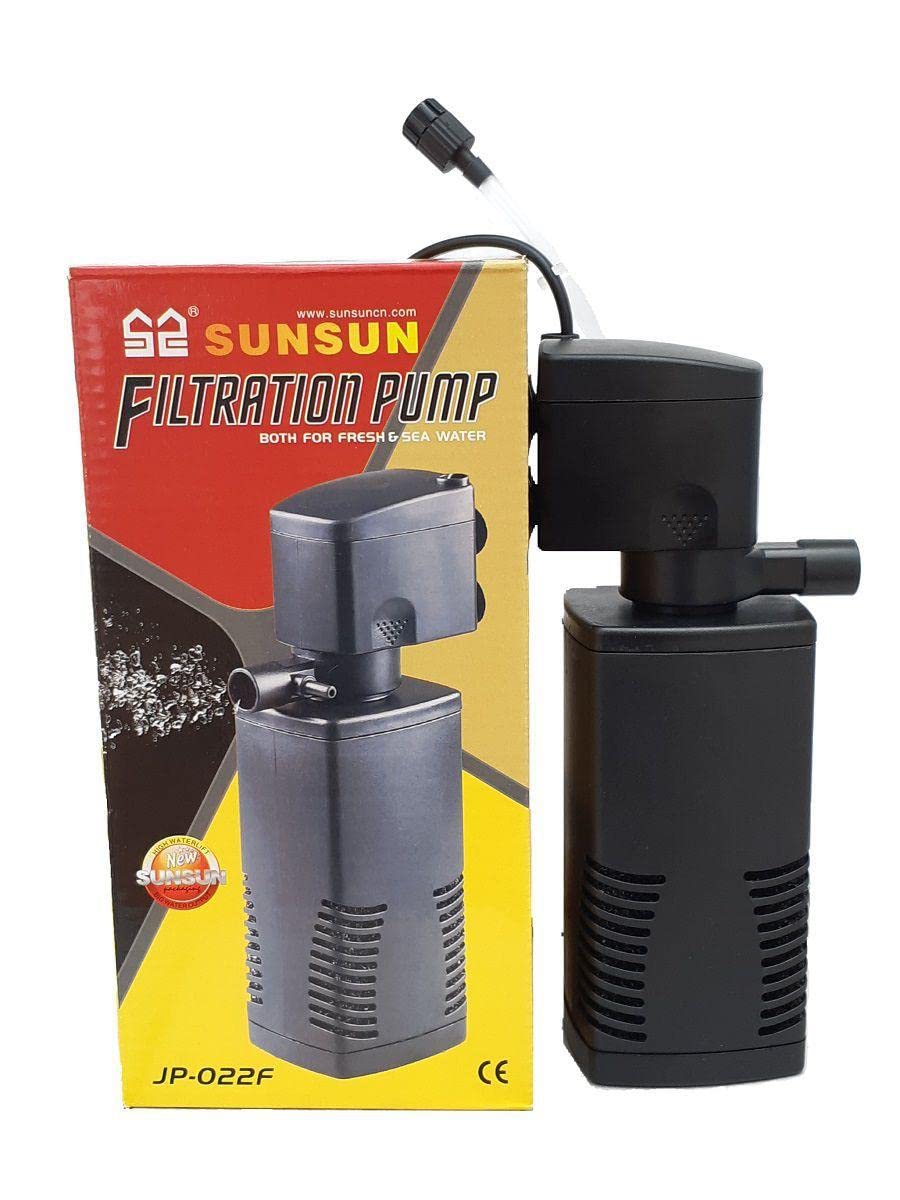
Image 1.1: The SUNSUN HJ 752 Submersible Filtration Pump. This image shows the compact design of the pump, suitable for various aquarium setups.
2. Safety Instructions
To prevent injury or damage, always observe basic safety precautions, including the following:
- Read and follow all instructions carefully.
- DANGER: To avoid possible electric shock, special care should be taken since water is used in the use of aquarium equipment. For each of the following situations, do not attempt repairs yourself; return the appliance to an authorized service facility for service or discard the appliance.
- If the appliance falls into the water, DO NOT reach for it. First, unplug it and then retrieve it. If electrical components get wet, unplug the appliance immediately.
- Carefully examine the appliance after installation. It should not be plugged in if there is water on parts not intended to be wet.
- Do not operate any appliance if it has a damaged cord or plug, or if it is malfunctioning or has been dropped or damaged in any manner.
- To avoid the possibility of the appliance plug or receptacle getting wet, position the aquarium stand and tank to one side of a wall-mounted receptacle to prevent water from dripping onto the receptacle or plug. A "drip loop" should be arranged by the user for each cord connecting an aquarium appliance to a receptacle. The "drip loop" is the part of the cord below the level of the receptacle, or the connector if an extension cord is used, to prevent water from traveling along the cord and coming into contact with the receptacle. If the plug or receptacle does get wet, DO NOT unplug the cord. Disconnect the fuse or circuit breaker that supplies power to the appliance. Then unplug and examine for the presence of water in the receptacle.
- Close supervision is necessary when any appliance is used by or near children.
- To avoid injury, do not contact moving parts or hot parts such as heaters, reflector, lamp bulbs, etc.
- Always unplug an appliance from an outlet when not in use, before putting on or taking off parts, and before cleaning. Never yank cord to pull plug from outlet. Grasp the plug and pull to disconnect.
- Do not use an appliance for other than intended use. The use of attachments not recommended or sold by the appliance manufacturer may cause an unsafe condition.
- Do not install or store the appliance where it will be exposed to the weather or to temperatures below freezing.
- Ensure the appliance is securely installed before operating it.
- Read and observe all important notices on the appliance.
- If an extension cord is necessary, a cord with a proper rating should be used. A cord rated for less amperes or watts than the appliance rating may overheat. Care should be taken to arrange the cord so that it will not be tripped over or pulled.
- This appliance has a polarized plug (one blade is wider than the other). As a safety feature, this plug will fit in a polarized outlet only one way. If the plug does not fit fully in the outlet, reverse the plug. If it still does not fit, contact a qualified electrician. Never use with an extension cord unless plug can be fully inserted. Do not attempt to defeat this safety feature.
3. Package Contents
Upon unpacking, please verify that all components are present and in good condition. The package should contain:
- 1 x SUNSUN HJ 752 Submersible Filtration Pump
- Filter media (if included as part of the pump assembly)
- Instruction Manual (this document)
Note: Specific filter media may vary. Refer to product packaging for exact details.
4. Setup Instructions
Follow these steps to properly set up your SUNSUN HJ 752 filtration pump:
- Unpack the Pump: Carefully remove the pump and all accessories from the packaging. Inspect for any visible damage.
- Rinse Components: Rinse all pump components, including the filter housing and media, thoroughly with clean water. Do not use soap or detergents, as these can be harmful to aquatic life.
- Assemble Filter Media: If the filter media is separate, place it inside the filter housing according to the diagrams on the packaging or the pump's internal structure. Ensure a snug fit to prevent bypass.
- Position the Pump: Submerge the pump completely in your aquarium. The pump is designed to operate fully underwater. Ensure it is placed in an area that allows for good water circulation throughout the tank. Suction cups (if provided) can be used to secure the pump to the aquarium glass.
- Connect Power: Ensure your hands are dry. Plug the power cord into a grounded electrical outlet. Create a drip loop as described in the Safety Instructions.
- Verify Operation: Once plugged in, the pump should start immediately, circulating water. Check for proper water flow and ensure there are no unusual noises.
5. Operating Instructions
The SUNSUN HJ 752 is designed for continuous operation to maintain water quality. Once properly set up, minimal intervention is required.
- Continuous Filtration: The pump should run 24 hours a day, 7 days a week, to provide constant filtration and oxygenation for your aquarium.
- Water Flow Adjustment: Some models may feature an adjustable flow rate. If available, rotate the flow control knob (usually located near the output nozzle) to increase or decrease water flow as needed for your aquarium size and inhabitants.
- Monitoring: Regularly observe your aquarium water clarity and the pump's performance. A decrease in flow or unusual noises may indicate a need for maintenance.
6. Maintenance
Regular maintenance is crucial for the efficient operation and longevity of your filtration pump. Perform maintenance at least once a month, or more frequently if water flow decreases significantly.
- Disconnect Power: Always unplug the pump from the electrical outlet before performing any maintenance.
- Remove from Aquarium: Carefully remove the pump from the aquarium.
- Disassemble: Gently separate the filter housing from the pump motor. Remove all filter media.
- Clean Impeller: The impeller is the rotating part inside the pump that moves water. Remove the impeller cover and carefully extract the impeller. Clean the impeller and its shaft with a small brush (like a toothbrush) to remove any accumulated debris, algae, or mineral deposits. Ensure the impeller spins freely.
- Clean Filter Housing: Rinse the filter housing and all internal components with clean aquarium water or dechlorinated tap water. Do not use soap.
- Clean/Replace Filter Media:
- Sponge/Foam Media: Rinse thoroughly in old aquarium water (from a water change) to preserve beneficial bacteria. Replace if heavily clogged or deteriorated.
- Carbon/Chemical Media: Replace every 2-4 weeks as per manufacturer recommendations, as it loses effectiveness over time.
- Ceramic Rings/Bio-balls: Rinse gently in old aquarium water to remove sludge without destroying beneficial bacteria.
- Reassemble: Reassemble the pump in reverse order, ensuring all parts are securely fitted.
- Reinstall and Restart: Place the pump back into the aquarium, ensuring it is fully submerged. Plug it back into the power outlet.
7. Troubleshooting
If your SUNSUN HJ 752 pump is not functioning correctly, refer to the following table for common issues and solutions:
| Problem | Possible Cause | Solution |
|---|---|---|
| Pump does not start or runs intermittently. |
|
|
| Reduced water flow. |
|
|
| Excessive noise or vibration. |
|
|
8. Specifications
Key technical specifications for the SUNSUN HJ 752 Submersible Filtration Pump:
- Model: HJ 752
- Voltage: 20-240V/50Hz
- Power: 10W
- Output: 600L/h
- Application: Salt Water and Fresh Water Aquariums
- Style: Submersible
- Power Source: Corded Electric
- Color: Black
9. Official Product Videos
No official seller videos were found for this product in the provided information. Please refer to the text instructions and diagrams for guidance.
10. Warranty and Support
For warranty information and customer support, please refer to the documentation provided with your purchase or contact the retailer where the product was acquired. Keep your proof of purchase for any warranty claims.
For technical assistance or further inquiries, please reach out to the manufacturer's customer service department if contact details are available on the product packaging or official website.


