Introduction
Thank you for choosing the Ordtop Smart Watch P32. This 1.69'' HD Full Touch Screen Fitness Watch is designed to help you track your fitness, monitor your health, and stay connected. This manual provides detailed instructions on how to set up, operate, and maintain your device to ensure optimal performance and longevity.
Package Contents
Please verify that all items are present in the package:
- Ordtop Smart Watch P32 Unit
- Watch Band
- Magnetic Charging Cable
- User Manual (this document)

Image: Front of the Ordtop Smart Watch P32 retail packaging.

Image: Back of the Ordtop Smart Watch P32 retail packaging, displaying product specifications.
Setup
1. Charging the Smart Watch
Before first use, fully charge your Ordtop Smart Watch P32. Connect the magnetic charging cable to the charging points on the back of the watch and plug the USB end into a standard USB power adapter (not included) or a computer's USB port.
- Charging time: Approximately 1.5 hours for a full charge.
- Usage time: Up to 7 days depending on usage.
- Standby time: Up to 30 days.

Image: The magnetic charging cable attached to the back of the Ordtop Smart Watch P32.
2. App Installation and Pairing
To unlock the full potential of your smart watch, download the companion application on your smartphone. The app is compatible with Android 5.0 and above, and iOS 9.0 and above.
- Scan the QR code provided in the quick start guide (or search for the app name in your phone's app store).
- Install the application on your smartphone.
- Enable Bluetooth on your smartphone.
- Open the app and follow the on-screen instructions to pair your Ordtop Smart Watch P32. Ensure the watch is powered on and near your phone during the pairing process.
Operating Instructions
Basic Navigation
The Ordtop Smart Watch P32 features a 1.69-inch HD full touch screen for intuitive navigation.
- Swipe Up/Down: Scroll through menus and notifications.
- Swipe Left/Right: Access quick functions or different data screens.
- Tap: Select an item or confirm an action.
- Press Side Button: Return to the home screen or power on/off the device.

Image: The 1.69-inch HD sensitive touch screen of the Ordtop Smart Watch P32.
Key Features
Your smart watch offers a range of features to support your daily activities and health monitoring:
Daily Activity Tracking
The watch automatically tracks your daily steps, distance traveled, and calories burned. You can view your progress directly on the watch or in the companion app for more detailed insights.

Image: Display of daily activity tracking on the Ordtop Smart Watch P32, showing steps, distance, heart rate, and calories.
Heart Rate Monitoring
The built-in optical sensor continuously monitors your heart rate. Access the heart rate interface on the watch to see your current heart rate, or check the app for historical data and trends.
Sleep Monitoring
Wear your watch to bed, and it will automatically track your sleep patterns, including deep sleep, light sleep, and awake times. Review your sleep quality and duration in the app to help improve your rest.
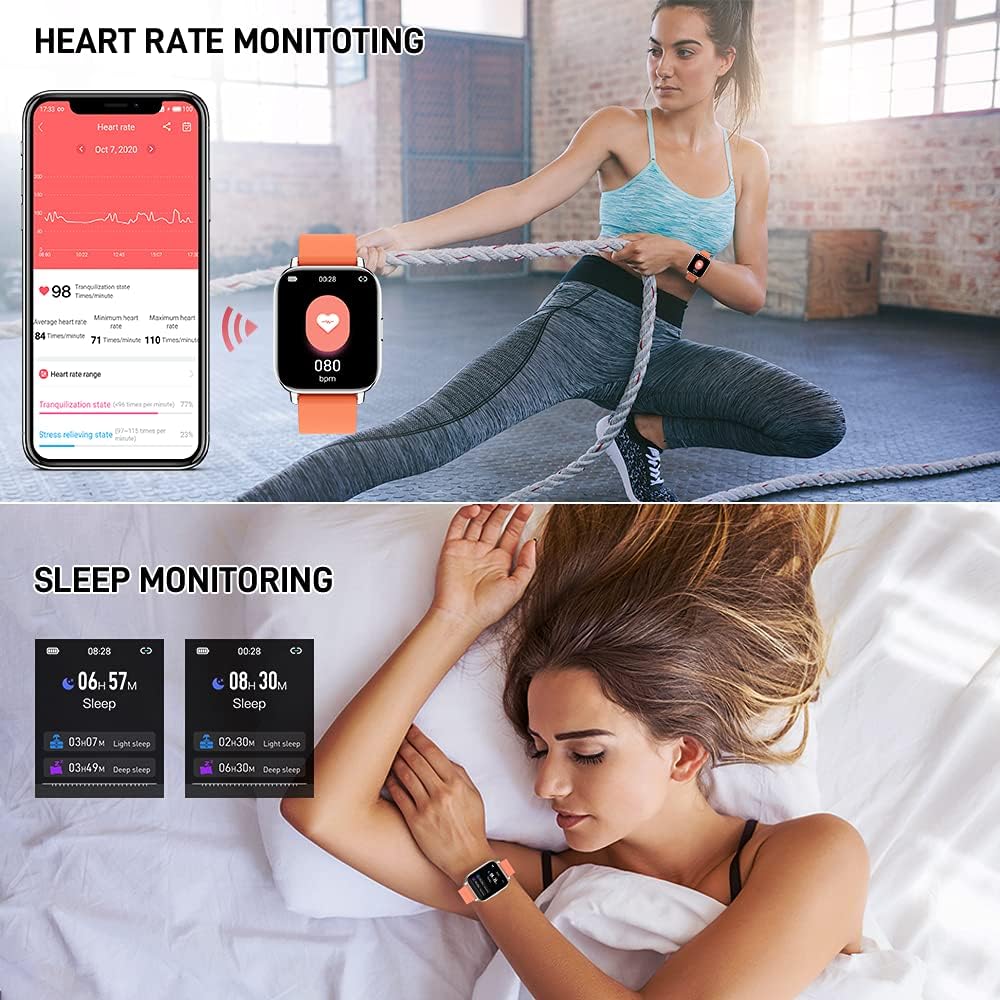
Image: The Ordtop Smart Watch P32 displaying heart rate and sleep monitoring data.
Message Notifications
Receive notifications for calls, SMS messages, and various social media apps directly on your wrist when connected to your smartphone. This feature helps you stay informed without needing to check your phone constantly.

Image: The Ordtop Smart Watch P32 showing incoming message notifications from popular apps.
Maintenance
Water Resistance (IP68)
The Ordtop Smart Watch P32 is IP68 waterproof, meaning it is resistant to dust and can withstand immersion in water up to 1.5 meters for up to 30 minutes. It is suitable for daily use, including hand washing, rain, and light swimming. However, it is not recommended for hot showers, saunas, or diving, as steam and hot water can compromise the seal.

Image: The Ordtop Smart Watch P32 being worn in water, highlighting its IP68 waterproof capability.
Cleaning and Care
- Clean the watch and strap regularly with a soft, damp cloth.
- Avoid using harsh chemicals or abrasive materials.
- Ensure the charging contacts are clean and dry before charging to prevent corrosion.
- Store the watch in a cool, dry place when not in use.
Troubleshooting
If you encounter issues with your Ordtop Smart Watch P32, please refer to the following common solutions:
| Problem | Solution |
|---|---|
| Watch does not turn on | Ensure the watch is fully charged. Connect it to the charger for at least 10 minutes before attempting to power on. |
| Cannot pair with smartphone |
|
| Notifications not received |
|
| Inaccurate activity data | Ensure the watch is worn snugly on your wrist, about one finger's width above the wrist bone. Calibrate the app if there's an option. |
Specifications
| Feature | Detail |
|---|---|
| Model Number | P32 |
| Screen Size | 1.69 Inches |
| Display Resolution | 240x285 |
| Battery Capacity | 200mAh |
| Battery Type | Lithium Polymer |
| Connectivity | Bluetooth, USB (for charging) |
| Waterproof Rating | IP68 |
| Compatible Systems | Android 5.0 and above, iOS 9.0 and above |
| Item Weight | 3.52 ounces |
| Manufacturer | Ordtop |
Warranty and Support
Ordtop provides a standard manufacturer's warranty for this product. For detailed warranty terms, please refer to the warranty card included in your package or contact Ordtop customer support. If you require further assistance or have questions not covered in this manual, please reach out to our support team via the contact information provided on the official Ordtop website or through the companion application.
For the latest information and support, please visit the official Ordtop store: Ordtop Store on Amazon


