
LOGICOM POSH_186
LOGICOM POSH 186 User Manual
Model: POSH_186
Introduction
Welcome to the user manual for your LOGICOM POSH 186 mobile phone. This guide will help you understand the features and functions of your device, ensuring a smooth and efficient user experience. Please read this manual carefully before using your phone.

Figure 1: Front view of the LOGICOM POSH 186
Getting Started
Package Contents
Before you begin, please ensure all items are present in your package:
- LOGICOM POSH 186 Mobile Phone
- Battery
- Charger
- User Manual (this document)
Inserting the SIM Card(s) and Battery
Your LOGICOM POSH 186 supports dual SIM cards, allowing you to use two different numbers simultaneously.
- Gently remove the back cover of the phone.
- If present, remove the battery.
- Locate the SIM card slots. Insert your SIM card(s) into the designated slots with the gold contacts facing down.
- Insert the battery, ensuring the contacts align correctly.
- Replace the back cover until it clicks into place.
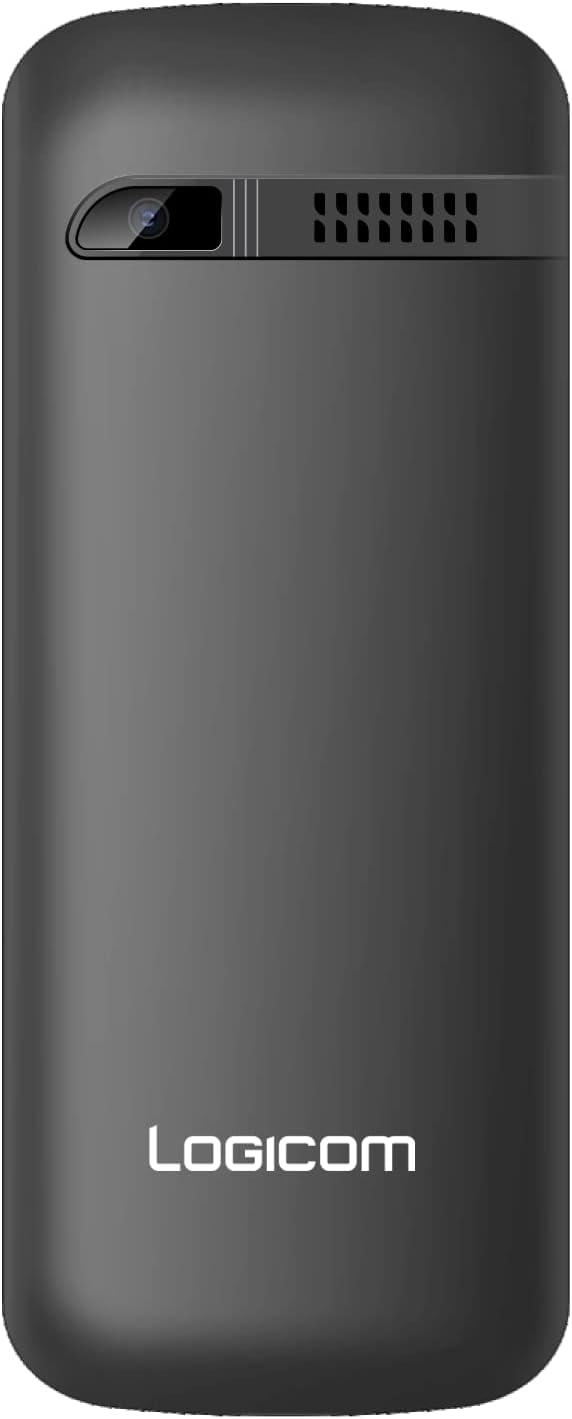
Figure 2: Back view of the phone, showing the area where the cover is removed for SIM/battery access.
Charging the Device
Before first use, fully charge your phone's battery.
- Connect the charger cable to the Micro USB port at the bottom of your phone.
- Plug the other end of the charger into a power outlet.
- The battery indicator on the screen will show the charging status.
- Once fully charged, disconnect the charger.
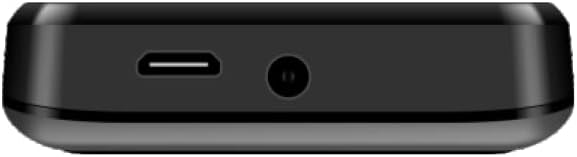
Figure 3: Bottom view with Micro USB charging port
Basic Operations
Power On/Off
- To power on: Press and hold the Power/End Call button until the screen lights up.
- To power off: Press and hold the Power/End Call button until the power options appear, then select 'Power off'.
Making Calls
- From the home screen, use the keypad to dial the desired phone number.
- Press the Call button (usually green) to initiate the call.
- To end a call, press the End Call button (usually red).
Sending SMS
- Navigate to the 'Messages' menu from the main screen.
- Select 'New Message' or 'Create Message'.
- Enter the recipient's phone number or select from your contacts.
- Type your message using the keypad.
- Press 'Send'.
Using the Flashlight
Your phone is equipped with a built-in flashlight for convenience.
- To turn on the flashlight: Refer to your phone's menu for the 'Flashlight' or 'Torch' option, or long-press a designated key (e.g., '0' or a navigation key) if available.
- To turn off the flashlight: Repeat the action used to turn it on.

Figure 4: Top view with integrated flashlight
Care and Maintenance
To ensure the longevity and optimal performance of your LOGICOM POSH 186, please follow these care guidelines:
- Keep Dry: Avoid exposing the phone to moisture, rain, or any liquids.
- Avoid Extreme Temperatures: Do not expose the phone to very high or low temperatures, as this can affect its battery and internal components.
- Clean Gently: Use a soft, dry cloth to clean the phone's surface. Avoid harsh chemicals or abrasive materials.
- Use Original Accessories: Always use original or certified compatible chargers and batteries to prevent damage and ensure safety.
- Handle with Care: Avoid dropping the phone or subjecting it to strong impacts.
Troubleshooting
If you encounter issues with your phone, refer to the table below for common problems and their solutions.
| Problem | Possible Solution |
|---|---|
| Phone not turning on | Ensure the battery is charged. Check if the battery is correctly inserted. |
| Cannot make or receive calls | Check if the SIM card is properly inserted. Verify network signal strength. Contact your service provider if the issue persists. |
| Short battery life | Reduce screen brightness. Close unused applications. Limit background data usage. |
| Keypad unresponsive | Restart the phone. Ensure no physical obstruction is affecting the keys. |
| No sound during calls | Check the volume settings. Ensure the speaker is not blocked. |
Technical Specifications
Below are the key technical specifications for the LOGICOM POSH 186:
| Feature | Specification |
|---|---|
| Brand | LOGICOM |
| Model Number | POSH_186 |
| Color | Noir (Black) |
| Screen Size | 1.8 Inches |
| Operating System | Android 11.0 |
| RAM | 32 MB |
| Storage Capacity | 32 GB |
| Cellular Technology | 2G |
| Battery Composition | Lithium-ion |
| Special Features | Dual SIM |
| Connectivity | Micro USB |
Warranty and Support
LOGICOM is committed to customer satisfaction. If you are not satisfied with your product or encounter any issues, please do not hesitate to contact our After-Sales Service. We are dedicated to finding a suitable solution to address your concerns.
For support, please refer to the contact information provided with your product packaging or visit the official LOGICOM website for the most up-to-date support details.