
Cloudenergy CL48V-150Ah-Wall
Cloudenergy 48V 150Ah Wall Mounted Lithium LiFePO4 Deep Cycle Rechargeable Battery User Manual
Model: CL48V-150Ah-Wall | Brand: Cloudenergy
1. Introduction
This user manual provides essential information for the safe and efficient operation of your Cloudenergy 48V 150Ah Wall Mounted Lithium LiFePO4 Deep Cycle Rechargeable Battery. This battery is designed for various applications including solar energy systems, home energy storage, RVs, marine, overland, and off-grid power solutions. Please read this manual thoroughly before installation and use.

Figure 1: Diverse applications of the Cloudenergy LiFePO4 battery.
2. Safety Information
Always adhere to the following safety guidelines to prevent injury or damage to the battery and connected equipment:
- Do not disassemble, modify, or attempt to repair the battery.
- Keep the battery away from fire, heat sources, and direct sunlight.
- Ensure proper ventilation during operation and charging.
- Use only compatible chargers and inverters.
- Avoid short-circuiting the battery terminals.
- Do not immerse the battery in water or other liquids.
- Handle with care due to the weight (approximately 135.6 pounds).
- The built-in BMS provides protection against overcharge, over-discharge, overcurrent, short circuit, and cell voltage imbalances.
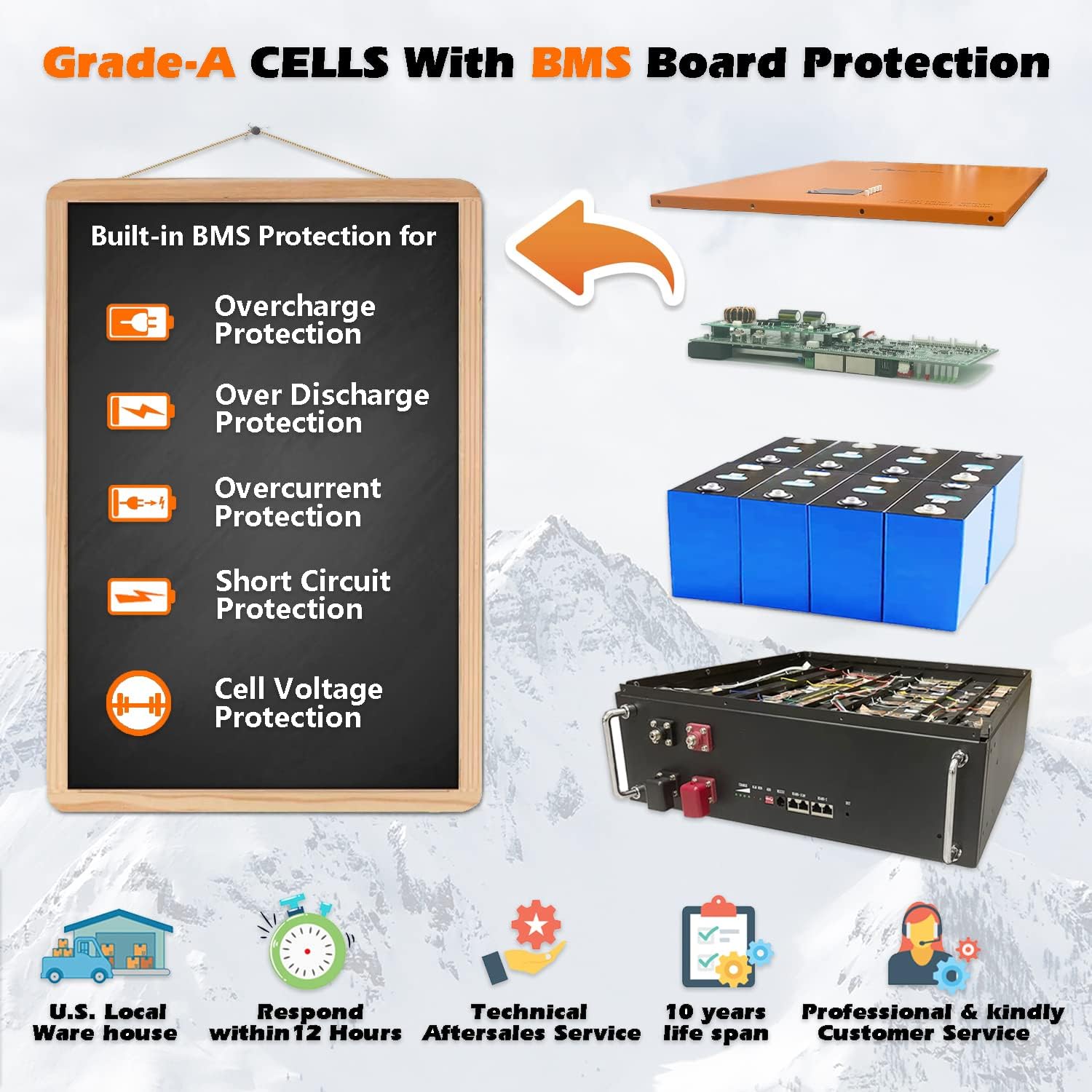
Figure 2: Built-in BMS protection features.
3. Product Overview
3.1 Key Features
- High Capacity: 48V 150Ah (7.68 kWh) LiFePO4 battery module.
- Long Cycle Life: Over 6000 deep cycles at 80% Depth of Discharge (DOD).
- Integrated BMS: Built-in Battery Management System for comprehensive protection.
- LED Monitor: Integrated display for real-time battery status.
- Wide Operating Temperature: Charge at 0℃~50℃; Discharge at -25℃~60℃.
- Expandable: Supports connecting up to 16 units in parallel for increased capacity (Max. 122.8 kWh usable energy).
- Wall-Mounted Design: Space-saving installation.
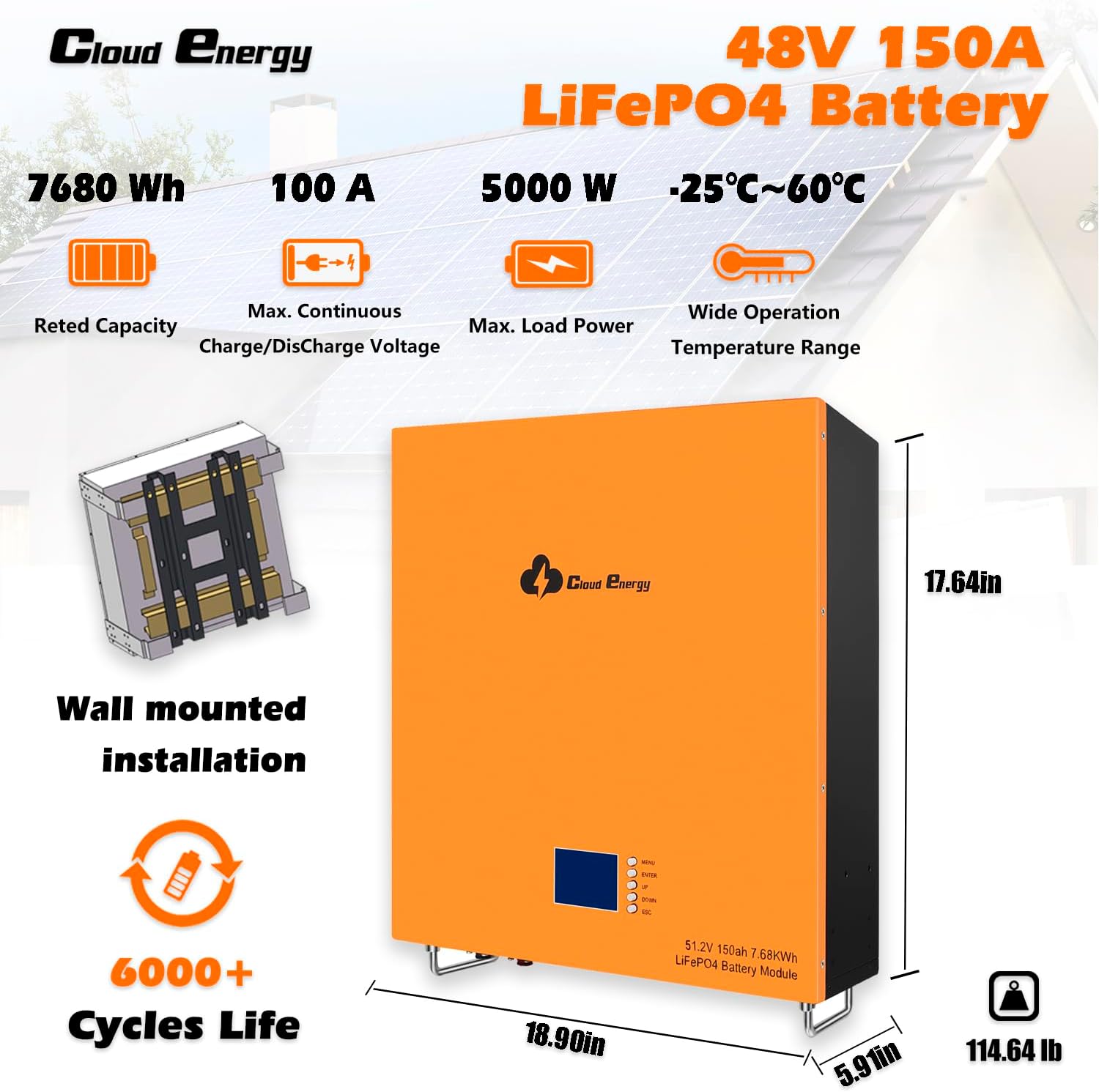
Figure 3: Key features and dimensions of the battery.
3.2 Components and Interfaces

Figure 4: Battery components and communication interfaces.
- Negative Electrode: Terminal for negative power connection.
- Positive Electrode: Terminal for positive power connection.
- LCD Display: Shows real-time battery status and parameters.
- LCD Key Indicator: Buttons for navigating the LCD display.
- On-Off Switch: Main power switch for the battery.
- Power Indicator: Light indicating power status.
- Alarm/Running Light: Indicates operational status or alerts.
- DIP Address: Switches for setting communication addresses in parallel configurations.
- RS485/CAN Port: Communication interface for connecting to inverters or other devices.
- RS485 Port: Additional RS485 communication port.
- RS485 Port-2: Second additional RS485 communication port.
- Reset Key: Button to reset the battery system.
4. Setup and Installation
4.1 Wall Mounting
The Cloudenergy battery is designed for wall-mounted installation. Ensure the mounting surface is structurally sound and can support the battery's weight (135.6 pounds). Use appropriate mounting hardware (stainless steel anchors are typically included).

Figure 5: Wall mounting design for space-saving installation.
4.2 Electrical Connections
Connect the battery to your inverter and charging sources (solar, grid, generator) using appropriate cables and connectors. Ensure all connections are secure and correctly polarized (positive to positive, negative to negative). Refer to your inverter's manual for specific wiring diagrams and compatibility.

Figure 6: Typical energy storage system setup with the battery.
4.3 Initial Charging
Before first use, it is recommended to fully charge the battery. Connect it to a compatible charger (solar, AC outlet, or generator) and monitor the LCD display for charging status. The battery supports recharging by solar power, wall outlet, and generator.
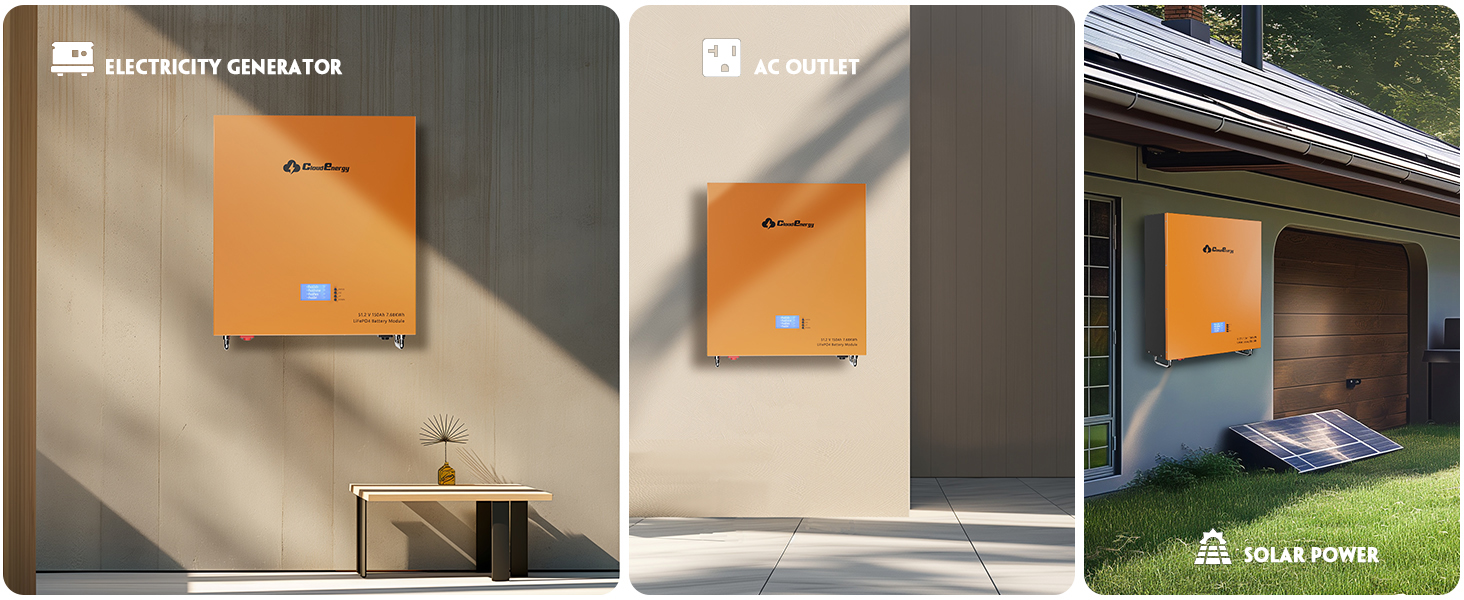
Figure 7: Multiple charging options for the battery.
5. Operating Instructions
5.1 Powering On/Off
To power on the battery, locate the On-Off switch (Component 5 in Figure 4) and switch it to the 'On' position. The LCD display will illuminate, and the power indicator will show the operational status. To power off, switch the On-Off switch to the 'Off' position.
5.2 Monitoring Battery Status
The integrated LCD display (Component 3 in Figure 4) provides real-time information about the battery's state of charge, voltage, current, and other relevant parameters. Use the LCD Key Indicators (Component 4) to navigate through the display menus.
5.3 Parallel Connection for Capacity Expansion
For increased energy storage capacity, multiple Cloudenergy 48V 150Ah batteries can be connected in parallel, supporting up to 16 units. Ensure all batteries are of the same model and have similar states of charge before connecting. Refer to the detailed wiring instructions in the full technical manual for parallel connections. Proper DIP switch settings (Component 8) are crucial for communication between parallel units.
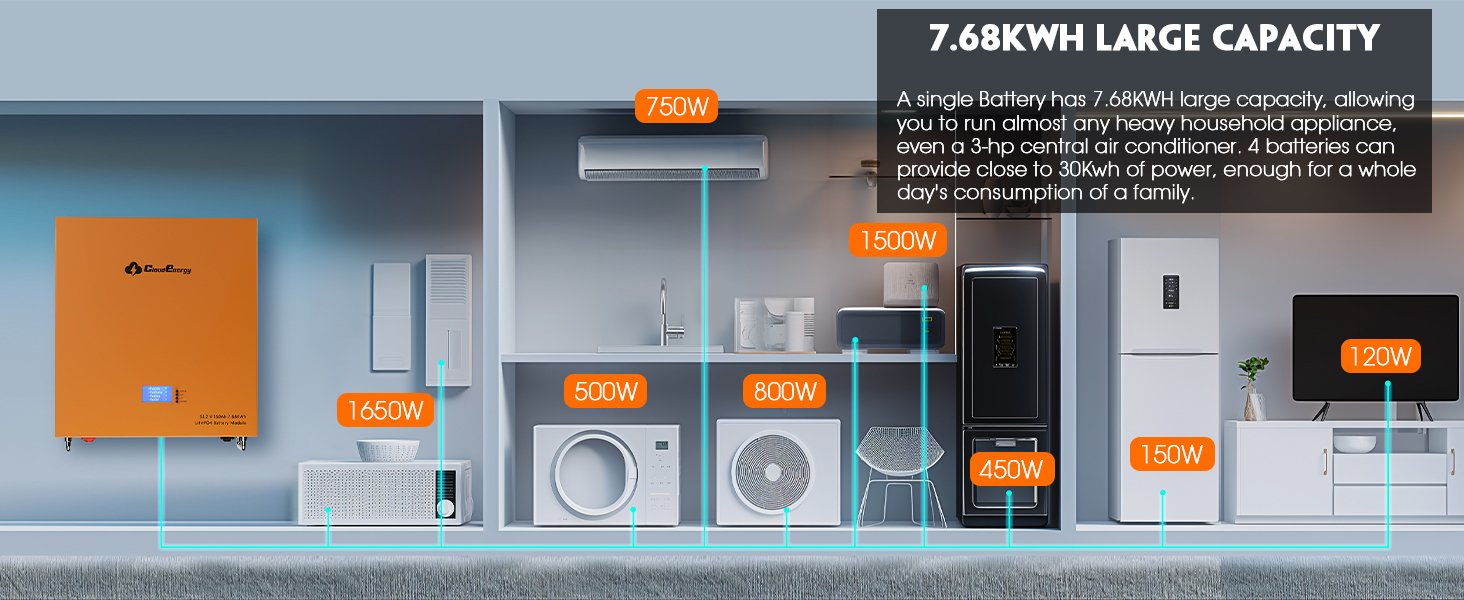
Figure 8: Battery capacity and typical household appliance power consumption.
5.4 Backup Power Functionality
When integrated with a compatible inverter, the Cloudenergy battery can provide a reliable backup power source, offering 24/7 protection against power failures with 0-ms switchover capability.
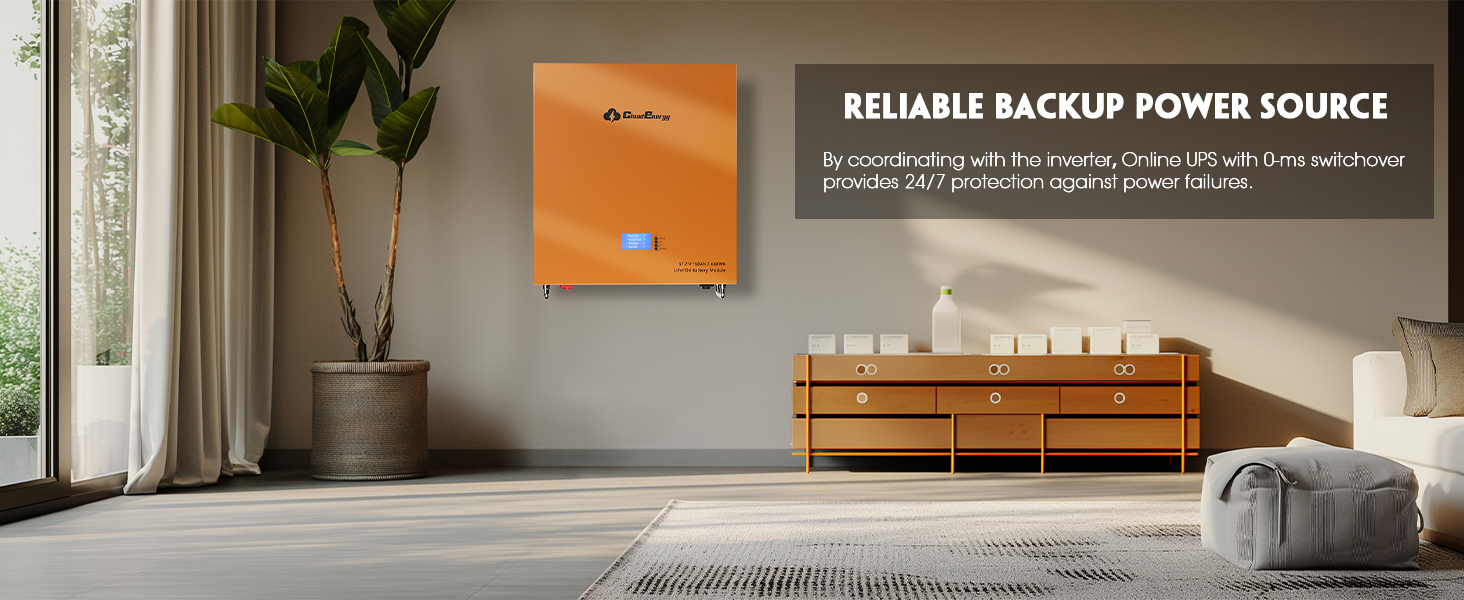
Figure 9: Battery as a reliable backup power source.
5.5 Product Video Overview
Video 1: An overview of the Cloudenergy 48V 150Ah Storage Battery, highlighting its features and applications. This video is provided by the seller, Cloudenergy.
6. Maintenance
The Cloudenergy LiFePO4 battery requires minimal maintenance. Follow these guidelines to ensure optimal performance and longevity:
- Regular Inspection: Periodically check the battery for any physical damage, loose connections, or signs of corrosion.
- Cleaning: Keep the battery clean and free from dust and debris. Use a dry, soft cloth for cleaning. Do not use solvents or abrasive cleaners.
- Temperature Control: Ensure the battery operates within its specified temperature ranges (Charge: 0℃~50℃; Discharge: -25℃~60℃). Avoid extreme temperatures.
- Long-Term Storage: If storing the battery for an extended period, ensure it is charged to approximately 50% State of Charge (SOC) and stored in a cool, dry place. Recharge every 3-6 months to prevent deep discharge.
7. Troubleshooting
This section provides solutions to common issues. For problems not listed here, please contact Cloudenergy customer service.
| Problem | Possible Cause | Solution |
|---|---|---|
| Battery not turning on | On-Off switch is off; Low voltage; Internal fault. | Ensure switch is 'On'. Charge the battery. If issue persists, contact support. |
| Battery not charging | Charger not connected; Charger fault; Over-temperature protection; BMS activated. | Check charger connection. Verify charger functionality. Allow battery to cool down if hot. Check LCD for BMS fault codes. |
| No power output | Over-discharge protection; Overcurrent protection; Inverter fault. | Recharge the battery. Reduce load. Check inverter status. |
| LCD display not working | Power off; Display fault. | Ensure battery is on. Try pressing LCD keys. Contact support if unresponsive. |
8. Specifications
| Attribute | Value |
|---|---|
| Product Dimensions | 19.27 x 7.55 x 20.27 inches |
| Item Weight | 135.6 pounds |
| Item Model Number | CL48V-150Ah-Wall |
| Battery Type | Lithium LiFePO4 |
| Nominal Voltage | 48V (51.2V) |
| Capacity | 150Ah (7.68 kWh) |
| Number of Cells | 16 |
| Internal Resistance | 13 Milliohms |
| Terminal Type | M8 |
| Max. Continuous Charge/Discharge Current | 100A |
| Max. Load Power | 5000W |
| Operating Temperature (Charge) | 0℃~50℃ |
| Operating Temperature (Discharge) | -25℃~60℃ |
| Life Cycles | 6000+ (at 80% DOD) |
| Estimated Lifetime | 10 Years |
9. Warranty and Support
Cloudenergy is committed to providing high-quality products and excellent customer service. Your 48V 150Ah LiFePO4 battery is designed for a 10-year lifetime and comes with dedicated support.
- Customer Service: Cloudenergy provides technical support and online customer service with fast feedback within 24 hours. If you have any product-related issues or questions, please contact us directly.
- Returns: 30-day easy returns are available.
- Protection Plans: Optional 2-Year and 3-Year protection plans are available for purchase.
- Online Resources: Visit the official Cloudenergy Store for more information and product updates.
Ask a question about this manual
Ask about setup, troubleshooting, compatibility, parts, safety, or missing instructions. Manuals+ will review the question and use this page’s manual context to help answer it.