1. Introduction
Thank you for choosing the IKG True Wireless Earbuds S23. These earbuds are designed to provide a superior audio experience with advanced features for daily use and active lifestyles. Featuring Bluetooth 5.3 for stable connectivity, 14.2mm dynamic drivers for rich sound, and IPX7 waterproofing, they are built for comfort and durability.
2. What's in the Box
- Earbuds (2)
- Charging Case (1)
- USB Charging Cable (1)
- Product Manuals (1)
3. Product Overview
The IKG S23 earbuds feature a compact design with an intuitive LED power display on the charging case, showing the remaining battery percentage for both the earbuds and the case.

Figure 3.1: IKG S23 True Wireless Earbuds and Charging Case with LED display.
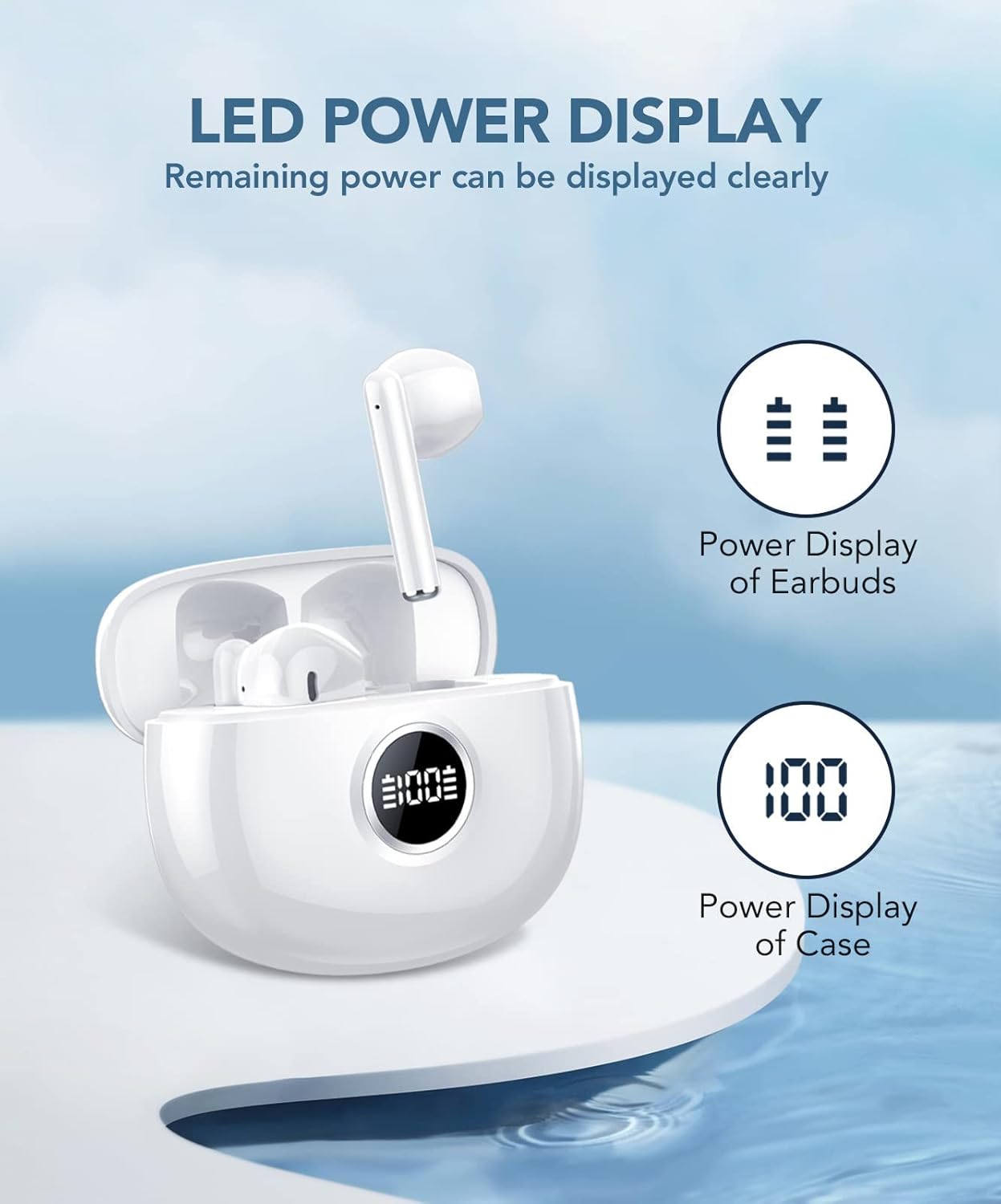
Figure 3.2: The charging case features an LED display indicating the battery levels of the earbuds and the case itself.

Figure 3.3: Each earbud weighs only 3.2 grams, providing a comfortable and secure fit for extended wear.
Product Features Overview
- Premium Stereo Sound: Equipped with 14.2mm low-distortion composite dynamic drivers for powerful bass and clear audio.
- Upgraded Bluetooth 5.3: Ensures stable and efficient wireless connection with improved transmission efficiency.
- Ultra-Long Battery Life: Up to 7 hours of playback on a single charge, extended to 37 hours with the charging case.
- IPX7 Waterproof: Designed to withstand sweat and splashes, making them ideal for sports and outdoor activities.
- Smart Touch Control: Intuitive touch sensors on the earbuds allow for easy management of music, calls, and voice assistant.
- One-Step Auto Pairing: Automatically connects to your device after initial setup when removed from the case.
4. Setup
4.1 Charging the Earbuds and Case
Before first use, fully charge the earbuds and the charging case. Use the provided USB-C charging cable.
- Connect the USB-C cable to the charging port on the case.
- Plug the other end into a compatible USB power source.
- The LED display on the case will show the charging progress.
- Once fully charged, the display will show 100%.
Video 4.1: Demonstrates unboxing and charging the IKG S23 earbuds and case.
4.2 Pairing with Your Device
The earbuds support one-step auto-pairing for convenience.
- Ensure the charging case is charged and the earbuds are inside.
- Open the charging case. The earbuds will automatically enter pairing mode.
- On your device (smartphone, tablet, etc.), go to Bluetooth settings.
- Search for available devices and select "S23" from the list.
- Once connected, the earbuds will automatically pair with this device in the future when removed from the case.

Figure 4.1: The earbuds offer one-step auto-pairing for quick and easy connection to your device.
5. Operating Controls
The IKG S23 earbuds feature smart touch controls for easy management of various functions.

Figure 5.1: Detailed diagram of smart touch controls for the IKG S23 earbuds.
- Play/Pause: Double tap L/R earbud.
- Previous Track: Long press L earbud for 2 seconds.
- Next Track: Long press R earbud for 2 seconds.
- Volume Down: Tap L earbud once.
- Volume Up: Tap R earbud once.
- Answer/End Call: Double tap L/R earbud.
- Reject Call: Long press L/R earbud for 2 seconds.
- Activate Voice Assistant (Siri): Triple tap L/R earbud.
Video 5.1: A tutorial demonstrating the various touch controls of the IKG S23 earbuds.
6. Key Features
6.1 Superior Sound Quality
The earbuds are equipped with 14.2mm dynamic drivers that deliver powerful deep bass and clear, comfortable stereo sound, enhancing your musical experience.
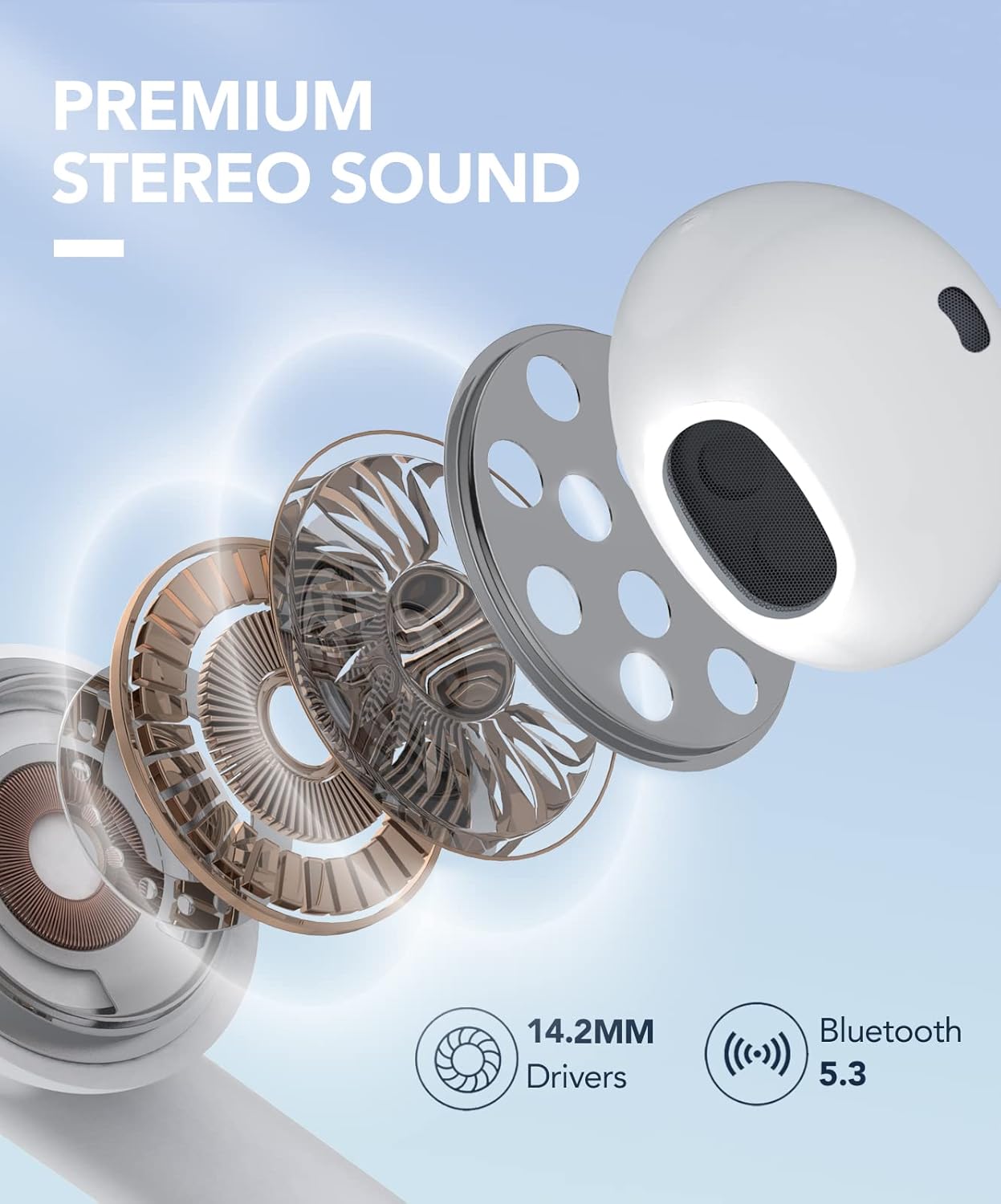
Figure 6.1: Exploded view showing the 14.2mm dynamic drivers responsible for the premium stereo sound.
6.2 Long Battery Life
Enjoy up to 7 hours of continuous playback on a single charge. The portable charging case extends the total listening time to an impressive 37 hours, ensuring your music lasts all day.

Figure 6.2: Visual representation of the 37-hour ultra-long battery life with the charging case.
6.3 IPX7 Waterproof Rating
With an IPX7 waterproof rating, these earbuds are protected against sweat and splashes, making them perfect for workouts, running, and other outdoor activities.
6.4 Ultra-Lightweight Design
Each earbud weighs only 3.2 grams, providing a comfortable and secure fit that you'll barely notice, even during long listening sessions.
Video 6.1: Highlights the lightweight and comfortable design of the IKG S23 earbuds.
6.5 Single & Dual Ear Mode
The earbuds can be used independently or together, offering flexibility for various scenarios without master-slave restrictions.

Figure 6.3: Illustrates the flexibility of switching between single and dual earbud usage.
7. Specifications
| Feature | Description |
|---|---|
| Model Name | S23-White |
| Connectivity Technology | Wireless (Bluetooth 5.3) |
| Bluetooth Version | 5.3 |
| Battery Life (Earbuds) | 7 Hours (single charge) |
| Charging Time (Case) | 37 Hours (total playback with case) |
| Water Resistance Level | IPX7 (Waterproof) |
| Item Weight (Earbuds) | 3.2 Grams (each) |
| Audio Driver Type | Dynamic Driver (14.2mm) |
| Control Method | Touch |
8. Troubleshooting
8.1 Pairing Issues
- Earbuds not pairing with device: Ensure Bluetooth is enabled on your device. Place earbuds back in the case, close, then reopen to re-enter pairing mode. Forget "S23" from your device's Bluetooth list and re-pair.
- Only one earbud connecting: Place both earbuds in the charging case, close the lid, and wait a few seconds. Open the lid and try connecting again. Ensure both earbuds have sufficient battery.
8.2 No Sound or Low Volume
- Check the volume level on both your device and the earbuds.
- Ensure earbuds are properly seated in your ears.
- Clean any debris from the earbud mesh.
8.3 Charging Problems
- Ensure the charging cable is securely connected to both the case and the power source.
- Verify the power source is working.
- Clean the charging contacts on the earbuds and inside the case.
9. Maintenance
- Cleaning: Regularly clean the earbuds and charging case with a soft, dry cloth. Do not use harsh chemicals or abrasive materials.
- Storage: Store the earbuds in their charging case when not in use to protect them and keep them charged. Avoid extreme temperatures.
- Water Exposure: While IPX7 waterproof, avoid prolonged submersion in water. Dry thoroughly after exposure to sweat or splashes before placing back in the charging case.
10. Warranty and Support
10.1 365 Days Warranty Service
IKG is committed to providing satisfactory products and services. If you experience any of the following issues within the warranty period, we will provide a 100% satisfactory solution:
- Missing product parts
- Product malfunction
- Product appears to be damaged
- Other problems
If the product has any quality defect issues, we will replace the product or provide a full refund.
10.2 24-hour Online Customer Service
For any inquiries or issues, please contact our IKG Customer Service Team directly. We are here to assist with:
- Product not delivered on time?
- Not satisfied with the product?
- Problems during use?
- Can't return an item through Amazon?
- Amazon Customer Service cannot resolve your issue?
- Other suggestions.
For further assistance, you may also refer to the official User Guide (PDF).