
HATHEPHS CS01
HATHEPHS Smoke Detector Carbon Monoxide Detector Combo User Manual
Model: CS01
1. Introduction
The HATHEPHS Smoke Detector Carbon Monoxide Detector Combo (Model CS01) provides essential 2-in-1 protection for your home. This ultra-thin device is designed for quick and easy installation, featuring a built-in 10-year battery for continuous power and advanced sensors for reliable detection of both smoke and carbon monoxide.

Figure 1: HATHEPHS Smoke Detector Carbon Monoxide Detector Combo.
Key Features:
- Built-In 10-Year Battery: Provides continuous power, eliminating frequent battery replacements.
- 2-in-1 Protection: Advanced photoelectric and electrochemical sensors detect both smoke and carbon monoxide.
- Ultra-Thin Design: Compact at Ø 4.7 x 1.1 inches, blending seamlessly into your home environment.
- Large Test/Silence Button: Easy testing and muting with a large, accessible button on the top cover.
- Quick Installation: Simple installation using either adhesive tape or screws.
2. Setup and Installation
2.1 Initial Activation
Before installation, the device must be activated. Press and hold the center of the top cover for approximately 10 seconds until the LED indicator lights up and you hear a beep. This confirms the device is powered on and ready for use.
Video 1: Demonstration of initial activation and product features. (Source: HATHEPHS US)
2.2 Mounting Options
The HATHEPHS detector offers two convenient installation methods:
- Adhesive Tape Installation: For a quick and convenient setup, peel the backing from the provided adhesive tape and firmly press the mounting bracket onto a clean, dry wall or ceiling surface.
- Screw-In Installation: For a more secure and permanent installation, use the provided screws and anchors to attach the mounting bracket to the desired location.
Once the mounting bracket is secured, align the detector with the bracket and twist clockwise until it clicks into place.

Figure 2: Installation options for the detector.
Video 2: Detailed guide on installing the detector using adhesive tape. (Source: Hathephs US)
3. Operating Instructions
3.1 Testing the Alarm
It is recommended to test your alarm monthly to ensure proper functionality. To test, simply press the large button on the top cover of the detector. The alarm will sound, and the red LED light will flash, indicating that both the smoke and carbon monoxide sensors are working correctly.
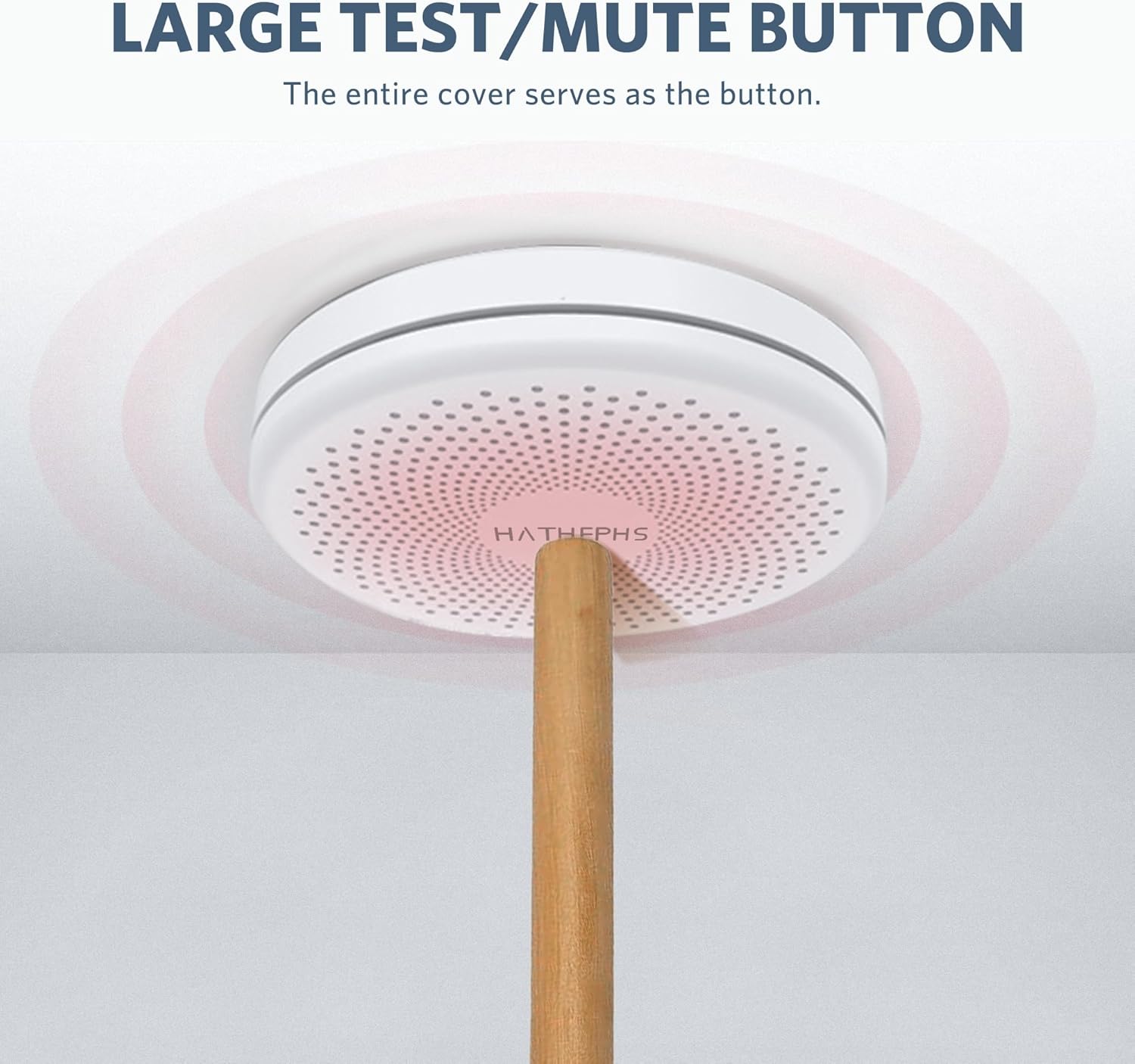
Figure 3: Testing the alarm using the large button.
3.2 Silencing the Alarm
In case of a false alarm (e.g., from cooking fumes), you can temporarily silence the alarm by pressing the large button on the top cover. The alarm will mute for a short period, allowing you to clear the air. The device will automatically reset after the silence period if the threat is no longer detected.
3.3 2-in-1 Protection Overview
This device utilizes advanced photoelectric and electrochemical sensors to detect both smoke and carbon monoxide. It provides loud audible alerts and visual indications (flashing LED) to notify you of potential hazards, ensuring comprehensive safety for your home.

Figure 4: The detector provides dual protection against smoke and carbon monoxide.
4. Maintenance
4.1 Battery Life
The HATHEPHS detector is equipped with a sealed lithium battery designed to provide 10 years of continuous power. This eliminates the need for frequent battery replacements. The device performs automatic self-checks to monitor battery levels.

Figure 5: Enjoy 10 years of worry-free battery life.
4.2 Self-Check and Indicators
The device performs automatic self-checks every 60 seconds, indicated by a green light flash. This confirms that the unit is functioning correctly. In case of a low battery or malfunction, the device will provide specific warnings.

Figure 6: Automatic self-check indicators.
4.3 Cleaning
To maintain optimal performance, gently clean the exterior of the detector with a soft, damp cloth periodically. Do not use harsh chemicals or abrasive cleaners. Ensure the vents are free from dust and debris.
5. Troubleshooting
If your HATHEPHS detector is not functioning as expected, consider the following common issues:
- False Alarms: Ensure the detector is not installed too close to cooking appliances, fireplaces, or areas with high humidity. Temporarily silence the alarm by pressing the test/silence button.
- Chirping Sound: A periodic chirping sound typically indicates a low battery. While this model has a 10-year sealed battery, if chirping occurs prematurely, ensure the device was properly activated. If chirping persists, the unit may need replacement.
- No Response During Test: If the alarm does not sound or the LED does not flash when the test button is pressed, ensure the device was activated correctly. If the issue persists, the unit may be faulty and require replacement.
For persistent issues not covered here, please refer to the full user manual or contact customer support.
6. Specifications
| Feature | Detail |
|---|---|
| Brand | HATHEPHS |
| Model Number | CS01 |
| Power Source | Battery Powered (10-Year Lithium Metal battery included) |
| Product Dimensions | 4.7"D x 4.7"W x 1.1"H |
| Alarm Type | Audible & Visual |
| Sensor Type | Photoelectric & Electrochemical |
| Material | Heat-Resistant PC Plastic Material |
| Installation Method | Screw-In or Self-Adhesive |
| Coverage Area | 215-430 sq. ft |
| Item Weight | 6.4 ounces |
7. Warranty and Support
7.1 Warranty Information
The HATHEPHS Smoke Detector Carbon Monoxide Detector Combo comes with a 90-day money-back guarantee and a 5-year warranty. Please retain your proof of purchase for warranty claims.
7.2 Additional Support
For further assistance, detailed instructions, or troubleshooting not covered in this manual, please refer to the official User Manual PDF available online or contact HATHEPHS customer support.
Official User Manual (PDF): Download Here