
Introduction
This manual provides comprehensive instructions for the safe and effective use of your Conliwell 18" Professional Microfiber Mop Floor Cleaning System. Please read this manual thoroughly before assembly and operation, and retain it for future reference.
Package Contents
- 1 x Mop Head (Aluminum Alloy)
- 1 x Adjustable Stainless Steel Handle (Multiple sections)
- 2 x Microfiber Mop Pads (for dry use)
- 2 x Deep Clean Scrub Pads (for wet use)
- 1 x Cleaning Scraper

Image: All components of the Conliwell Microfiber Mop, including the mop head, handle sections, and various pads, laid out for assembly.
Setup Instructions
- Assemble the Handle: Screw the white end of the pole into the mop head.
- Extend the Handle: Connect the other pole sections by screwing them one into another until the desired length is achieved. The handle is adjustable from 24 to 45 inches.
- Attach the Mop Pad: Align the mop pad with the hook and loop strips on the underside of the mop head. Press firmly to secure the pad.
Image: Visual guide demonstrating the assembly steps: screwing the handle to the mop head, connecting handle sections, and attaching the mop pad.
Operating Instructions
Dry Mopping (Dusting)
Use the microfiber mop pads for dry cleaning. These pads are designed to attract and hold dust, dirt, and pet hair. Simply glide the mop across the floor surface. The 360-degree rotatable mop head allows for easy maneuvering around furniture and into tight spaces.
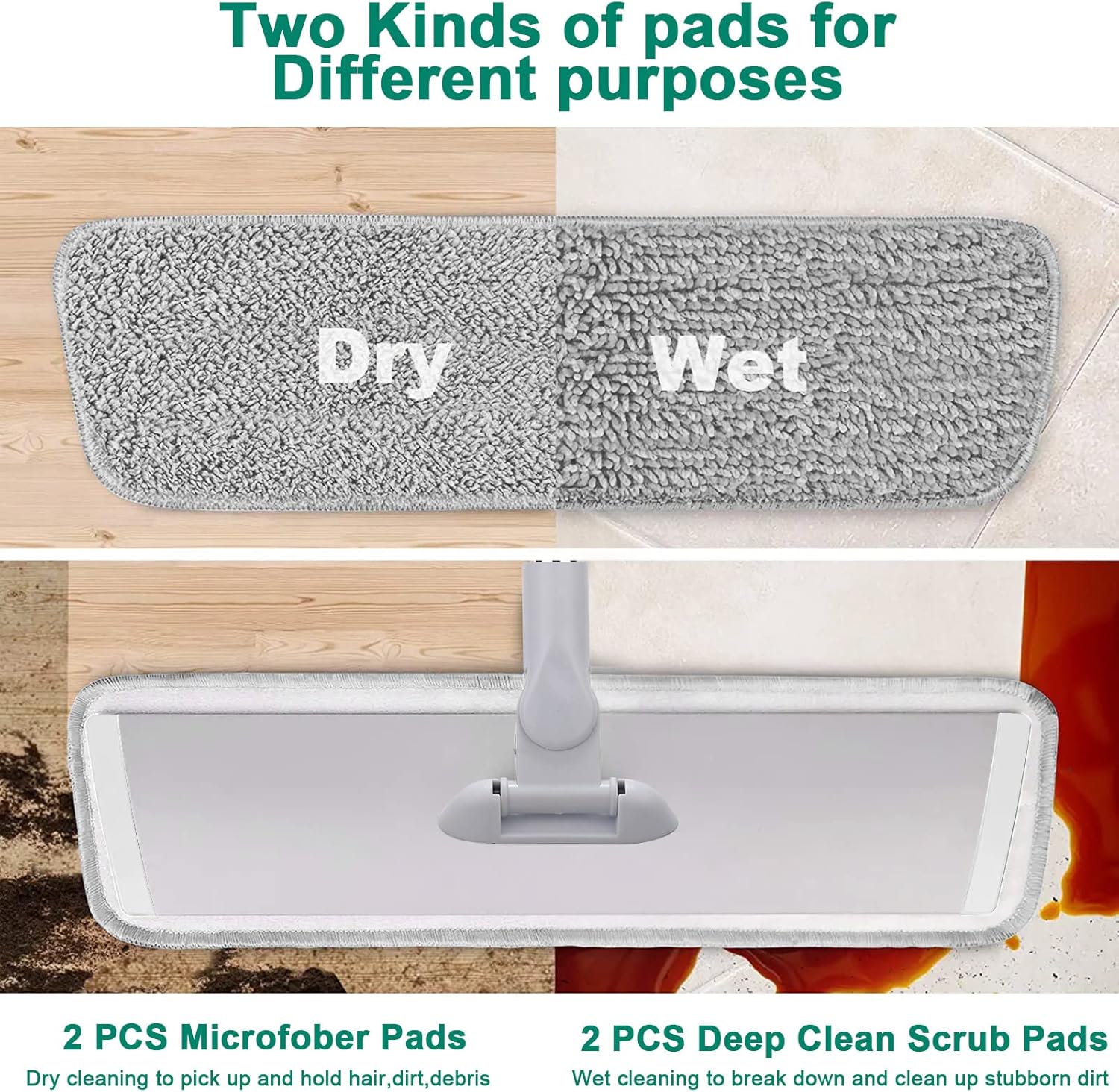
Image: Illustration showing two types of mop pads, labeled "Dry" and "Wet", indicating their different purposes.
Wet Mopping (Deep Cleaning)
For wet cleaning, use the deep clean scrub pads. These blend microfiber pads are effective at breaking down and absorbing dirt and grime. Dampen the pad with water or a suitable floor cleaner before attaching it to the mop head. Mop the floor in overlapping strokes. The mop head's flexibility allows for thorough cleaning under obstacles.
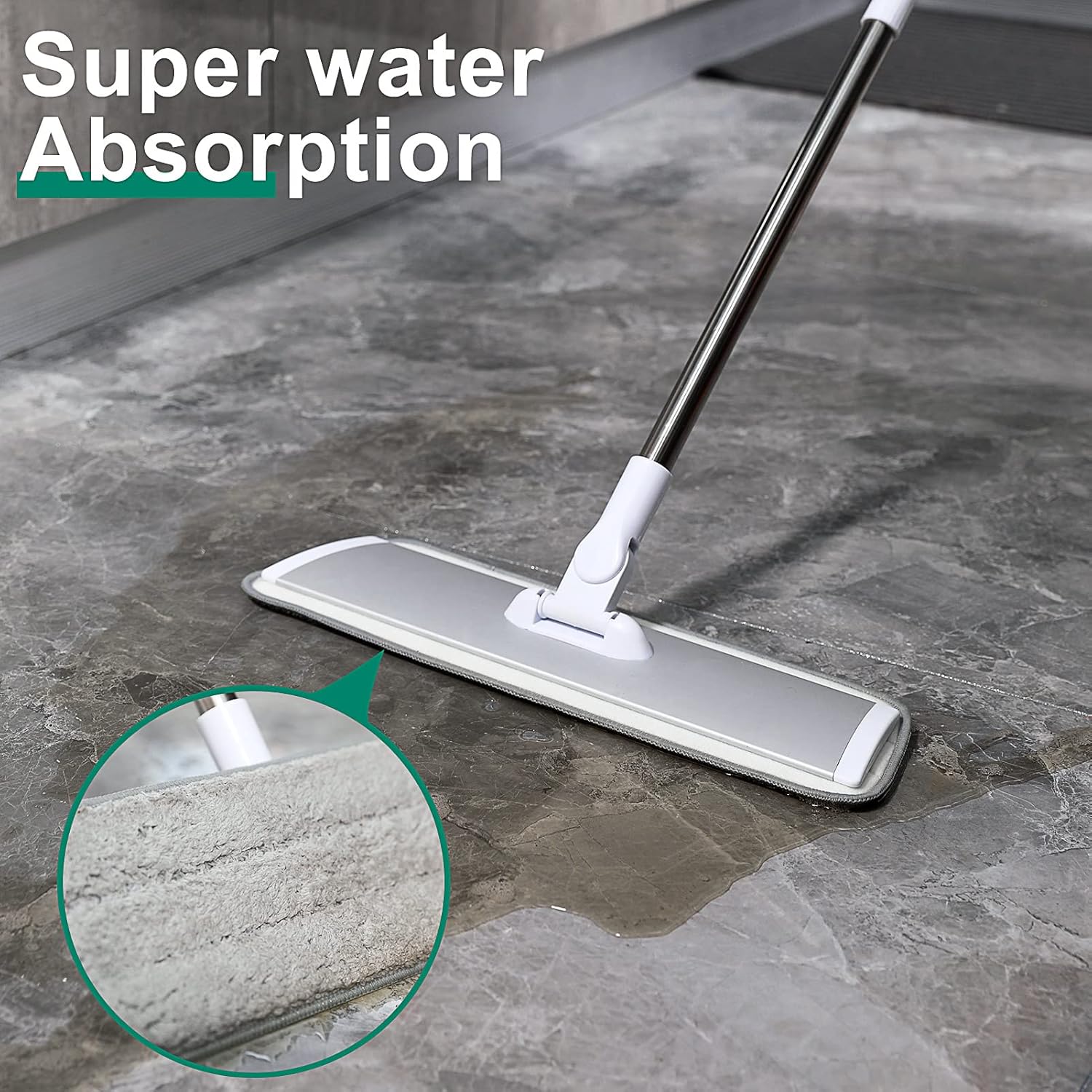
Image: The microfiber mop pad demonstrating its water absorption capability on a wet floor.

Image: The mop head demonstrating its 360-degree rotation, highlighting its ability to clean under furniture and in tight spaces.
Maintenance
Cleaning Mop Pads
The mop pads are machine washable and reusable. After use, detach the pad from the mop head. Machine wash the pads with similar colors in cold water. Do not use bleach or fabric softeners, as these can damage the microfiber. Tumble dry on low heat or air dry.

Image: A mop pad being placed into a washing machine, illustrating the machine washable feature.
Using the Cleaning Scraper
The included cleaning scraper can be used to remove stubborn dirt, hair, or debris from the mop pads before or after washing. Gently scrape the surface of the pad to dislodge trapped particles.

Image: Detail of the mop head's hook and loop strips, demonstrating how pads are easily attached and changed.
Storage
After use, ensure the mop head and pads are clean and dry. The handle features a hook hole for convenient hanging storage, which helps save space and keeps the mop head off the floor.
Troubleshooting
| Problem | Possible Cause | Solution |
|---|---|---|
| Mop pad not staying attached. | Hook and loop strips are dirty or worn. Pad not pressed firmly enough. | Clean hook and loop strips on both mop head and pad. Ensure pad is pressed firmly across the entire surface. Replace worn pads if necessary. |
| Mop leaves streaks. | Too much cleaning solution used. Pad is dirty. | Use less cleaning solution or dilute it further. Wash the mop pad thoroughly or use a clean pad. |
| Handle feels loose. | Handle sections are not fully tightened. | Ensure all handle sections are securely screwed together. |
Specifications
| Feature | Detail |
|---|---|
| Model Number | LH22-1 |
| Mop Head Dimensions | 18 inches (Length) |
| Handle Material | Stainless Steel |
| Mop Head Material | Aluminum Alloy |
| Adjustable Handle Length | 24 - 45 inches |
| Number of Mop Pads Included | 4 (2 Microfiber, 2 Deep Clean Scrub) |
| Item Weight | 1.96 pounds (0.89 kg) |
| Product Dimensions | 17"L x 1"W x 51"H (fully extended) |
| GTIN | 708858939953 |
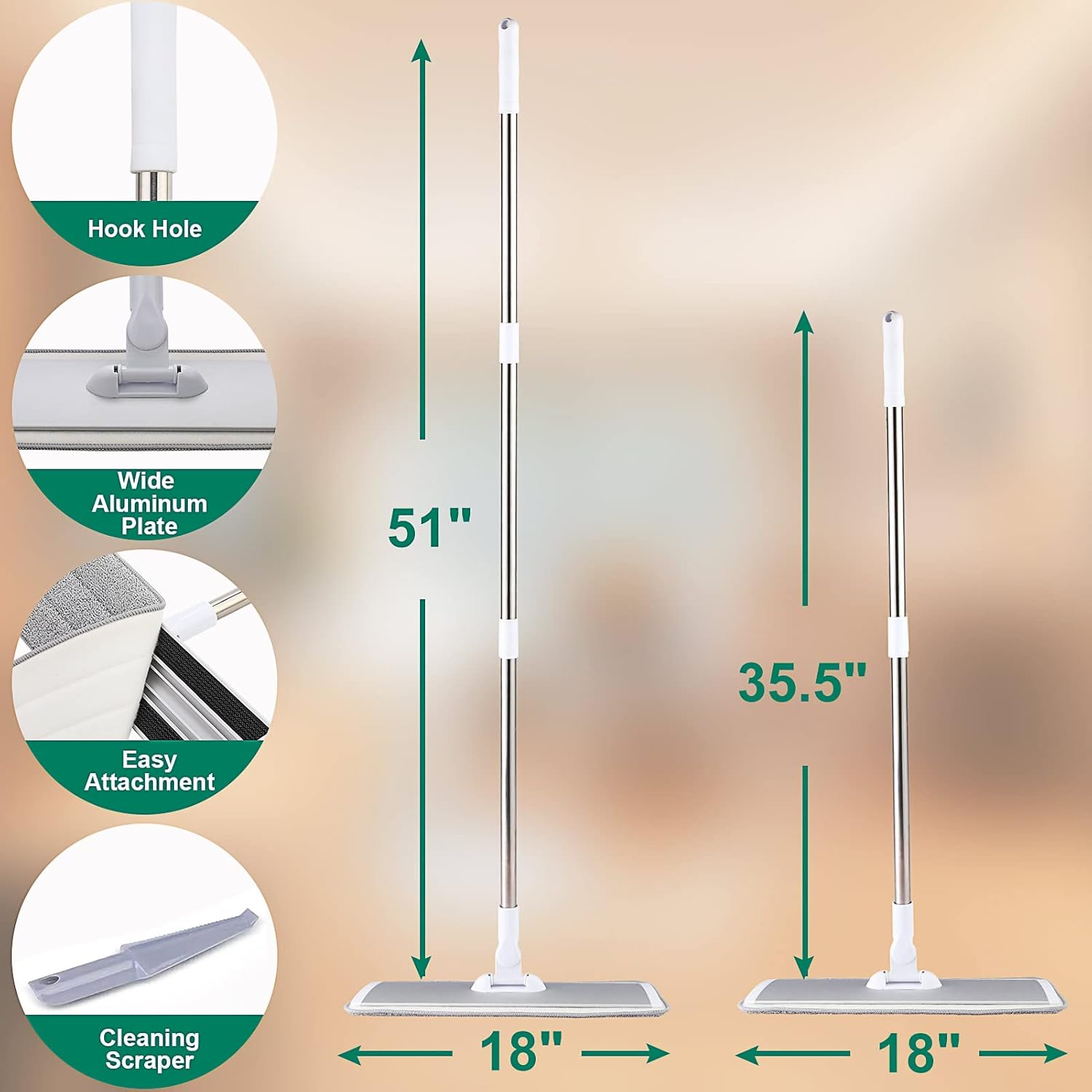
Image: Dimensions of the mop, illustrating the adjustable handle length and the 18-inch mop head.
Safety Information
- Keep out of reach of children and pets.
- Do not use the mop for purposes other than floor cleaning.
- Ensure the handle is securely assembled before use to prevent detachment.
- Avoid using harsh chemicals that may damage the mop pads or floor surfaces.
- Always follow the cleaning solution manufacturer's instructions.
Video Guide
Video: An official product video demonstrating the features and usage of the Conliwell Microfiber Mop.
Warranty and Support
For warranty information or customer support, please refer to the contact details provided with your purchase or visit the official Conliwell website. Please have your model number (LH22-1) and purchase date available when contacting support.
Manufacturer: Conliwell